Ben's Blog

Category: homestead automation

7 Articles
AI, all out geekery, electronics, homestead automation, I.T., maniacal paranoia, web development ben August 15, 2026

Homestead Dashboard

For years I’ve been inching my way through various home automation projects. Some solar array visibility, some way to turn of inverter should batteries get low, some way to detect wildlife tearing through crops, et cetera. I had a good bulk of life improving features implemented, but nothing very coherent or well polished. Recently I revamped my whole infrastructure at home to standardize all the little tidbits I’ve accumulated over the years. It was a daunting task but it’s done. And so the efficiency of AI programming lets me finally create the Homestead Dashboard I’ve been wishing for for years. Now please note that I’m not an AI evangelist, but I’ve gotten to be discerning of which project I wanted to still be involved with, and at which degree. And for such a project, I don’t particularly care to understand much of how the clock ticks, so I can let AI do its thing much faster than I can. I spent more time on some of the building blocks I still want to own.

This is obviously private so I can’t link to it, screenshots will have to do.

High Level

Each function is expandable. With a “quick-glance” view of main functions at the top left. Electricity, Electric Fences, Kid’s internet.
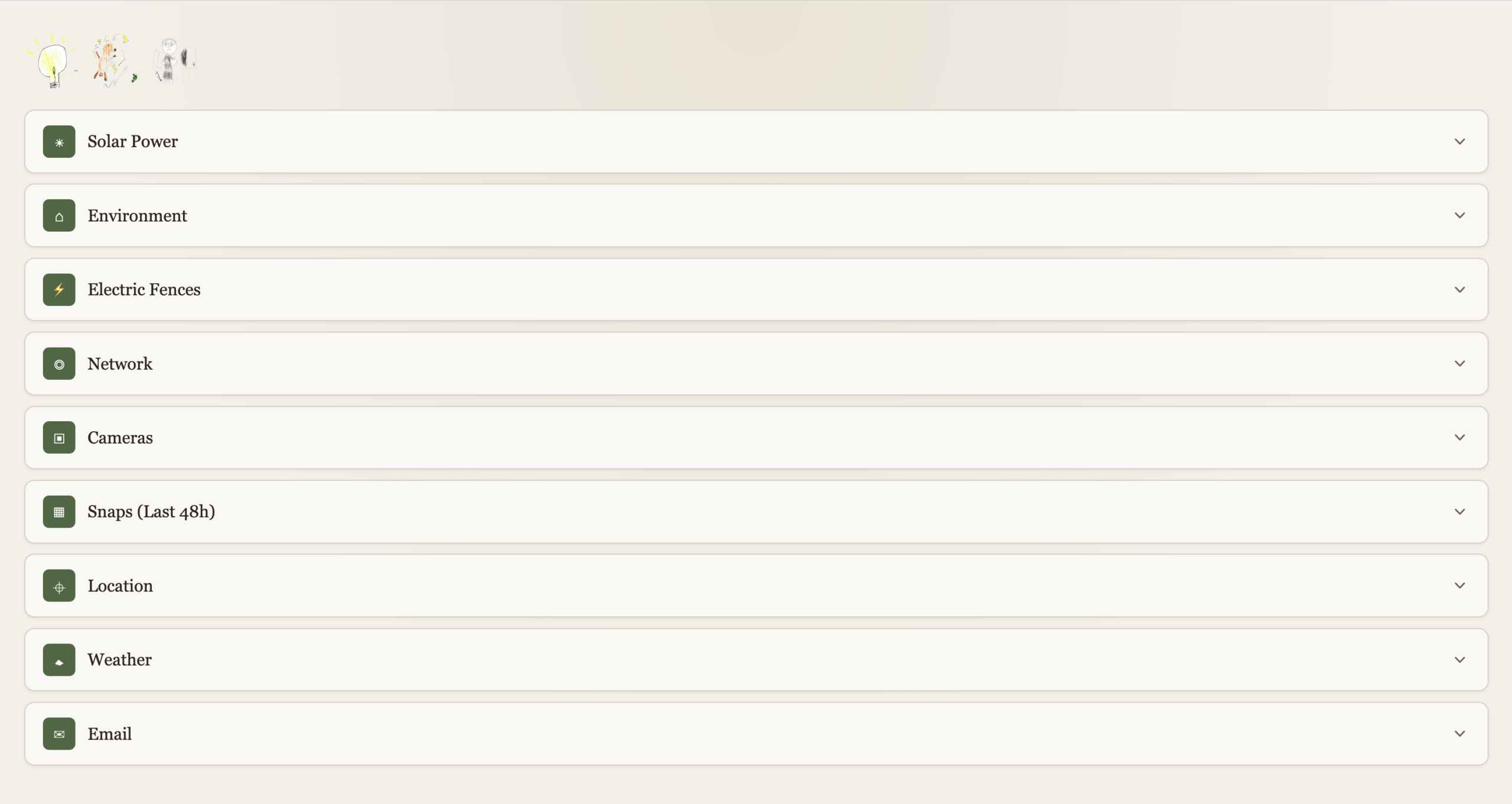
Solar Power

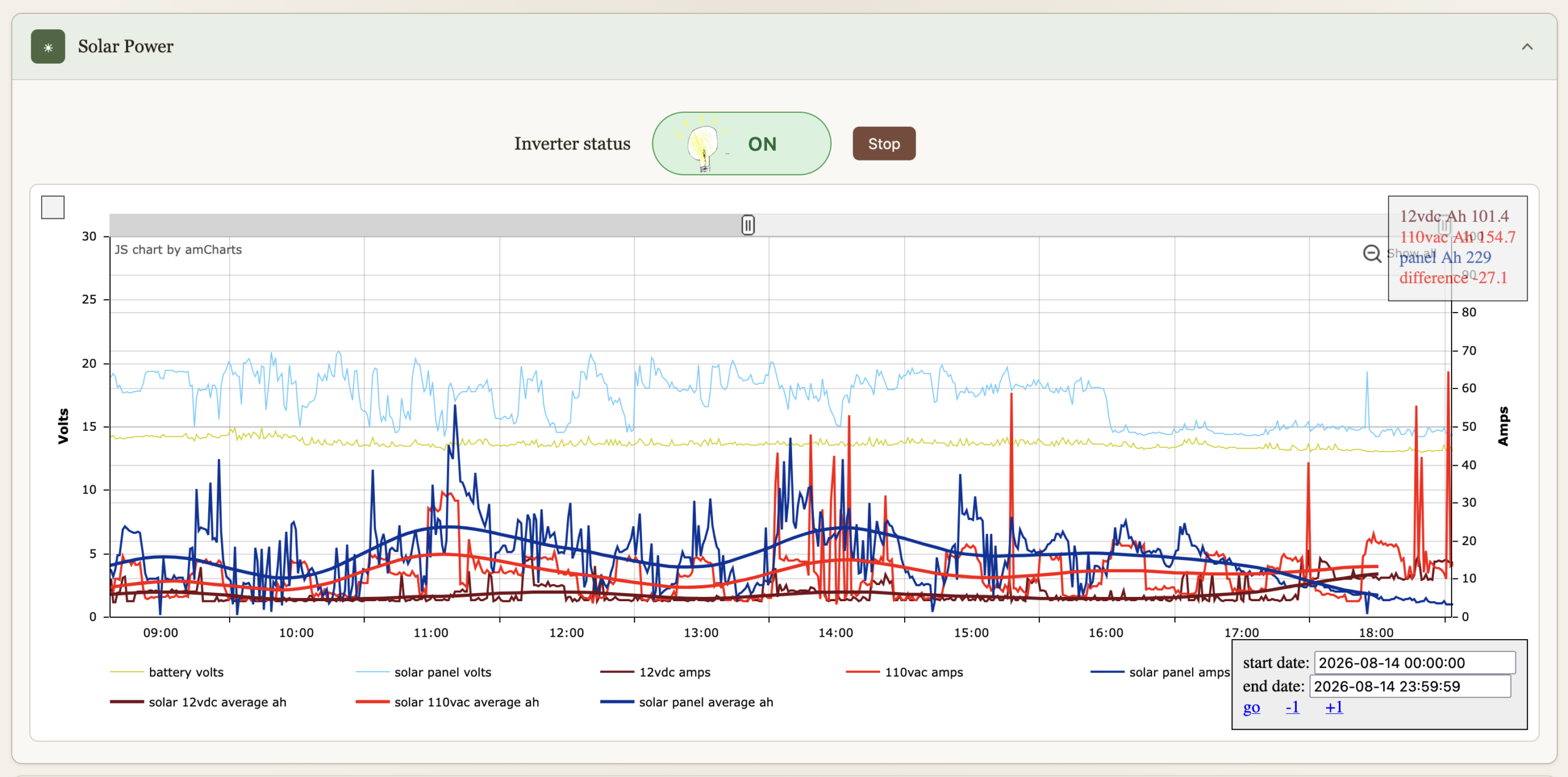
I’ve had these graphs for a while now, they’re just now part of the dashboard. They’re been immensely useful to gain insights on all things solar over the years. The inverter can be turned on or off, automation turns if off if the batteries get bellow 12.8V to preserve them, and back on when above 13.2V. We can override it.
Environment

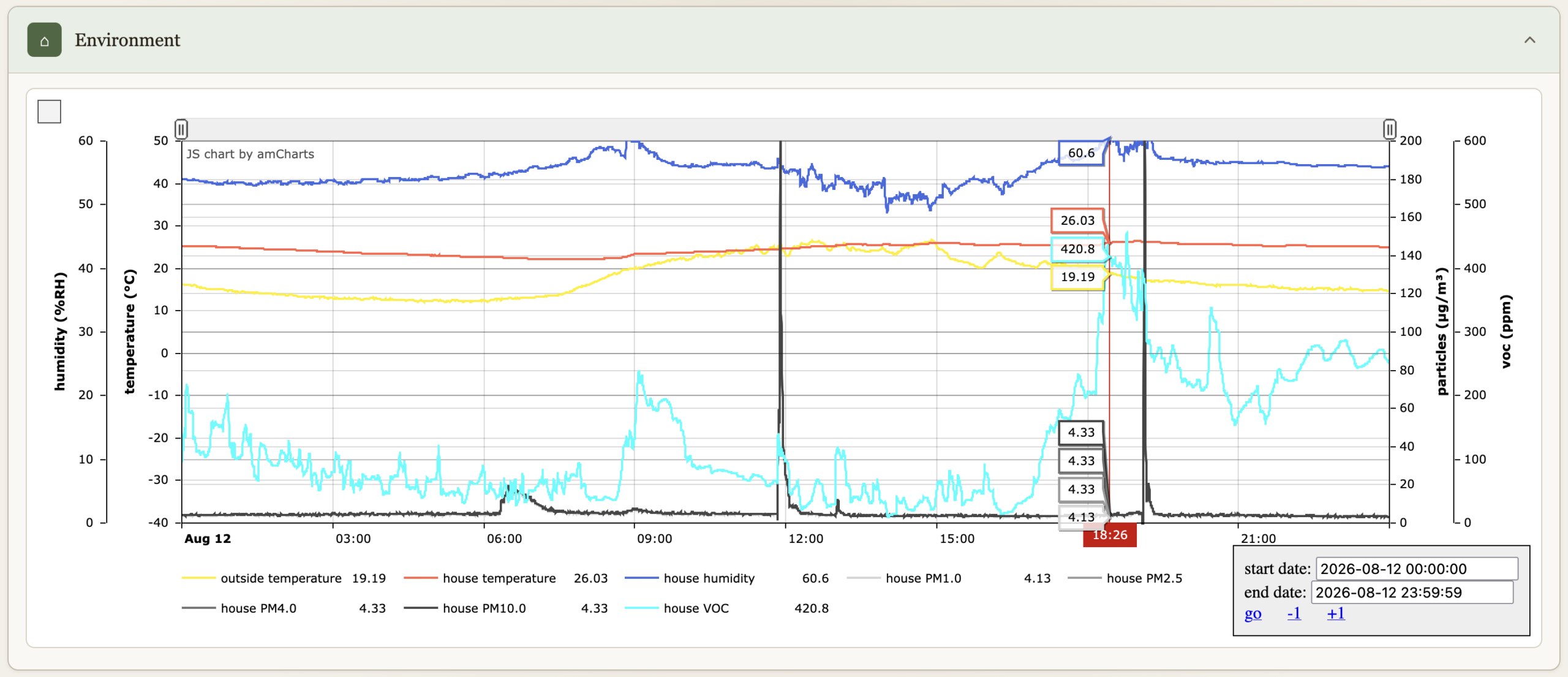
Temperatures, humidity, particle count & VOC.
Electric Fences

Turn on or off, comes on when we are not home (see Location bellow), and at night between 19:30 and 7:30.

Network

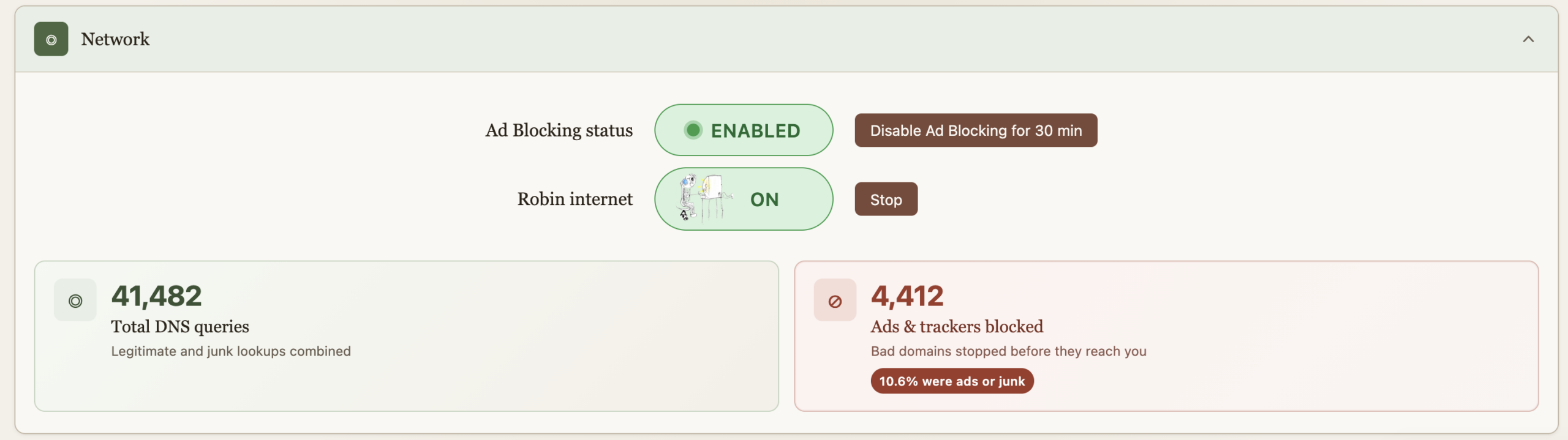
Allows us to turn on the internet for the older kid, it comes back off at midnight every night just in case we forget. This essentially does API calls to PiHole to enable/disable DNS for a group of devices. “Starting” the internet requires a password because some sneaky eyes got a glance of the process and found a way to reproduce it. And then got busted :). The password is client-side on purpose as I wish to continue the educational arms race. And really it’s just a DNS block so fairly easy to override too. He doesn’t read my blog so these secrets are safe, but I do wish that he figures out.

Ad blocking is also provided by PiHole, but sometimes you just got to go on a website where marketers aren’t much different than scammers and the thing’s blocked. For Nicole’s sake, an easy and central button now allows for a temporary override. The ad blocking stats serve no purpose, they’re just here to make us feel good about all the trash we don’t get to see.
Cameras

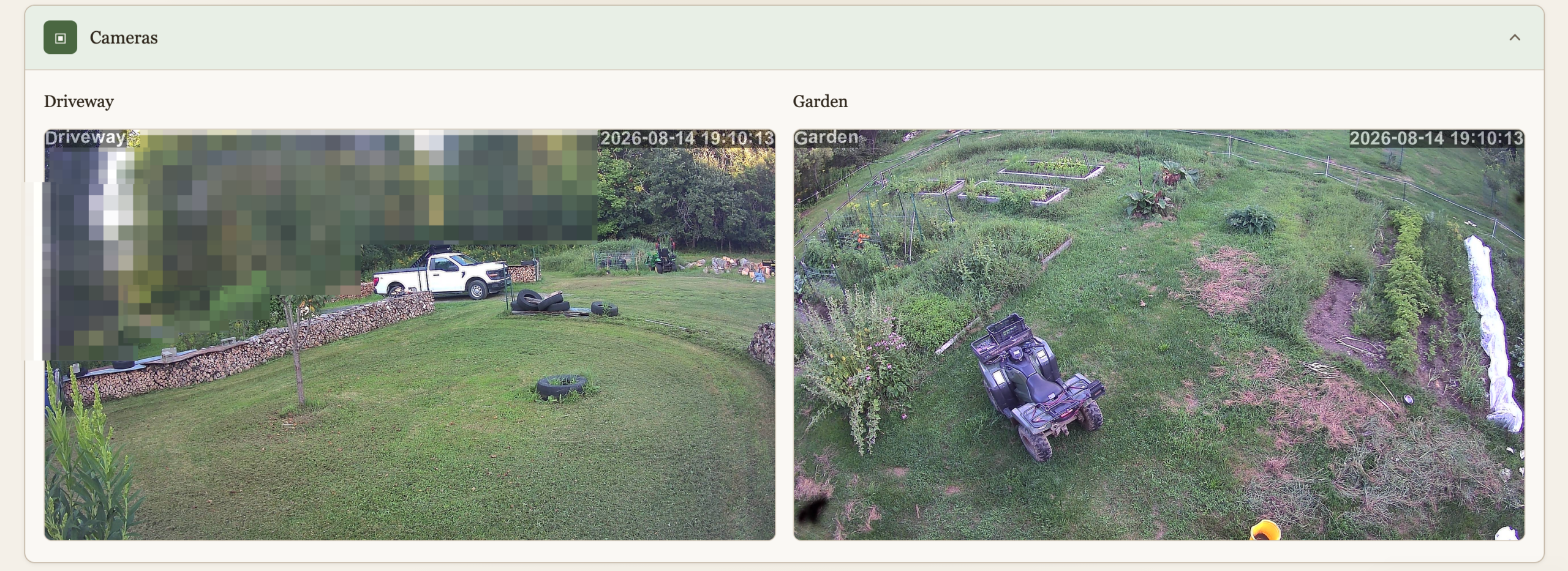
We have 2 cameras currently deployed, this is a live view to them. I don’t like cameras everywhere in society but at home, outside, and very much under our control (no cloud) why not? The main goal here isn’t security, although it’s nice to know when someone pulls in when we’re not home. It’s wildlife detection. I spent a lot of time and resources keeping wildlife away, and I’m not done yet, and the cameras are a key ingredient. This will be another post.
Snaps (48h)

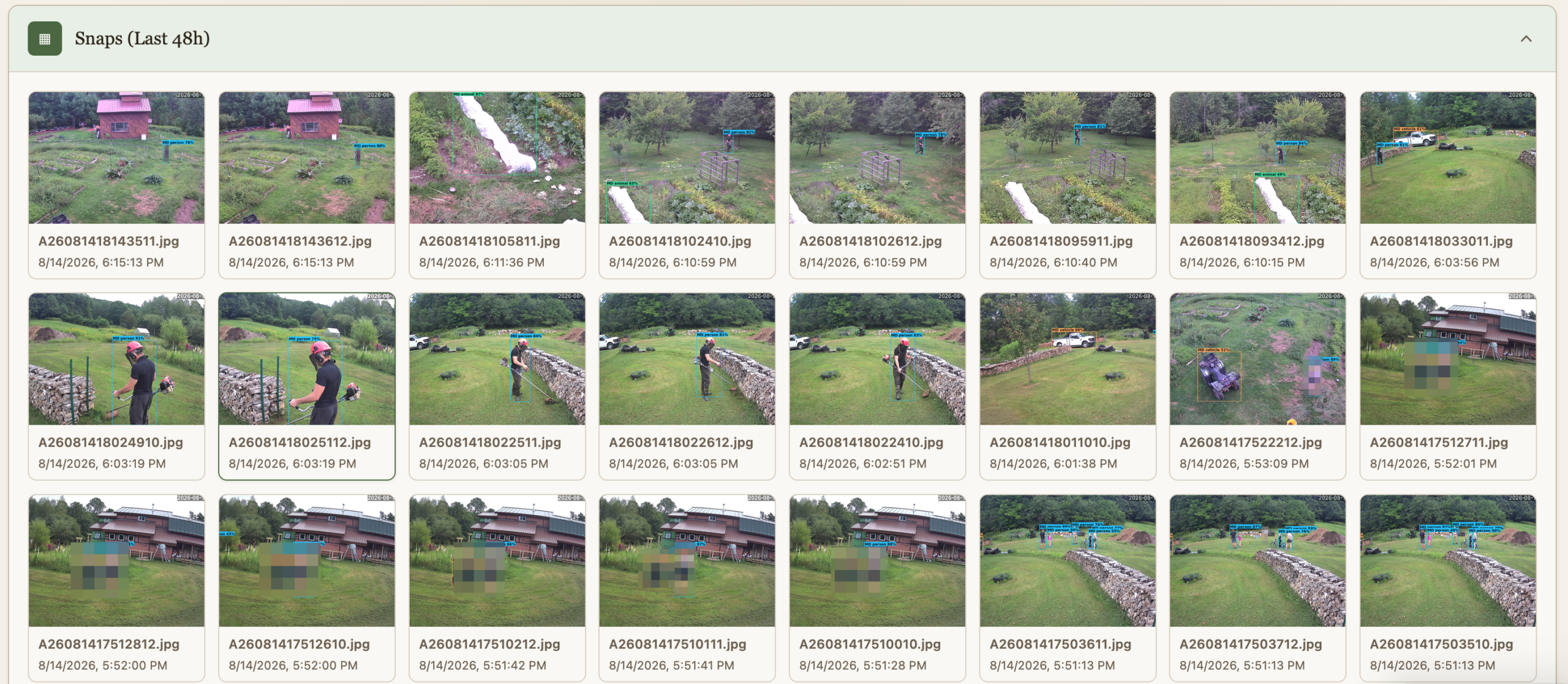
The cameras do people and animal detection, and the findings are preserved for quick view for 48h.
Location

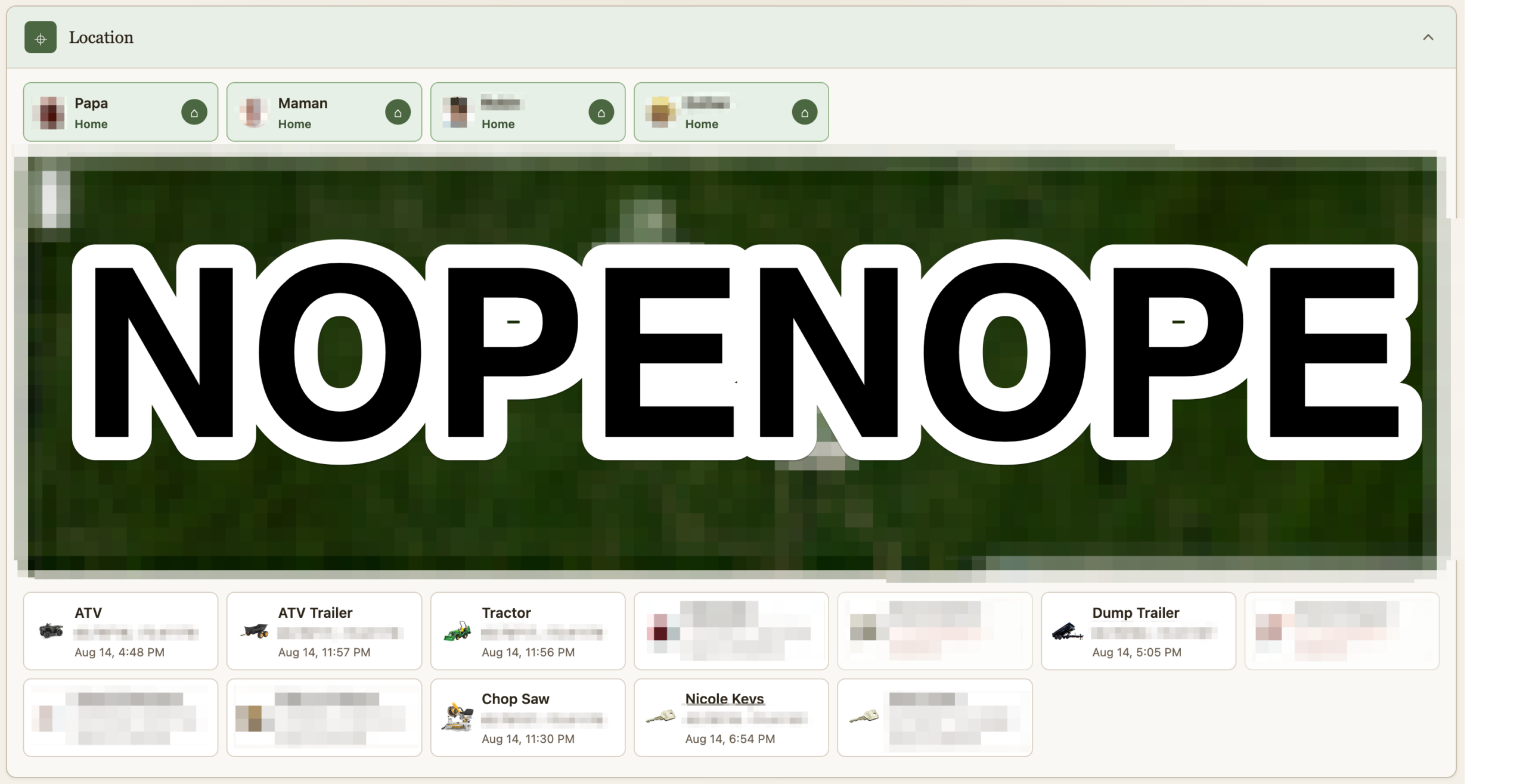
If it costs a little money and it isn’t fastened to the ground, it’s getting an Airtag. I remove their speaker and hide them. A script pulls their location as it updates and logs it. Some of them are geofenced. I suppose this post could be worthy of the “maniacal paranoia” tag I usually reserve for IT security. The Location section shows where all the Airtag currently are. At the top is not where we are, but whether we are home or not as detected via our phones being on wifi or not. This data point is useful for some of the automation. Should we turn on the fence? Should the cameras alert?

Heavily censored obviously
Weather

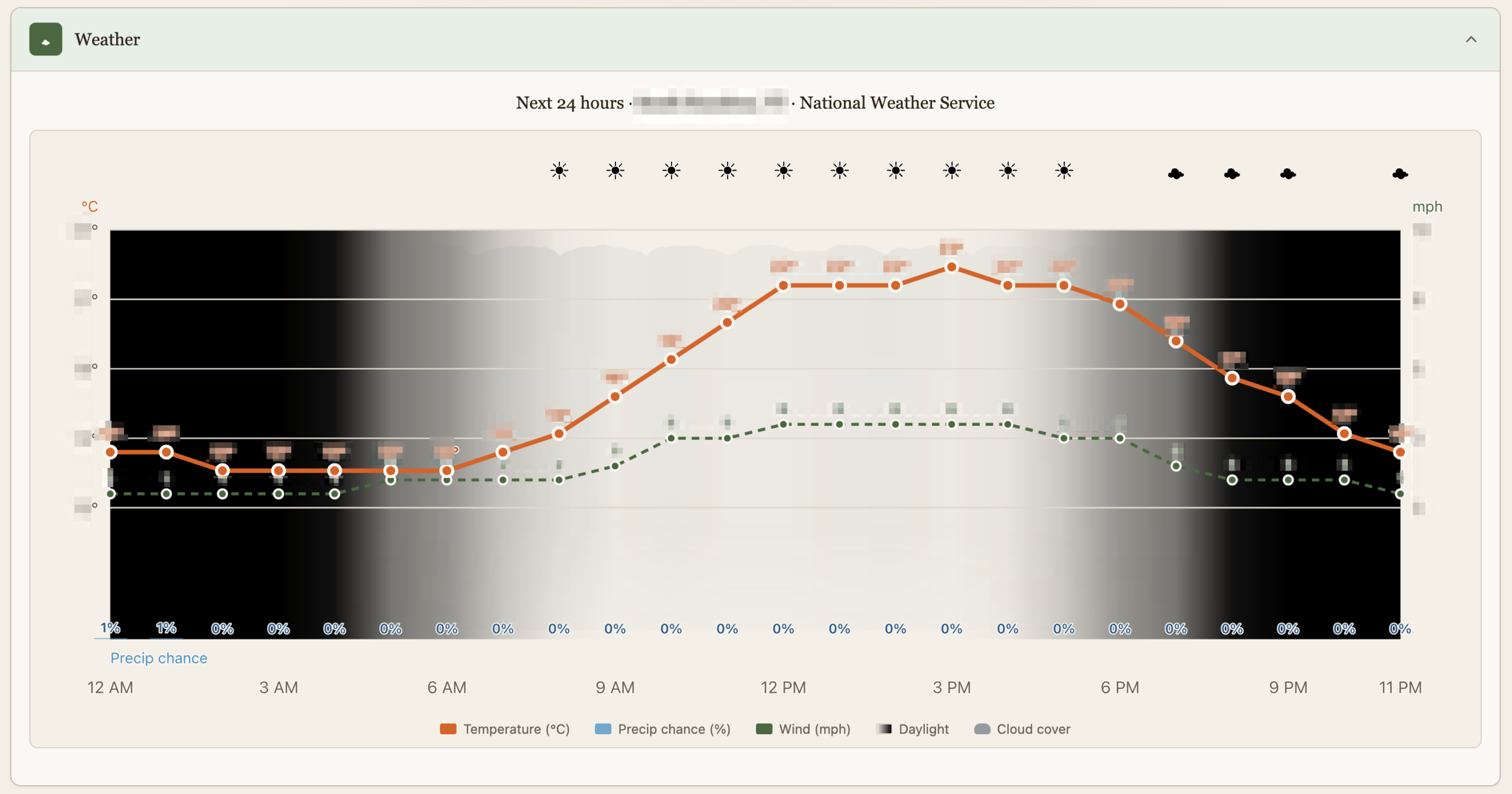
This is just as dumb as it sounds but it’s custom made with just the things we care about, like luminosity which is affected by cloud cover or the Sun going into hiding.
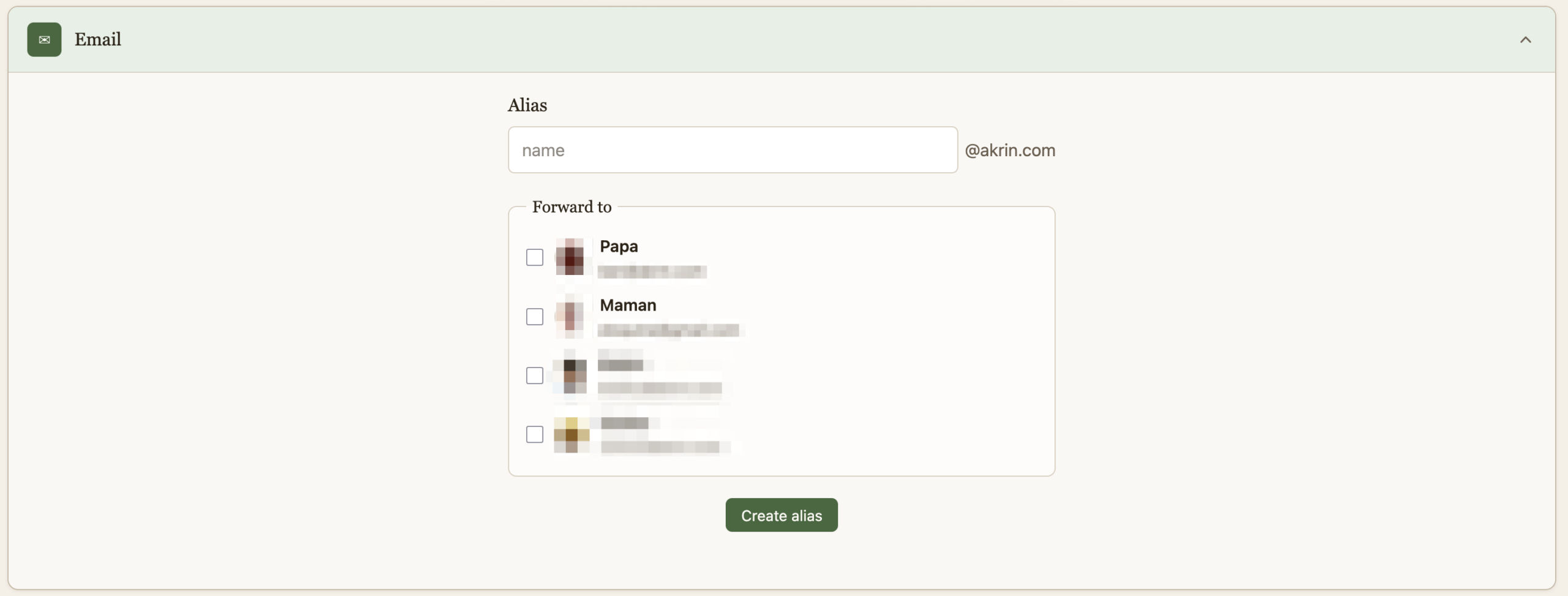
Email

And finally, a quick way to create burner emails for when companies demand that they get to spam you for life before they do business with you once. This is useful in other dimensions, that’s just my pet peeve :).
That is it for now, it’s quite cool to have this all presented thusly after pushing the various building blocks for years.

electronics, homestead automation, I.T., maple syrup, self sustainability ben March 15, 2025

Evaporator Regulator

This isn’t the most involved project but I might as well document it. I’ve been trying to automate some of the more boring tasks of running the evaporator, I’ve got some nice stainless steel float valves to regulate the sap going in now for example. One of the things that kept requiring constant attention is the air intake to adjust the strength of the fire. I’d have to sit with a foot on it to be able to regulate it almost constantly, to make sure the fire wasn’t burning too hard or too weak. And so naturally I thought I could do something with a Pi.

This proved quite successful even with very loose wiring and fastening just to see how it would work.

All of a sudden I barely need to pay attention to the fire’s strength, with a few refinements I won’t have to at all.

The circuit is quite simple:

Wifi barely reaches the sugarhouse so I made sure this could run independent of connectivity. Which involves coding threads on a Pi Pico, which is supported but not as one would expect.

import machine
import time
import network
import socket
from max6675 import MAX6675
import _thread
    

html = """{\"evaporator_temperature\":<TEMPERATURE>}"""

# LED
led = machine.Pin( "LED", machine.Pin.OUT )

# temperature
sck = machine.Pin( 2, machine.Pin.OUT )
cs = machine.Pin( 3, machine.Pin.OUT )
so = machine.Pin( 4, machine.Pin.IN )
sensor = MAX6675( sck, cs , so )
temperature_min = 25
temperature_max = 30
temperature = -1337.0

# servo
servo = machine.PWM( machine.Pin(0) )
servo.freq( 50 )
servo_min = 1000
servo_max = 8000
servo_at = 0


def temp_to_servo( temp ):
    if (temperature_max - temperature_min)==0:
        # right in the middle
        return int( (servo_max-servo_min)/2 )
    result = (temp - temperature_min) * (servo_max - servo_min) / (temperature_max - temperature_min) + servo_min
    if result>servo_max:
        result = servo_max
    if result<servo_min:
        result = servo_min
    return int( result )


def blink_number( number ):
    number = str( int(number) )
    for char in number:
        for i in range(int(char)):
            led.value( 1 )
            time.sleep( 0.2 )
            led.value( 0 )
            time.sleep( 0.2 )
        time.sleep( 0.3 )
        led.value( 1 )
        time.sleep( 0.1 )
        led.value( 0 )
        time.sleep( 0.3 )


keep_going = False
def servo_thread():
    global temperature, servo_at, servo
    
    while keep_going:
        time.sleep( 5 )
        print( "# measuring average temperature over 1 seconds..." )
        temperature_total = 0.0
        for i in range(10):
            temperature_total += sensor.read()
            time.sleep( 0.1 )
        temperature = temperature_total / 10
        blink_number( temperature )
        print( "# " + str(temperature) )
        new_servo_position = temp_to_servo( temperature )
        print( "# new_servo_position: " + str(new_servo_position) )
        step = 1
        if new_servo_position<servo_at:
            step = -1
        for i in range(servo_at, new_servo_position, step):
            time.sleep( 0.001 )
            servo_at = i
            servo.duty_u16( i )
    print( "# servo tread finishing" )

# main thread
servo.duty_u16( servo_min )
for i in range(servo_min, servo_max):
    time.sleep( 0.001 )
    servo_at = i
    servo.duty_u16( i )

try:
    ssid = "<wifi_ssid>"
    password = "<wifi_password>"
    wlan = network.WLAN( network.STA_IF )
    wlan.active( True )
    wlan.connect( ssid, password )

    # wait for connect or fail
    max_wait = 20
    while max_wait>0:
        if wlan.status() < 0 or wlan.status() >= 3:
            break
        max_wait -= 1
        print( "> waiting for connection..." )
        time.sleep( 1 )

    # handle connection error
    if wlan.status()!=3:
        print( "> network connection failed, will launch servo thread in 1 minute" )
        time.sleep( 60 )
        print( "> launching" )
        keep_going = True
        _thread.start_new_thread(servo_thread, ())
        while True:
            time.sleep( 1 )
    else:
        print( "> connected" )
        status = wlan.ifconfig()
        print( "ip = " + status[0] )

        # open socket
        addr = socket.getaddrinfo( "0.0.0.0", 80)[0][-1]
        s = socket.socket()
        s.setsockopt( socket.SOL_SOCKET, socket.SO_REUSEADDR, 1 )
        #s.settimeout(1)
        s.bind( addr )
        s.listen( 1 )
        print( "> web server listening on", addr )

        # listen for connections
        while True:
            print( ">" )
            try:
                cl, addr = s.accept()
                print( "client connected from", addr)

                request = cl.recv( 1024 )
               
                request = request.decode( "utf-8" ).strip()
                print( request )

                if request.startswith( "GET / " ):
                    print( "get data" )
                    response = html.replace( "<TEMPERATURE>", str(temperature) )
                    cl.send( "HTTP/1.0 200 OK\r\nContent-type: application/json\r\n\r\n" )
                    cl.send( response )
                elif request.startswith( "GET /min_temperature " ):
                     print( "get min_temperature" )
                     cl.send( "HTTP/1.0 200 OK\r\nContent-type: application/json\r\n\r\n" )
                     cl.send( str(temperature_min) )
                elif request.startswith( "GET /max_temperature " ):
                     print( "get max_temperature" )
                     cl.send( "HTTP/1.0 200 OK\r\nContent-type: application/json\r\n\r\n" )
                     cl.send( str(temperature_max) )
                elif request.startswith( "PUT /min_temperature " ):
                    print( "put min_temperature" )
                    new_min_temperature = int(request.split( "\r\n\r\n" )[1])
                    print( new_min_temperature )
                    temperature_min = new_min_temperature
                    cl.send( "HTTP/1.0 200 OK\r\nContent-type: application/json\r\n\r\n" )
                    cl.send( "\"ok\"" )
                elif request.startswith( "PUT /max_temperature " ):
                    print( "put max_temperature" )
                    new_max_temperature = int(request.split( "\r\n\r\n" )[1])
                    print( new_max_temperature )
                    temperature_max = new_max_temperature
                    cl.send( "HTTP/1.0 200 OK\r\nContent-type: application/json\r\n\r\n" )
                    cl.send( "\"ok\"" )
                elif request.startswith( "PUT /start " ):
                    print( "put start" )
                    cl.send( "HTTP/1.0 200 OK\r\nContent-type: application/json\r\n\r\n" )
                    if keep_going:
                        print( "  already started" )
                        cl.send( "\"already started\"" )
                    else:
                        keep_going = True
                        _thread.start_new_thread(servo_thread, ())
                        cl.send( "\"started\"" )
                        for i in range(5000, 6000):
                            time.sleep( 0.001 )
                            servo_at = i
                            servo.duty_u16( i )
                elif request.startswith( "PUT /stop " ):
                    print( "put stop" )
                    #cl.send( "HTTP/1.0 501 OK\r\nContent-type: application/json\r\n\r\n" )
                    #cl.send( "\"not implemented\"" )
                    # crash on stop, thread support is that bad
                    cl.send( "HTTP/1.0 200 OK\r\nContent-type: application/json\r\n\r\n" )
                    if keep_going:
                        keep_going = False
                        cl.send( "\"stopped\"" )
                    else:
                        print( "  already stopped" )
                        cl.send( "\"already stopped\"" )

                cl.close()
         
            except OSError as e:
                cl.close()
                print( "> connection closed" )
                keep_going = False
                time.sleep( 2 )
    

except KeyboardInterrupt:
    print( "> ctrl+c, wrapping up..." )
    keep_going = False
    time.sleep( 10 )
except Exception as e:
    print( e )
    print( "> unexpected exception, wrapping up..." )
    keep_going = False
    time.sleep( 10 )

import time
class MAX6675:
    MEASUREMENT_PERIOD_MS = 220

    def __init__(self, sck, cs, so):
        """
        Creates new object for controlling MAX6675
        :param sck: SCK (clock) pin, must be configured as Pin.OUT
        :param cs: CS (select) pin, must be configured as Pin.OUT
        :param so: SO (data) pin, must be configured as Pin.IN
        """
        # Thermocouple
        self._sck = sck
        self._sck.low()

        self._cs = cs
        self._cs.high()

        self._so = so
        self._so.low()

        self._last_measurement_start = 0
        self._last_read_temp = 0
        self._error = 0

    def _cycle_sck(self):
        self._sck.high()
        time.sleep_us(1)
        self._sck.low()
        time.sleep_us(1)

    def refresh(self):
        """
        Start a new measurement.
        """
        self._cs.low()
        time.sleep_us(10)
        self._cs.high()
        self._last_measurement_start = time.ticks_ms()

    def ready(self):
        """
        Signals if measurement is finished.
        :return: True if measurement is ready for reading.
        """
        return time.ticks_ms() - self._last_measurement_start > MAX6675.MEASUREMENT_PERIOD_MS

    def error(self):
        """
        Returns error bit of last reading. If this bit is set (=1), there's problem with the
        thermocouple - it can be damaged or loosely connected
        :return: Error bit value
        """
        return self._error

    def read(self):
        """
        Reads last measurement and starts a new one. If new measurement is not ready yet, returns last value.
        Note: The last measurement can be quite old (e.g. since last call to `read`).
        To refresh measurement, call `refresh` and wait for `ready` to become True before reading.
        :return: Measured temperature
        """
        # Check if new reading is available
        if self.ready():
            # Bring CS pin low to start protocol for reading result of
            # the conversion process. Forcing the pin down outputs
            # first (dummy) sign bit 15.
            self._cs.low()
            time.sleep_us(10)

            # Read temperature bits 14-3 from MAX6675.
            value = 0
            for i in range(12):
                # SCK should resemble clock signal and new SO value
                # is presented at falling edge
                self._cycle_sck()
                value += self._so.value() << (11 - i)

            # Read the TC Input pin to check if the input is open
            self._cycle_sck()
            self._error = self._so.value()

            # Read the last two bits to complete protocol
            for i in range(2):
                self._cycle_sck()

            # Finish protocol and start new measurement
            self._cs.high()
            self._last_measurement_start = time.ticks_ms()

            self._last_read_temp = value * 0.25

        return self._last_read_temp

Web requests collection.

electronics, homestead automation, I.T. ben February 22, 2024

Beefed up Sensoring

A friend bought a couple of Sensirion SEN54s and I helped him get one working, and ended up buying the extra from him. It had been a few years since I researched what sensors were out there that worked well with Raspberry Pis, and were more on the industrial side than the hobbyist side. I was immediately enthused by Sensirion’s documentation, and their sensor looked top notch. My friend did all the homework on reading specs and comparing with others, it was really a no brainer.

With this SEN54 we’ve gained:

  • accurate humidity (the previous sensor was worthless)
  • VOC
  • PM1.0
  • PM2.5
  • PM4.0
  • PM10.0

It’ll be interesting to see the patterns. I’m honestly a little worried about what the particles will reveal seeing as we’re running 2 wood stoves in the house for half of the year. Reassuringly, the first few readings show we’re in the green, but then Nicole opened the stove to let out a bunch of grilled cheese sandwiches and the readings skyrocketed well above WHO guidelines for particles.

But those are only delicious cheese particles finding their way into your nostrils, surely that can’t have and adverse health effect. Jokes aside it’s interesting to see how much of a tail this benign event has. I’ll be really curious to discover more, I really have no idea what I’m looking at yet.

I am very glad to see the Pis become established as industry capable devices. It’s honestly remarkable what I’ve thrown at them over the years while they kept serving their purpose.

homestead automation, I.T. ben January 12, 2020

GPIO 2 Inverter

I figured out a way to turn our inverter on and off with a Pi so I can leave it off when Winter forces us to be frugal. It takes a little more than an amp hour just sitting there doing nothing, so I do like to turn it off. This capability will serve to automate the fridge in the future, before I do that though, I need to figure out a way to bring cold air from the outside into it. The idea is to have a logic which looks at outside temperature, solar status, and fridge temperature to decide if we just turn it on or if we can simply (and for less electricity) fan in cold air from the outside.

Running a fridge on the coldest months, when solar power is scarce, is doubly absurd.

homestead automation, I.T. ben December 16, 2017

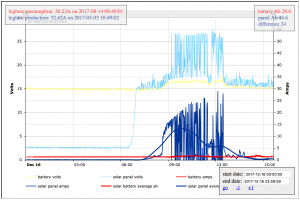
Improved sensor metric visualization

Homestead Metrics

homestead automation, I.T. ben December 19, 2016

At the junction of I.T. & homesteading – continued


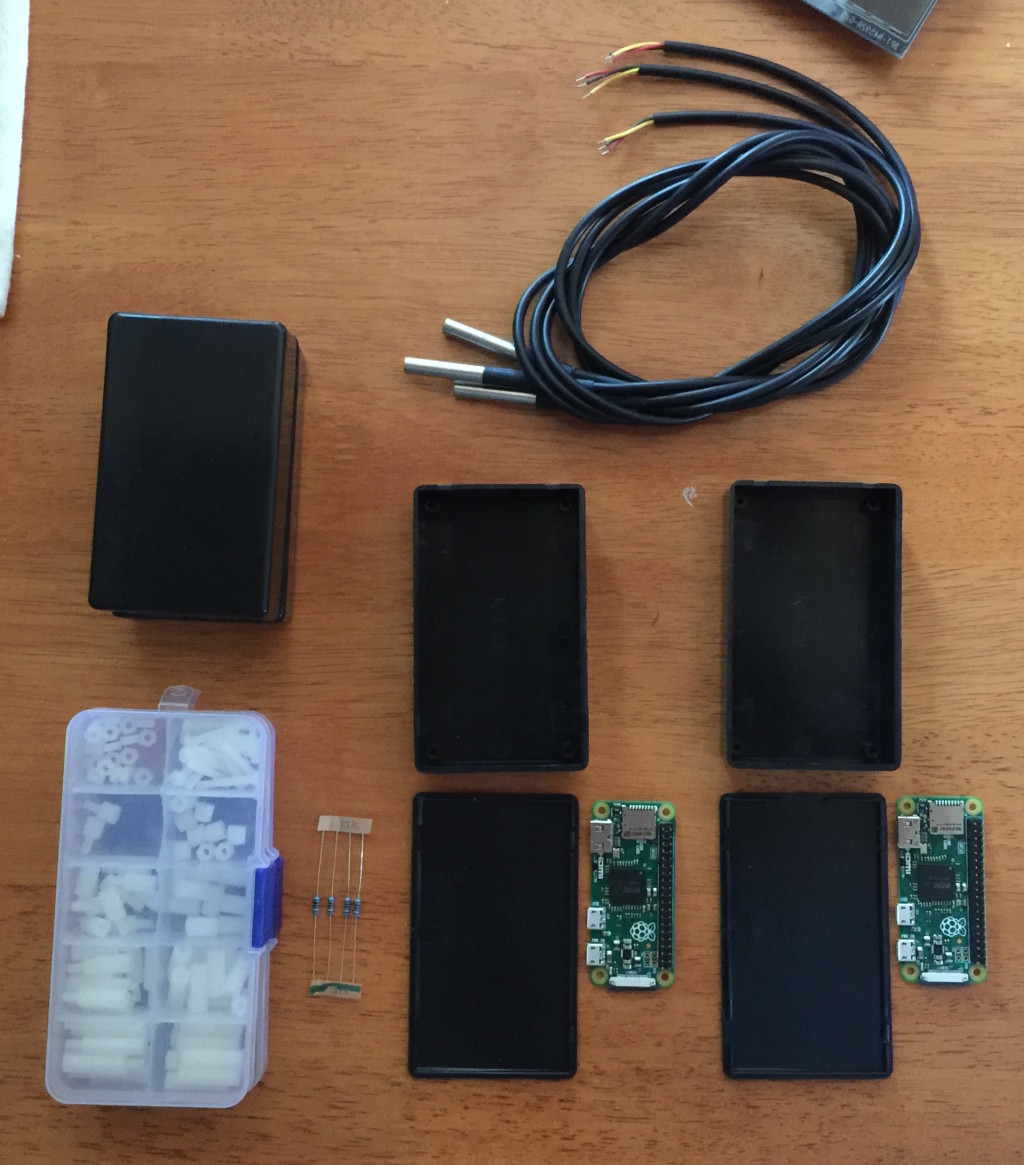
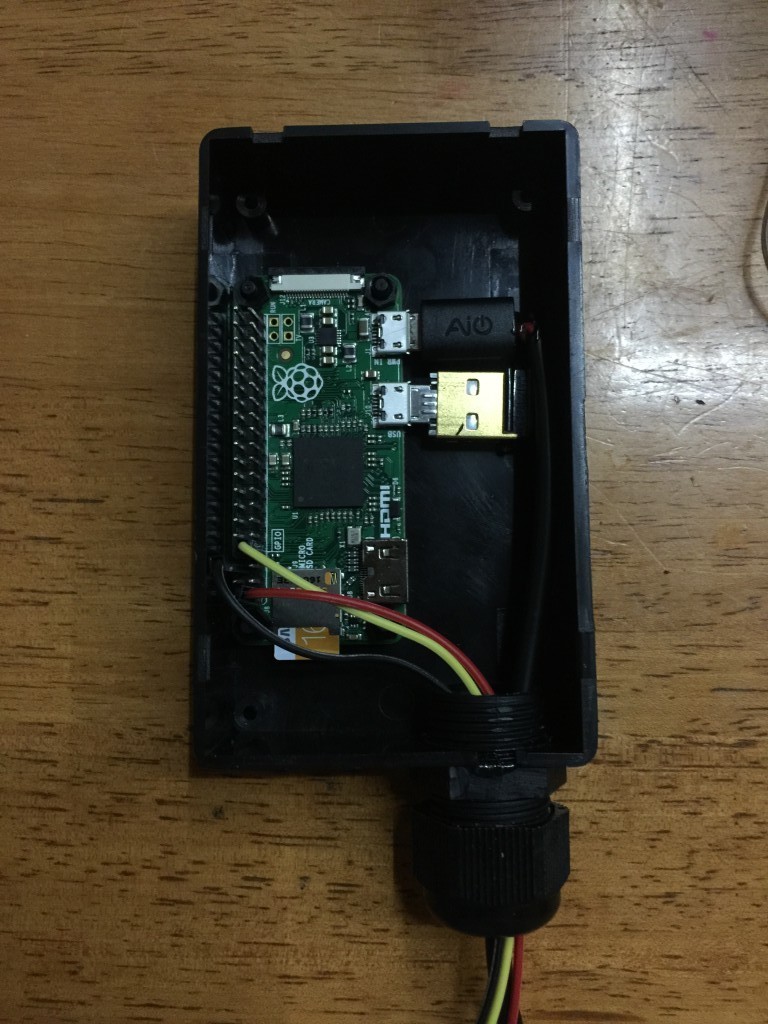
Figuring out a good repeatable & maintainable way to deploy Pi Zeros.IMG_7684

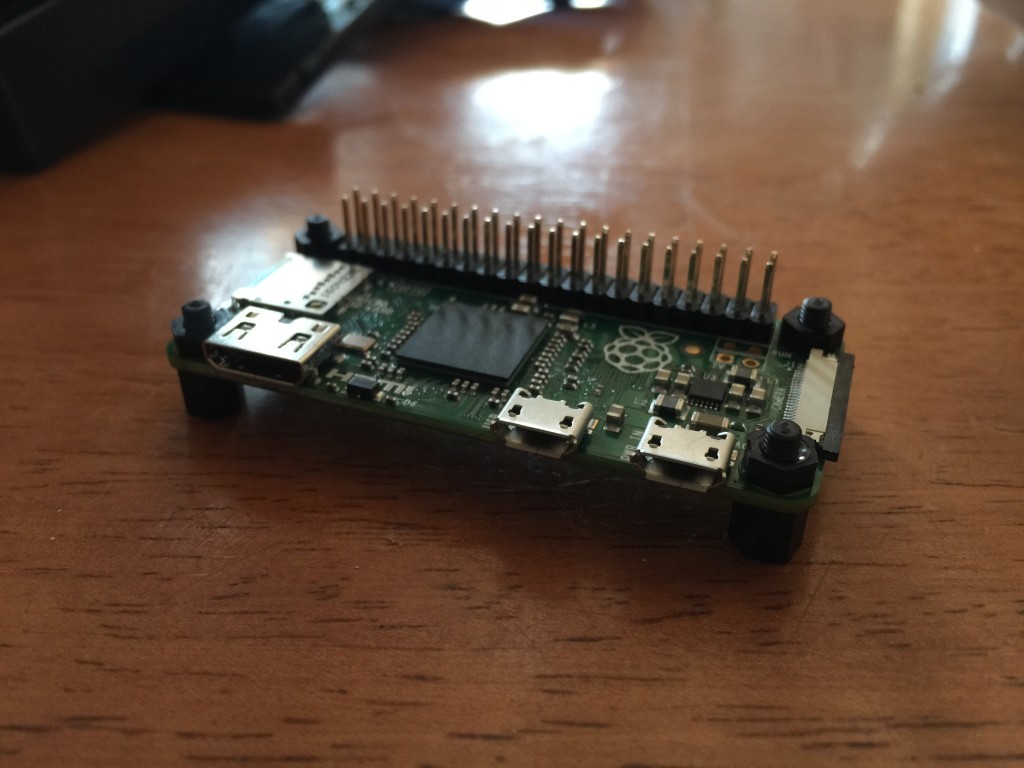
My favorite project screws in action.IMG_7693

The boxes I picked a very tight and leave no room for any other hardware.IMG_7694

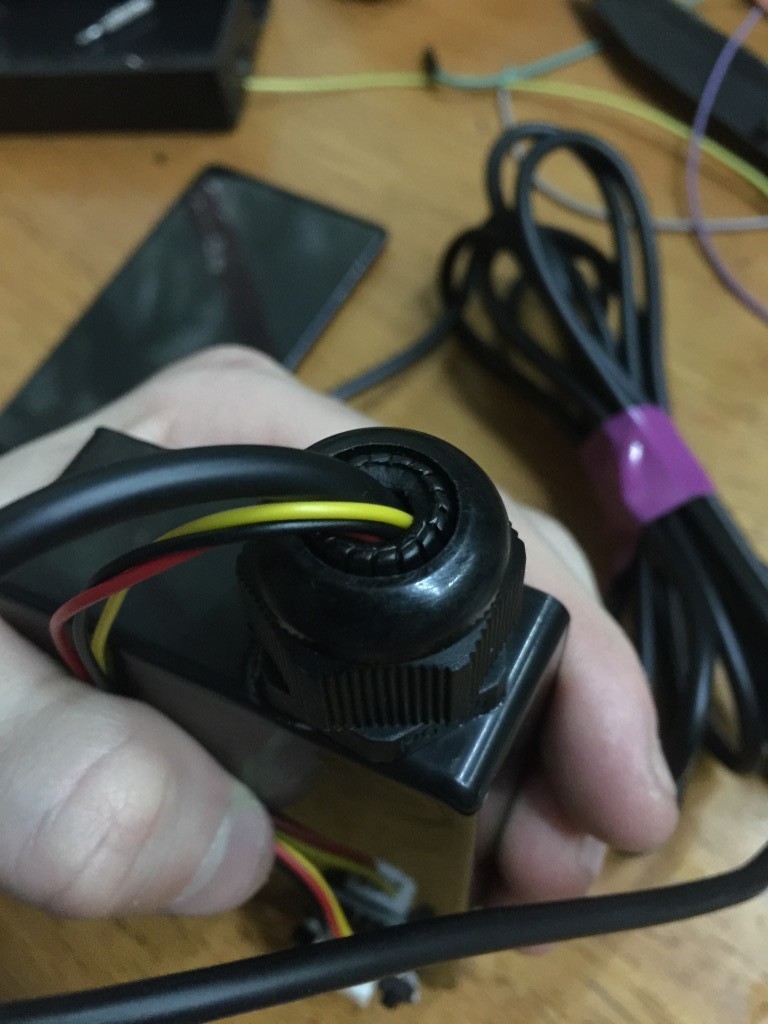
I made a hole for a cable gland which is very helpful for cable strain relief, removing friction on sharp edges and making a right cable entryway.IMG_7695

This little guy is only monitoring temperature, I’ll need a bigger box for the greenhouse device as it needs a bit more hardware.IMG_7746

homestead automation, I.T. ben December 11, 2016

At the junction of I.T. & homesteading

I started acquiring multiple Raspberry Pi Zeros for the purpose of starting to figure out a consistent deployment scheme for the various automation related projects I envision for our homestead.

For now I’ve simply deployed 2 DS18b20 temperature sensors. One on the existing Pi in the Solar shed which serves this blog, and another on a Pi Zero in the house. Only sensing for now which complements the data I’m gathering from the solar array.

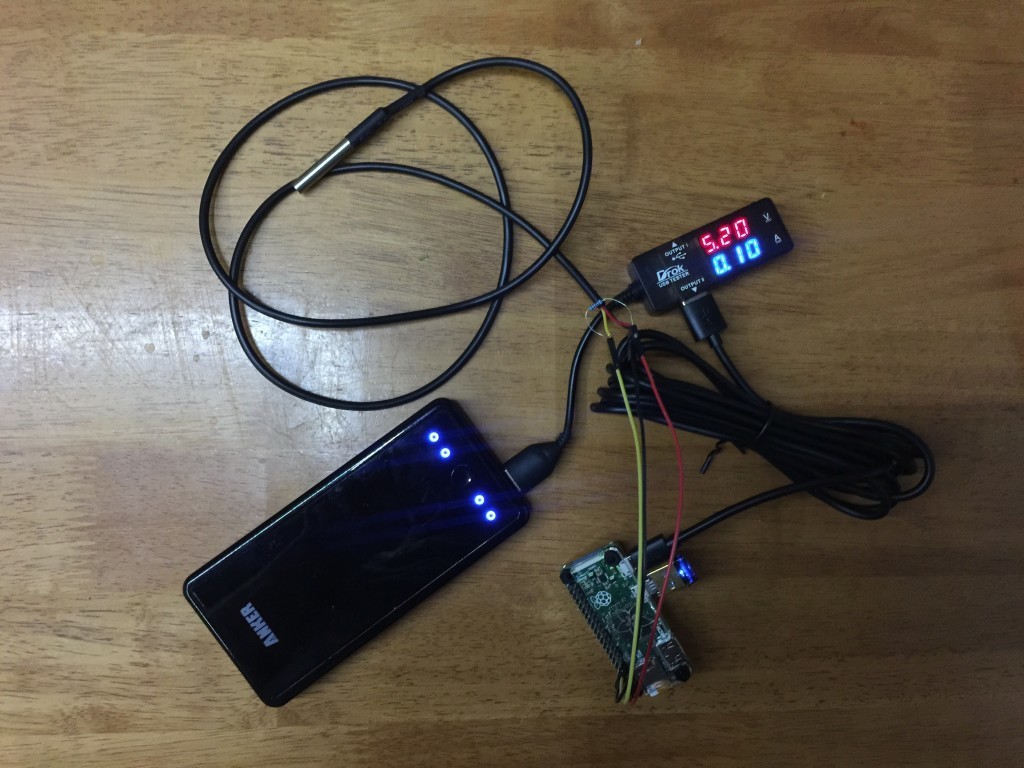
The Pi Zero consumes between 0.1 and 0.2 AmpsIMG_7476

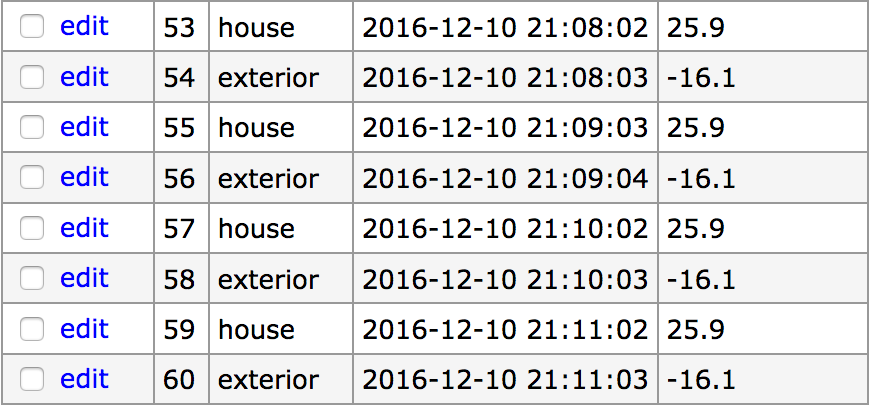
Sample data being gatheredScreen Shot 2016-12-10 at 10.25.03 PM

Here are my current install notes for the Pi Zero.

To limit power consumption, add this to /etc/rc.local to turn off HDMI output

[code]/usr/bin/tvservice -o[/code]

To be able to read from the temperature probe, add the following line to /boot/config.txt

[code]dtoverlay=w1-gpio:3[/code]

Get the python-w1thermsensor package

[code]sudo apt-get install python-w1thermsensor[/code]

Reboot & make sure devices are listed in /sys/bus/w1/devices

The python code necessary to read the probe is:

[python]from w1thermsensor import W1ThermSensor
# assuming only 1 sensor
sensor = W1ThermSensor.get_available_sensors( [W1ThermSensor.THERM_SENSOR_DS18B20] )[0]
temperature = sensor.get_temperature()
if temperature is not None:
print ‘%.1f’ % (temperature)
else:
print "failed to get reading."[/python]

This blog is solar powered

Interactive

Handwriting Capture
Mandalagaba
IPv6 link-local to MAC converter
IPv6 MAC to link-local converter
Markov Text Generation
Markov Word Generation
Markov Music Generation
Duplogrifier
Flood Fill Algorithms
Homestead Metrics
RGB Playground
Web Games

Categories

  • aesthetics112
    • plots54
    • specular holography6
  • Books4
  • I.T.204
    • 3D modeling / printing21
    • AI7
    • all out geekery37
    • electronics28
    • homestead automation7
    • maniacal paranoia27
    • plotters49
    • unix / linux29
    • video games4
    • web development30
    • web games3
  • Lego / Duplo67
  • life in the U.S.42
  • miscellaneous204
  • nature encounters115
  • old vinyls3
  • organs2
  • self sustainability564
    • agriculture108
    • apiculture38
    • apple20
    • building132
    • canning3
    • crochet6
    • foraging6
    • hunting10
    • maple syrup47
    • poultry39
    • preserving2
    • solar power28
    • water23
    • wood84
  • trip to a new life6
Theme by Bloompixel. Proudly Powered by WordPress