The house will become beautiful this Summer.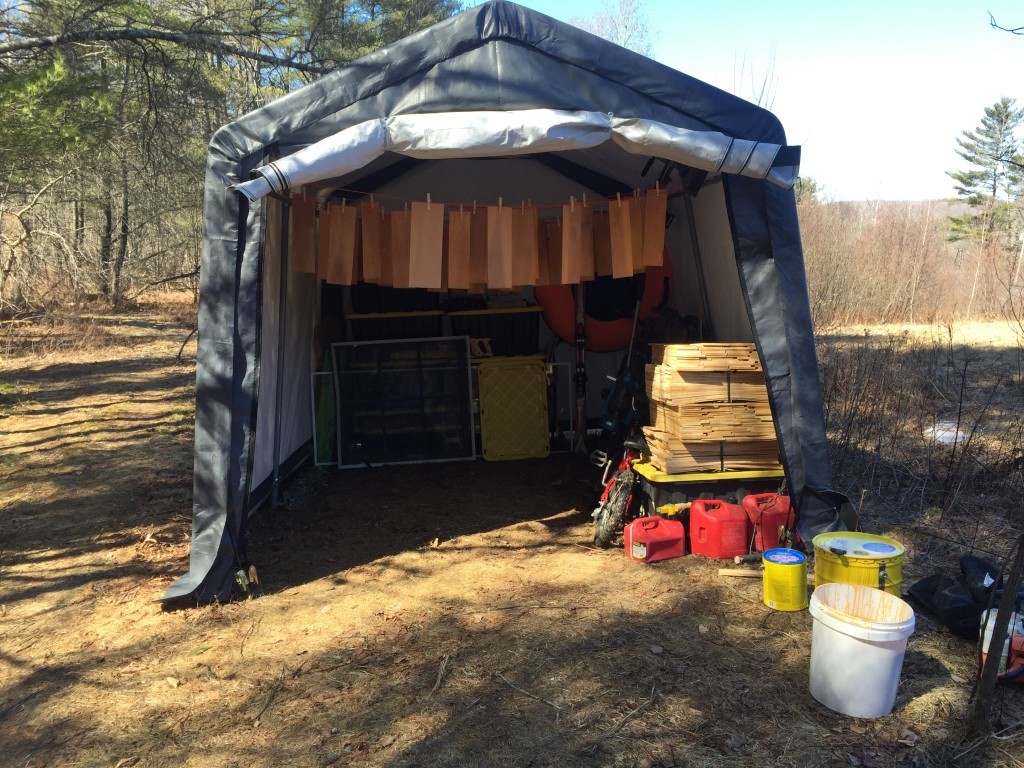
Happy campers
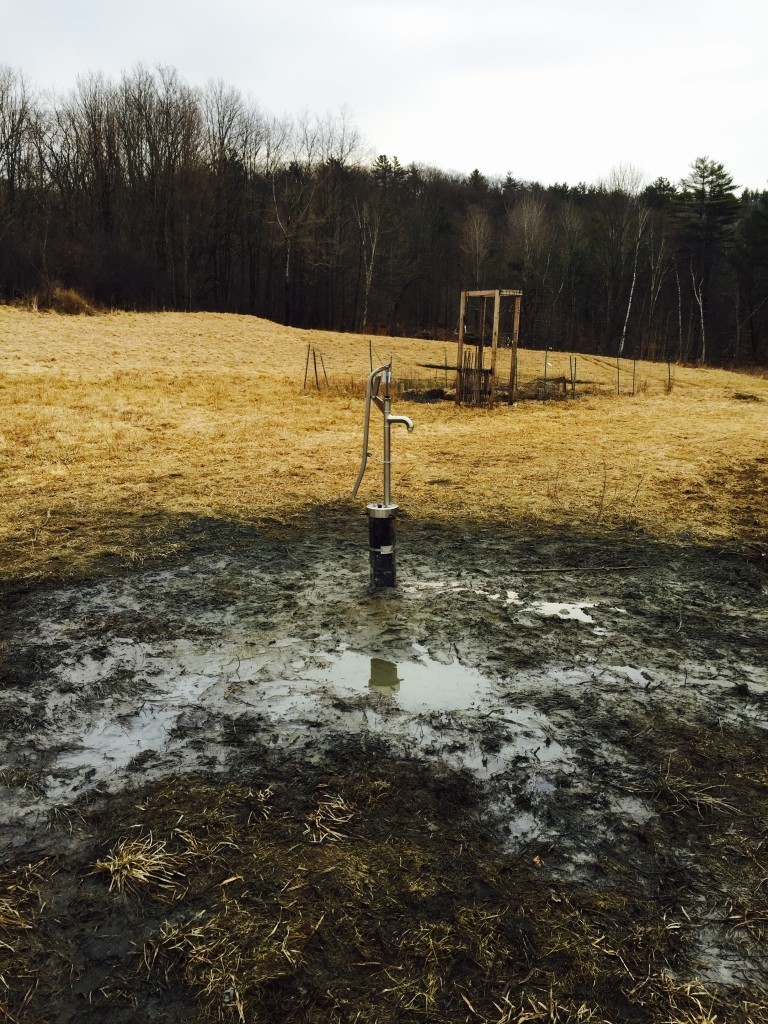 Stainless steel Maine made Bison hand pump. Gets us water from 72′ deep, which at 1.5 gallon per foot is about 100 gallons that we get to pump from. We’re still not sure how fast the well fills back up 72′ deep, but we measured it at the top and it gives us a couple of gallons per hour.
So we still need to understand how fast the water comes up the water column. We also need to come up with a solution to prevent the water from rising above the freeze line. Fortunately, we have 8 months until next Winter to figure it out.
We aren’t drinking the water just yet, we need to wait and get it tested first. The pump operates very smoothly and pumps out a few gallons in little time and with little effort. Our effort to gallon ratio is about to go way down, this will be an enormous improvement from where we are now. Eventually we’ll run water to the house, there is still a lot of unknown on how we’ll do this, but we have ideas for manual processes that are part of a daily routine or solar instrumentation.
The next level of slacktivism
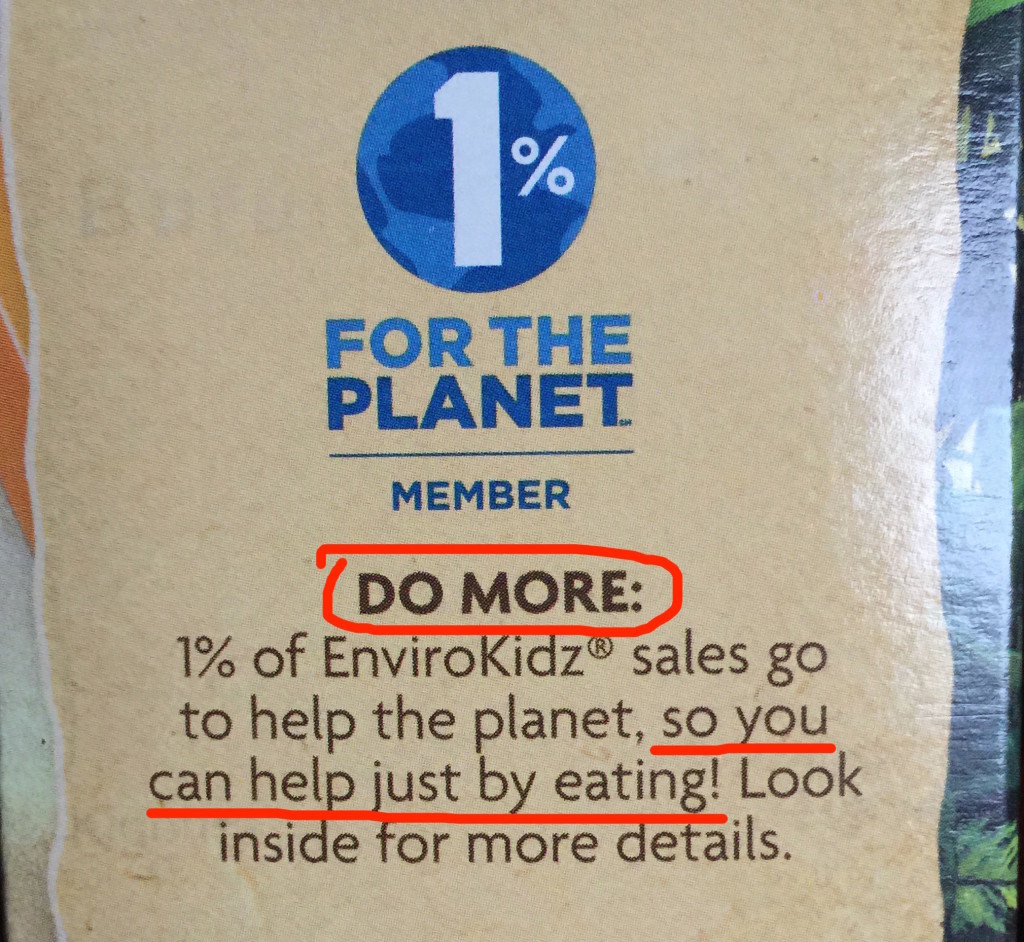 Funny thing is that inside are the cereals.
Using Google's APIs with Python scripts
I was never able to find centralized, succinct and example based documentation for doing domain delegated API calls with Google. Hopefully here is exactly this documentation from all the pieces I gathered along the way.
Service Account Creation
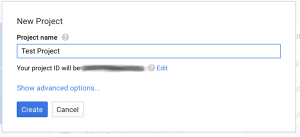
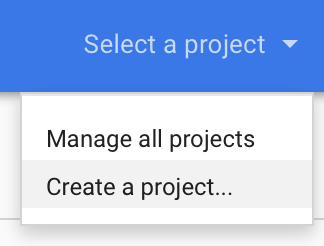
- Go to https://console.developers.google.com/start and create a new project.
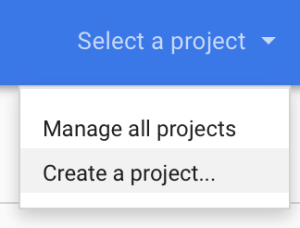
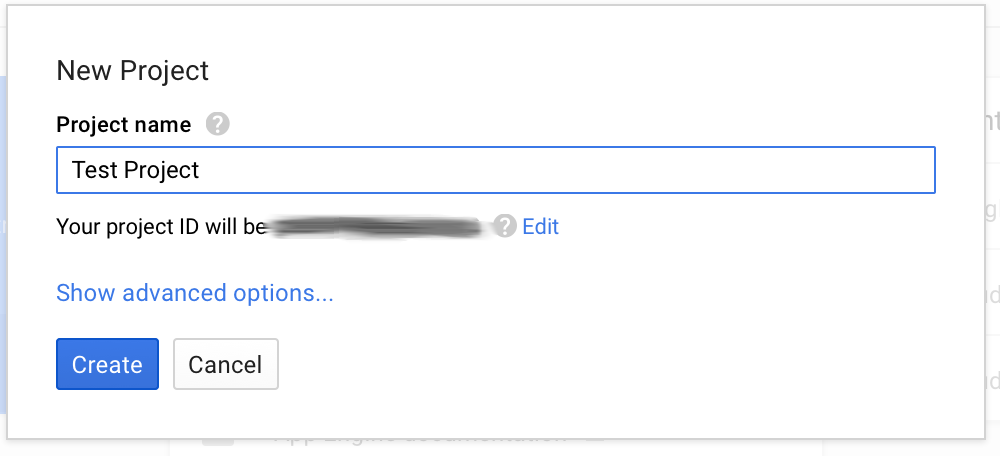
- Call it whatever you want
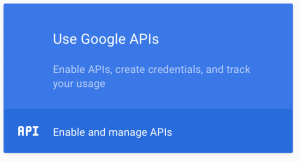
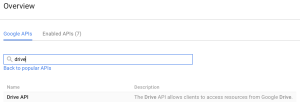
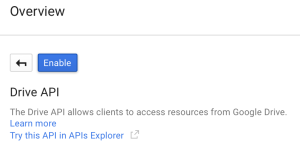
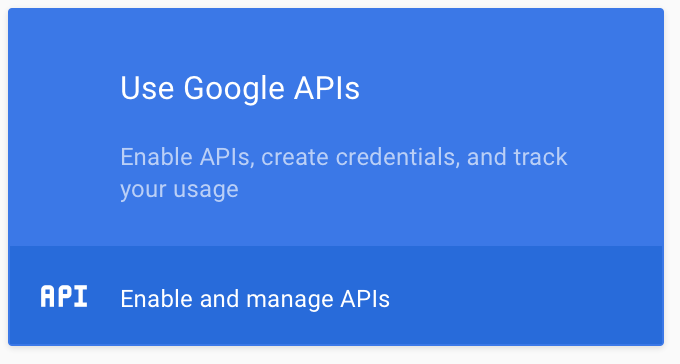
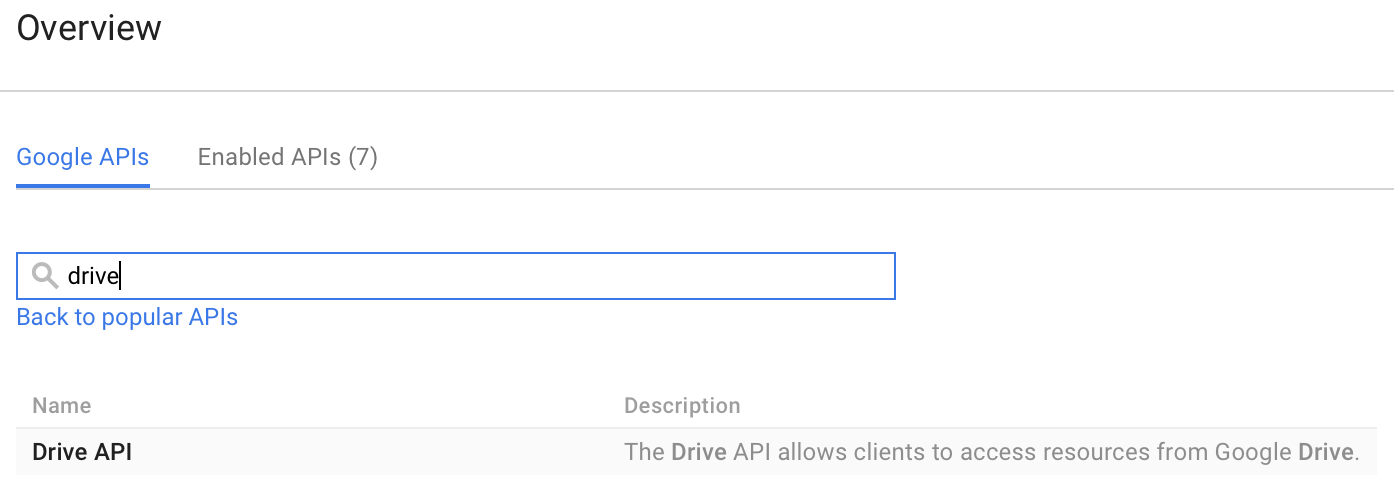
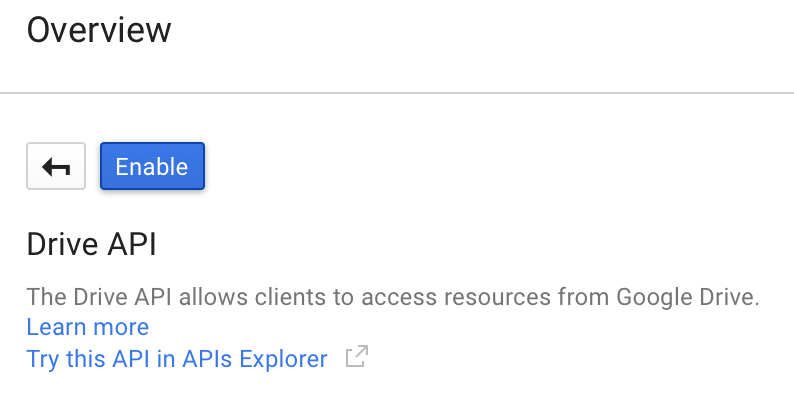
- Enable the right APIs that this project will use We’ll do drive API for the purpose of this testing
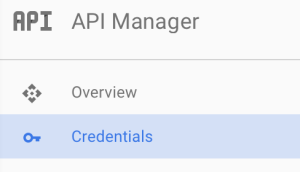
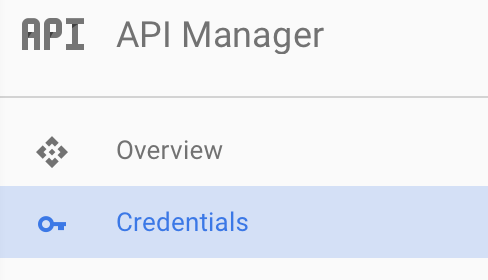
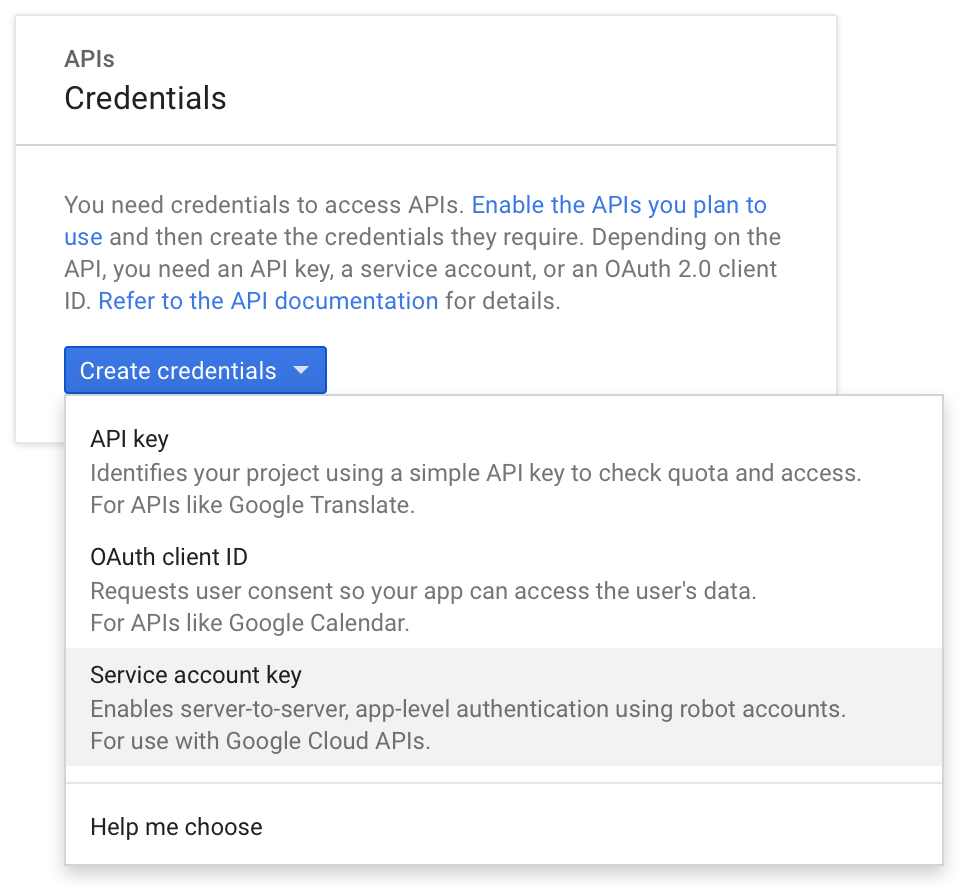
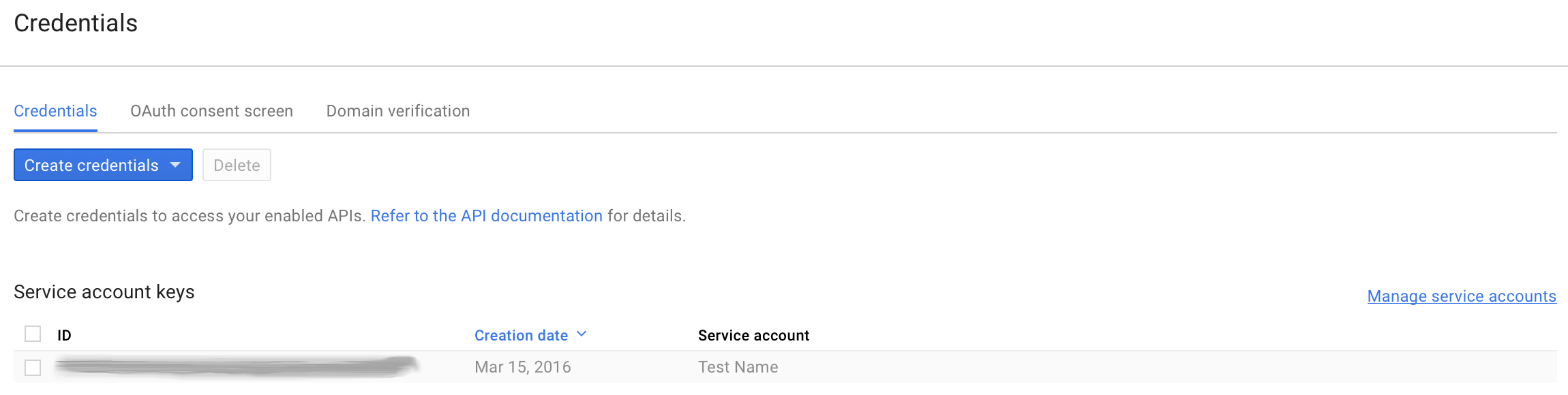
- Go to the “Credentials” screen
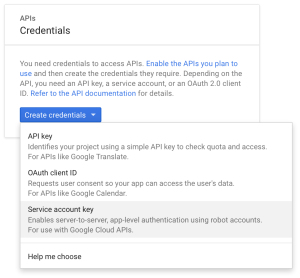
- Create a “Service Account Key”
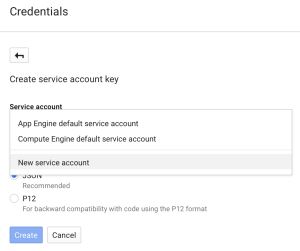
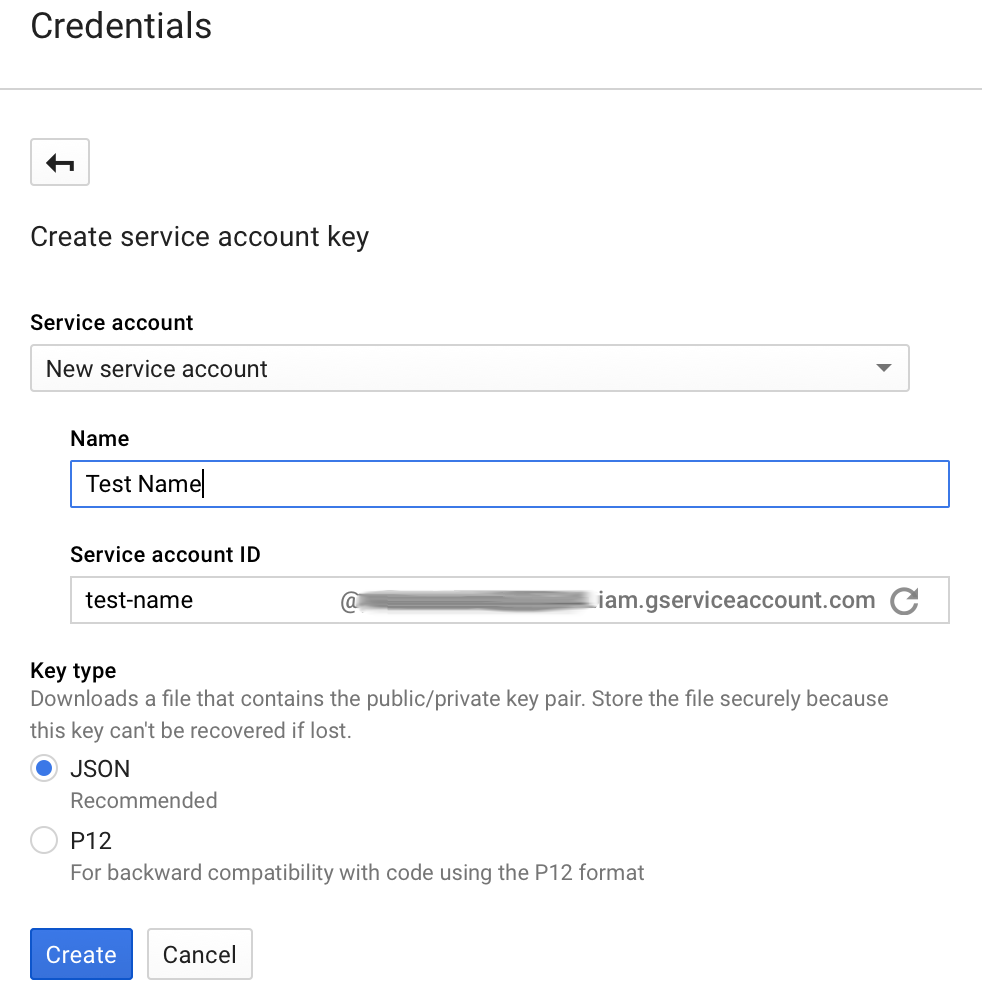
- Make it a “New service account” and give it a name
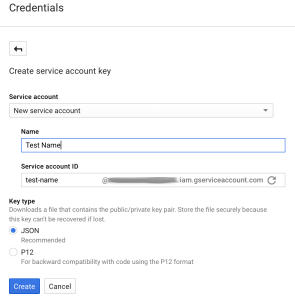
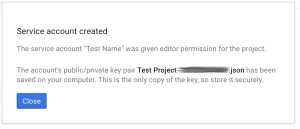
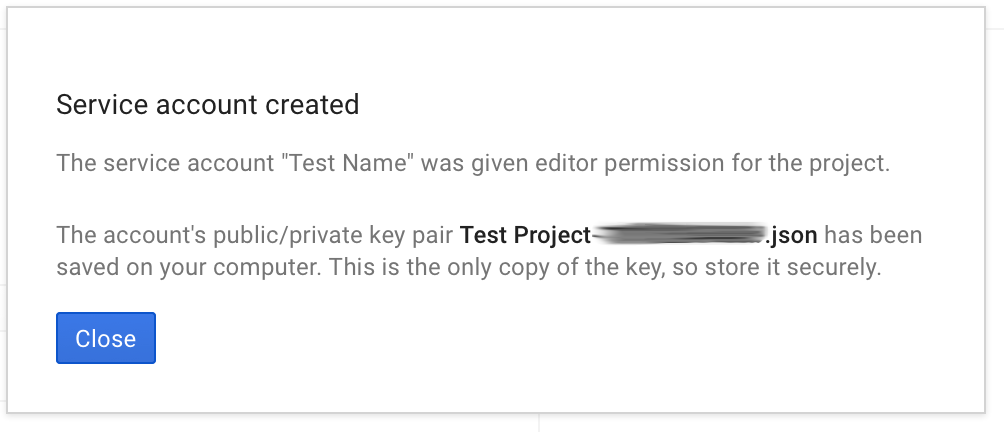
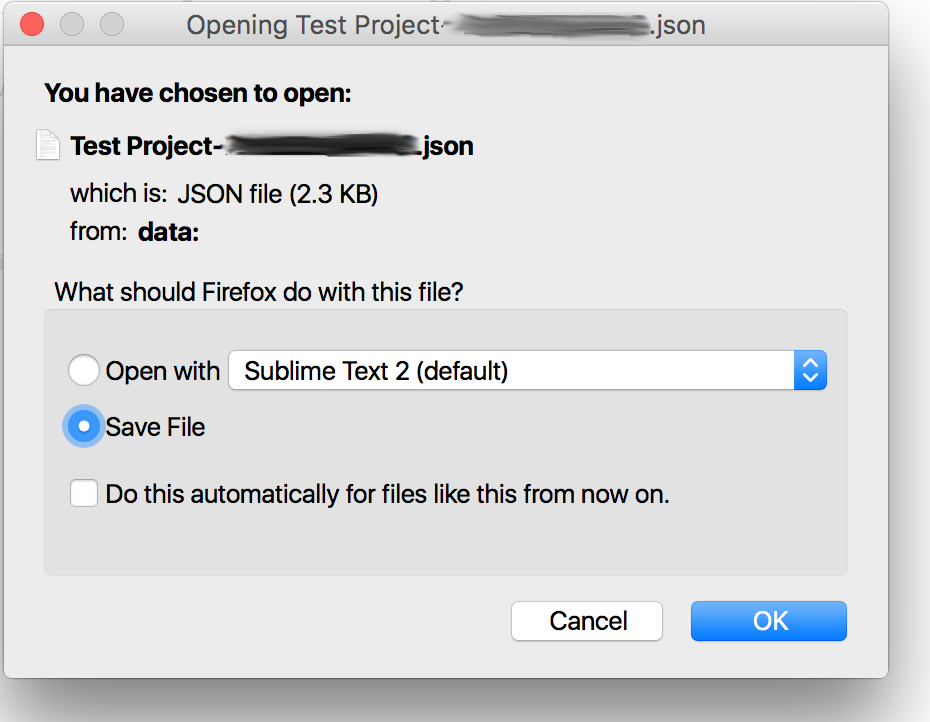
- Download that JSON file that follows.
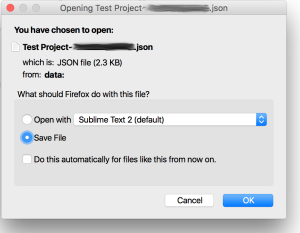
This file contains the credentials for the account you just created, treat it with care, anyone getting their hands on it can authenticate with the account. This is especially critical since we are about to grant domain delegation to the account we created. Any one with access to this file is essentially able to run any API call masquerading as anyone in your Google Apps domain. This is for all intents and purposes a root account.
Domain Delegation
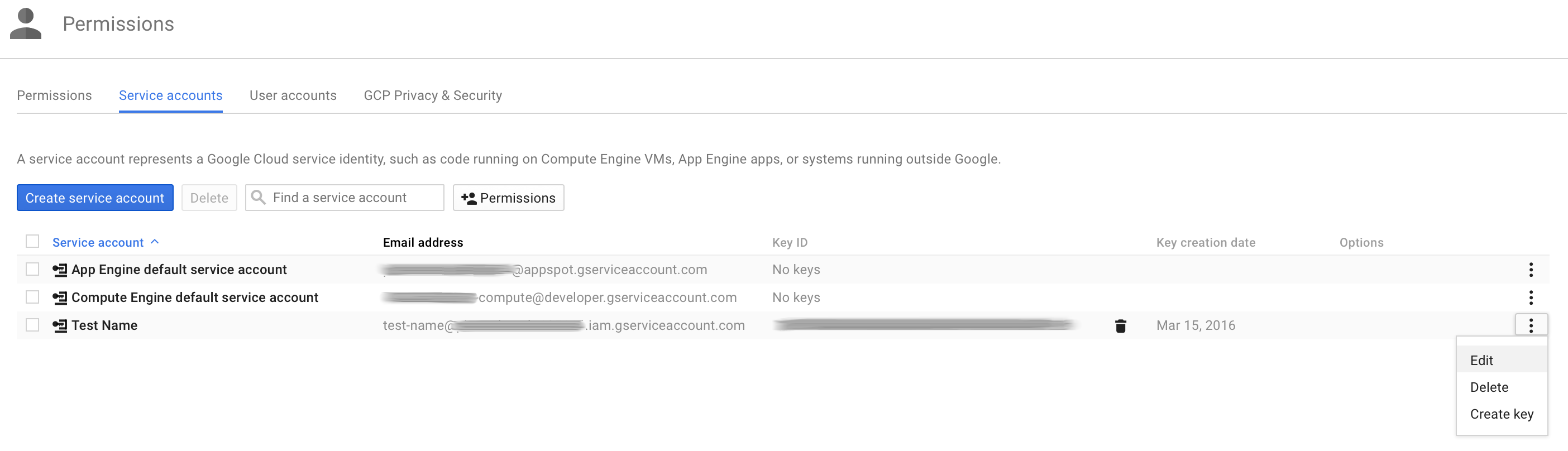
- Back on the “Credentials” screen, click “Manage service accounts”
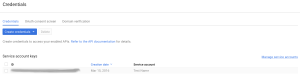
- Edit the service account you just created
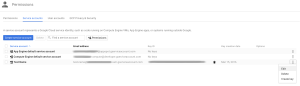
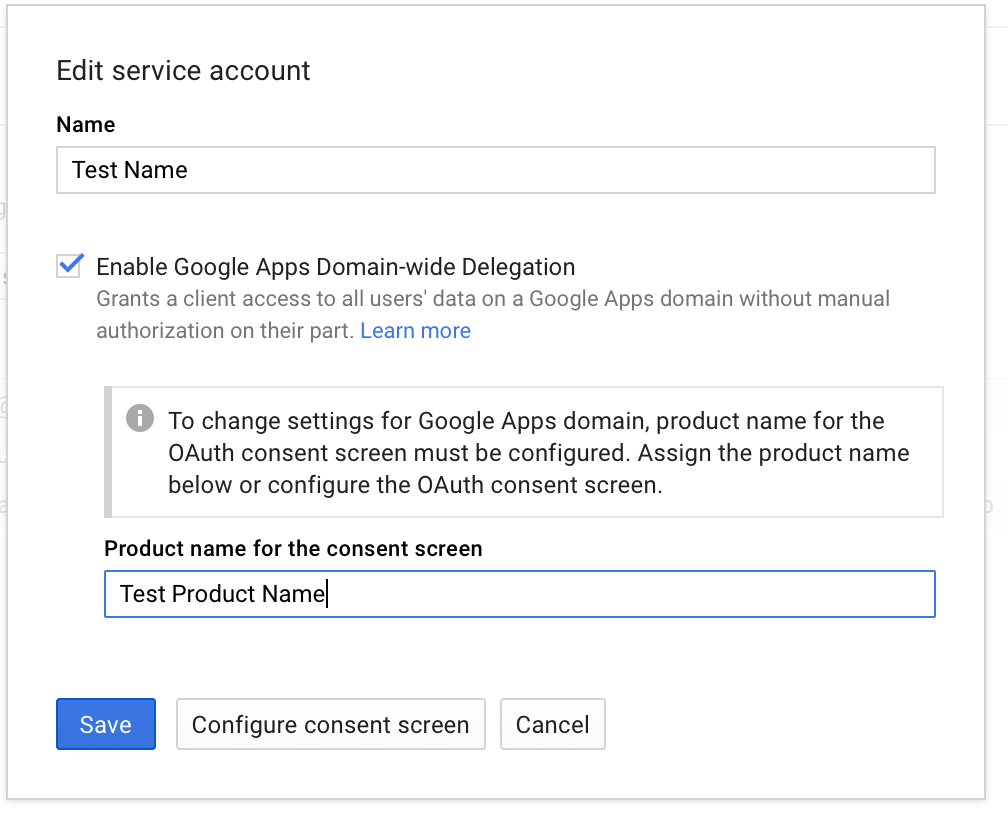
- Check the “Enable Google Apps Domain-wide Delegation” checkbox and click “Save”.
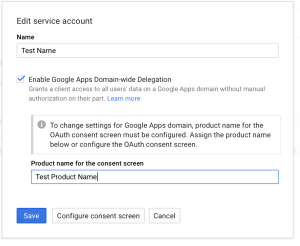 Google at this points needs a product name for the consent screen, so be it.
 - At this point, if everything went well, when you go back to the “Credentials” screen, you will notice that Google create an “OAuth 2.0 client ID” that is paired with the service account you created.
Domain delegation continued, configuring API client access
Granting domain delegation to the service account as we just did isn’t enough, we now need to specify the scopes for which the account can request delegated access.
- Go to your Google Apps domain’s Admin console.
- Select the Security tab
- Click “Show more” -> “Advanced Settings”

- Click “Manage API client access

- In the “Client Name” field, use the “client_id” field from the json file you downloaded earlier. You can get it via the following command:
[bash]cat ~/Downloads/*.json | grep client_id | cut -d ‘"’ -f4[/bash]
In the “One or More API Scopes” field use the following scope:
[code]https://www.googleapis.com/auth/drive[/code]

If you want to allow more scopes], comma separate them. This interface is very finicky, only enter URLs and don’t copy/paste the description that show up for previous entries. There also might be a few minutes delay between you granting a scope and its taking effect. - Click “Authorize”, you should get a new entry that looks like this:

If you need to find the URL for a scope, this link is helpful.




Scripting & OAuth 2.0 authentication
Okay! The account is all set up on the Google side of things, let’s write a Python script to use it. Here’s your starting point:
This scripts contains all the functions to get you started with making API calls to Google with Python. It isn’t the simplest form it could be presented in but it solves a few issues right off the bat:
- All Google interactions are in the “google_api” class, this allows for efficient use of tokens. When “subing as” a user in your domain, the class will keep track of access tokens for users and only re-generate them when they expire.
- Exponential back-off is baked-in and generalized to anything unusual gotten back from Google (based on observation).
- SIGINT will get handled properly
Before running the script, you may need to:
[bash]sudo apt-get update && sudo apt-get install python-pycurl[/bash]
Running the script is done as such:
[bash]./google_api_script.py /path/to/json/file/you/downloaded/earlier.json account.to.subas@your.apps.domain[/bash]
It will simply run the “get about” Drive API call and print the result. This should allow you to verify that the call was indeed executed as the account you specified in the arguments.
Once you’ve ran this script once, the sky is the limit, all the Drive API calls can be added to it based on the get_about function.
Important note on scopes: the same way that you granted domain delegation to certain comma separated scopes in the Google Apps Admin Console earlier; this script needs to reflect the scopes that are being accessed and the same space separated list of scopes need to be part of your jwt claim set (line 78 of the script). So if you need to make calls against more than just drive, make sure to update scopes in both locations or your calls won’t work.
More scopes & more functions
Taking it one step further with the Google Enforcer. This is the project that lead me down the path of writing my own class to handle Google API calls. While it is not quite ready for public use, I’m publishing the project here as it is an excellent reference to making all kinds of other Google API calls; some doing POSTs, PUTs, DELETEs, some implementing paging, et cetera.
Download:
google_drive_permission_enforcer_1.0.tar.gz
The purpose of this project is to enforce on the fly permissions on a directory tree. There is a extravagant amount of gotchas to figure out to do this. If you are interested in implementing it with your organization, please leave a comment and I can either help or get it ready for public use depending on interest.
This project works towards the same end as AODocs, making Google Drive’s permission not completely insane as they are by default.
Here are the scopes I have enabled for domain delegation for this project.
 Problems addressed by this project:
- domain account “subbing as” other users AKA masquerading
- a myriad of Google Drive API calls focused on file permissions
- watching for changes
- crawling through directory hierarchy
- threading of processes to quickly set the right permissions
- disable re-sharing of files
- access token refreshing and handling
- exponential back-off
From 380' into the earth
Not exactly gushing out but the fact that it reaches ground level will make a hand pump quite doable. The whole experience was quite a roller-coaster of emotions. I find myself staring in fascination at the water oozing out.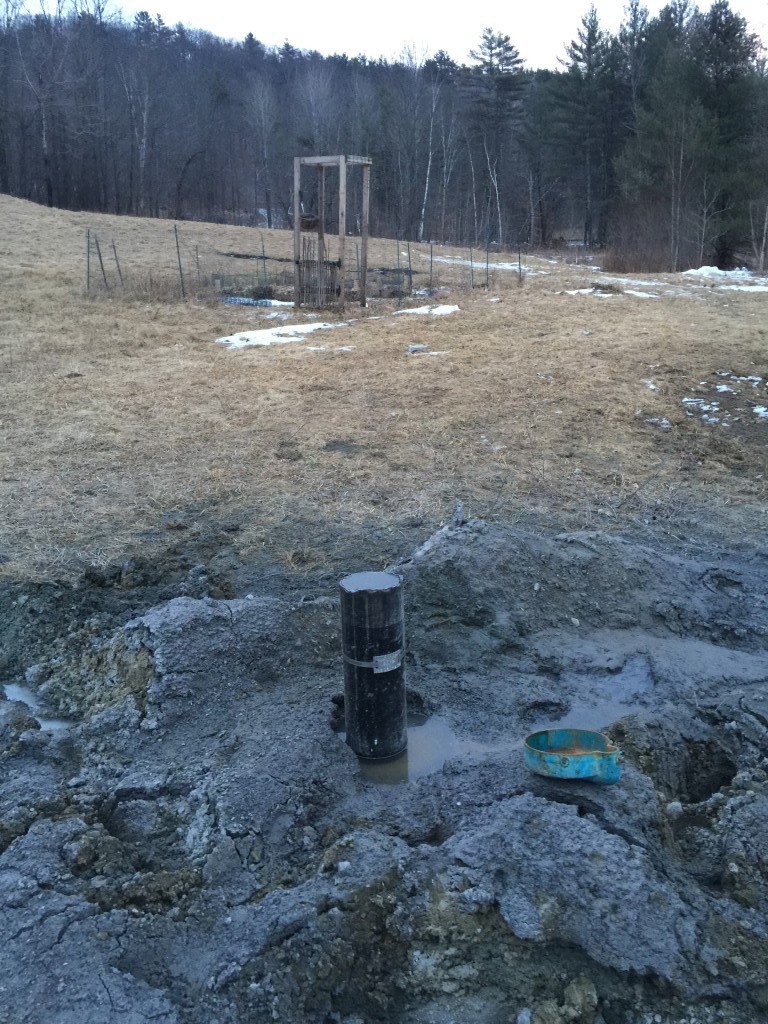
IPv6 link-local address to MAC address online converter
The converter
https://ben.akrin.com/ipv6_link_local_to_mac_address_converter/?mode=api&ipv6=fe80::5074:f2ff:feb1:a87f
for all your API needs.
Description
This converter was implemented per Dave Russell’s suggestion as a follow up to the MAC address to IPv6 link-local address online converter. If you are interested in the steps behind this conversion, they are simply a reverse of the original Mac->IPv6 converter.
Please note that of the various IPv6 notations, the one this script will expect is fe80::xxxx:xxxx:xxxx:xxxx.
Getting a well drilled
Unfortunately not a whole lot of water at 300ft. We’ll see where static is tomorrow and decide if we go deeper.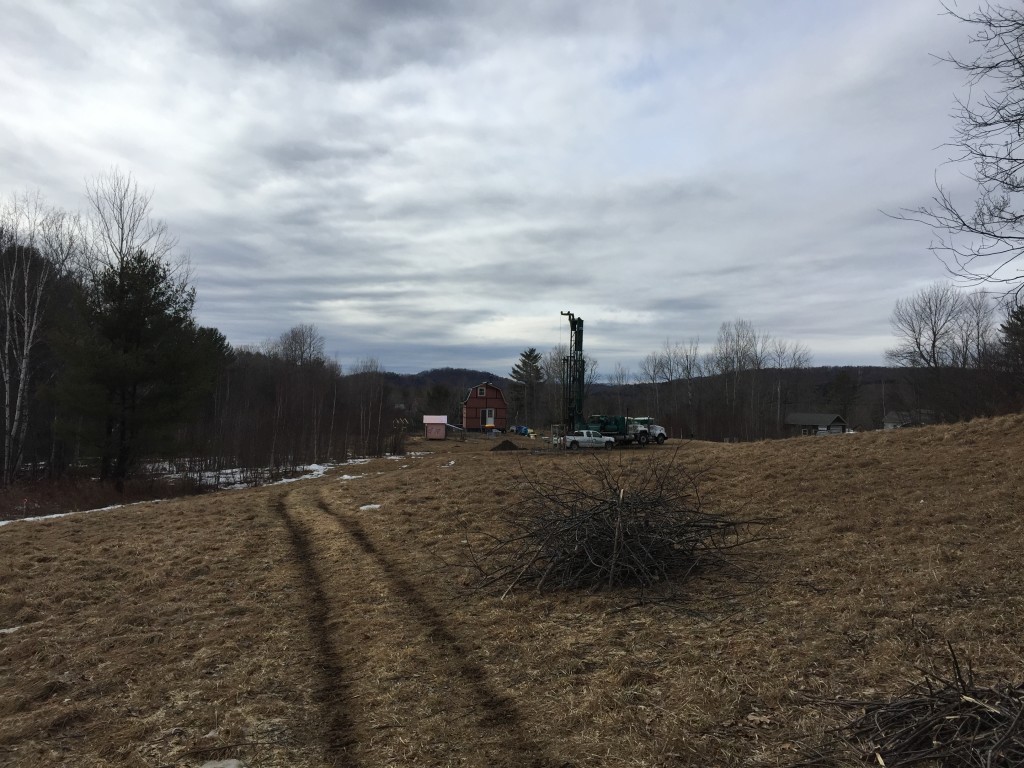
Very impressive piece of machinery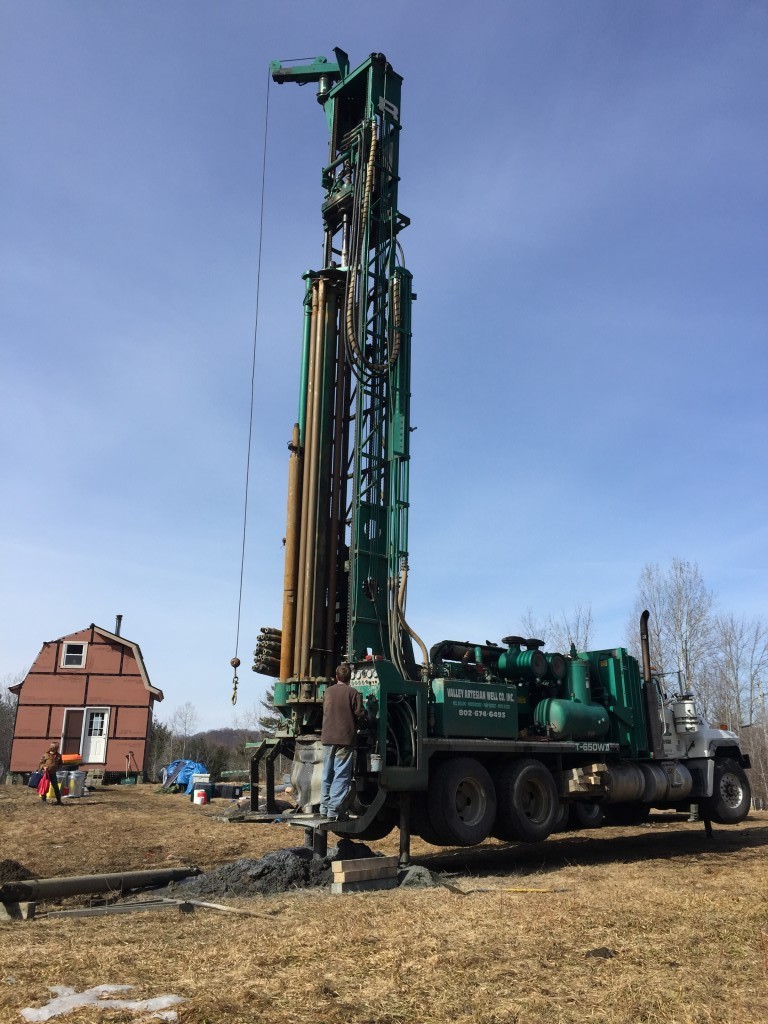 Not a very green process.
Swoosh
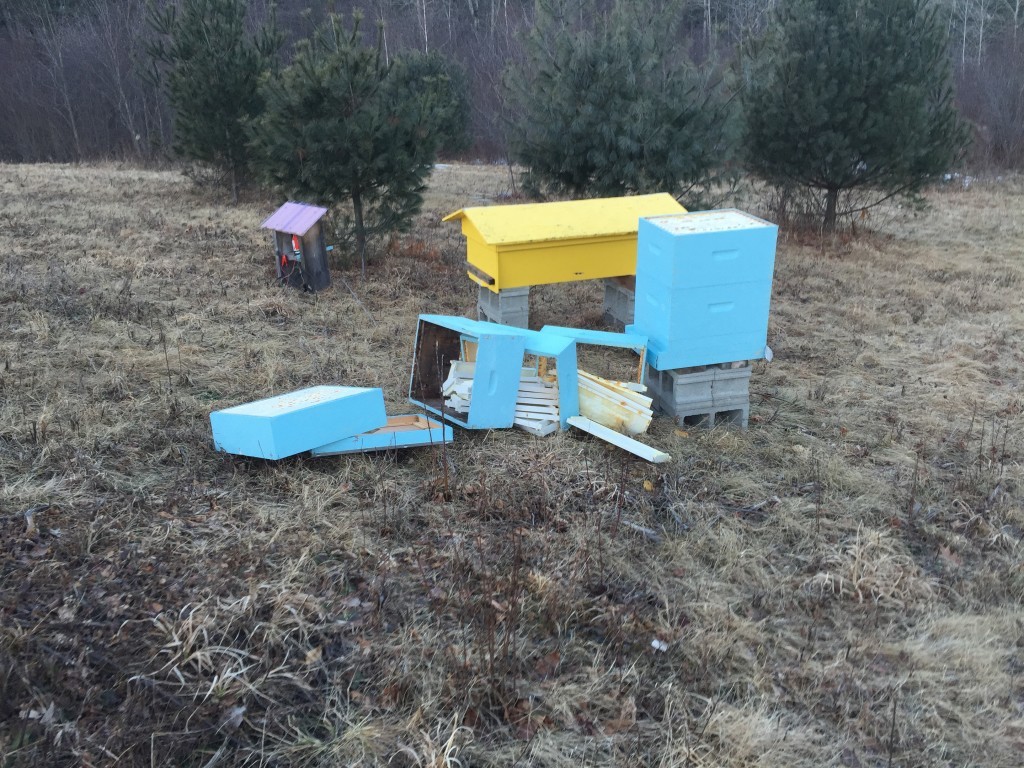
It’s hard to tell what happened last night, let’s just say we felt like the roof was going to be ripped from the house. We felt every gust of wind move the house, I have never experienced anything like it. We slept downstairs with the windows covered that’s how bad it was. Everything was a mess outside the following morning including things I never thought could be brought down by the wind.
No bees in it yet thankfully.
Fuck you wind! Not the outside shower!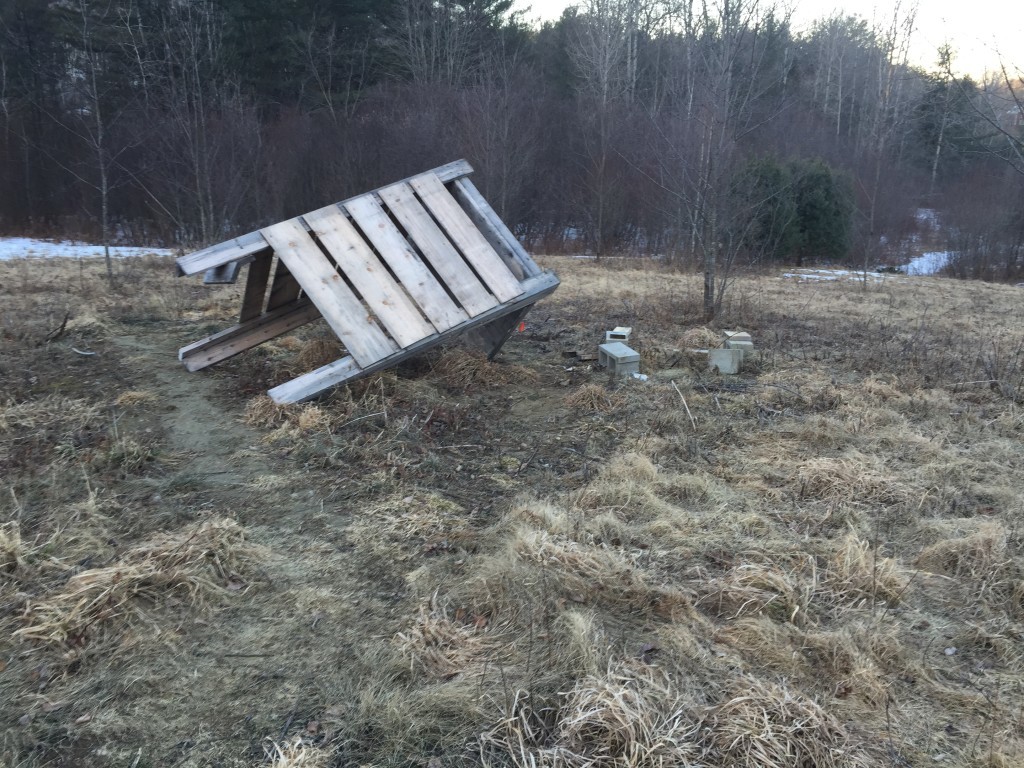
I ended up outside in the middle of it to weight down a couple of things, it was surreal. Today at town meeting, I’ve talked with other people from our hill who experienced the same crazy night.