X,Y Coordinates Tradition

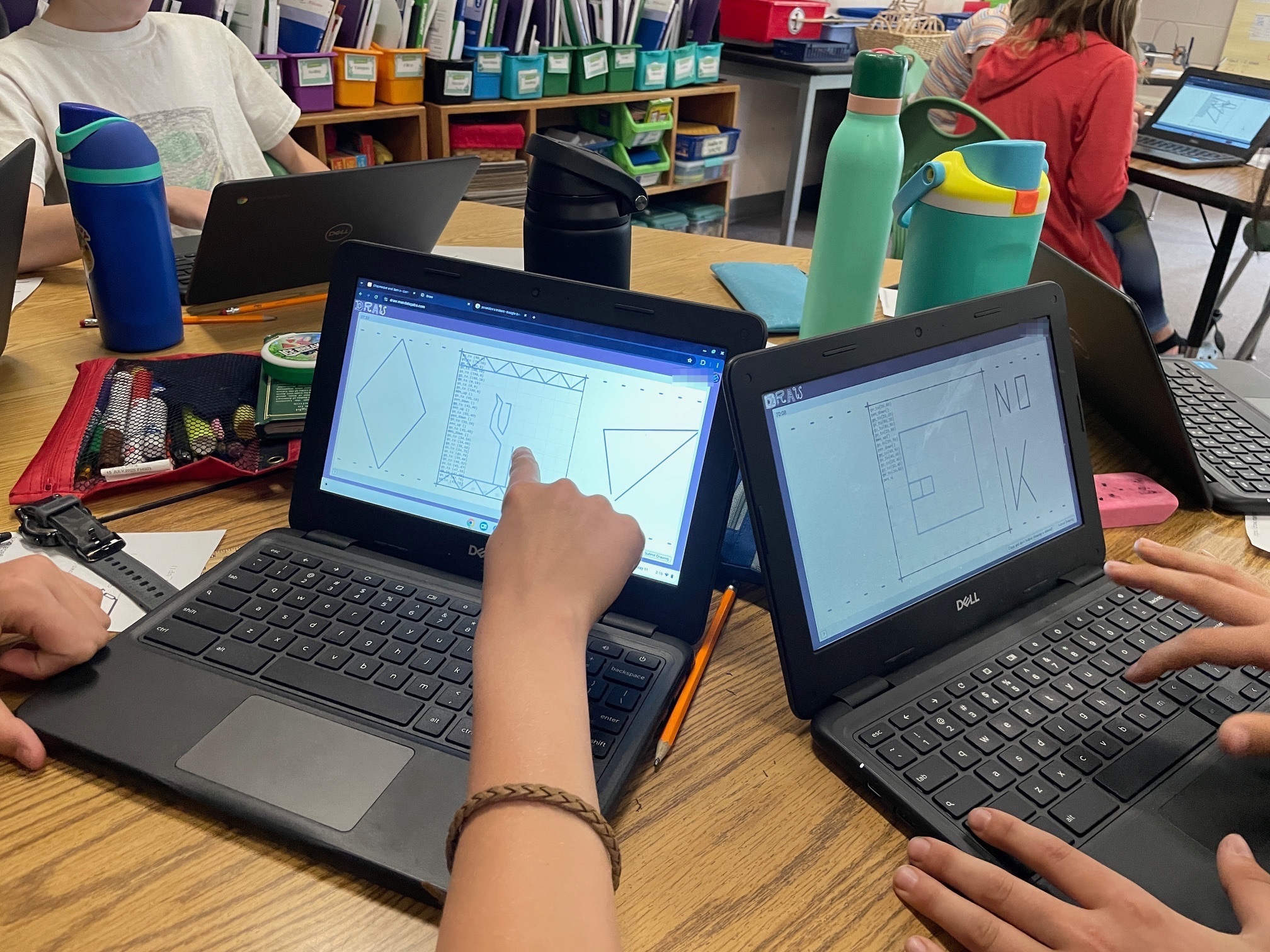
I just did my yearly X,Y Coordinates stint with local 5th graders. It’s the 5th time I do it and this year is notable in that I didn’t write anything I wanted to fix for next year. Every time previous I came out thinking I needed to fix a bug, prevent a confusion, or improve something or other. This time it looks like the formula has been refined to its optimum.

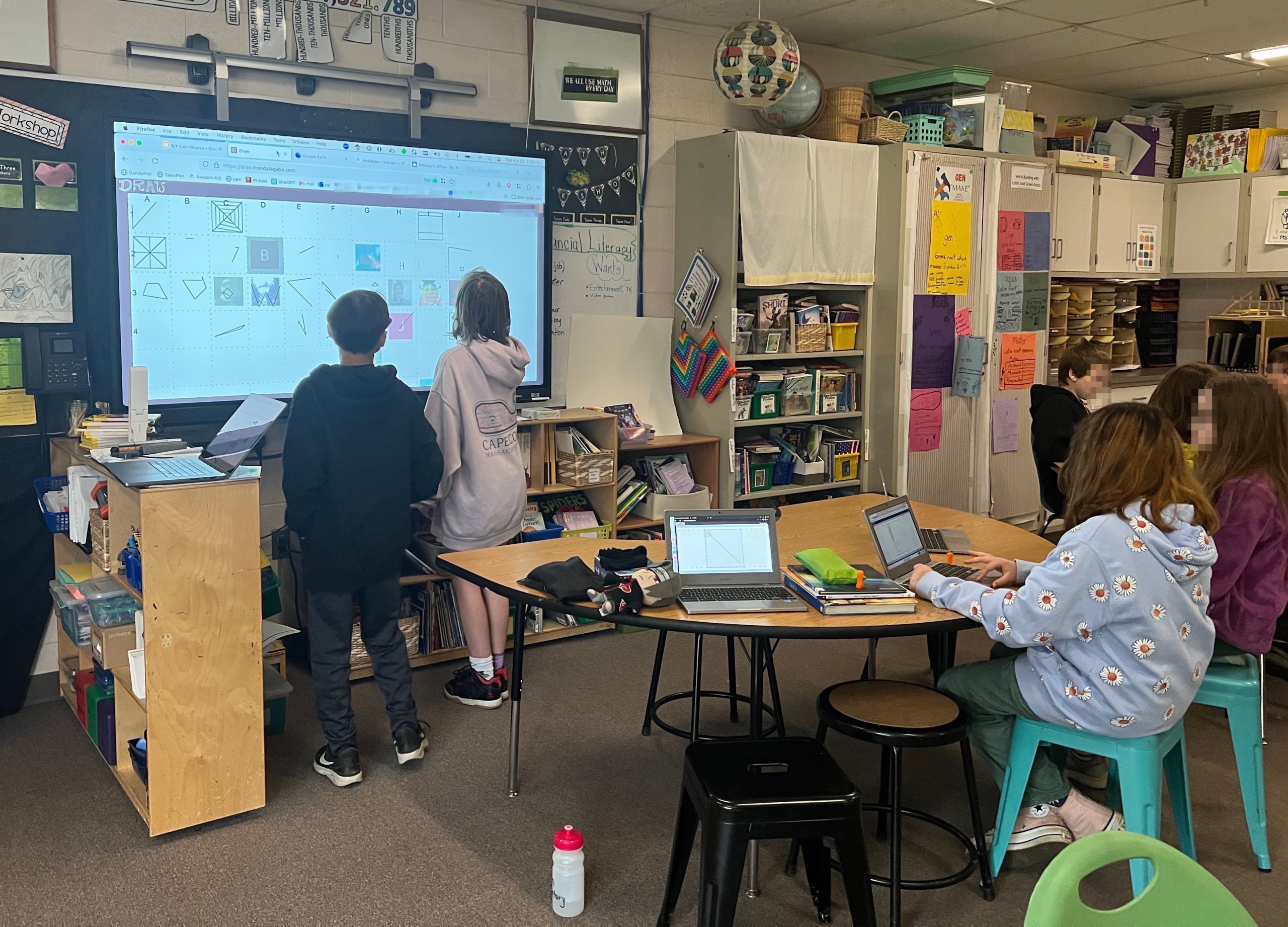
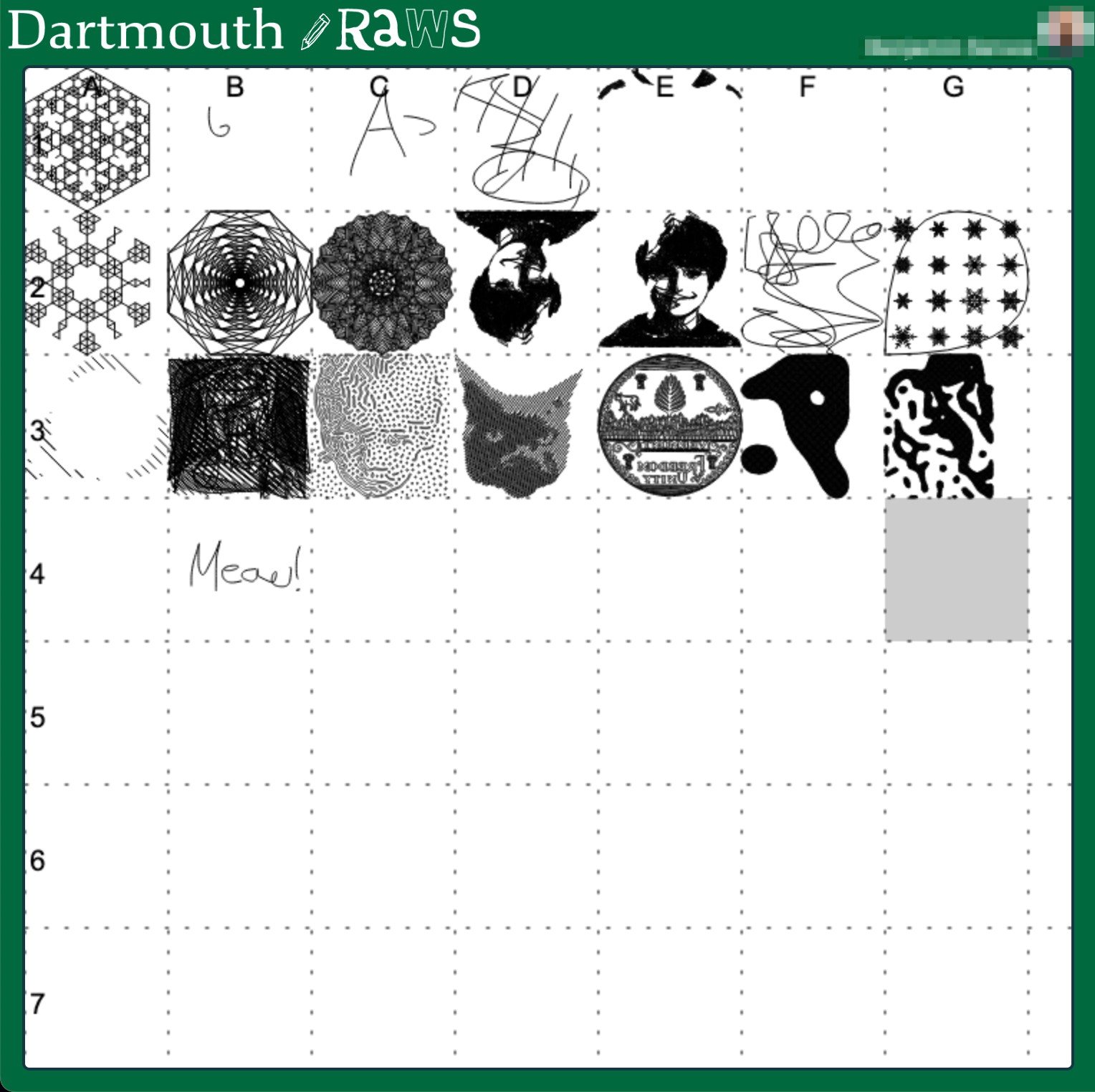
Kids will definitely push the limits, and I love that relentless will to push, it’s identical in nature to IT security curiosity. 1 kid wrote some code and then copy/pasted it a bunch of time, no problem there’s an upper limit on instructions. Another tried to hog all the squares by having them draw just a single dot, no problem there’s a cool-off timer that prevents you from blasting through squares. I haven’t had to use it but I also have a censorship mechanism :), I can scribble over any square and the machines will prioritize it.

So this year went really well, I think I can say with confidence now that the magic operates every time, this isn’t just luck with a good batch of kids or other. Every time we launch into “coding”, there’s a moment of sheer teeth grinding where I think it’s going to be a disaster. And every time they are all extremely motivated by the idea of controlling the machines when they hit “submit”, and so they all pull through and help each other out. Once one of them has gotten the machines moving, there’s a real frenzy to figure things out, and then their next drawings get more and more sophisticated. 5th grade might have a few blasé pre-teens who are hard to motivate, and they will inevitably get sucked in. Now they might “whatever” out of the activity after a bit, but even they will want to have done it at least a couple of times :). I particularly like when kids realize they can coordinate action on neighboring squares to do something greater, I purposefully don’t suggest that to them. I’ve gotten good at fending off “learned-helplessness”, not that I was doing it for them before, I’m just quicker to disengage. “You want to control the laser kid? Well you better figure it out”.

The “coding” interface

One of the snag we always hit is kids not able to discern the difference between typing in a URL or doing a search with Google. And a giant middle finger please for all the corpos purposefully blurring lines so kids form the habit early of running anything they might want to do on a computer through Big Corp Inc.

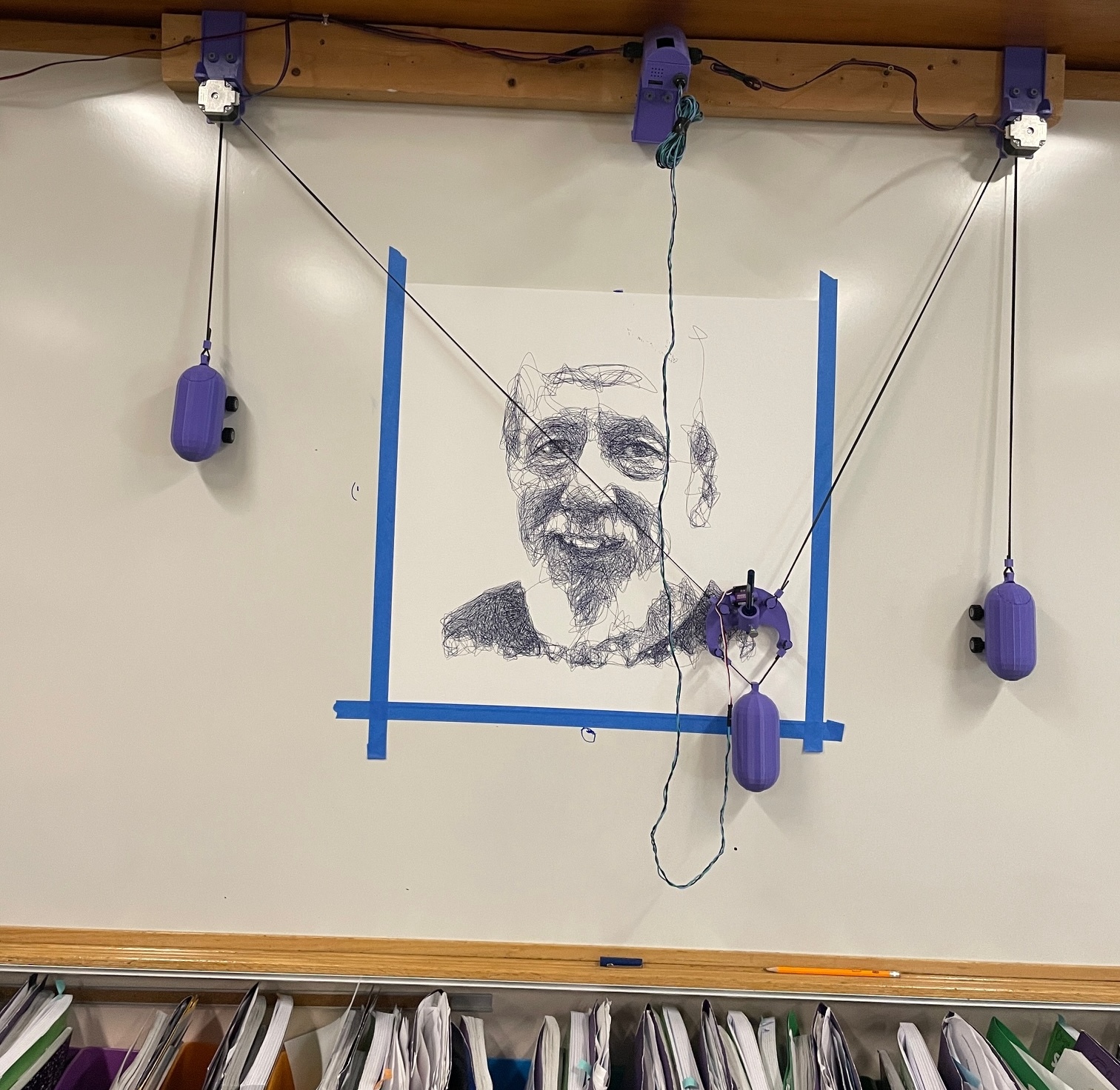
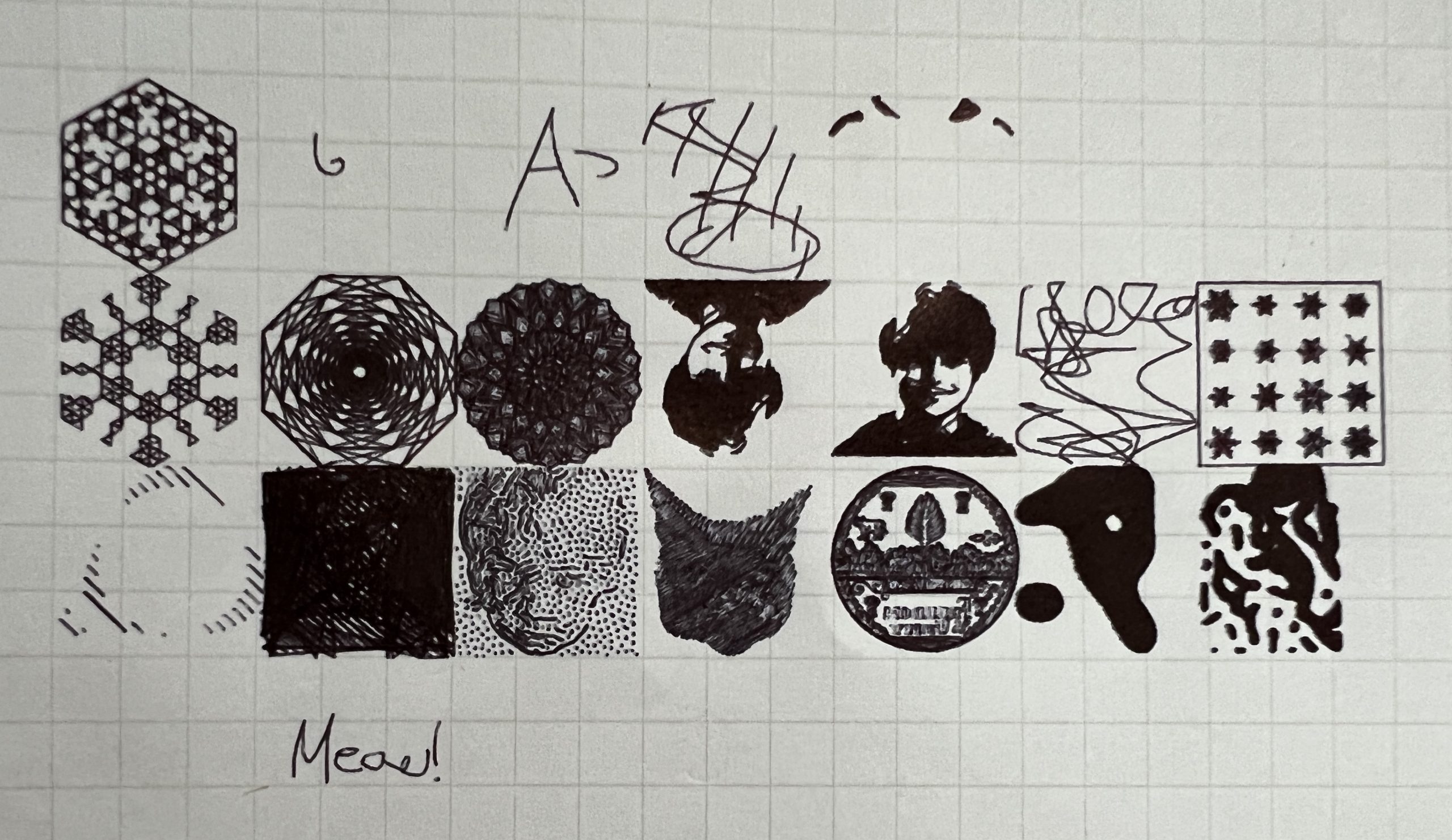
At the end of the day I send the wall plotter on an overnight portrait of a well liked central figure in the school. The next morning when I pick up the machine, the kids get one last wow effect. I’ll make a note of how many “go_to” statements went into the picture, usually several hundred thousands to get them thinking about scale and how curves can really be just a few tiny straight lines. They submit an average of 30 such statements for their cool drawings.

Inherently Programmable Pi

I’m teaching a small robotics class, we’re making the small Etch-a-Sketch plotter. Just a couple of kids, good eggs from the 5th grade X,Y coordinates class I teach every year. I’ve already done similar classes in various contexts, it’s a ton of work but very rewarding. One thing I always seek to improve is my Pi image management. Depending on the kids & material, we’ll go through some Linux CLI, or I won’t even want them to touch Linux but we’ll still have to click through some things to get going on Python to control GPIO pins.

What I’ve been wishing for for a while, is a Pi that’s always online everywhere, with the quickest way to get to just Python. Hopefully something web based so you don’t need anything other than your old faithful browser to start throwing code at GPIO pins.

Introducing IPP, the Inherently Programmable Pi! An image you can download, or build.

Step 1 – Python Forking Web Code Editor

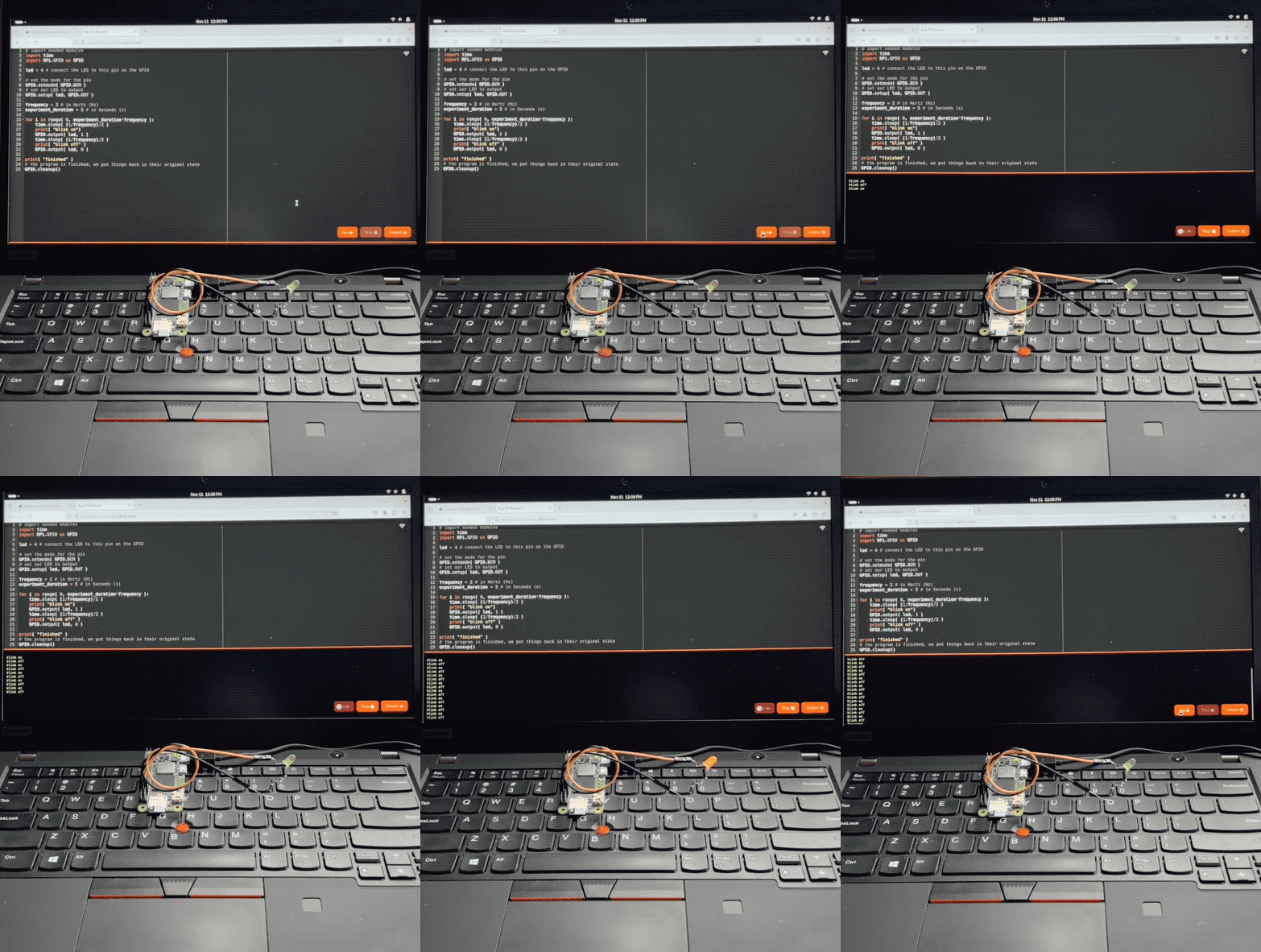
And so step 1 is obvious, I want the Ace web based code editor, preset to Python settings, and served by the very Pi it’s meant to write code for. With a few buttons for running code, stopping it, and checking the output.

AI made that a breeze to code, it always blows my mind how well it understands even convoluted assignments. There’s some pretty gnarly stuff going on there. Python runs a web server that serves a coding environment that can fork another Python process, and kill it with varying degrees of prejudice when it won’t go away on its own. I want this packaged a a single Python file with all the bits and pieces bundled in. AI got all this with little help.

Step 2 – Zerotier & Public Bridge

For step 2, I want the Pi to be easily accessible online, no matter what crazy wifi it’s connected to. For this we’re using Zerotier, and an online bridge that is publicly available to forward traffic into it. In my case this is done with Traefik and a Docker container dedicated to forwarding into Zerotier. I unfortunately can’t offer this part of the stack with the image, but you can at least specify a Zerotier network ID as a tunable when building it.

This way, no matter what Wifi network your Pi is connected to, it will always be available via a public URL.

Step 3 – Local Wifi when Nothing Else

I wanted to take the script that turns PlottyBot into a hotspot if it’s not connected to the internet and modernize it for the newest Rapios (Trixie). I also want the web interface to let you connect to existing Wifi networks. This way you are either in a spot with no Wifi, and your Pi spawns a local one which doesn’t route to the internet but you can still program. Or there is pre-configured known internet Wifi within range and your Pi connects to that.

Of course AI yet again turned a multi-hour endeavor into a 30 minutes one. Well, it did mess up some fundamental things but still, I was spared hours of grinding.

Step 4 – Easy Imaging

Finally, I want to create Raspios images with all this and a few tunables baked in. No booting each one to install stuff & tune it for each kid. For this I’m using something I built years ago for mounting *.img files and tweaking them. It’s a Docker container you can pipe an image file into and out stderr comes the customized image. This might be worth its own post, I’ve used this for years to great effect, but that’s beyond the scope of this post. The point is it’s available to use, and here’s how:

Build Your Own Image

First download & decompress the latest Raspios:

wget https://downloads.raspberrypi.com/raspios_lite_arm64/images/raspios_lite_arm64-2025-10-02/2025-10-01-raspios-trixie-arm64-lite.img.xz
unxz 2025-10-01-raspios-trixie-arm64-lite.img.xz

Then download & decompress this project’s files to tweak it with:

wget https://ben.akrin.com/downloads/ipp_2025-11-11.zip
unzip ipp_2025-11-11.zip

Finally, create your customized Raspios image with:

sudo docker run --rm -i \
    --name=raspi-image-customizer \
    --cap-add SYS_ADMIN --privileged \
    --device /dev/loop0 \
    --platform linux/amd64 \
    --cpus="1" \
    --memory="500m" \
    -e HOSTNAME=mypi \
    -e HOTSPOT_WIFI_SSID=mypiwifi \
    -e HOTSPOT_WIFI_KEY=raspberry \
    -e ZEROTIER_NETWORK_ID="<ZEROTIER_NETWORK_ID>" \
    -e PIPASSWORD="raspberry" \
    -v ./ipp:/data registry.akrin.com/raspi-image-customizer:latest < 2025-10-01-raspios-trixie-arm64-lite.img 2> ipp.img

–cap-add SYS_ADMIN, –priviledged, and the loop0 device are necessary to mount a file as a disk inside the container.
HOSTNAME is evident
HOTSPOT_WIFI_SSID & HOTSPOT_WIFI_KEY are the settings for the local wifi network that the pi will spawn when it has no known networks to connect to.
ZEROTIER_NETWORK_ID is optional, if specified the pi will join it first chance it gets (when connecting to a managed wifi that routes to the internet).
PIPASSWORD is the password for the pi user, careful SSH is enabled in this image.

You can burn the resulting ipp.img to an SD card. The first boot will be longer than the subsequent ones as stuff gets initialized, but eventually you’ll see a new wifi network pop up. Connect to it, and point your browser to http://hostname.local or if that doesn’t work http://192.168.50.1, you will see the coding web interface. Now that might be enough for your to start coding, but if you want you can click on the wifi network icon at the top right to specify a standard network to connect to. And if you do so, I recommend you have a way to “follow” your Pi, either via Zerotier, or because you manage that network and are able to see what IPs devices get assigned. And if you setup a Zerotier forwarder on top of all this, your pi essentially becomes online to the world the minute it’s on. Now that isn’t just convenient, it also significantly lowers the bar to start coding with kids.

Or… Download a prebuilt one

Here’s the link.

parameters used for building it are:

HOSTNAME=ipp
HOTSPOT_WIFI_SSID=ippwifi
HOTSPOT_WIFI_KEY=raspberry
PIPASSWORD=”raspberry”

No Zerotier, but still everything else.

X,Y Coordinates

Some of the tools I’ve accumulated over the years lend themselves particularly well for teaching. I’ve gotten better at swooping in a classroom with some plotters and talking about math or machine drawing topics. I can make it very interactive.

One tool in particular is https://draw.mandalagaba.com.

It started not so much for teaching, but rather for collaborative art. Very much inspired by r/Place, I created a tool with real estate scarcity, but with my usual focus on drawing. The kicker would be that the art is rendered live on a plotter somewhere in the world, maybe in front of you in a public place, maybe a video stream and you know your pen strokes are executed by a machine thousands of miles away. You claim a square, coordinate with others to make bigger pieces, and a collaborative art piece is born. That was the idea at least. I’ve tried several permutations of this experiment, in public, on a stream, with various rules and online communities, and it simply never generated the enthusiasm I thought it would. I have 95% given up on the idea of a collaborative art piece of the sort. The big plotter still has me wondering hence the remaining 5%, but it is tedious and expensive to deploy for an experiment that has shown no promise at every iteration.

What this website became great for however is teaching as it allows for time sharing a drawing machine across several students. We can explore one concept or other, and then apply it and have the great motivator that we’ll get to control the machine by doing so. 3 years ago I taught a module on X,Y coordinates with the local 5th graders, I didn’t have this site then and it went fine. But the following year I figured I might as well use this dumb collaborative art website I made for something so I integrated it into the coursework. Now that second year The machine’s made an enormous difference in how students engage. Recently I ran this course for the 3rd year with the website and the magic happened again. Both times, kids were very much willing to go through teeth grinding (light X,Y coordinate based coding), and help each other out to see their work realized in the world by a cool machine. The first student that submits a drawing on the site inevitably has everyone jumping off their seat to see the machine move up close. Then they’re even more motivated to do it themselves. I help them with the mistakes they make at first, and once they get it I have a good half an hour of walking around and seeing the cool stuff they draw. During this time I might send one drawing machine on a more intricate plot that can finish quick. Having that plotter wield a pen expertly inevitably draws 2 or 3 kids who just sit and stare at the machine non-stop. I know what they’re going through. The whole experience has them asking so many questions, and I love interacting with the different ways in which they see the world. I also love the opportunity to get to know every kid in town a little better when they go through 5th grade.

I’m quite glad that these tools found a place in education. Sometimes I think of pushing further, there’s definitely something to this formula, and I know teachers often purchase various curricula or interventions that meet a standard or other. But I can’t push all the projects, and so far I’ve refused to let money taint anything plotter related.

Funnily enough, I even had an opportunity to guest lecture in the same way with college art students. Of course we don’t talk about 5th grade X,Y coordinates, and I’m not there to talk about art either. Rather we learn and employ tools and techniques for line art and single instrument machines. It’s only funny because I’m ashamed to admit I’ve been very dismissive of art (except music) my whole life. I never understood it and wasn’t a fan of the carefree personalities gravitating to it. I’ve seen the light now, and I do feel apologetic for the times someone showed me a something they had made and it went completely above my head. But I can’t say I was particularly impressed by the students. I’m definitely curious to try again and see if I can bridge more understanding. In the meantime, I have no issues resonating with 5th graders so I’ve got that going for me :). Except for keeping them focused, that is insanely hard.

Focus & Blur: Behavioral Inference & the Tattletale Browser

This web thing’s been bugging me for too long. Have you ever tried to background a tab that is playing insufferable & unskippable content, only to find out that the annoyance has paused itself until your eyeballs are known be aimed back at it? Why do browsers honor requests to let websites know if you’re paying attention or not?

This is achieved by relying on the focus and blur events. But there are many UI Elements that rely on them to trigger useful UI responses. Think of a suggestion box that shows up when you click in a search bar for example. The window element though, is one for which I cannot think of a single instance where the focus and blur events at are used to benefit the user. I think a well intended couple of events were generally implemented to every possible elements, but one of them reveals more than was intended and is abused to that effect. Why would ad-blocker not nuke them either? I’ve gone through this rabbit hole several times over the years trying to find an extension or adblocker customization to dismiss these events. Alas, they never seem to have made it into the crosshair as the true annoyance that they are. How do you like to have your browser report how good you are at consuming content as intended?

These events are responsible for more ills than making sure you’re watching, they are a key metric for inferring behavior. As with much of data mining, what’s scary isn’t really the information you’re giving away, it’s what can be inferred from it. In a way these attention events are perfectly suited for the attention age. Particularly though, they matter when they are attached to the window element. As far as I know, that is the only method I’ve seen in the wild that is abused into this purpose.

In any case, since I never could find anything, here’s what I came up with. The best way I found to run user JS on all websites is using Tampermonkey. Then here’s the script I’m running:

// ==UserScript==
// @name         Attention Event Nuker
// @namespace    http://tampermonkey.net/
// @version      2024-05-01
// @description  nukes focus and blur events when attached to the window element
// ==/UserScript==

(function() {
    var old_add_event_listener = EventTarget.prototype.addEventListener ;

    EventTarget.prototype.addEventListener = function(event_name, event_handler) {
        if( this.toString()==window.toString() &&
           (event_name=="blur" || event_name=="focus") ) {
            console.log( "attention event caught: " + event_name + " on: " + window.location.host ) ;
        } else {
            old_add_event_listener.call( this, event_name, event_handler ) ;
        }
    };
})();

Unfortunately I did run into a couple of sites that somehow rely on the events to even work properly. I don’t think I want to reverse engineer them 1 by 1 so I’m adopting a blacklist of sites which is a bit obnoxious. For a while I did have the script report which sites were asking for the events, the results weren’t surprising and showed that pretty much any big site with a baseline of behavioral data mining wants to know what your eyeballs are in front of.

And Handwriting for All

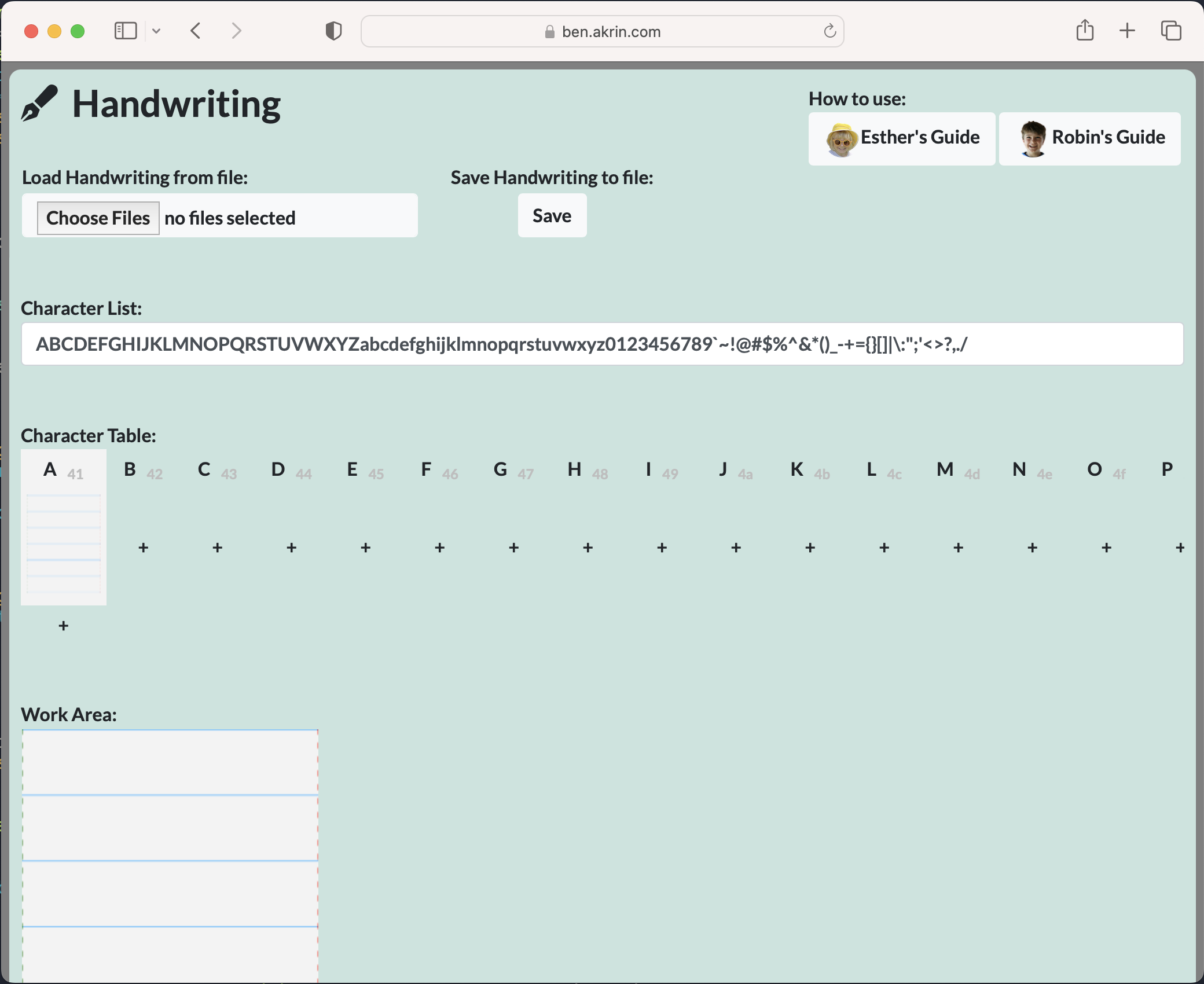
I wrote something pretty neat for Plottybot, and for the longest time I thought I should make it available on its own, and detached from the project. Then the most excellent Stuff Made Here guy made a writing machine, and ran into all the issues I ran into which drove me to write my own algorithms for capturing and replaying handwriting. My stuff wasn’t online then and that’s a shame, it was only available by building a Plottybot, or at least using its Pi image. Oh well.

As is tradition, I captured my kids’ handwritings as I do every year some time in the Winter. But this time I made sure to have the new site ready before Thanksgiving so that people could use it as they went and met with loved ones.

So here, this site serves the purpose of capturing one’s handwriting. It supports cursive, character variations, saving, and finally exporting to SVG & GCode. Hopefully this means you can use it with your favorite craft machine for the coolest of personalized projects.

https://ben.akrin.com/plottytools/

Microplots

I built a website for running experiments in collaborative drawing. It’s pretty neat and I’m not going to describe it just yet, but in the process of testing it, I threw at it all kinds of plots I had at the tip of my fingers, and it yielded some pretty cool results.

I may have here my next plotting streak: microplots. Some look predictably bad as they were meant as stress tests, but some came out well enough to make me curious.

More to come on all this soon…

Sanctions? All I can do is Slight Annoyance

Mandalagaba is no longer available in Russia or Belarus. That’ll slightly annoy about 30 people per day. It feels wrongly targeted at little people going about their lives. But it also feels like I don’t want to pay server time to provide something nice while they have Putin in power. I say all this knowing full well how close we got to having our very own dickhead motherfucker of the same vein seize power.

The Covid Bump

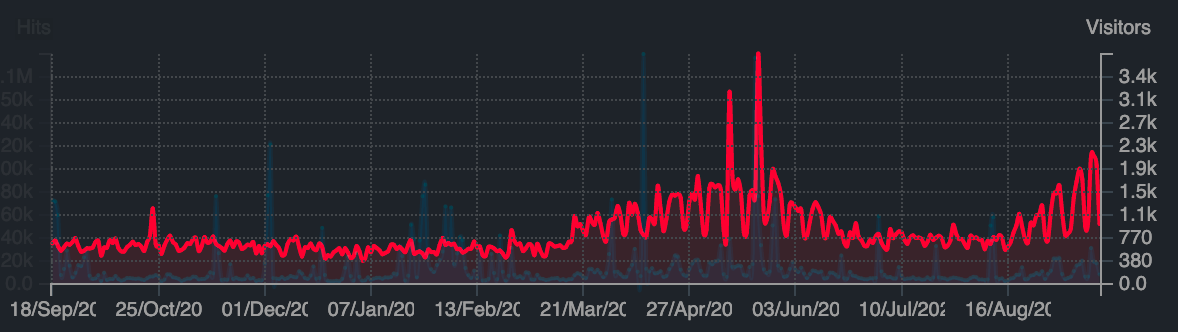
With teachers scrambling to move to online teaching last March, Mandalagaba’s traffic saw a noticeable bump in use which then died off in with the Summer break. With schools now back in session it looks like the bump is back.

I’ve kind of given up on trying to do anything big with it, there’s just so much noise out there it’s really hard to get anything more than an occasional spotlight. Which means the site is completely free of all the perverse incentives which ruin the internet these days. In other words, perfect for educators teaching to kids. I was already happy to know that about a thousand people per day enjoyed doodling with absolutely no strings attached, but it’s a whole other layer of contentment to see teachers use it for teaching. You can tell there’s love, kindness and attention in the way they address their kids. I love finding their videos online.

I often get asked what restrictions there are on the material people produce, or what my privacy policy is. I respond that I don’t have any of either, but the questions bother me for they reflect that everything online comes with strings attached these days.

Fibonacci Assist

It’s been a while since I pushed a feature to Mandalagaba worthy of a post.

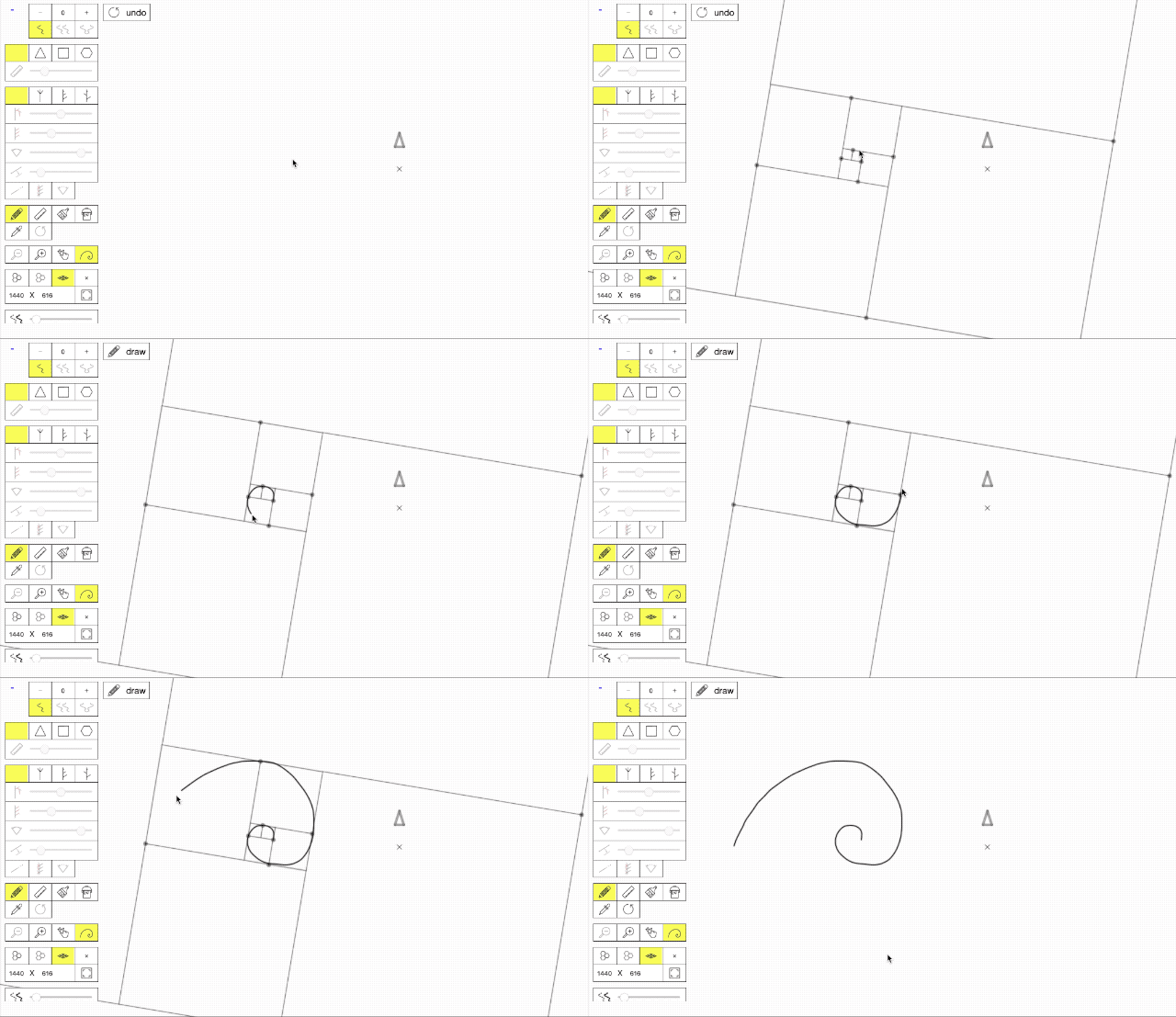
I just pushed a tool I call “Fibonacci Assist”. It’s meant to help you draw Fibonacci spirals by overlaying the proper framing based on the beginning of your penstroke.

I was reminded of the existence of this sequence and its ties to nature reading the most excellent children book: Swirl by Swirl. The book is simply magnificent and so I thought I’d do my part to help bring into the world more Fibonacci spirals.

I have yet to play with it using a stylus.