Markov chains based random text generation

We’ve already seen how to use Markov chains to generate random words that are based on the essence of a previously analyzed corpus. Well the exact same algorithm can be applied to text. The base entities become words instead of letters. I make punctuation be part of the entities, this way, sentence flow becomes part of the extracted statistical essence.

Feel free to send me ideas of cool corpora to analyze.

You can play with it here:

Tripwiring your linux box

Privilege escalation, trojan’ed SSH daemons, key loggers… While the focus is still mostly on MS platforms, Unix boxes aren’t free of exploits. As they are made popular by Macs and ever more approachable distributions like Ubuntu, they become more of a focus. The large share of the server market they represent is a considerable source of information that is mouth-watering to hackers.

A good tool in the fight against ever evolving malware is Tripwire (the open source version cause we’re cheap). It takes the signature of key files on your systems (configuration, binaries) and checks them regularly for changes. Its major strength is the fact that no matter what exploit was used to compromise a certain binary, if this binary is infected, tripwire will go off. Modern antivirus softwares look for specific signatures of known infections, and there are so many of them that they only look for the ones that are thought to be in the wild at any given time. They also are in reactive mode against 0days and usually take a few days to adjust. Their behavioral analysis methods are based on heuristics and generate too many false positives to be worthwhile.

Tripwire doesn’t care what the infection is, it just goes off if something changed. This is simple and efficient. Now it should only be one piece of a comprehensive security policy.

In this article we’ll look at getting it installed and going on Ubuntu in a matter of minutes. You’ll want to be root for all this.

——————————————

First, get the package:

[bash]aptitude install tripwire[/bash]

It’ll ask you for the passphrases used to secure itself.
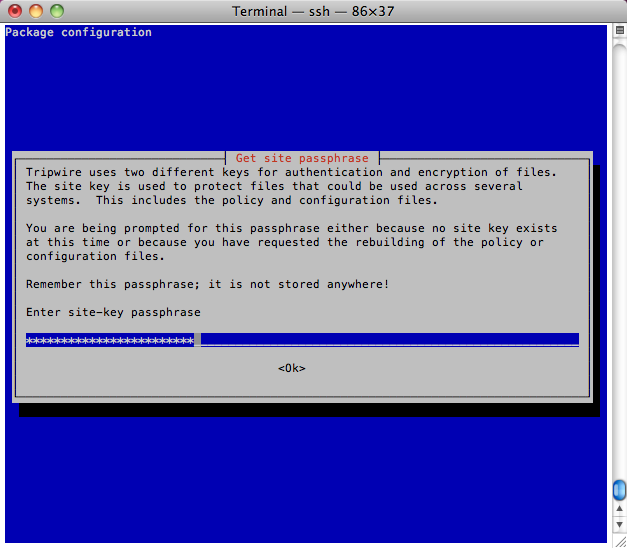
You’ll end up with these config files in /etc/tripwire:

——————————————

Edit /etc/tripwire/twpol.txt to define which areas to keep an eye on, a pretty ok default is provided but needs some tweaking for Ubuntu and personal preference. I’d publish mine but hey, that’d be pretty stupid. Just keep in mind that you can use an exclamation mark “!” to negate a line, let’s say you want it to look at /etc but not /etc/shadow (user will want to change passwords in most cases) you’ll have a rule that looks like that:

[code]{
/etc        -> $(SEC_BIN) ;
! /etc/passwd ;
}[/code]

——————————————

When you’re done, run:

[bash]twadmin –create-polfile -S /etc/tripwire/site.key /etc/tripwire/twpol.txt[/bash]

This will create the secured policy file based on the text file you just edited.

——————————————

The config file (/etc/tripwire/twcfg.txt) can be edited too but the defaults are nice too. When done run:

[bash]twadmin –create-cfgfile -S /etc/tripwire/site.key /etc/tripwire/twcfg.txt[/bash]

Again, this creates it secured equivalent.

——————————————

Make sure that the created file are only readable/writable by root

[bash]chmod 600 /etc/tripwire/tw.cfg /etc/tripwire/tw.pol[/bash]

Good practice dictates that you also should be removing plain text configuration files but you’ll want to keep them around for a little while, as you tweak your original config.

——————————————

Finally, you can initialize the database with:

[bash]tripwire –init[/bash]

What this does is take a snapshot of everything you’ve specified in the policy file. If any of it changes, you’ll be notified.

——————————————

The following will run the check for changes manually.

[bash]tripwire –check[/bash]

When you installed the package with aptitude, /etc/cron.daily/tripwire was automatically created to have this run everyday, root will received a mail report every day.

——————————————

If you want to make a change to the base config:

[bash]edit /etc/tripwire/twpol.txt
twadmin –create-polfile -S /etc/tripwire/site.key /etc/tripwire/twpol.txt
tripwire –init[/bash]

If you want to update the base config, for example to acknowledge changes that happened on the box:

[bash]tripwire –update –twrfile /var/lib/tripwire/report/<hostname>-<date>-<hour>.twr[/bash]
The static experiment – all done!

The little static box is up & running, Akrin has been fully migrated to it. I absolutely love that there are no moving parts in there. The running temperature of the CPU is what worried me the most since nothing is making the air flow in & out of there. At the heat of heavy processing, the temperature of the CPU doesn’t go above 67 degrees Celsius. That’s pretty all right! Quite frankly this little box handles stress very well but my point of reference is so obsolete I’m bound to be impressed :).

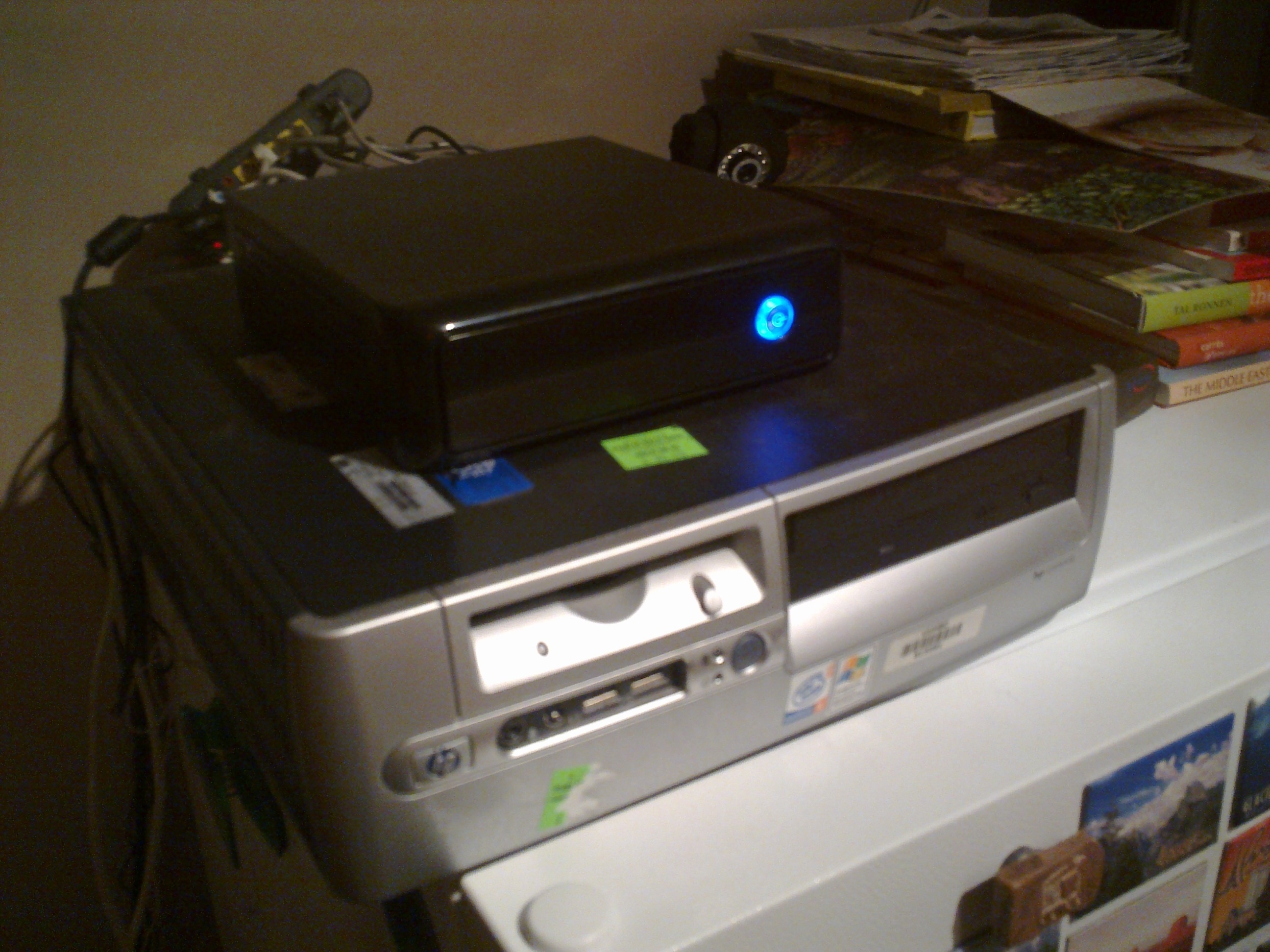
Picture bellow, the new & old Akrin together for a soul transfer

So there you have it, a kick ass little box discrete to the eyes & ears.

The static experiment – WTF Habey?

The hardware showed up! So I get busy installing the RAM and the SSD. Habey in all its generosity included a SATA data cable with its barebone server. This is cool I guess, I mean I already have a bunch and hard disks always have cables but I’ll take it.

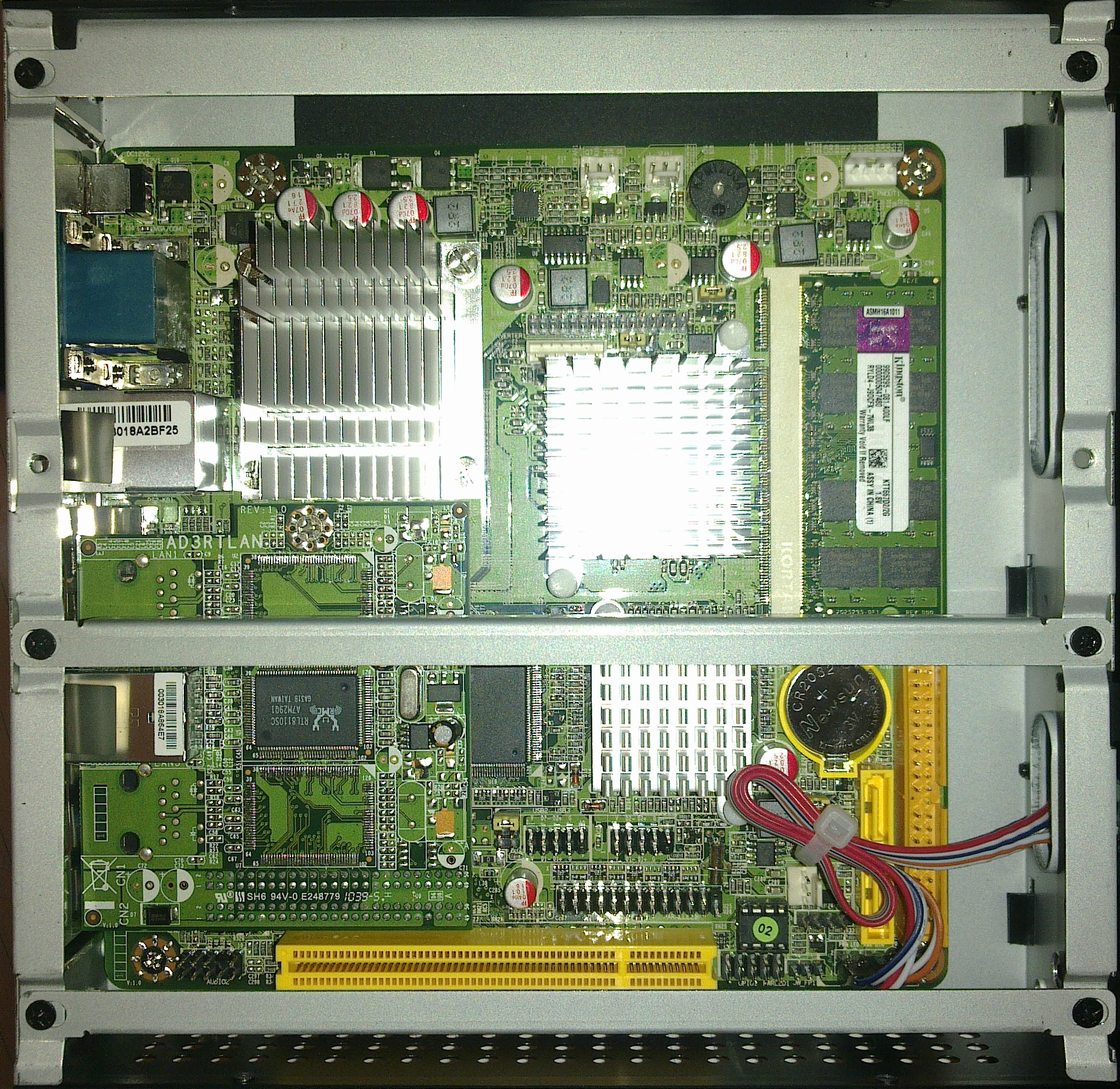
I proceed to start hooking the SSD when I realize that there are no SATA power slots anywhere.

Do you see anything?

The problem is that apparently I’m the only person who ever bought one of these systems. There is literally no information available on any site (including www.habeyusa.com) on how to power your hard drives. Even though it has an IDE slot, there is no 4 pin Molex power available either, so no luck hijacking one of these for the SATA SSD.

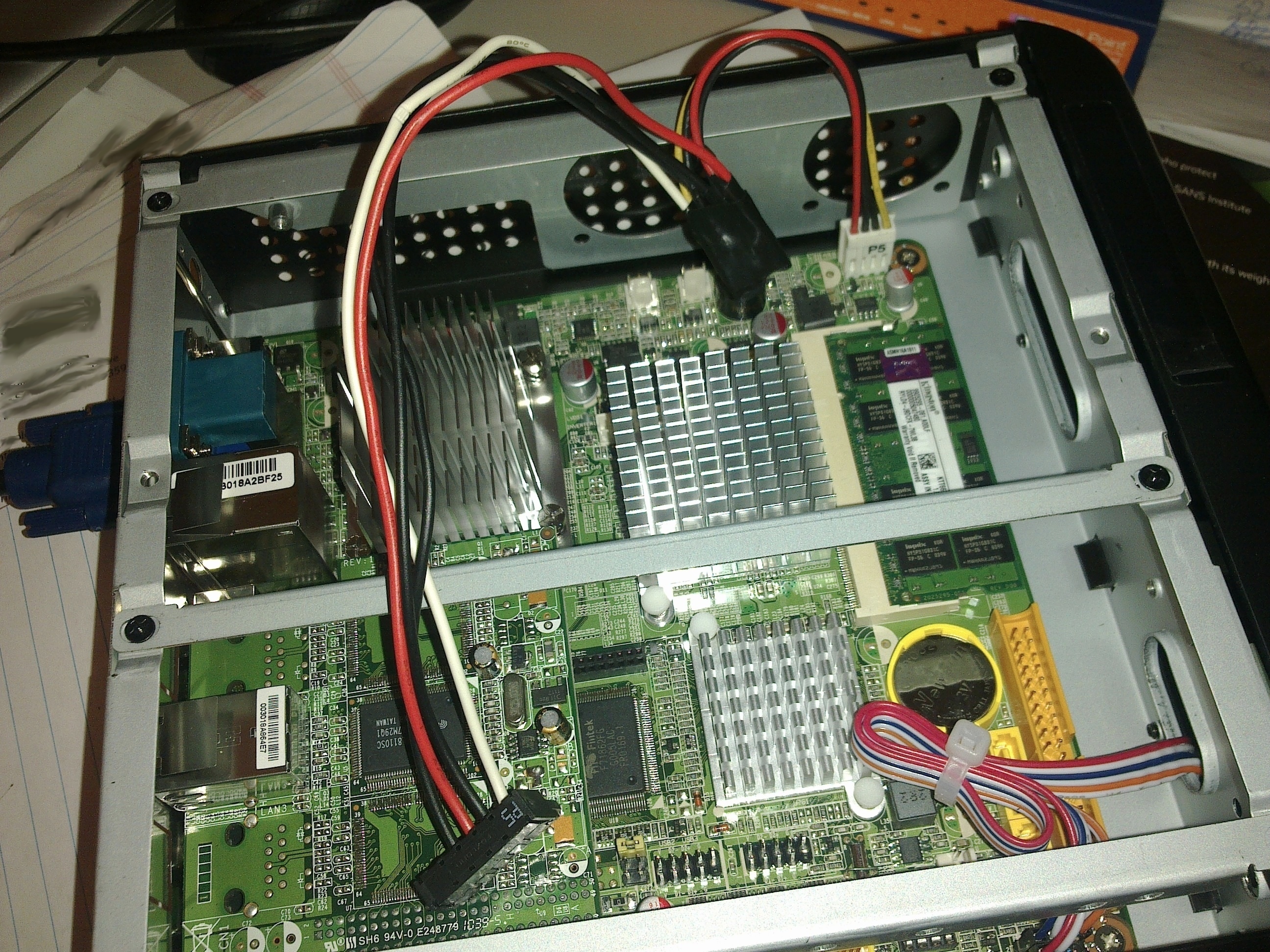
After careful examination of the motherboard, there is one slot that’s labeled “POWOUT1”. It’s a slot whose shape I haven’t seen for ages. I hope you’re sitting as you’re about to read this: it is shaped for 3.5″ floppy disk drive power. And that’s the only power that seems tap-able for hard drives. Much research on the web yields many 4 pin Molex to SATA cable converters. Eventually some Floppy power to to 4 pin Molex. Ultimately I found just the cable I needed.

You’re reading right; SATA Power 15pin to FDD (as in Floppy Disk Drive) power 4 pin…

Habey thought to include a standard SATA data cable but not their weird ass power equivalent. And it you look carefully, SATA power cables have 5 cables, the picture above has only 4. The 3 Volts cable has just been gotten rid of. Doesn’t this affect functionality?

Well fuck everything, I’m not waiting 5 more days for a silly cable. Thankfully we have a master hardware tinkerer at work, and after verifying the voltage of the slots on the motherboard (to verify that it was indeed FDD power), we cannibalized a couple of old power supplies to come up with a Frankenstein cable.

TADAAAAAA!!


And it works perfectly. Seriously Habey: better labeling, a motherboard manual (online or paper) or a weird ass cable included would have been nice.

Tomorrow we’ll stress test the box and it’d better take the beating without crashing.

Thanks to playtool.com for their very helpful resource.

The static experiment

Akrin is an server whose soul has been through many iterations of old hardware. It never needed much resources so I easily got away with $30 PCs bought at the university surplus.

It currently resides on an aged Pentium IV with just 500MB of RAM and some old IDE hard drive. With the addition of more & more projects (recently: CCTV installation, new sites such as www.blindspotis.com, database intensive Markov chains generation), it’s close to maximum capacity and could use an upgrade.

More than new hardware I’ve decided it was time to change how computing was done at home.  And I’m going for no moving parts. This means no fans, no spinning disks and no moving heads.

What are the advantages?

  • no vibrations, not an iota of noise
  • no jet take off sound when running heavier computation
  • no malfunctioning fans that could result in a fire hazard
  • supposedly hardware that is more resistant to shocks
  • fanless means less powerful which in terms means less power consumption

Here’s what I ordered:

It doesn’t come with RAM or a hard drive. I like the small form factor and the fact that it has 2 NICs. This means it can easily be recycled in a nice router should the experiment fail.

  • Some RAM (DDR2 SODIMM), I went for the max 2GB that the EPC-6542 will support. ($45) link
  • A 2.5″ SATA II 128GB solid state disk (SSD) ($223 – $75 mail in rebate = $148) link

Now SSDs are pretty expensive compared to traditional hard drives so it is a high price to pay for no moving parts. But they are also much faster, and because of the CCTV cams recording  24/7, I think that the I/O speed gain will have a tremendous overall effect on the server.

Akrin will soon run on $423 of new hardware, this is unprecedented 🙂

To be continued…