Compromises, Getting 70 Amps on Demand

We barely used our Champion generator these past 5 years, but it did come in handy on rare occasions. It sat for 2 years unused at one point and needed some TLC to get back going again, a fact we didn’t want another way. Working from home in the time of Covid, having upgraded our solar setup, and still not making enough power through very cloudy days, we had to compromise our values a bit more and get decent fossil based 🙁 regenerating capabilities.

I’m still gathering information on water and wind turbines to diversify down the road, but today we are not ready to pull that trigger and we need to work.

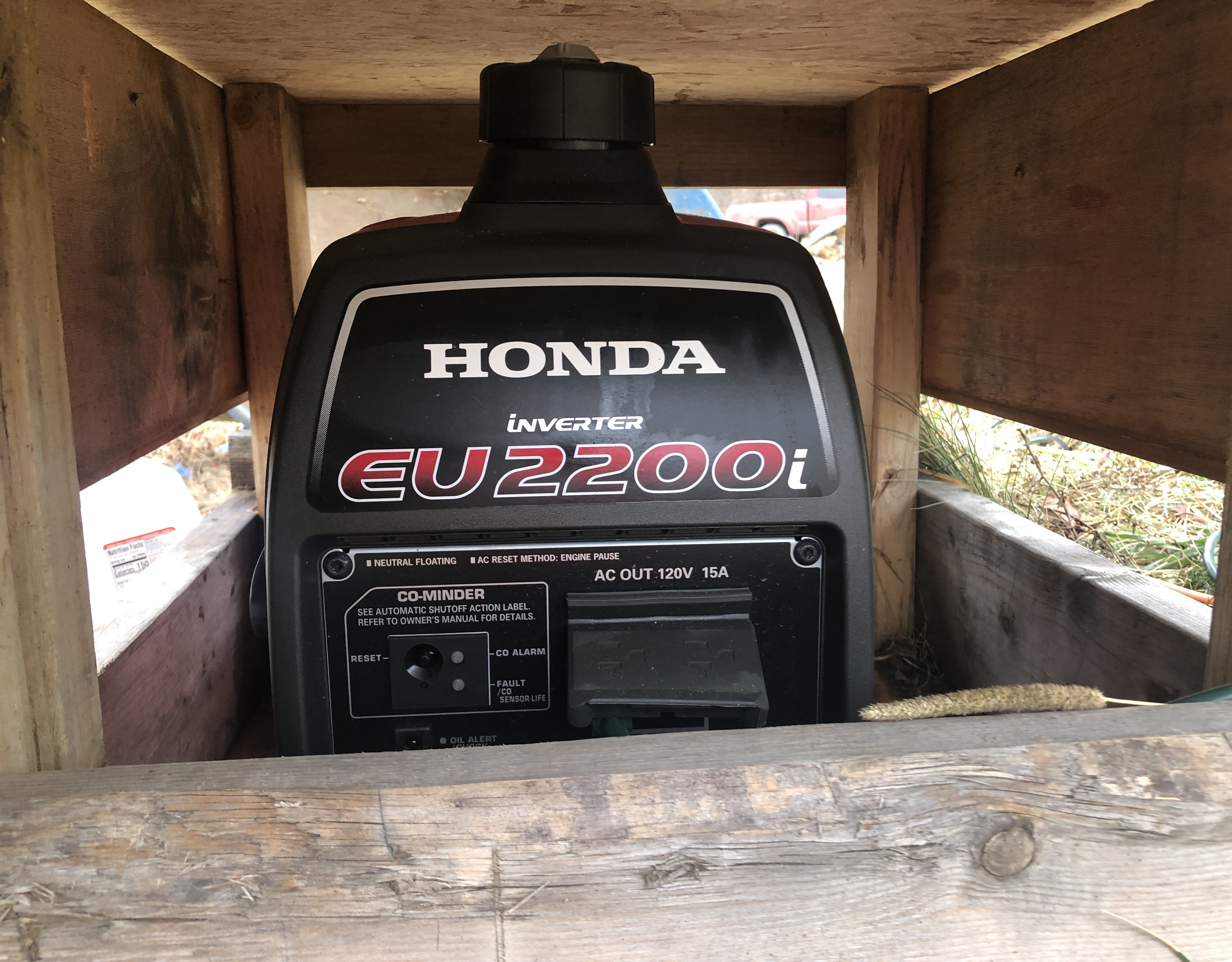
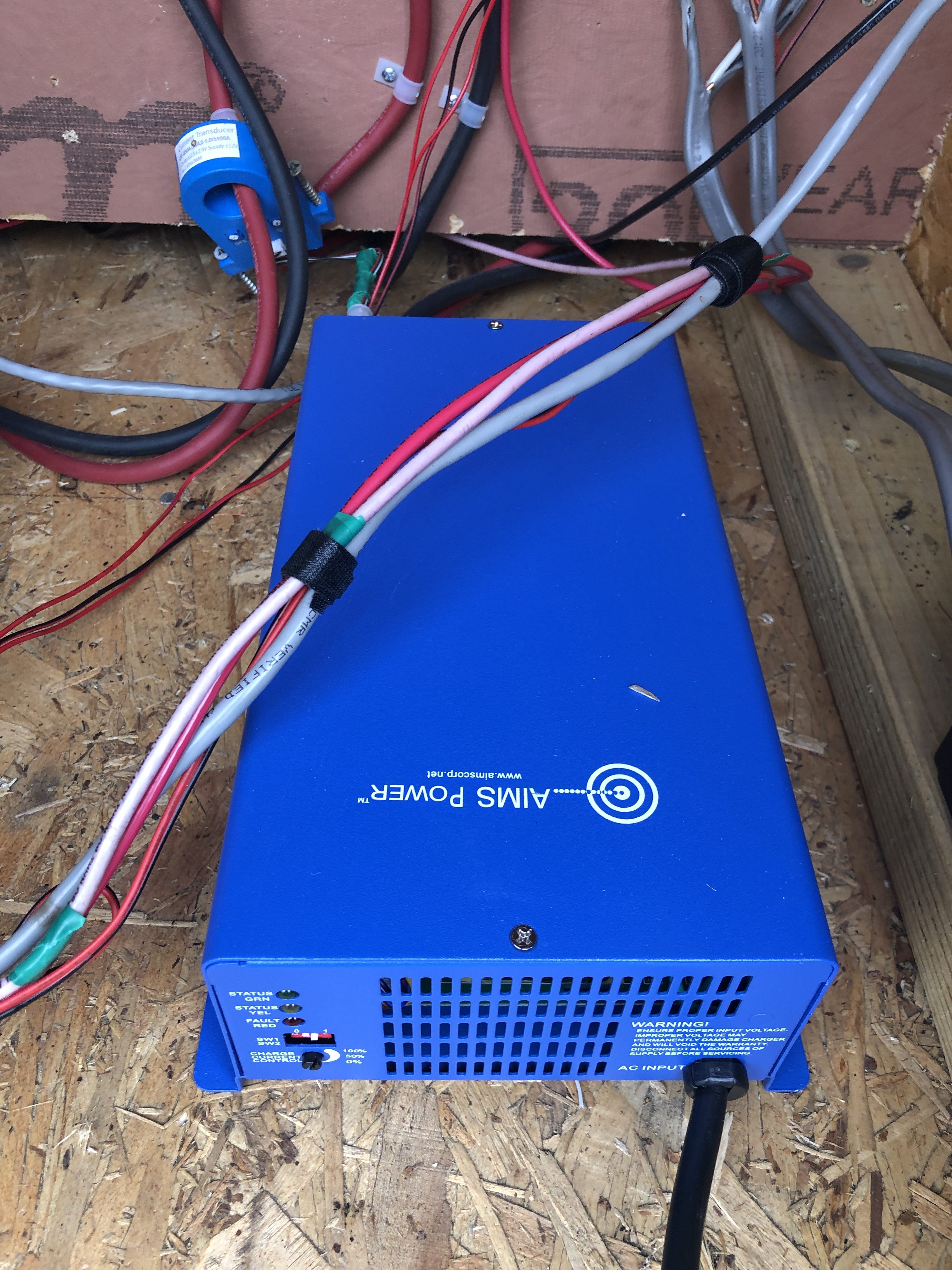
So we acquired a very nice Honda EU2200i, and a wonderful little device that plugs into it and produces 70A at 12VDC on demand.

The Honda generator is really nice and very quiet.

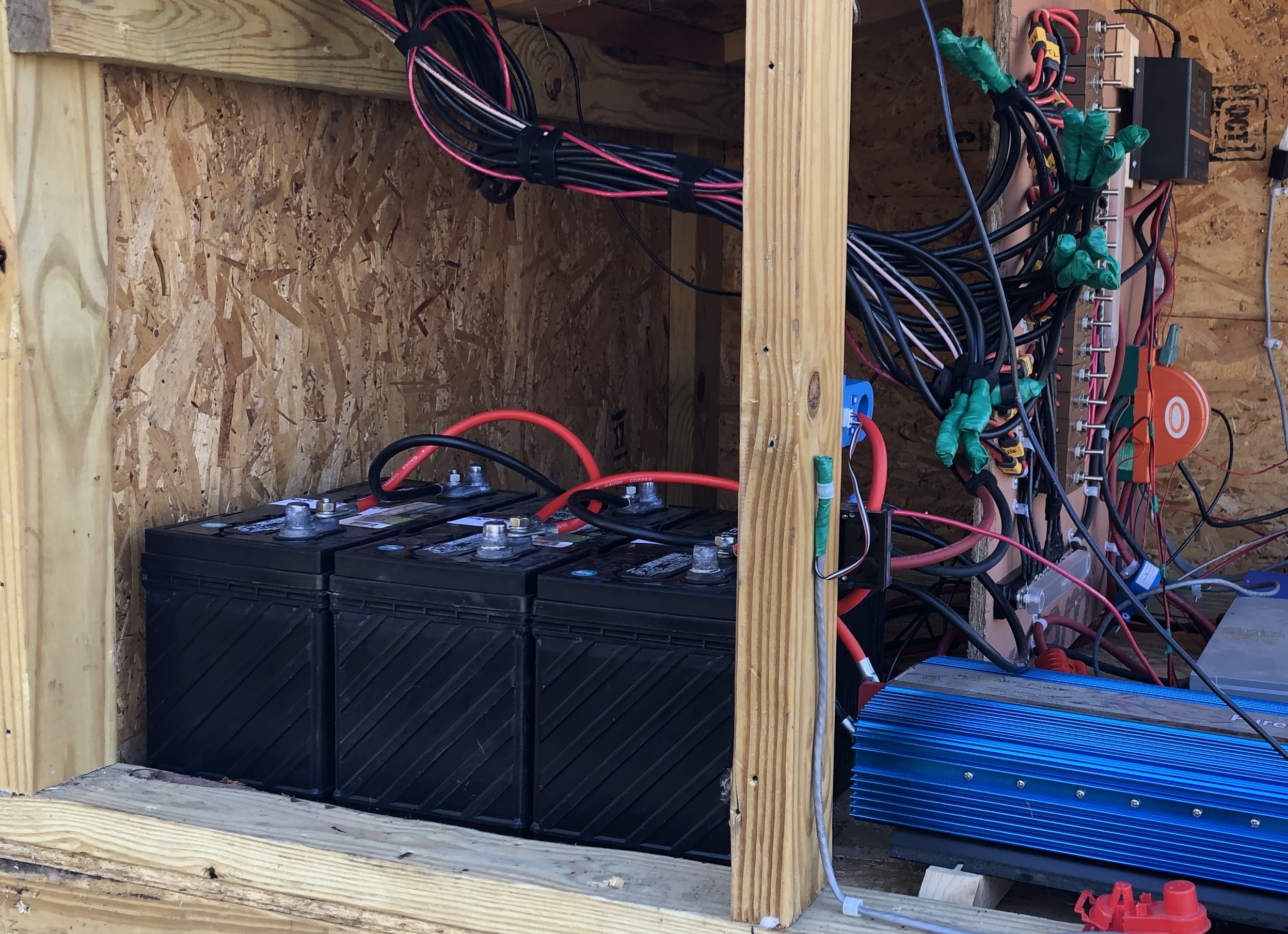
The AIMS Power CON120AC1224DC is very impressive, is can truly put out 70A on demand, it can be tuned to charge several battery types, and it decouples the load. I don’t need to switch the load to the generator, which means it’s always on the nice clean pure sine inverter.

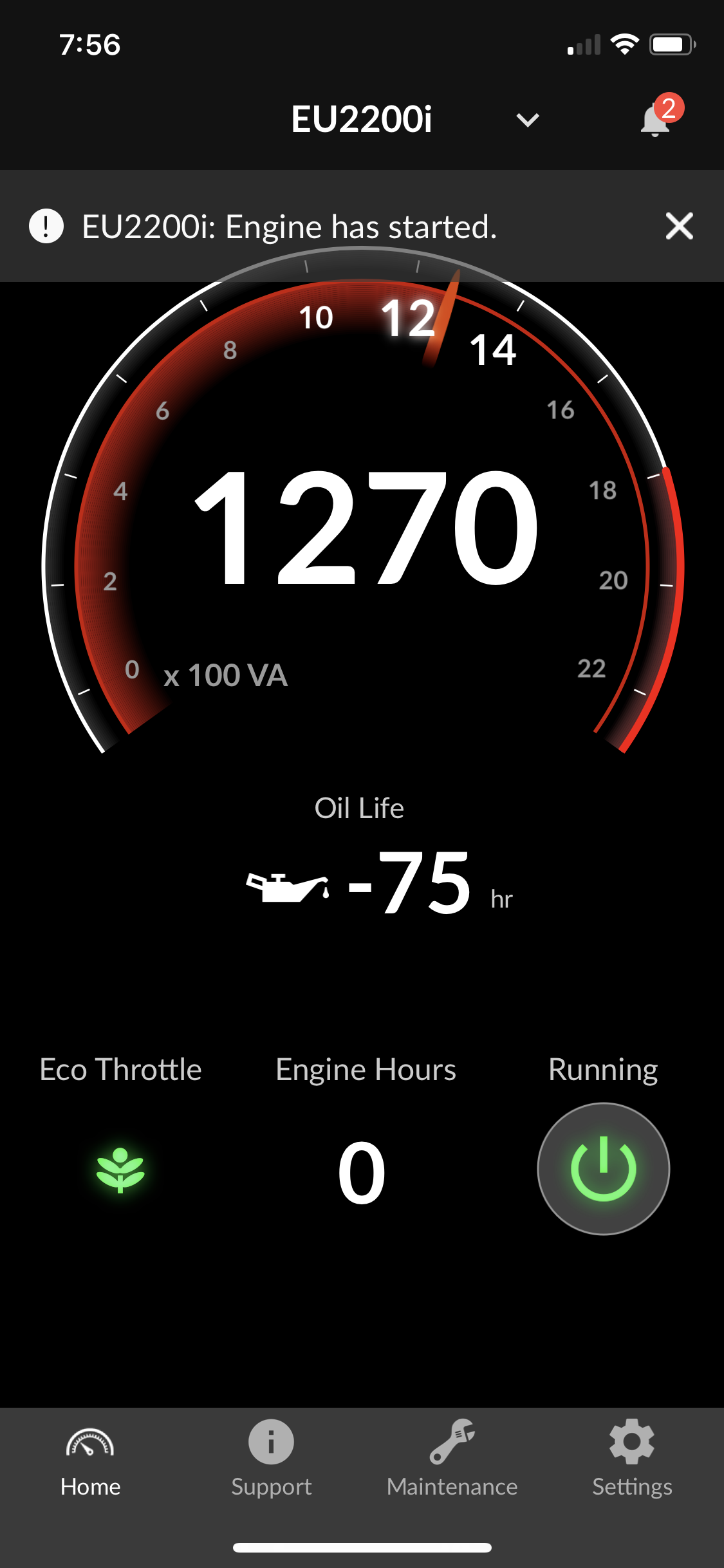
The Honda generator comes with Bluetooth, a fact I was not happy about as it’s gimmicky, but I have to say it is nice to not have to go back outside to turn off the generator. The AIMS converter is definitely working it hard.


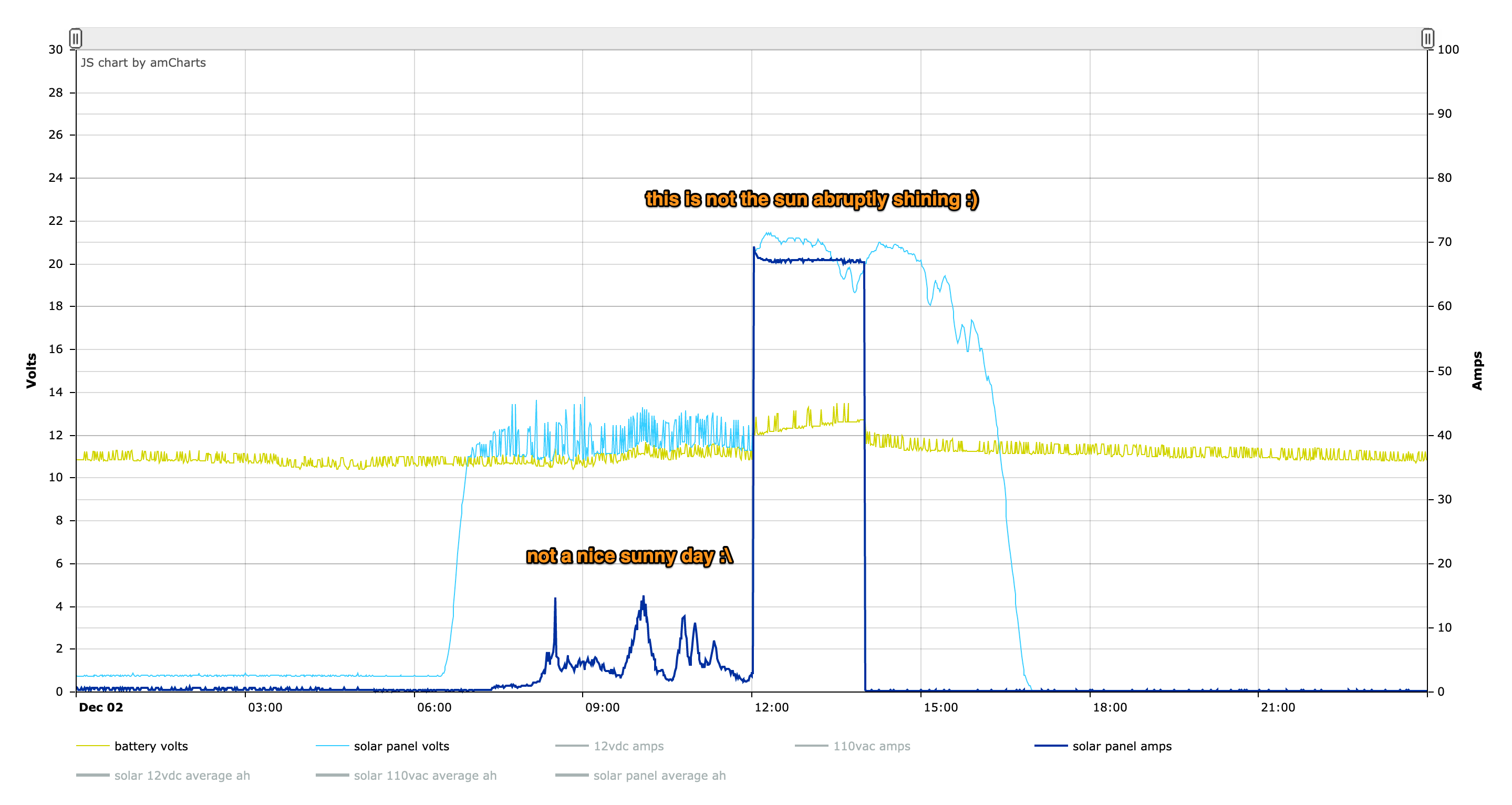
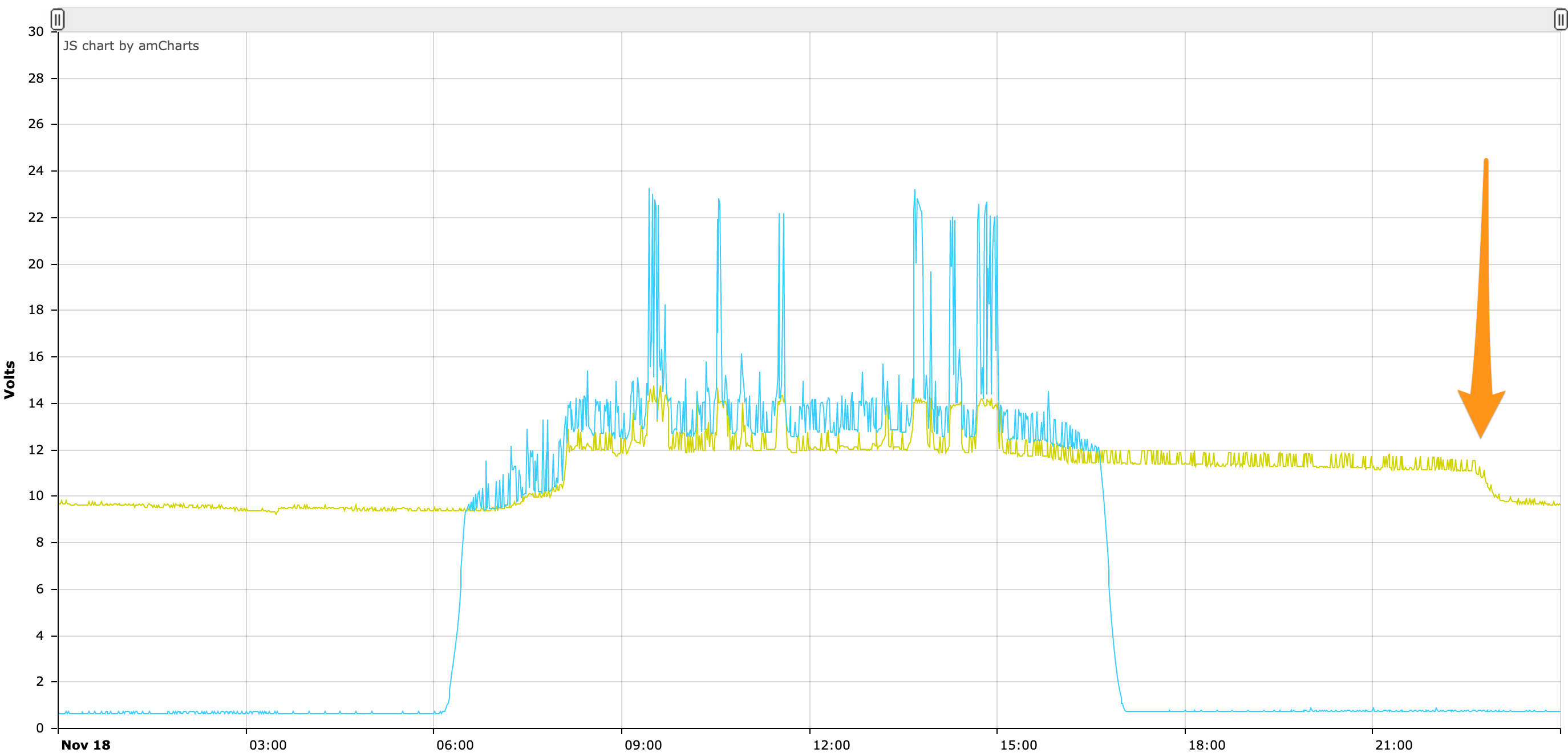
The results on the solar graph are, well, a bit absurd to look at :).

Driving a Bipolar Stepper Motor with an L298N and a Raspberry Pi

A few things to know about the L298N

This is a rudimentary way to drive a stepper motor. You are activating the motor’s coils in sequence yourself to have it take steps. There exist cheap stepper drivers which only require 1 signal from the Pi to be instructed to execute a full step sequence.

There are 2 coils on a bipolar stepper motor, each with a + and a – side. As such, this method requires 4 pins from your Pi to drive the Motor Vs only 1 pin with a more advanced stepper driver. Equally true is that a more advanced stepper driver will require at least another pin for direction and they’ll usually have other pins for micro-stepping.

This method does not allow for micro-stepping, only full steps. This is fine enough for most applications.

Lastly, while the L298N method might appear less appealing because of the above points, I find it to be extremely robust (advanced stepper drivers can be very finicky). You can power your Pi or Arduino with it thanks to a 5V port (warning, it can only provide so many amps and a Pi running heavy processing will crash).

It can be used to drive 2 DC motors instead of 2 stepper coils of a bipolar stepper motor, and has 2 PWM pins to adjust power given to the motors. It’s a very versatile and enabling device to master. You’ll also learn a lot about how stepper motors work.

Finding your stepper motor coils

Documentation for electronics is often inaccurate, disparate, when it’s even available. It’s good to find or verify what wires you think your coils are on. To do so you can put an LED on 2 motor pins and spin it until it lights up. When it does, induction powered your LED so you know you are holding the 2 wires of a coil. The other 2 wires are obviously the other coil.
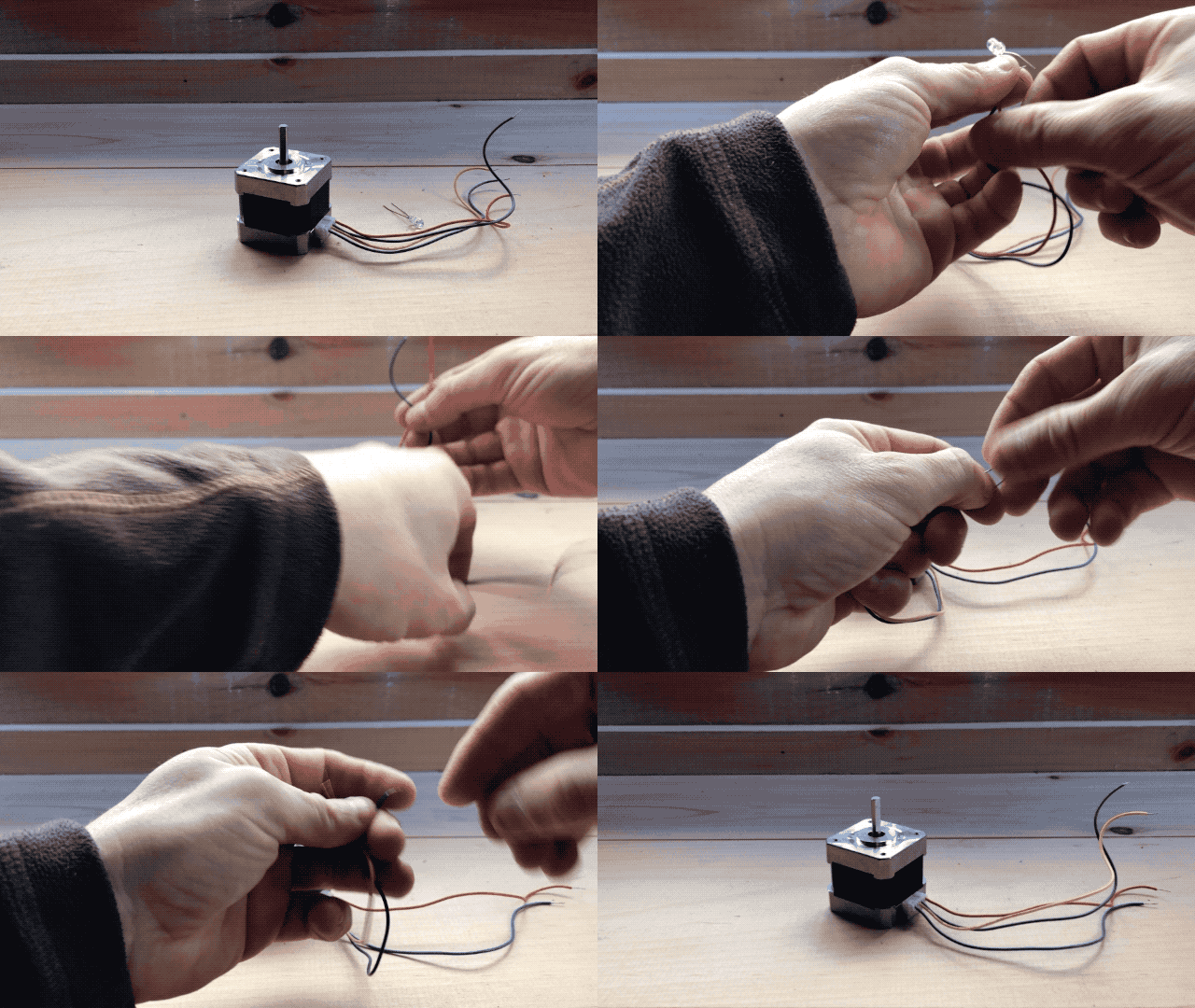
There is no good way I could find to verify which of a coil’s wire is positive or negative. In my trials, I found that it doesn’t matter for a bipolar stepper motor on an L298N. The worst that will happen is that your motor may turn in the other direction which is easy enough to fix by flipping wires.

Circuit

Fritzing
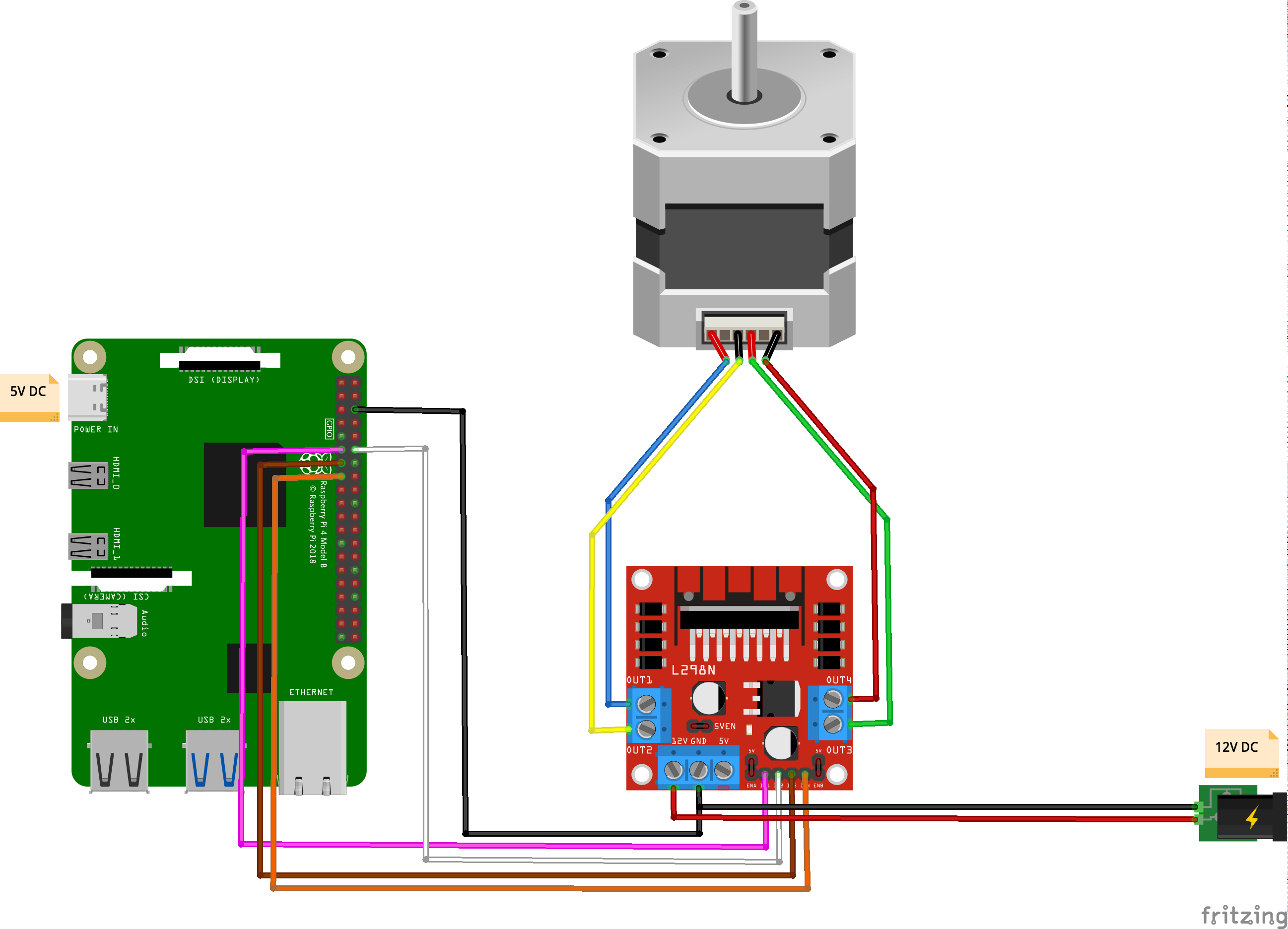
Code

[python]#!/usr/bin/python3
import RPi.GPIO as GPIO
import time

out1 = 17
out2 = 18
out3 = 27
out4 = 22

# careful lowering this, at some point you run into the mechanical limitation of how quick your motor can move
step_sleep = 0.002

step_count = 200

# setting up
GPIO.setmode( GPIO.BCM )
GPIO.setup( out1, GPIO.OUT )
GPIO.setup( out2, GPIO.OUT )
GPIO.setup( out3, GPIO.OUT )
GPIO.setup( out4, GPIO.OUT )

# initializing
GPIO.output( out1, GPIO.LOW )
GPIO.output( out2, GPIO.LOW )
GPIO.output( out3, GPIO.LOW )
GPIO.output( out4, GPIO.LOW )

def cleanup():
GPIO.output( out1, GPIO.LOW )
GPIO.output( out2, GPIO.LOW )
GPIO.output( out3, GPIO.LOW )
GPIO.output( out4, GPIO.LOW )
GPIO.cleanup()

# the meat
try:
i = 0
for i in range(step_count):
if i%4==0:
GPIO.output( out4, GPIO.HIGH )
GPIO.output( out3, GPIO.LOW )
GPIO.output( out2, GPIO.LOW )
GPIO.output( out1, GPIO.LOW )
elif i%4==1:
GPIO.output( out4, GPIO.LOW )
GPIO.output( out3, GPIO.LOW )
GPIO.output( out2, GPIO.HIGH )
GPIO.output( out1, GPIO.LOW )
elif i%4==2:
GPIO.output( out4, GPIO.LOW )
GPIO.output( out3, GPIO.HIGH )
GPIO.output( out2, GPIO.LOW )
GPIO.output( out1, GPIO.LOW )
elif i%4==3:
GPIO.output( out4, GPIO.LOW )
GPIO.output( out3, GPIO.LOW )
GPIO.output( out2, GPIO.LOW )
GPIO.output( out1, GPIO.HIGH )

time.sleep( step_sleep )

except KeyboardInterrupt:
cleanup()
exit( 1 )

cleanup()
exit( 0 )[/python]

Stuff you might need for this to run:

[bash]sudo apt-get update –fix-missing && sudo apt-get install python3-rpi.gpio[/bash]


This stepper motor is rated for rotating by 1.8° per step. This means that it takes 100 steps to rotate 180 degrees:
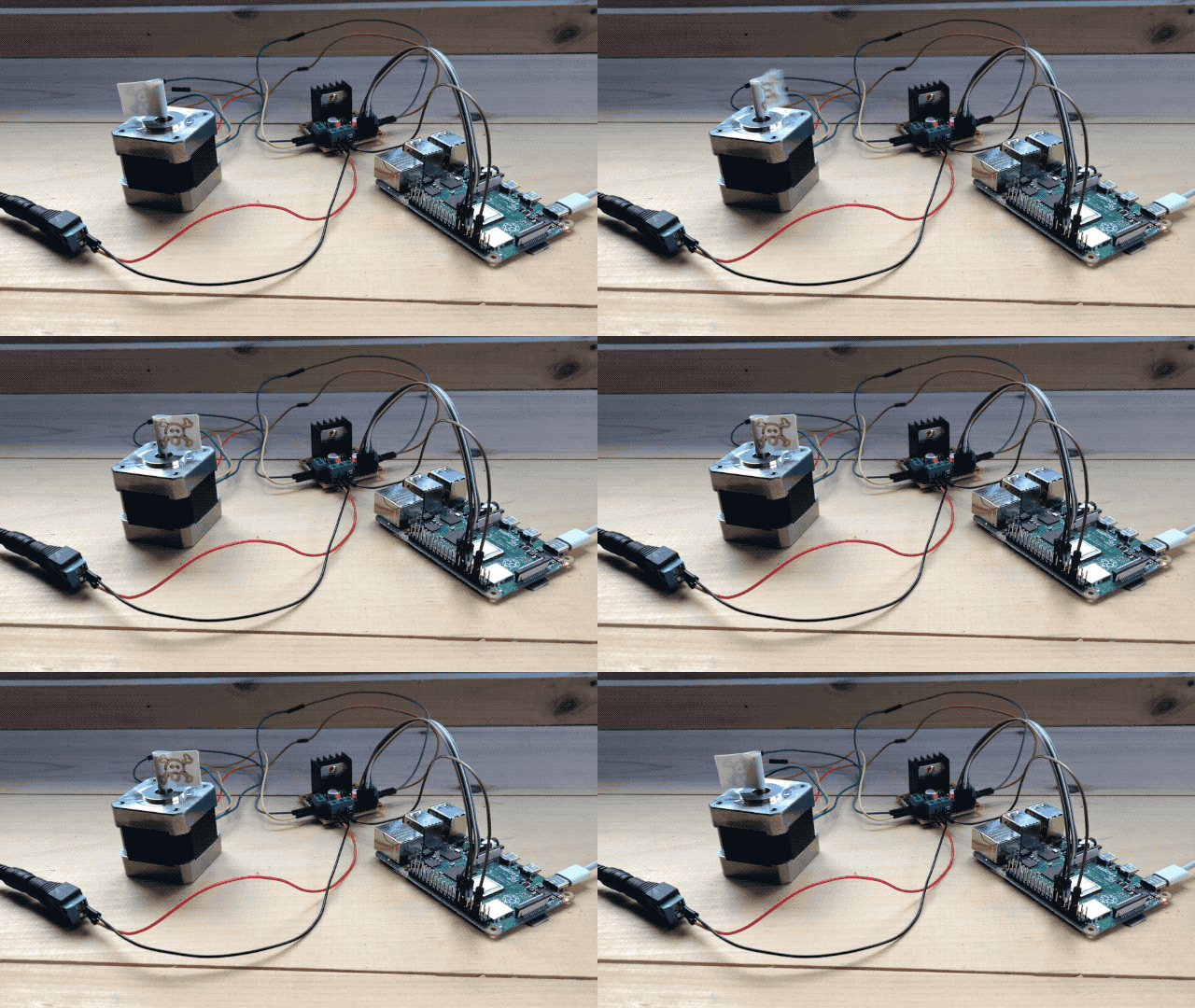
and 200 to do a full 360:
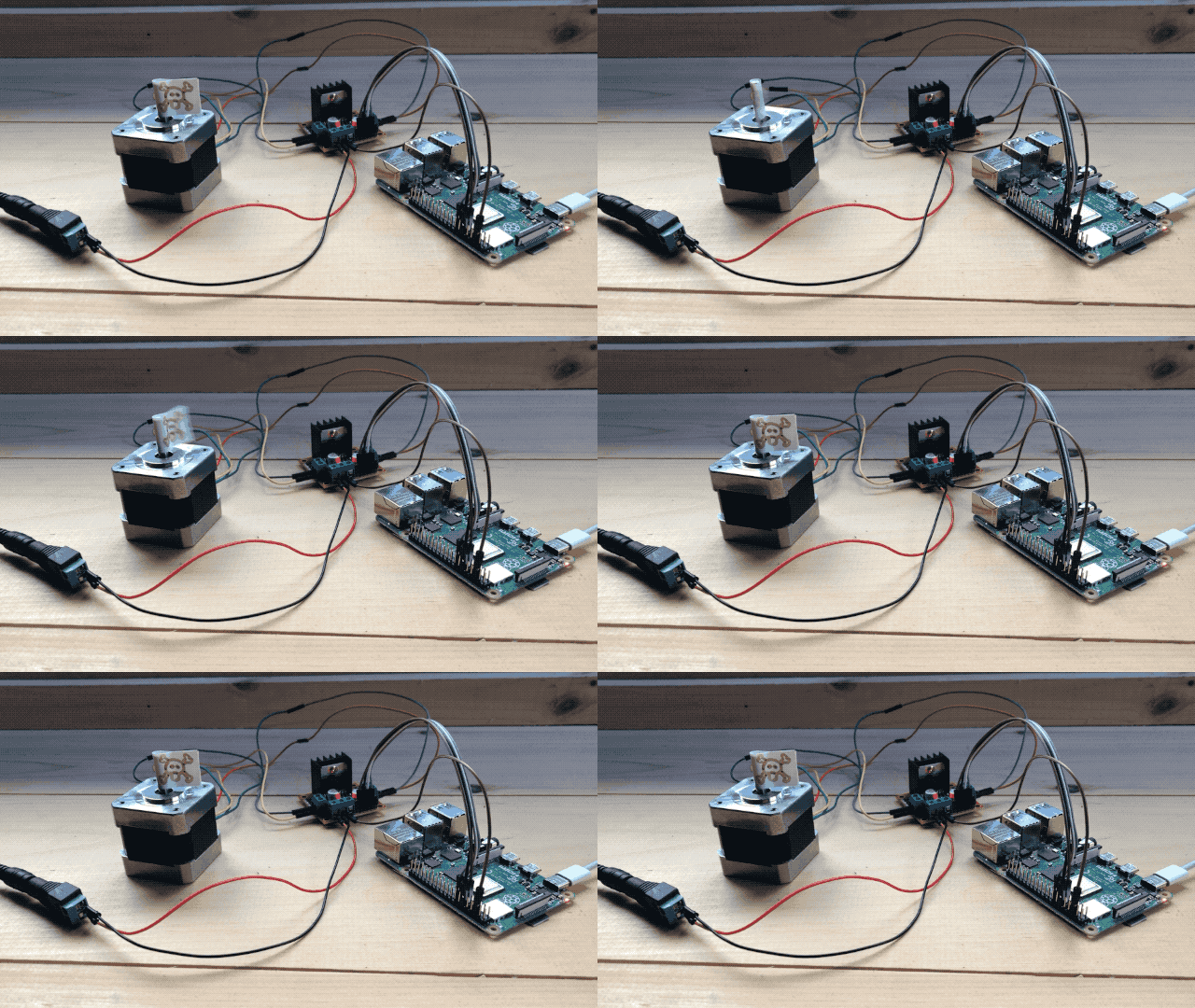
Power the Pi from the L298N?

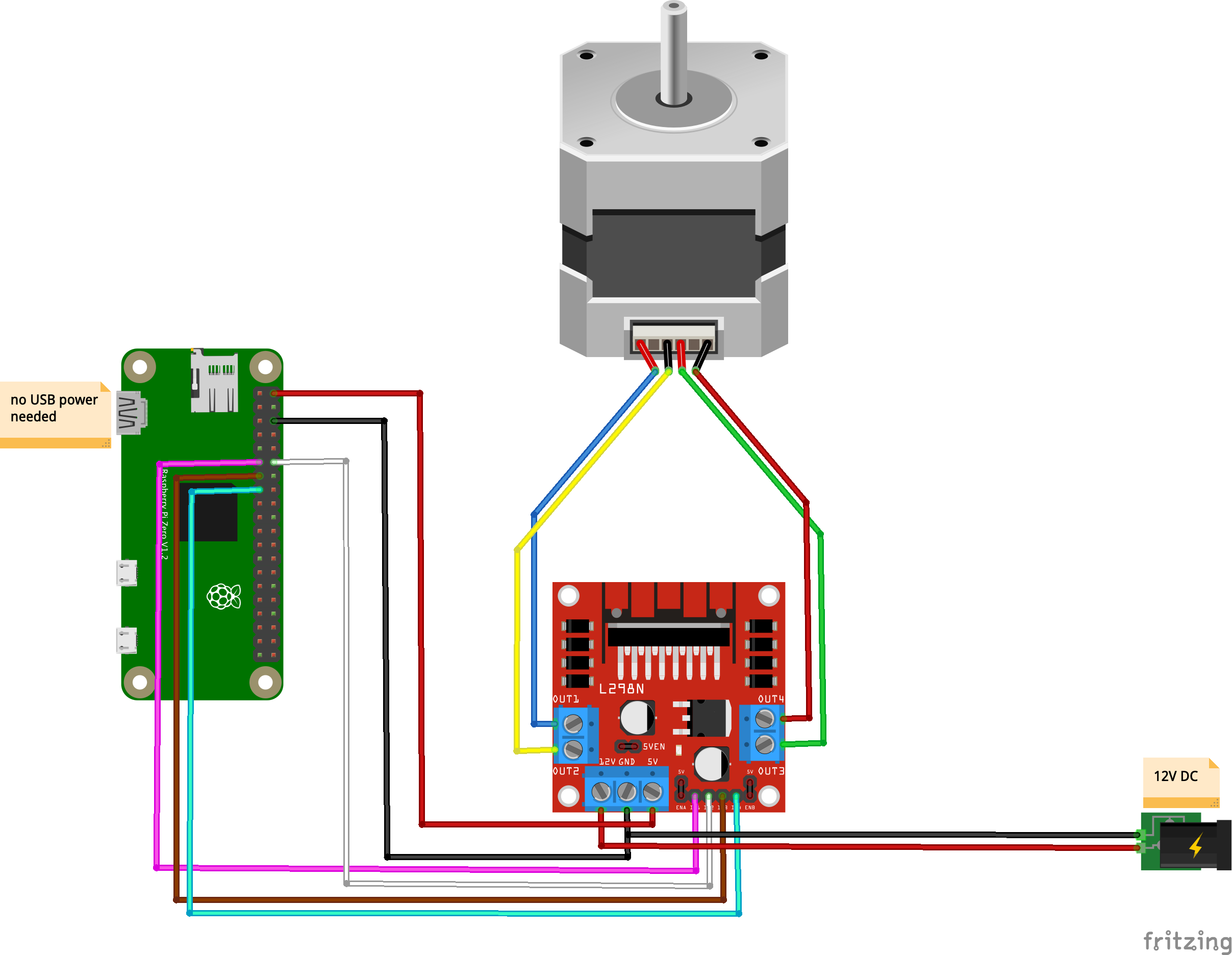
As I alluded to earlier, the L298N comes with a 5V power output that is most convenient to power Pis and Arduinos as it allows you to eliminate one of the 2 power supplies to your system. Be advised that while it provides the right voltage, it does not provide enough amps to power a standard Raspberry Pi, and while it can power a Pi Zero, the later will not get enough power and crash if it works hard enough (having a camera and a live streaming server pushed it over the edge in my testing). It will power a Pi Zero on Wifi running Python which is enough for a lot of applications.

Here’s the circuit if you want to do this:

Fritzing
Chasing the Dip

As Murphy’s law would have it, our solar upgrade coincided with a strange phenomenon which affected us for the whole month of November. Our batteries voltage took a sudden drop every night around 9:00PM going to well bellow any usable voltage and leaving us scrambling for power through the nights.

Because of this unfortunate timing, and my lack of understanding of all things battery related. I ended up chasing this dip for weeks, trying everything under the sun isolate it. Long story short, all our AGM batteries are shot.

Years ago I bought AGM batteries because they are more self contained and don’t require maintenance (no off gazing, no re-filling them). A choice that made sense when everything was new and too much to think about. Today, I’m realizing that the flip side of this is that AGM batteries have a shorter lifetime and that there is nothing you can do about it. Sure they were no maintenance for a few years, but today they are between 3 and 5 years old and we have to replace them all (all $1600 worth of them).

I reevaluated our battery situation, and with a much better grasp of all things solar, I decided to go with regular flooded lead acid batteries, they are deep cycle, they have 65Ah, they have a port to maintain the chemicals in them.

It does mean I’ll be poking at them every couple of months to better quantify their state and not let a slow boiling voltage dip sneak up on me. And I’ll be maintaining the chemicals (mostly adding distilled water on occasion).

This conclusion was confirmed by chatting with a couple of old timers who have been off-grid for decades. One gets 6 to 8 years out of his batteries which are allowed to freeze (our situation today), the other gets 10 to 13 in a controlled environment and a water turbine providing constant power 24h a day. This helps the batteries not cycle so much.

It was a real education talking to people who have been doing this for decades. As I build my own experience, I make mistakes and sub-optimal decisions. For today though, I’ve eliminated a blind spot of our solar setup. I can recognize the phenomenon for what it is, the data I collect was really helpful and I have ideas for algorithms to interpret them automatically and get a health measure of the battery array.

So I bought only 3 new batteries, giving us 195Ah to get through night and cloud. It turns out it’s a thousand times better than where we were with our theoretical 775Ah as it had slow boiled down to pretty much nothing :). I’ll get in the habit of maintaining these batteries properly.

Mild Winter Bathroom

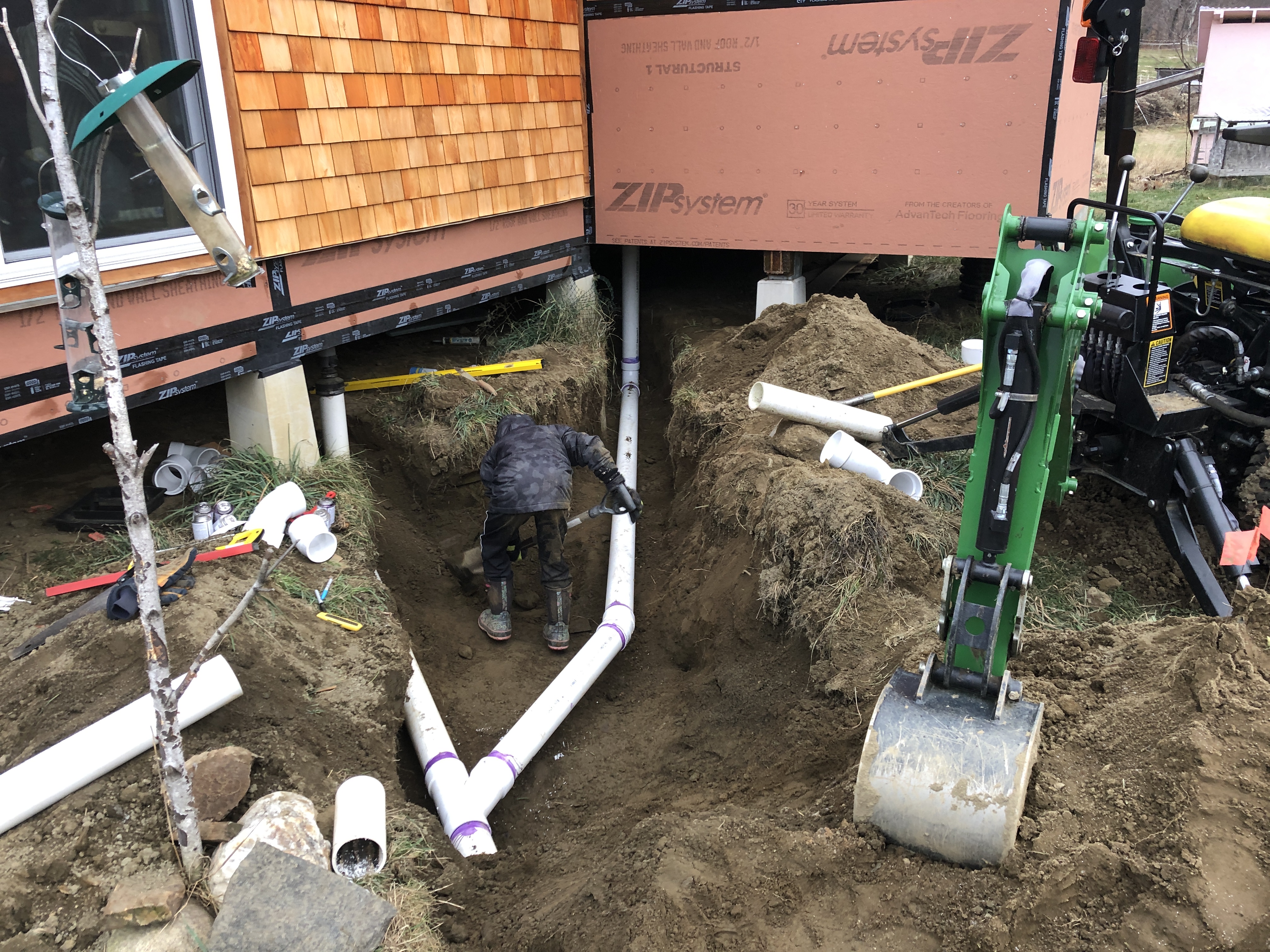
It’s late November and the ground isn’t frozen, it’s a perfect opportunity to work on water evacuation to the septic tank as we get ready to create our bathroom. If we don’t do it now we’ll have to wait another 4 months. We unearthed the existing line to split it into another one for the bathroom.

The Plot Thickens

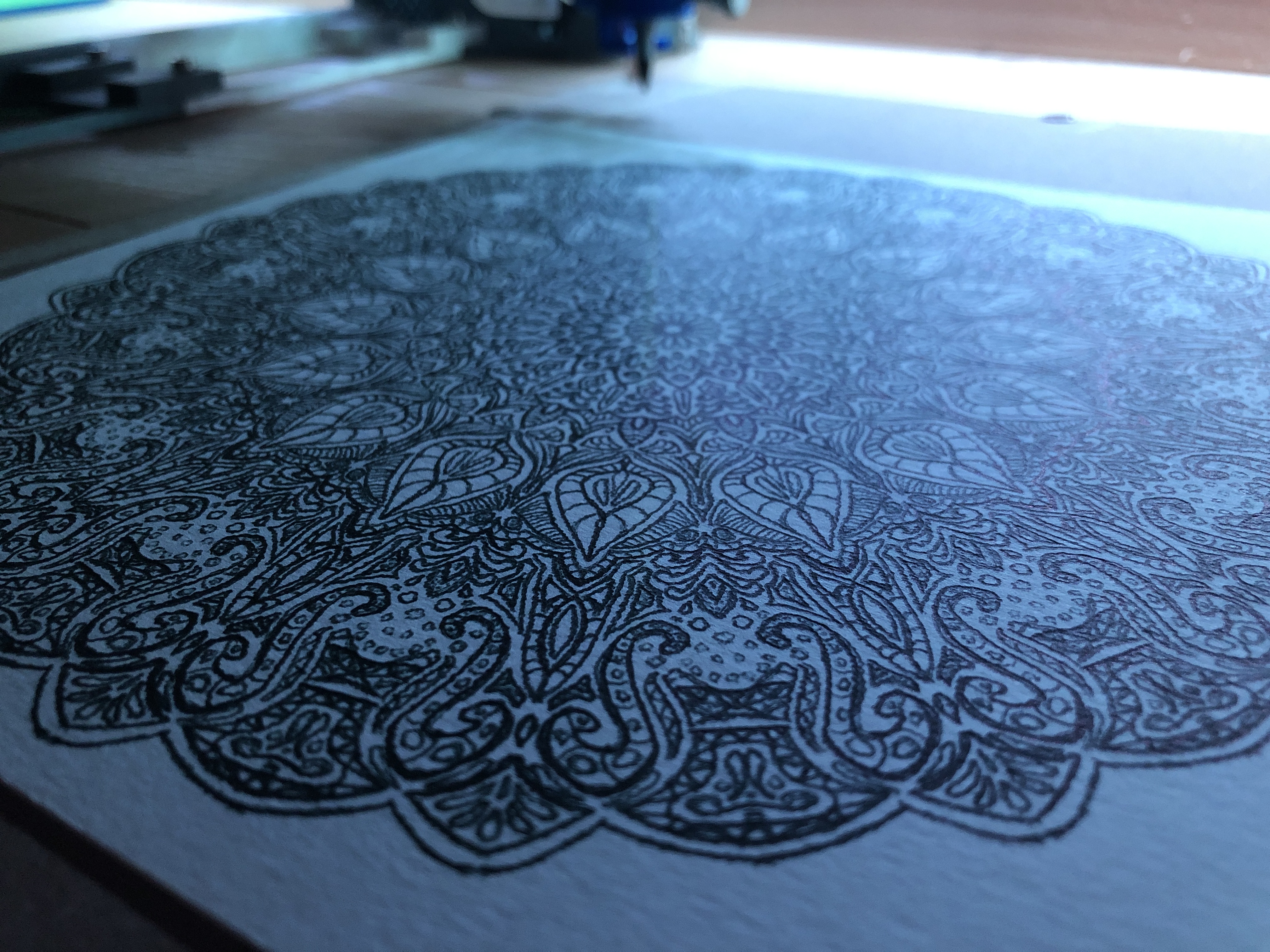
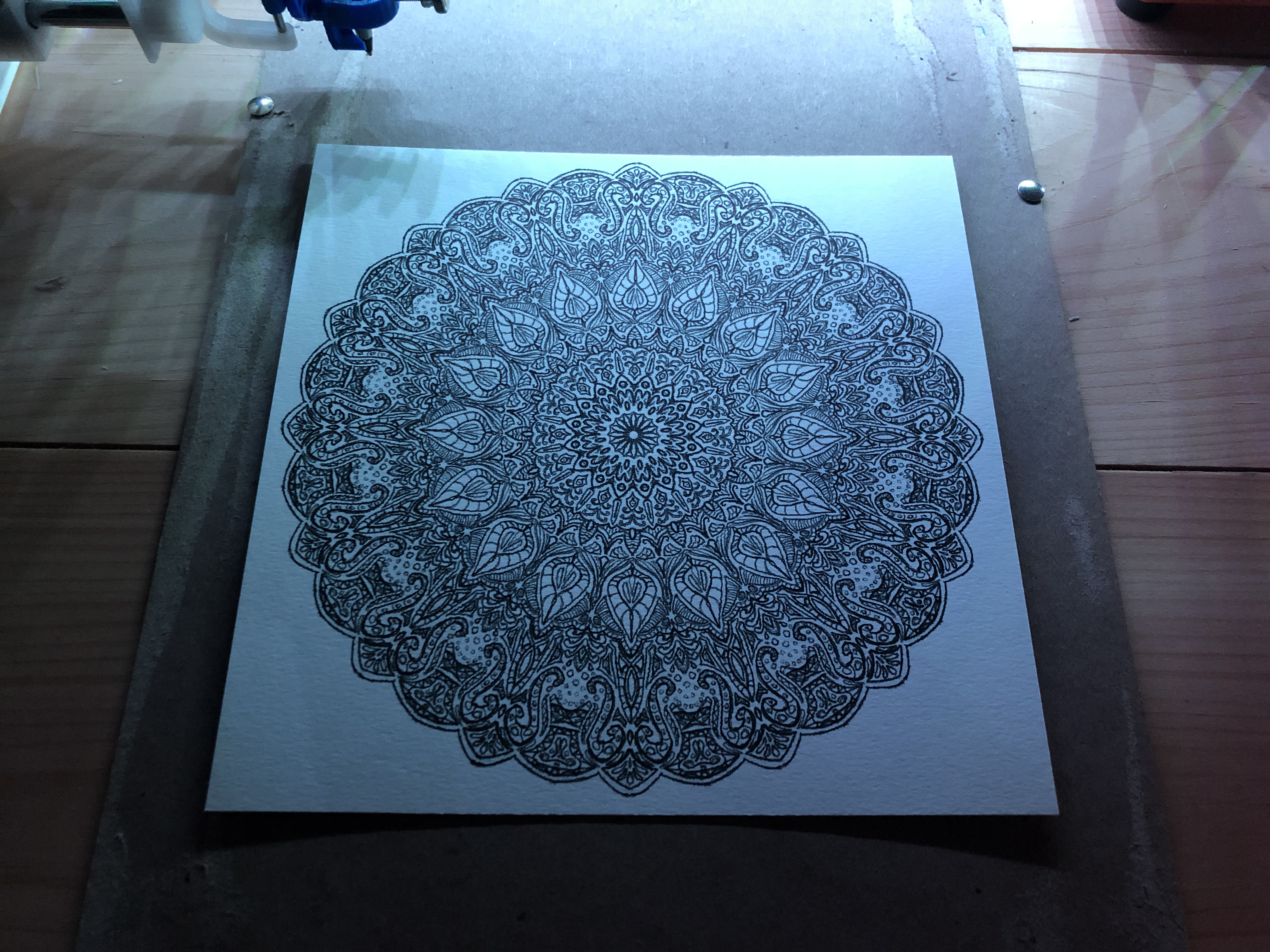
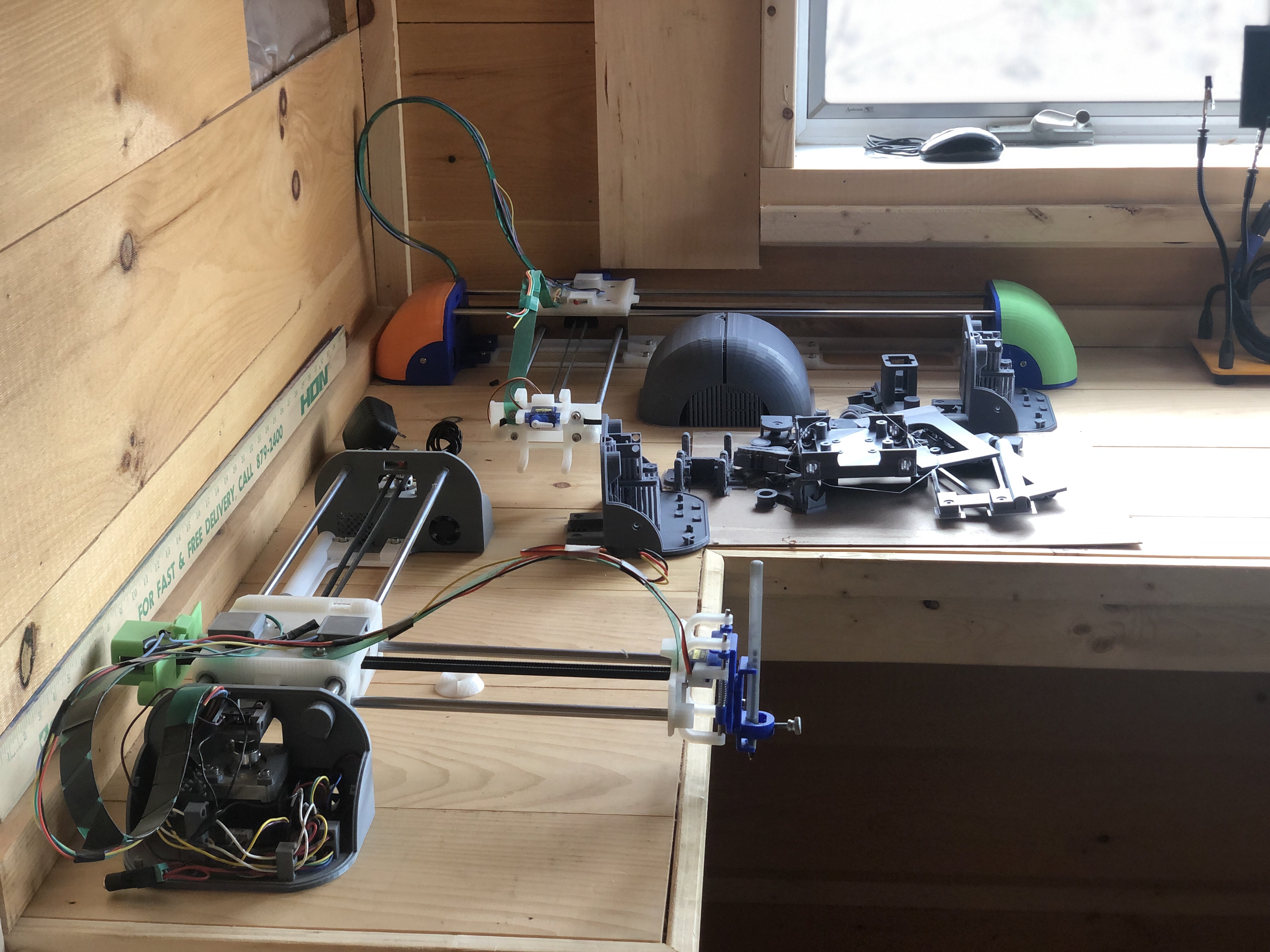
Covid and 3D printer mishaps have seriously hindered my ability to iterate on the plotter design which I was hoping would be behind me last March :\. Oh well, I’m getting close to finally being able to release it into the world.

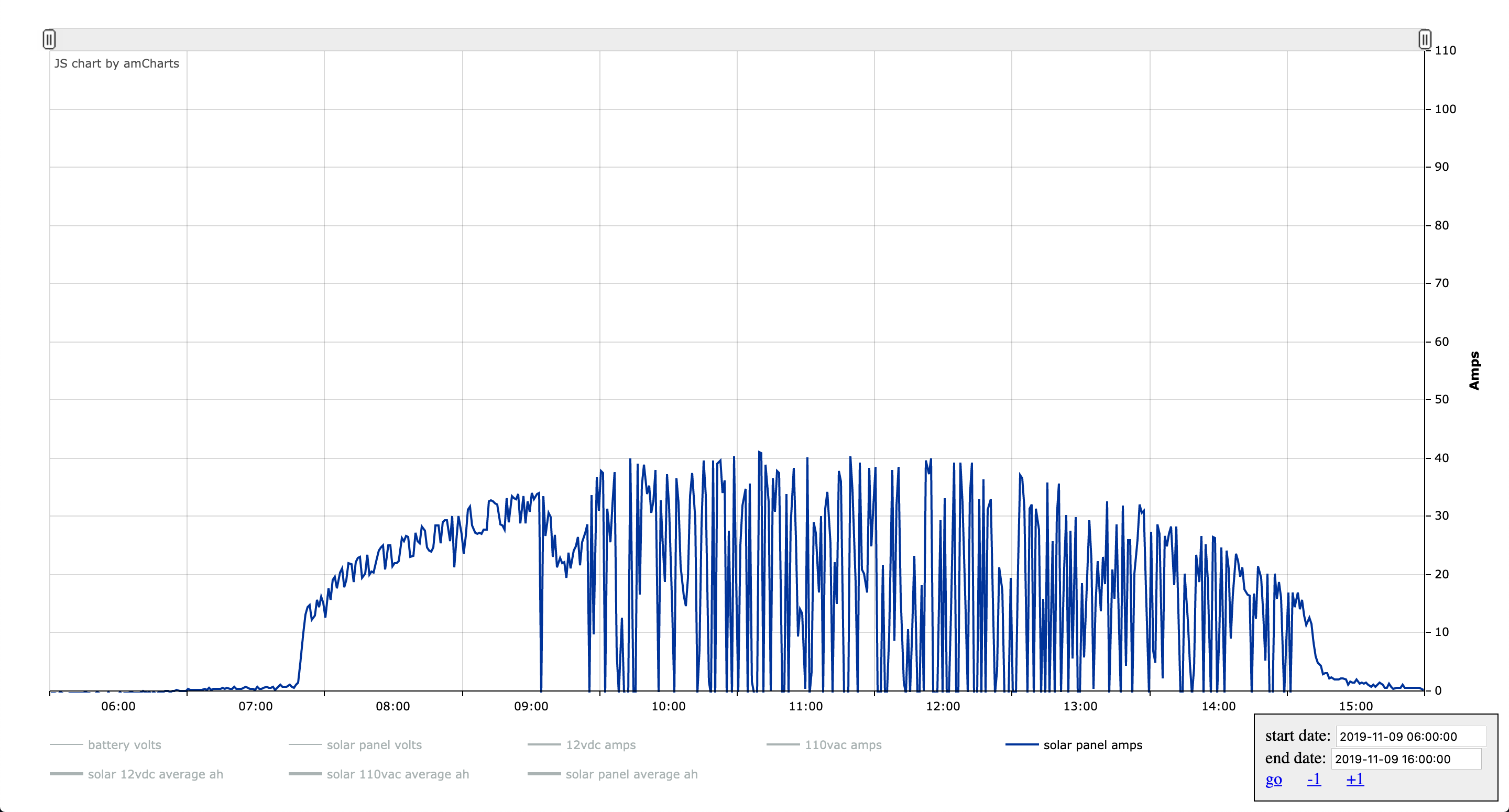
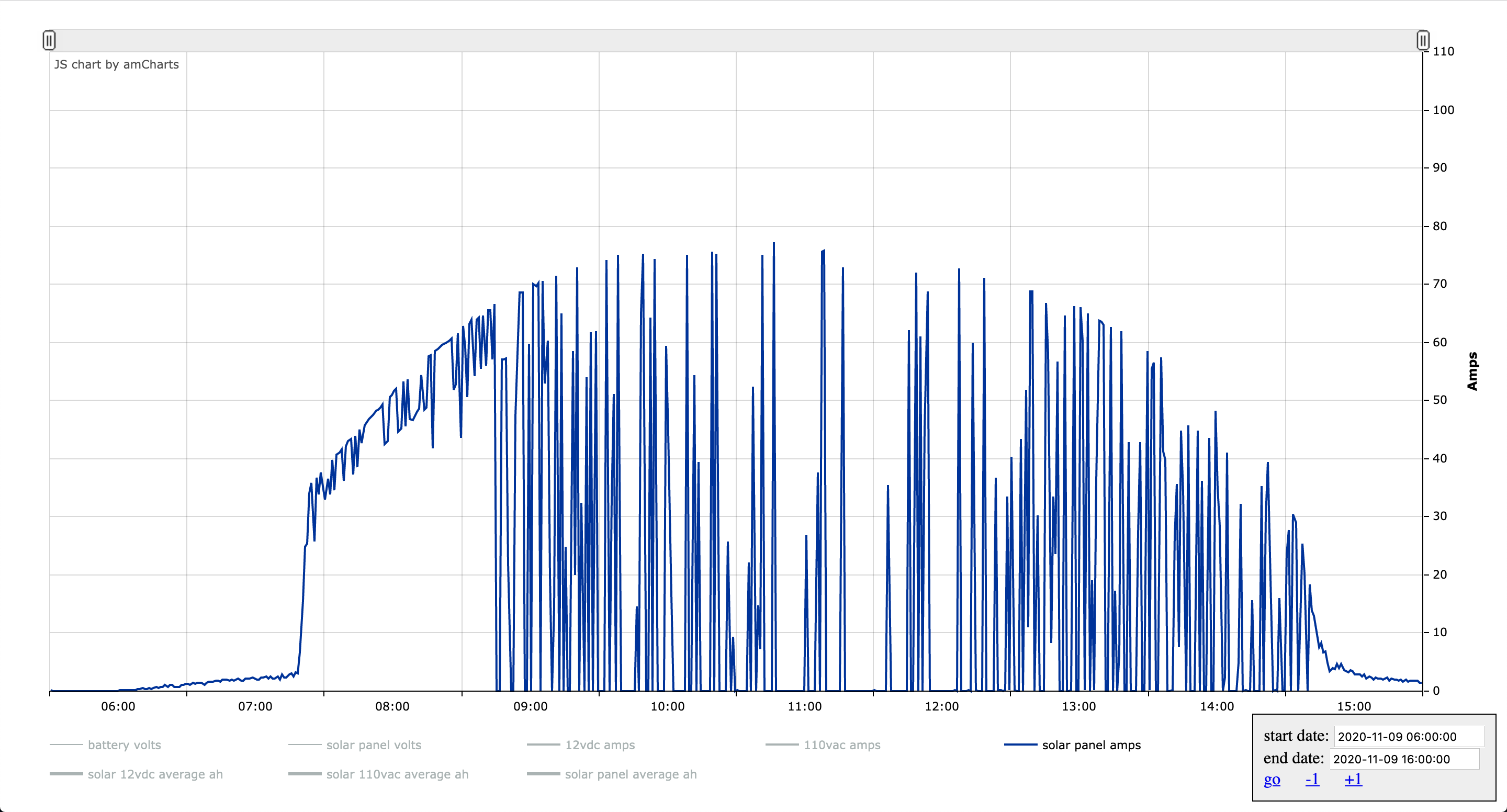
Double the Amps :)

November 9th 2019


November 9th 2020


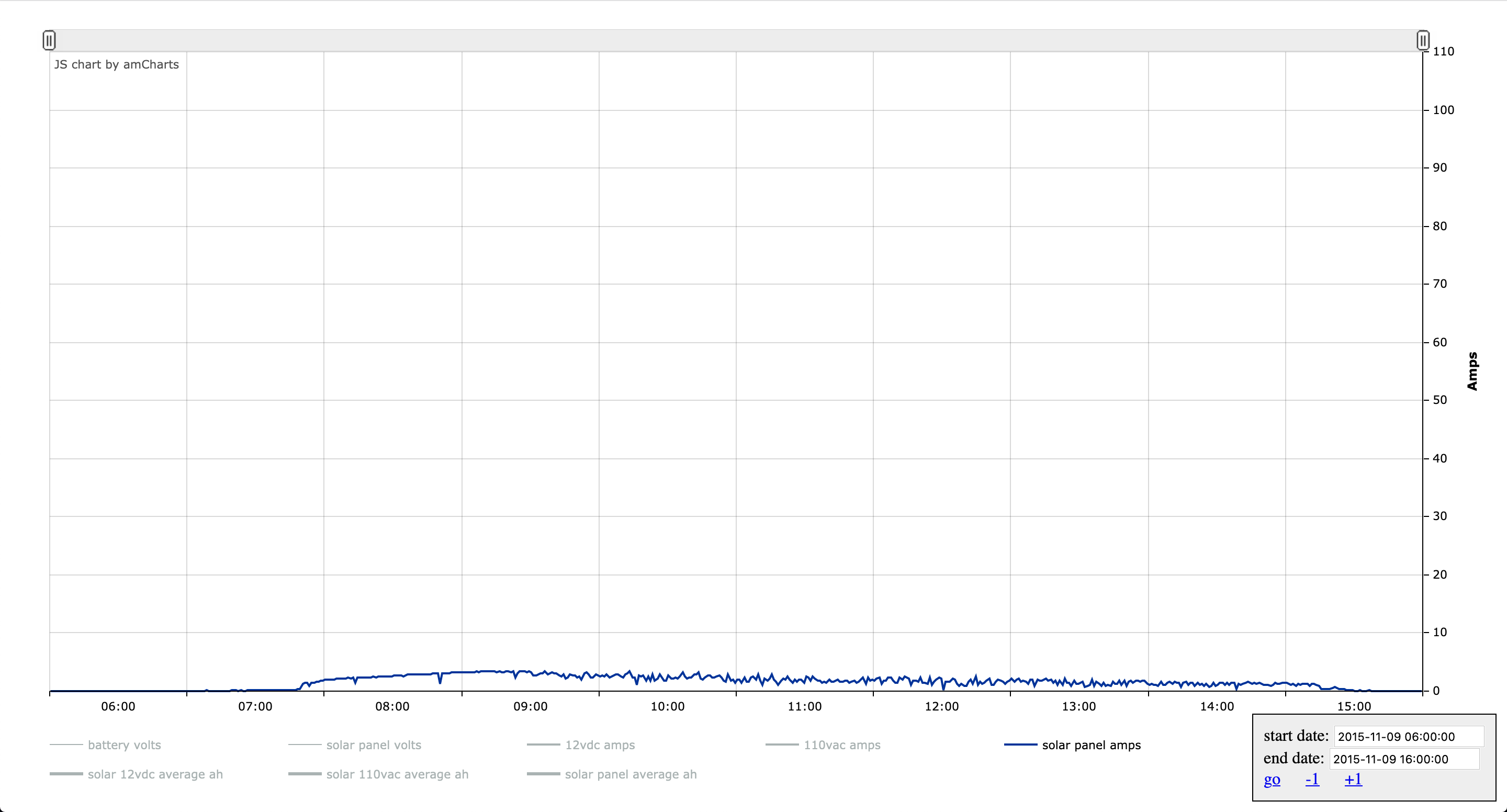
And just for fun, here is November 9th 2015

We’ve come a long way 🙂 It’s supposed to be cloudy tomorrow. This will be a good test of the strategy that is trying to squeeze more amps with more panels from a non-optimal day.

Double Measures

Our demand for electricity surpasses our ability to produce it often these days. Between the fridge, working from home,  kids growing up, and soon a water pump, we’ve expanded drastically but our solar setup has not. With Winter looming, it was time for an upgrade.

We can pick 2 strategies for an upgrade:

  • Beef up storage by buying batteries which can carry us through more cloudy days.
  • Beef up our panels to milk more amps out of cloudy days.

The former doesn’t make sense for us right now, battery lifetimes wouldn’t be in sync, and they freeze on the really cold days which is not advisable for their long term performance. Batteries are very expensive and we know that whatever we get will take a beating. In a few years, when we have a root cellar, we’ll also have an ideal place for batteries which won’t be subject to drastic temperature swings, then it will make sense to upgrade those. In the meantime, the only strategy left to to milk the cloudy days for more by buying more panels.

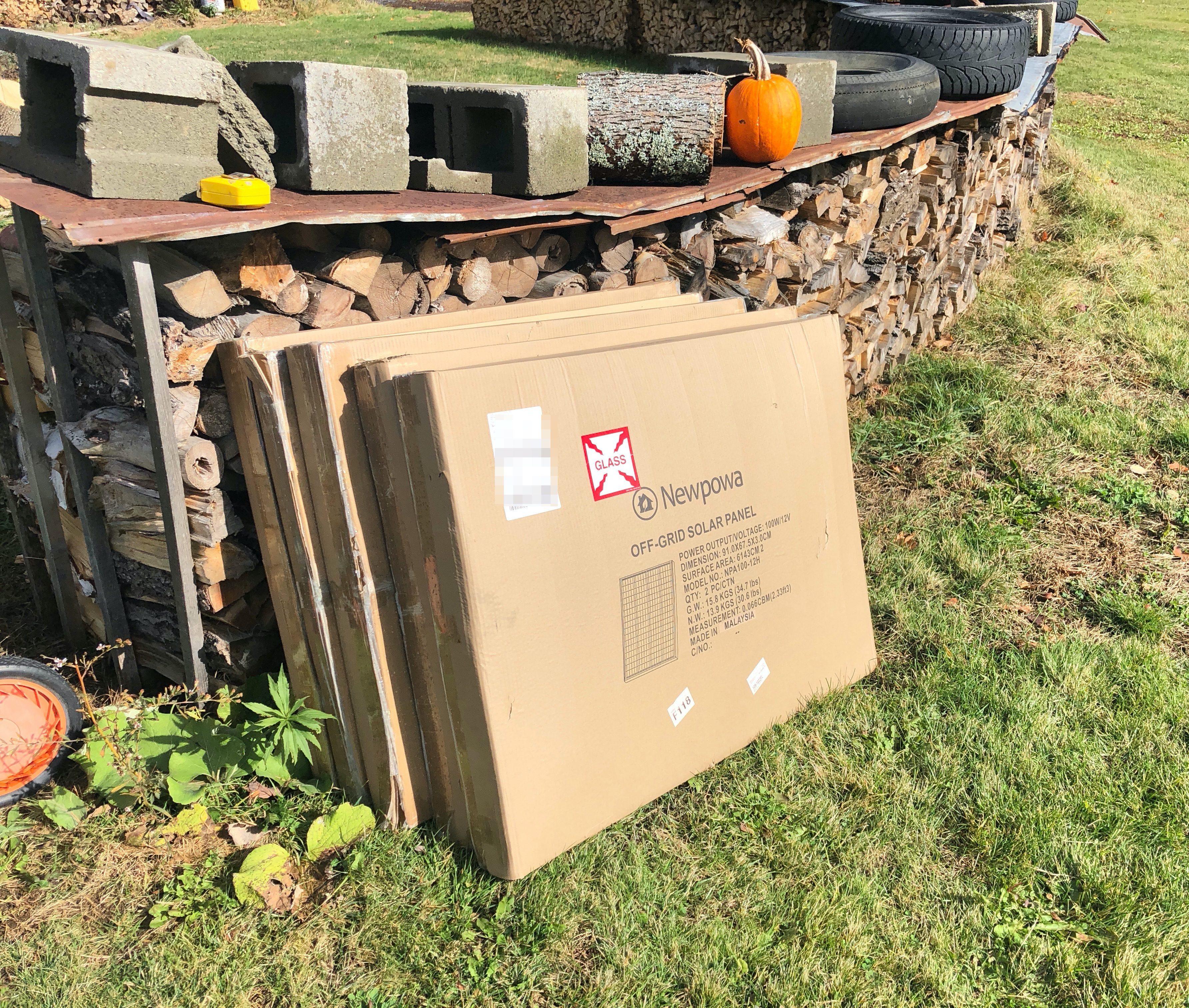
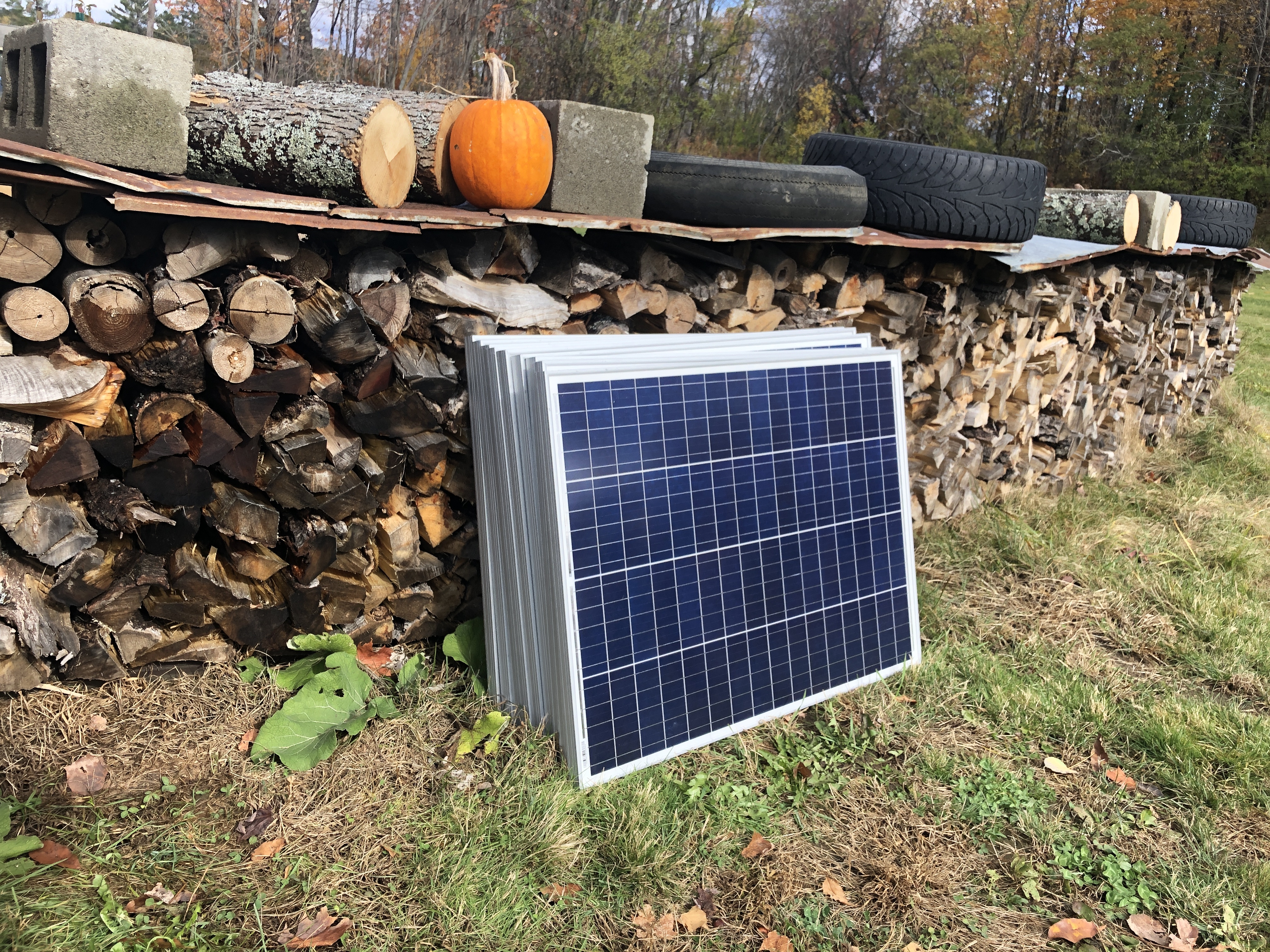
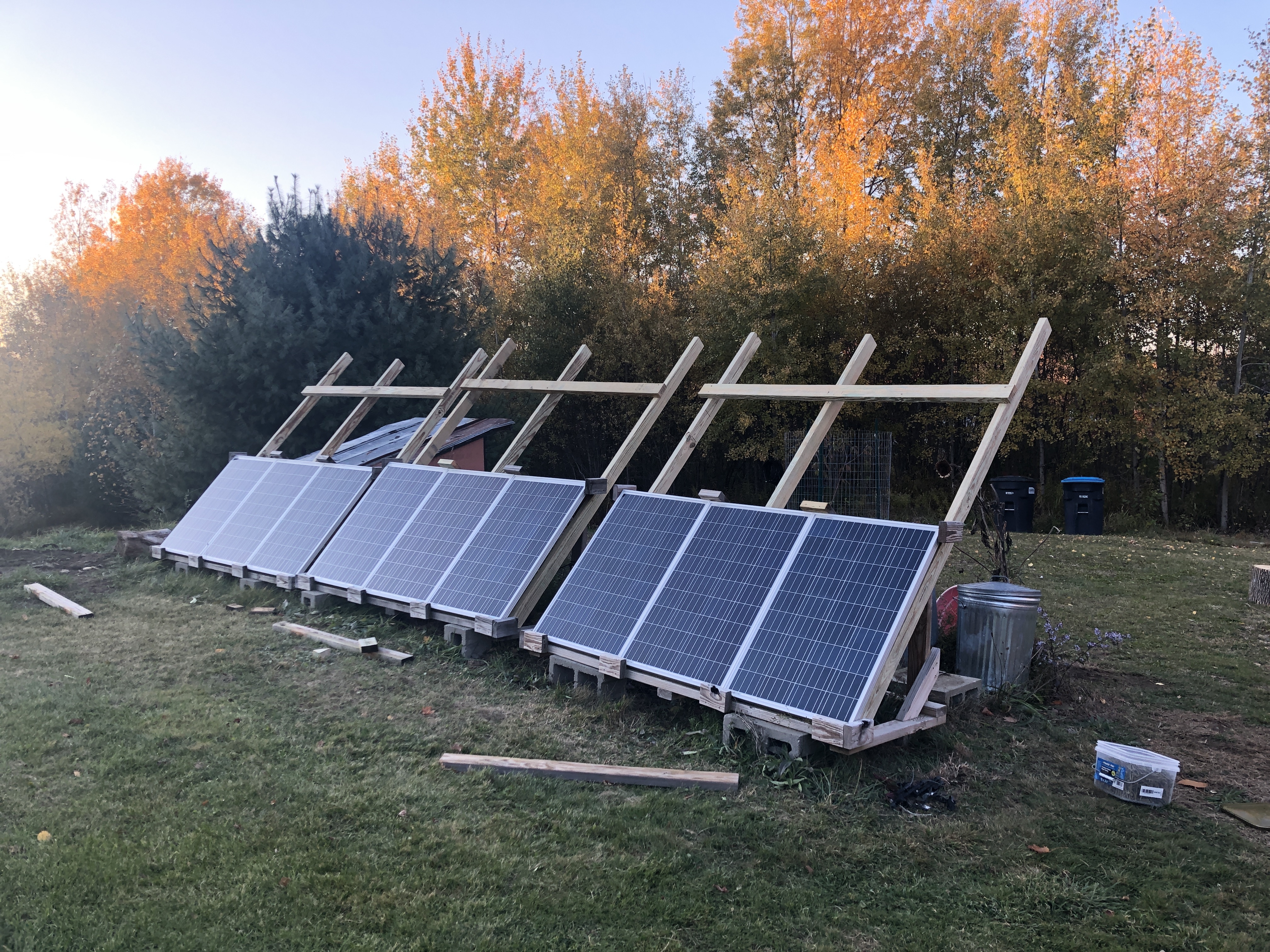
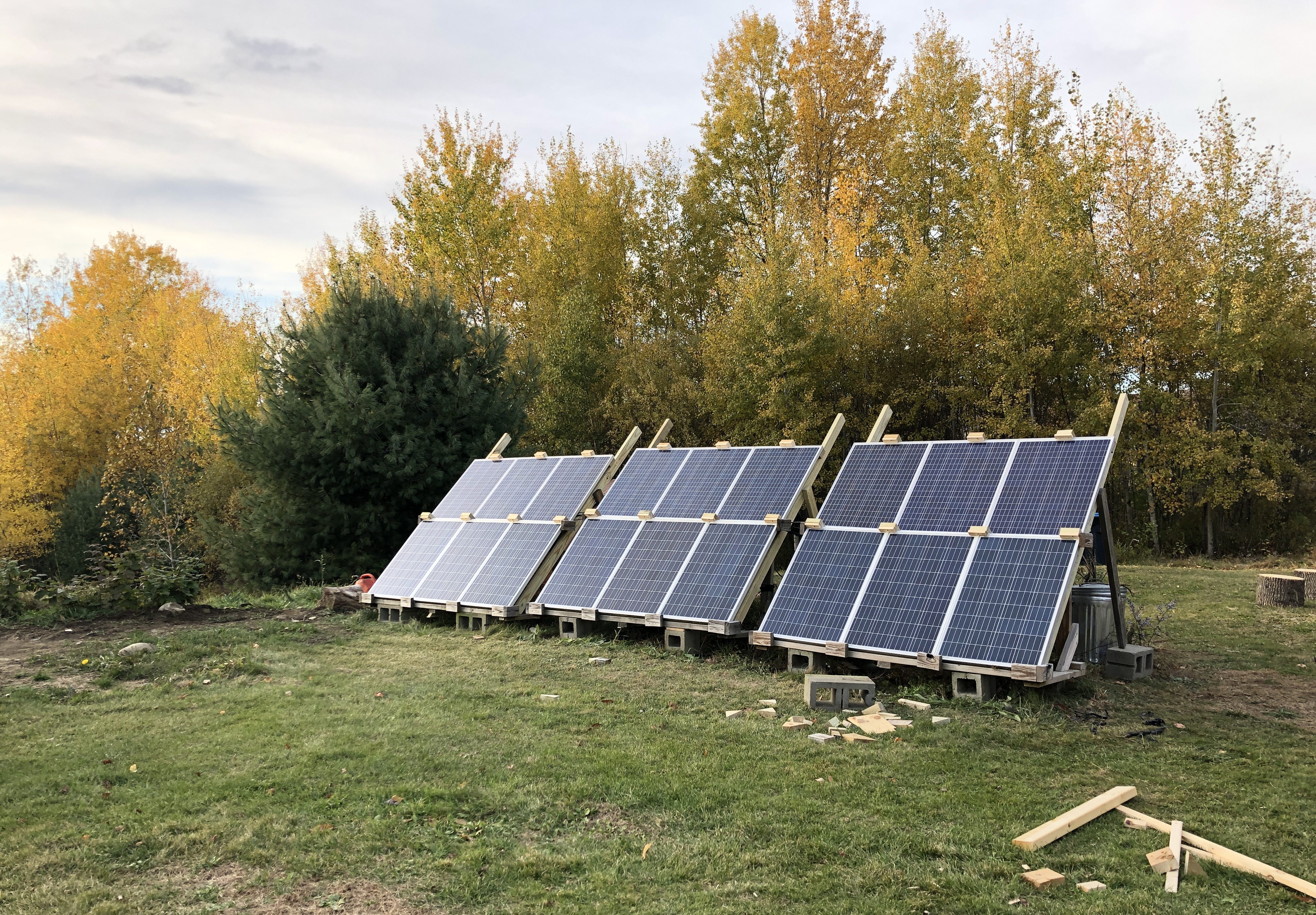
I couldn’t find the exact same panels so I bought some similar, and well, I had to get 9 for things to look symmetrical

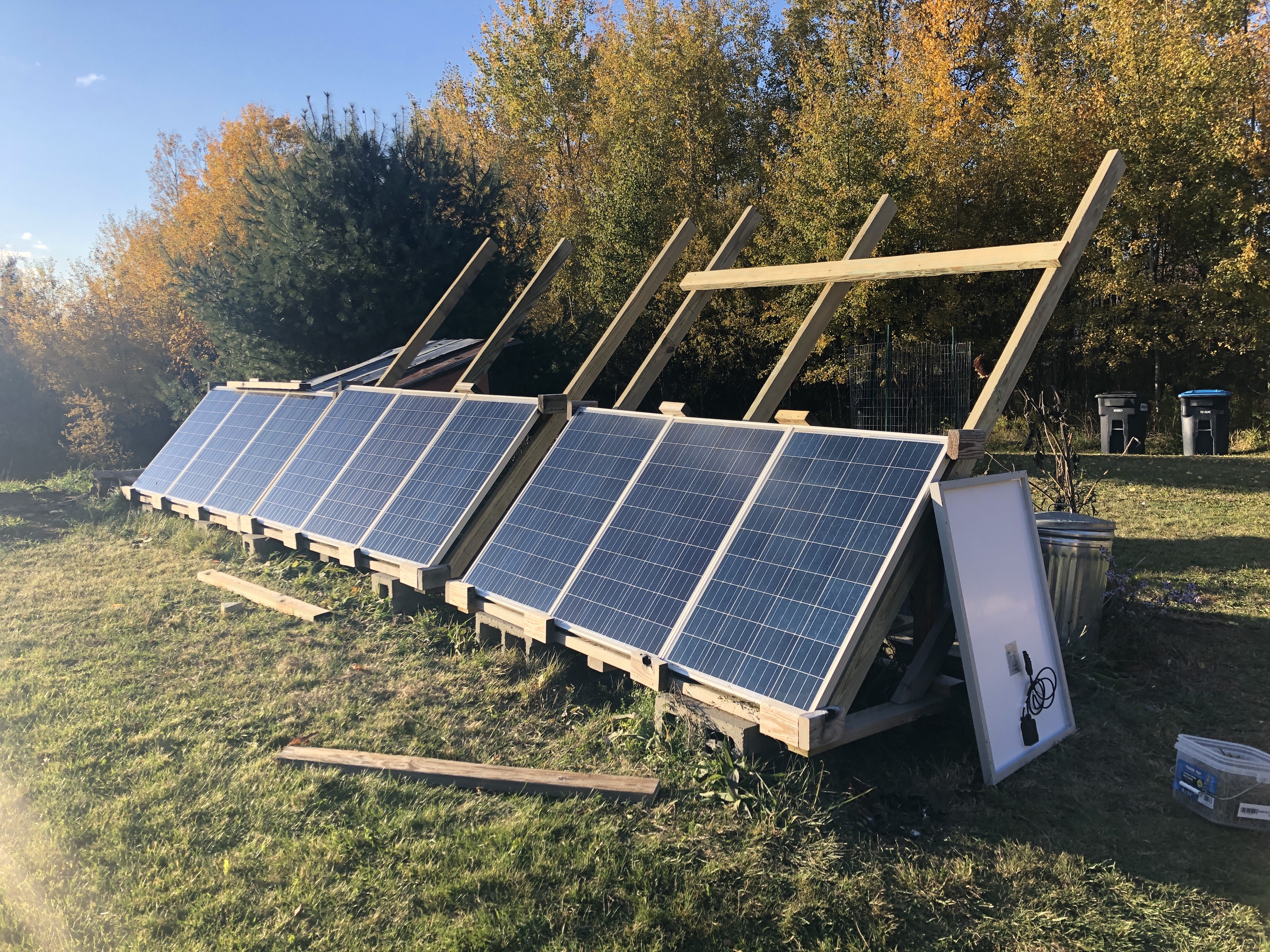
I went vertical because I like where everything is now, I didn’t want to increase the panels’ footprint on the land.

I expanded on the existing frames made of pressure treated 2x4s. It looks a little eclectic and that’s ok, it works well :). We do get very high winds here so I have to build sturdy or I’ll be picking panels off the ground after a storm.

Now this is starting to be a serious array. I don’t think we’ll ever need more panels than this. Note that the top row looks a little different, as I said they aren’t the exact same panels.

Because we have more panels, everything downstream also needed to be upgraded. Truth be told, it needed to be upgraded a while back. I was definitely pushing the gauge of the wiring, and a lot of things I had done poorly as I was learning. I rewired everything with better gear, better knowledge, and dare I say better skills.

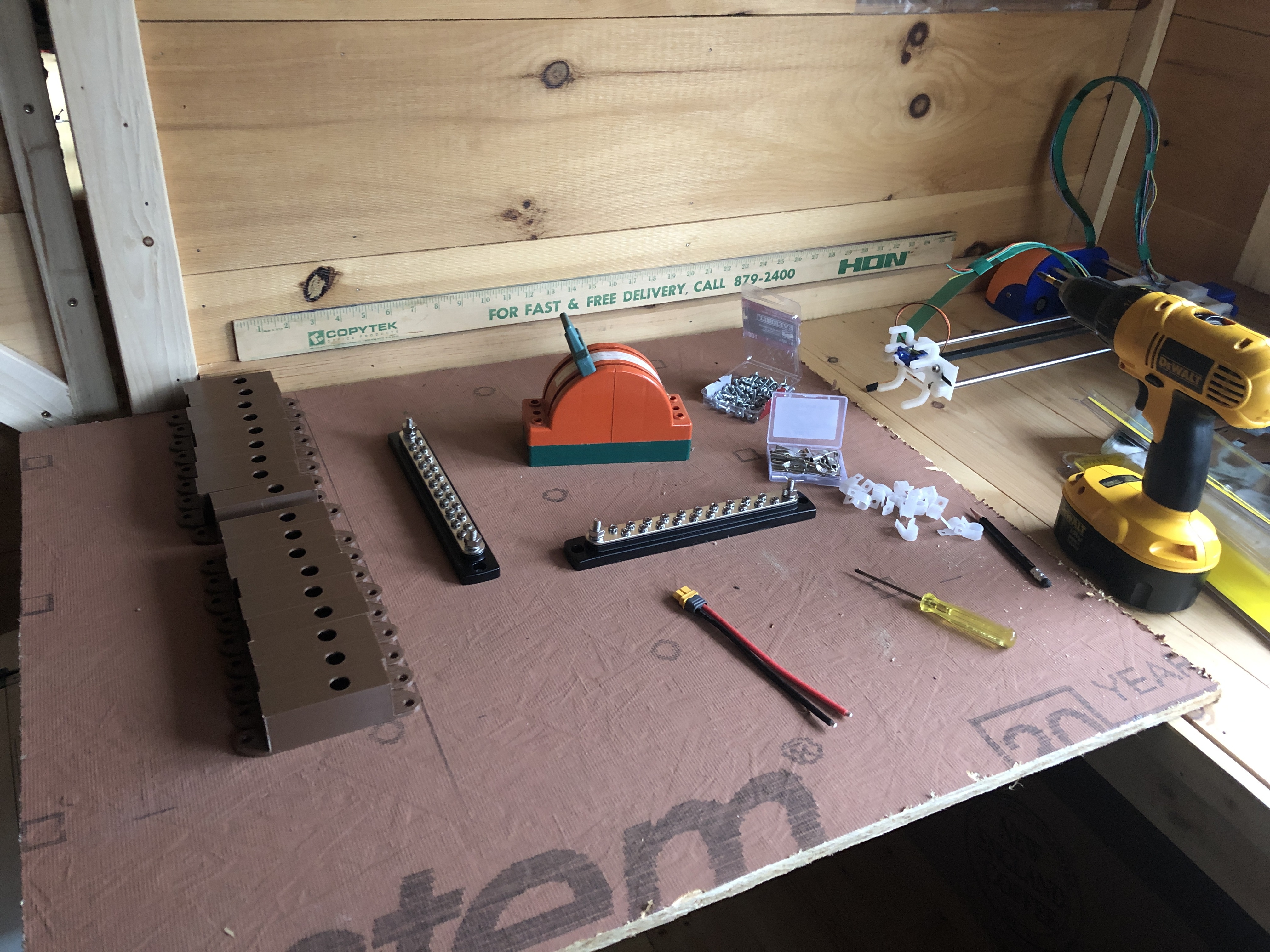
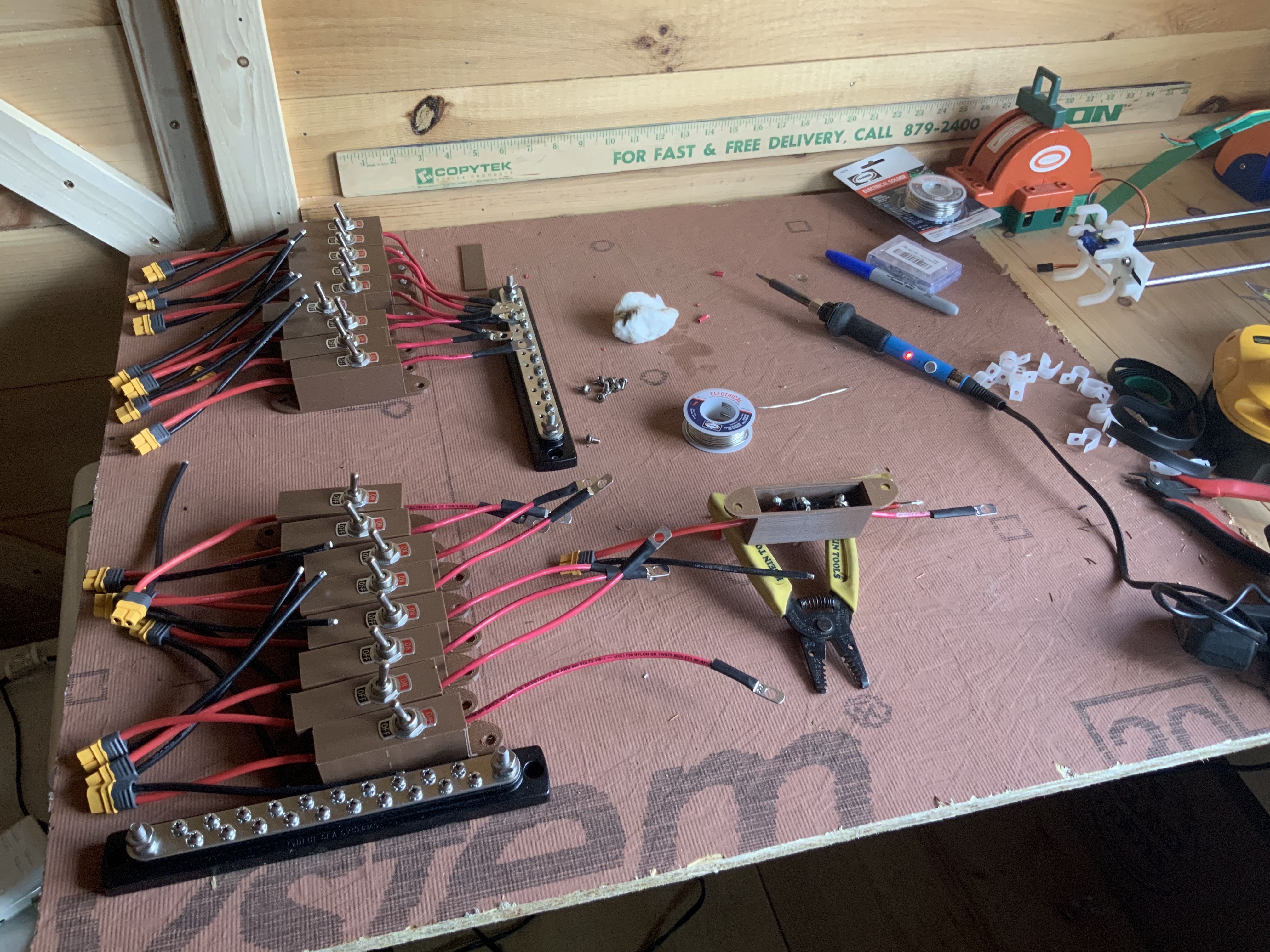
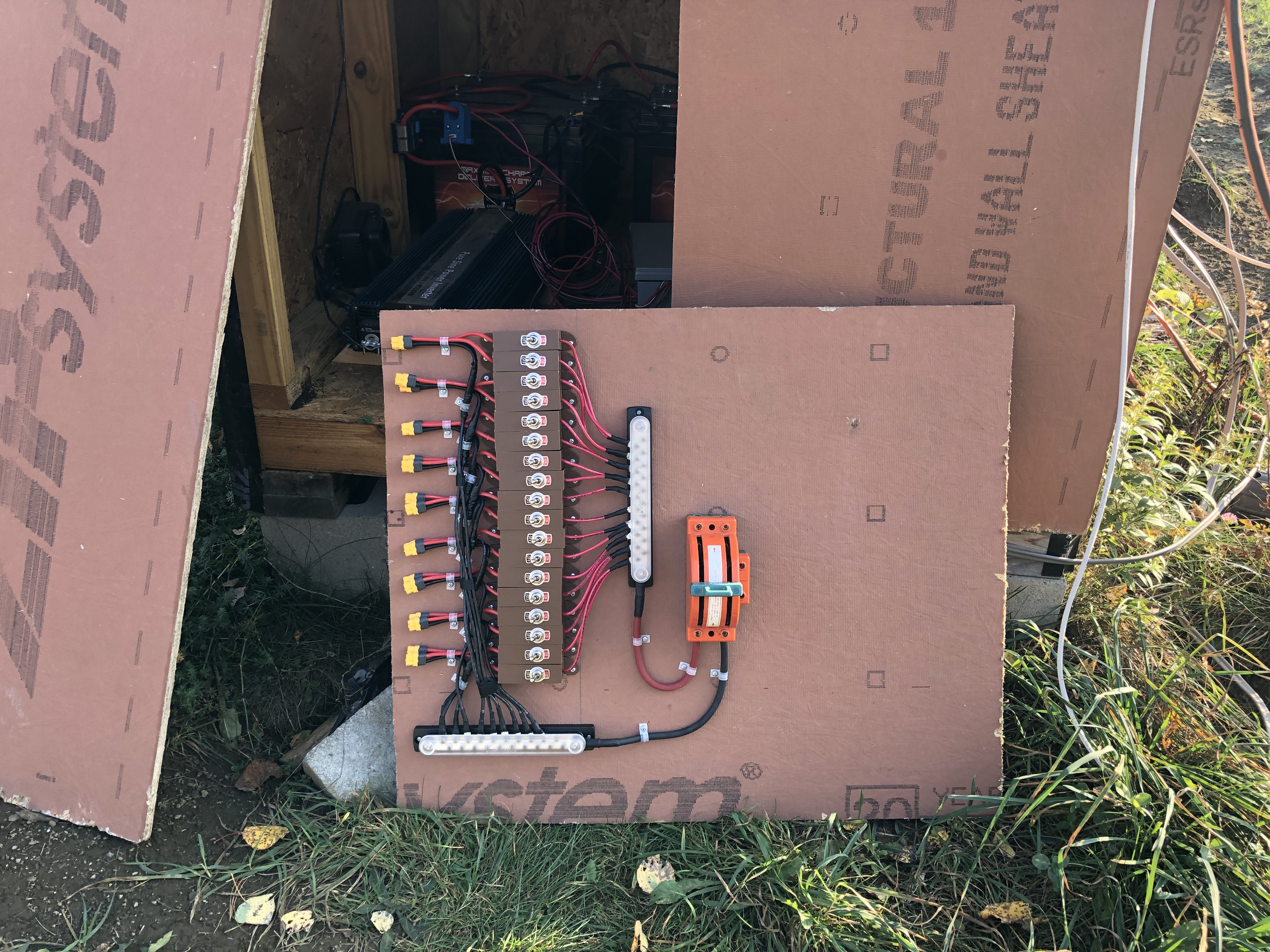
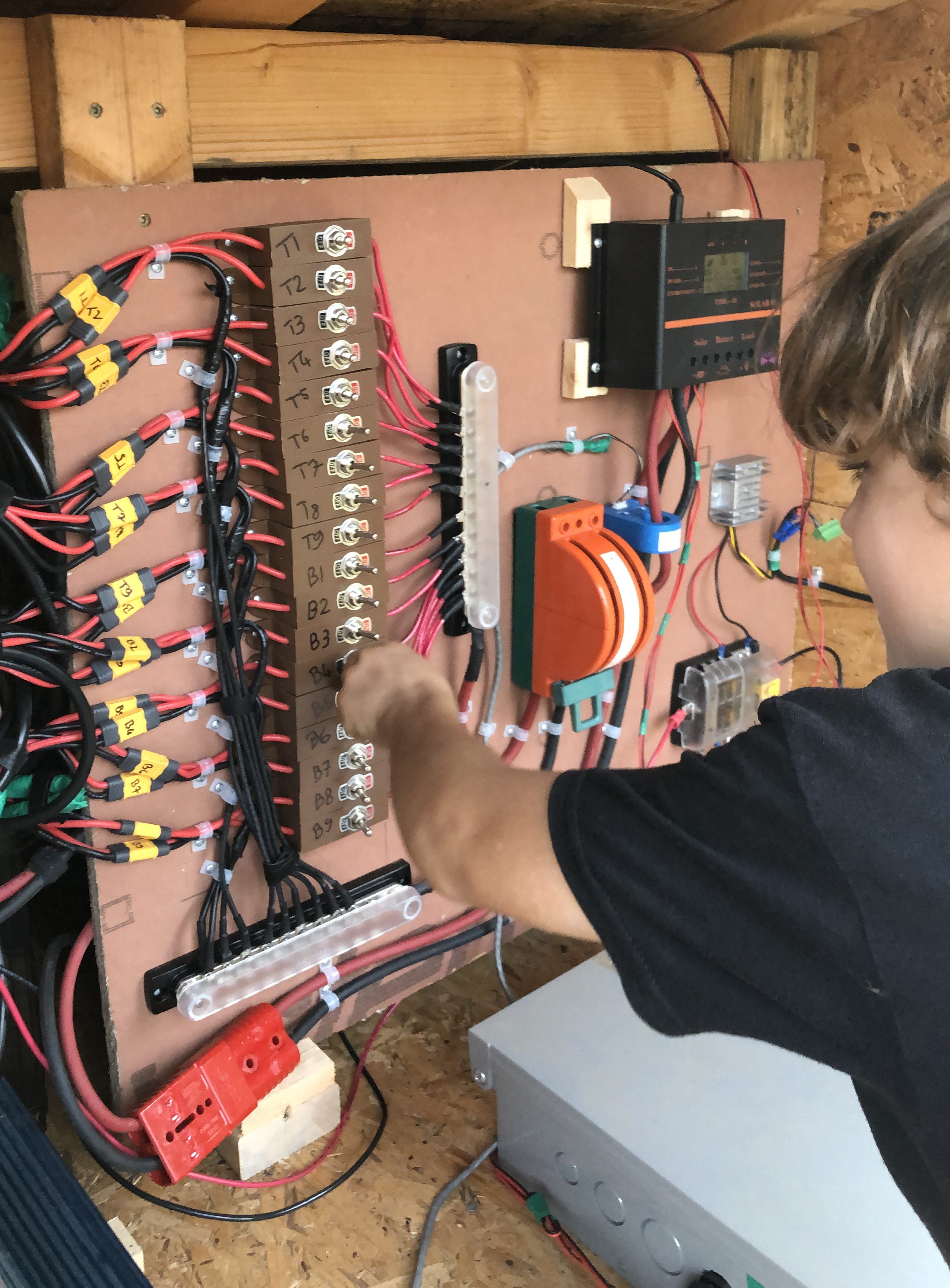
I started work on the control panel of my dreams inside. I’ve gotten to appreciate just how much time, and how much skill proper wiring takes.

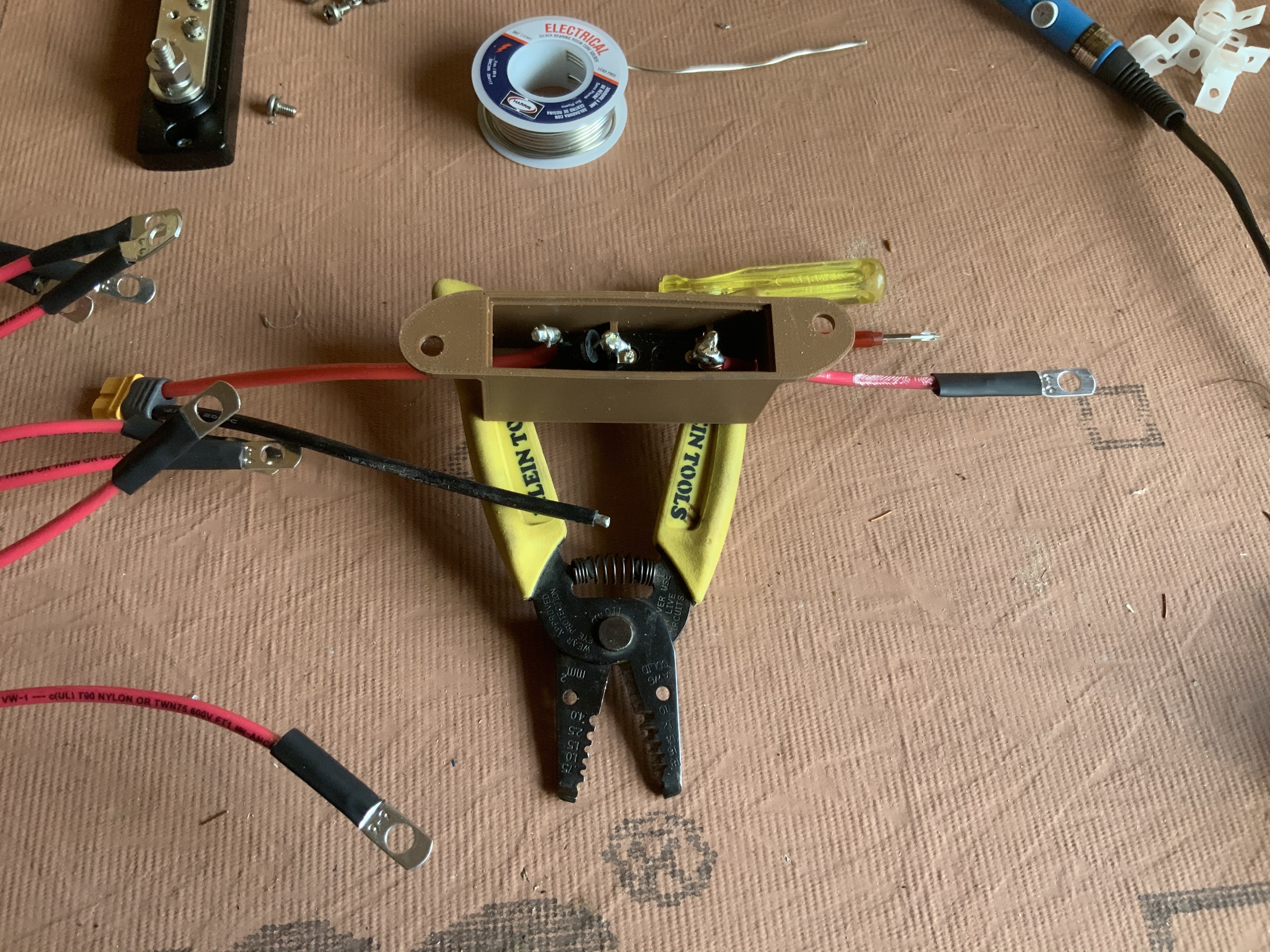
Each solar panel now gets its own wiring, with an on/off switch and a diode to prevent electricity feedback. The panels have their own diode locally to prevent feedback damage, but between they and the control panel, there’s a lot of wire one could make mistakes with. Working together,  they can produce 100 Amps and so you really don’t want feedback. I soldered heavily (and uglily) any connection I could.

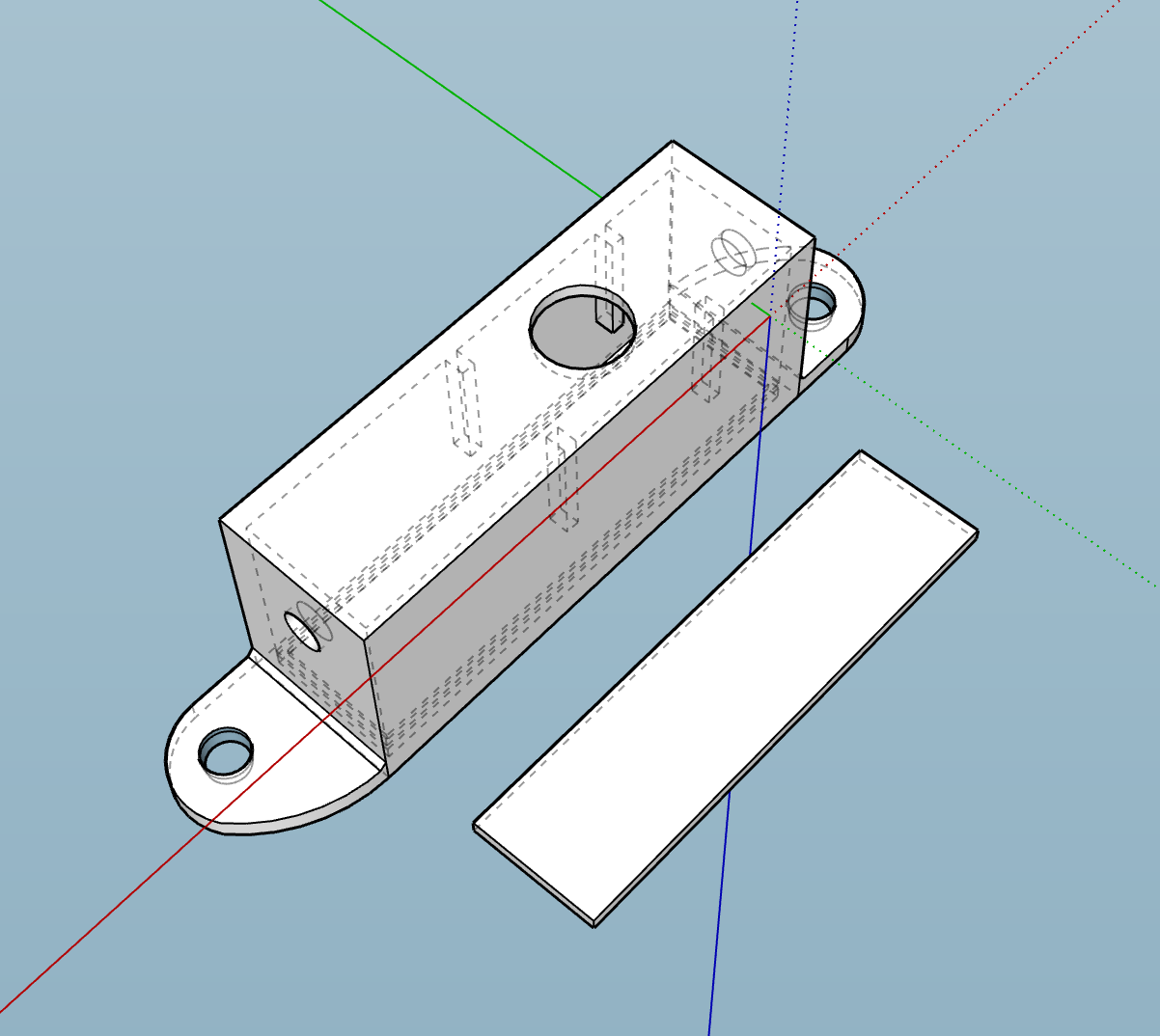
The solar on/off button casing is an fork from the previous on/off switch casing but with room for a diode and made so they can stack.

Download links here:
solar_on_off_button_casing.stl
solar_on_off_button_casing.dae
solar_on_off_button_casing.skp

I’m also making the control panel fully detachable, anything connected to it has a plug. It’ll make it easier to work on down the road.

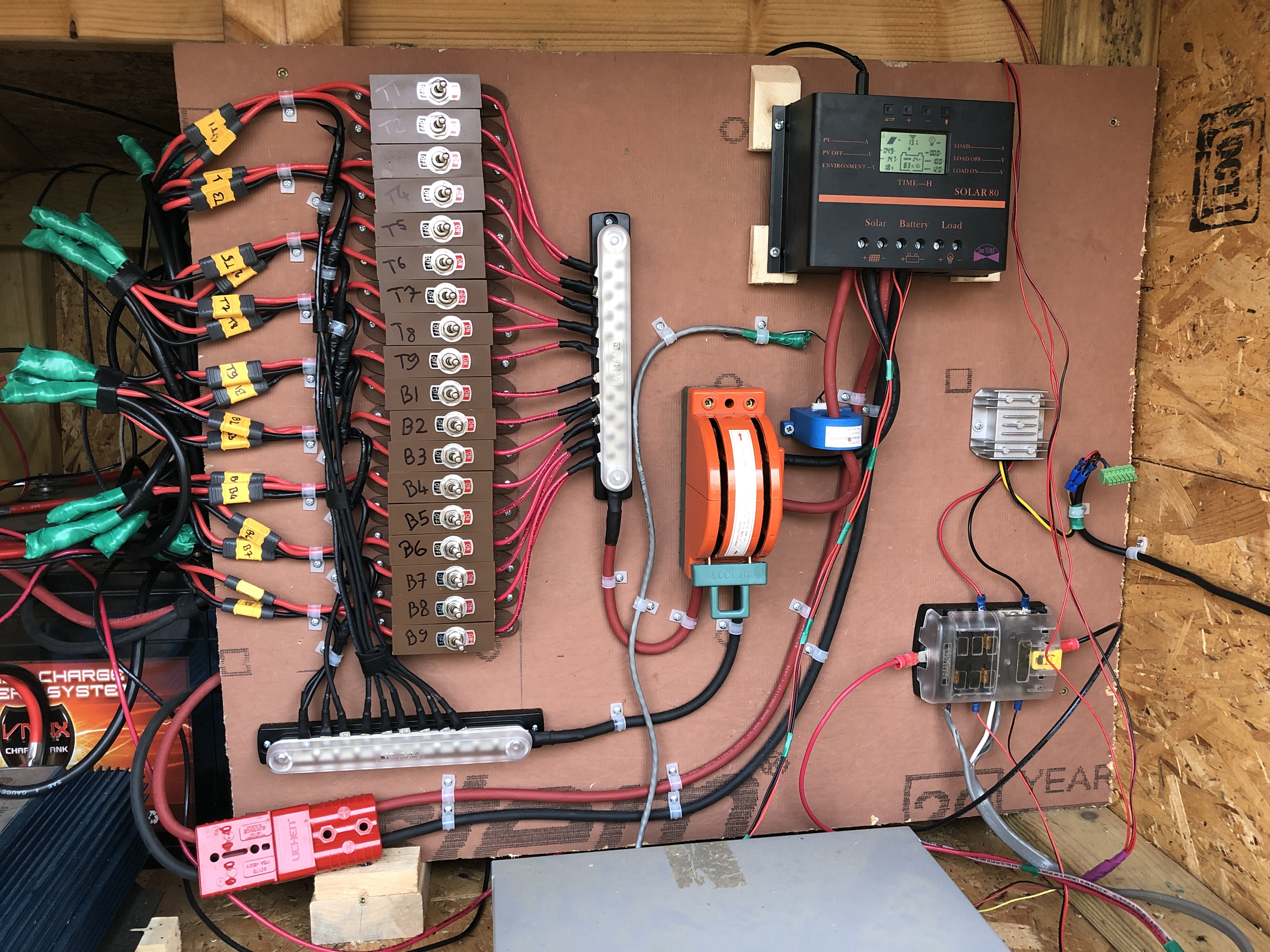
Now we’re talking!

Long story short, it took several days of work to rewire all 18 solar panels and create this awesome control panel. There are still a few things I need to polish or position better. I “reverse-engineered” what powers our fiber ONT so I wouldn’t have to rely on an inverter to power a UPS to power it (ouch for efficiency). Turns out it just needs 12V, guess what I have plenty of in this solar shed? I got a 12V power cleaner (the aluminum radiator looking square to the right) to at least give it a very clean 12V, the other pins are optional signal pins to take various UPS actions based on power scenarios. It really didn’t make sense to jump through all these hoops to have a 12V battery backup when my whole system is essentially a 12V battery backup. We’ll see if anyone comes knocking on my door :).

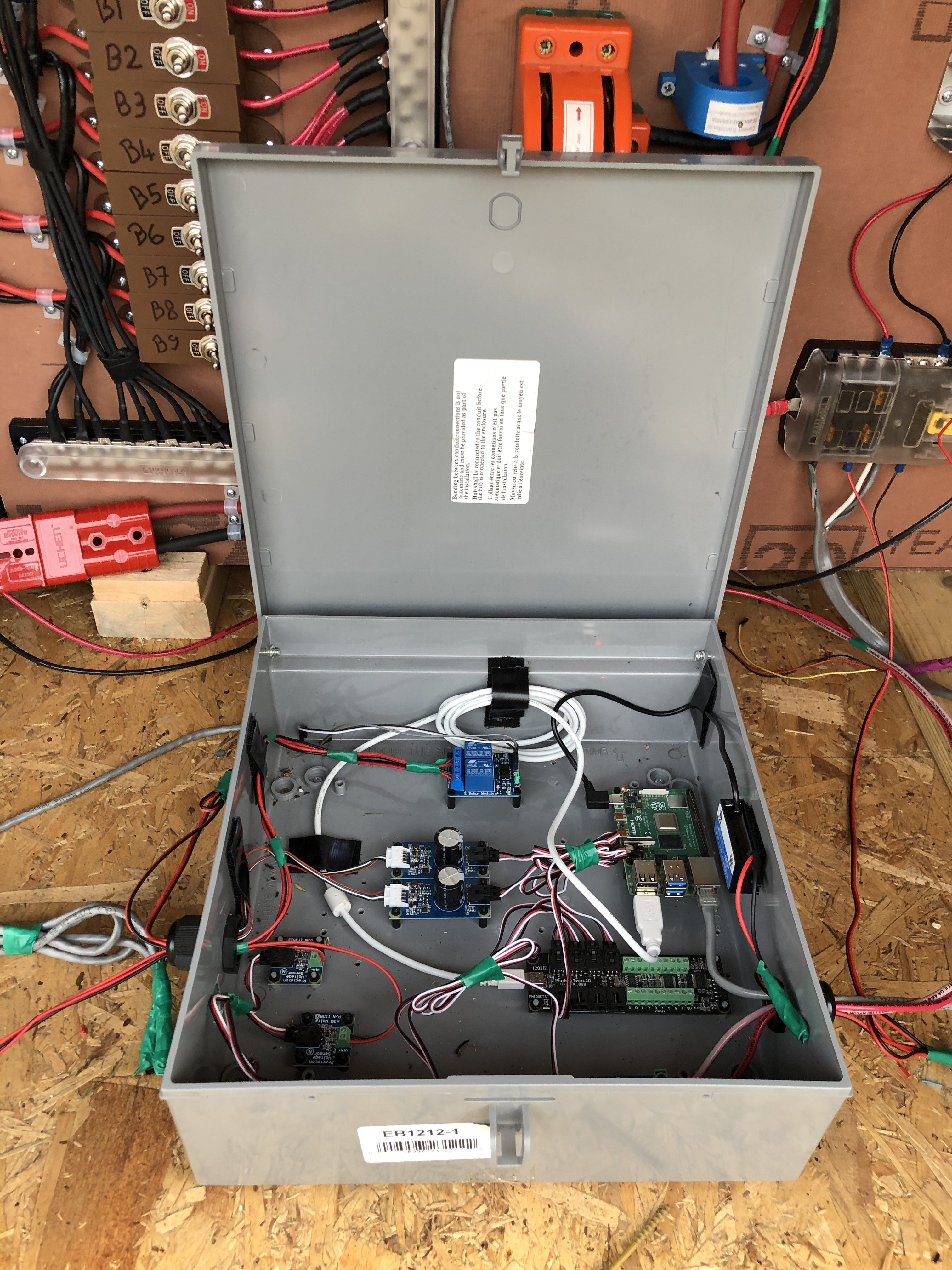
The smarts for monitoring and hosting this very blog are mostly untouched but I did re-arrange them a bit. I tried to fit everything on the control panel but it made sense to separate by function.

Robin enjoyed playing with the switches, including the big catchunking one. We experimented with various scenarios, compared panel outputs et cetera. This was a nice unforeseen side effect this design.

All in all I still have a bit of work, but I knew exactly what I was doing and didn’t make a single wiring mistake which is really nice. I used to be way more puzzled by how to wire something much more basic than this. The charge controller stopped working mid-day, that’s because it stops at 80 Amps and the panels had reached this. Fortunately, it was very easy to turn off 4 panels and the system worked again. It’ll be just as easy to re-add them on a cloudy day. The real solution will be to upgrade the charge controller, this will be left for another time. With the Sun almost gone well behind the tree line, we were still making 2Amps, this is now definitely a nice setup :). “Legit Brah” as Robin would say.