Whole New World
I’ve been using our newly earned trail access to get some fire wood. There’s just a ton of really good downed trees, ready to be picked. The few times we hiked up there I’d see them all and be bummed I couldn’t get to them. I feel like I’m logging in a whole new place, everything is different. the trees, the topology, being more remote, the feeling of the forest. I just walk around and start sawing where the heart tells me, it’s awesome. No real decision to be made.
How about a nice pre-felled maple?

This one was actually a bit far from the trail, but thanks to the magic of gravity, I didn’t have to carry logs the whole way.
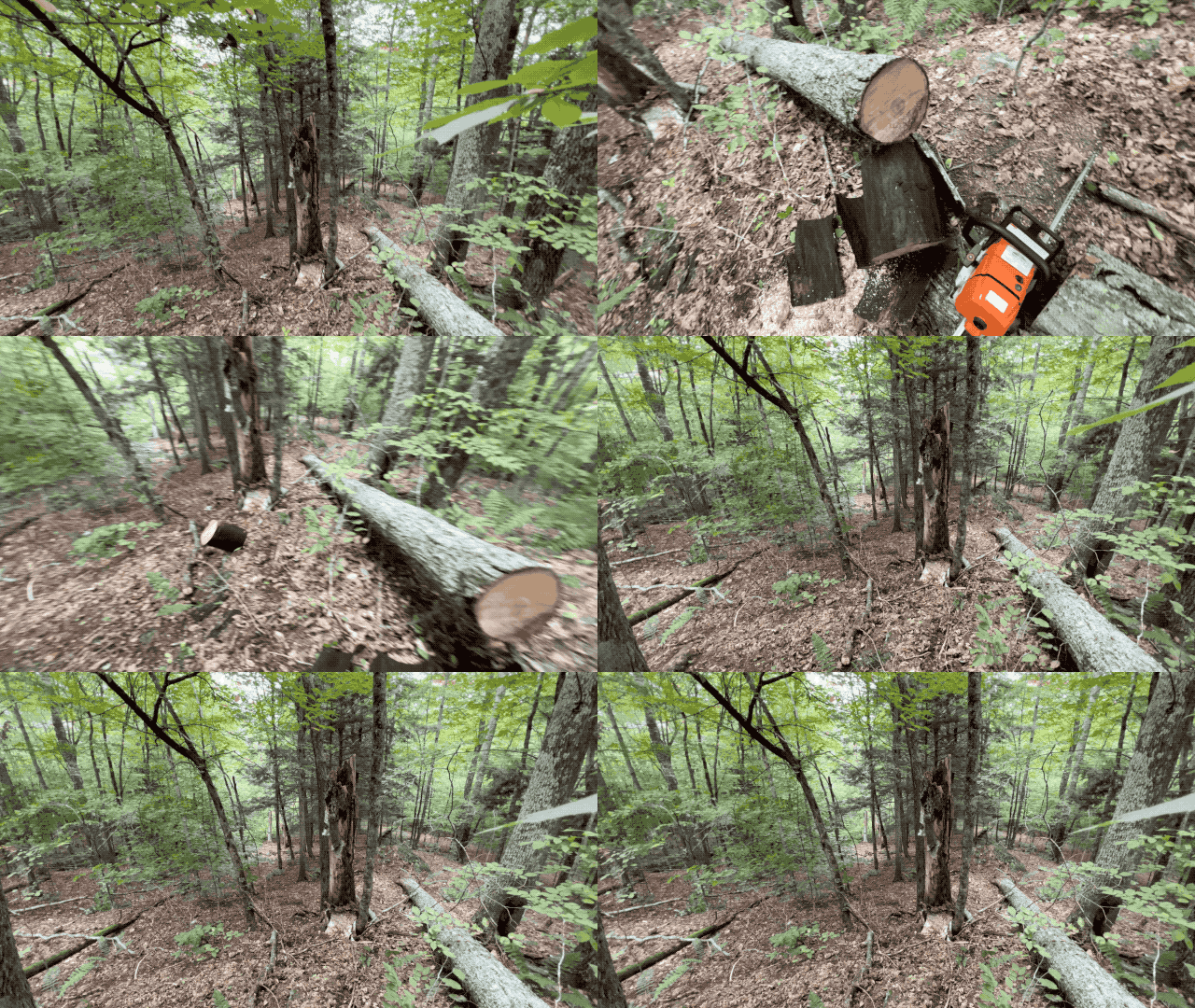
All this awesome potential, now within reach, I can’t wait to go back.
Gondola PlottyBot
Before there was PlottyBot, I had designed and built a Gondola Plotter.
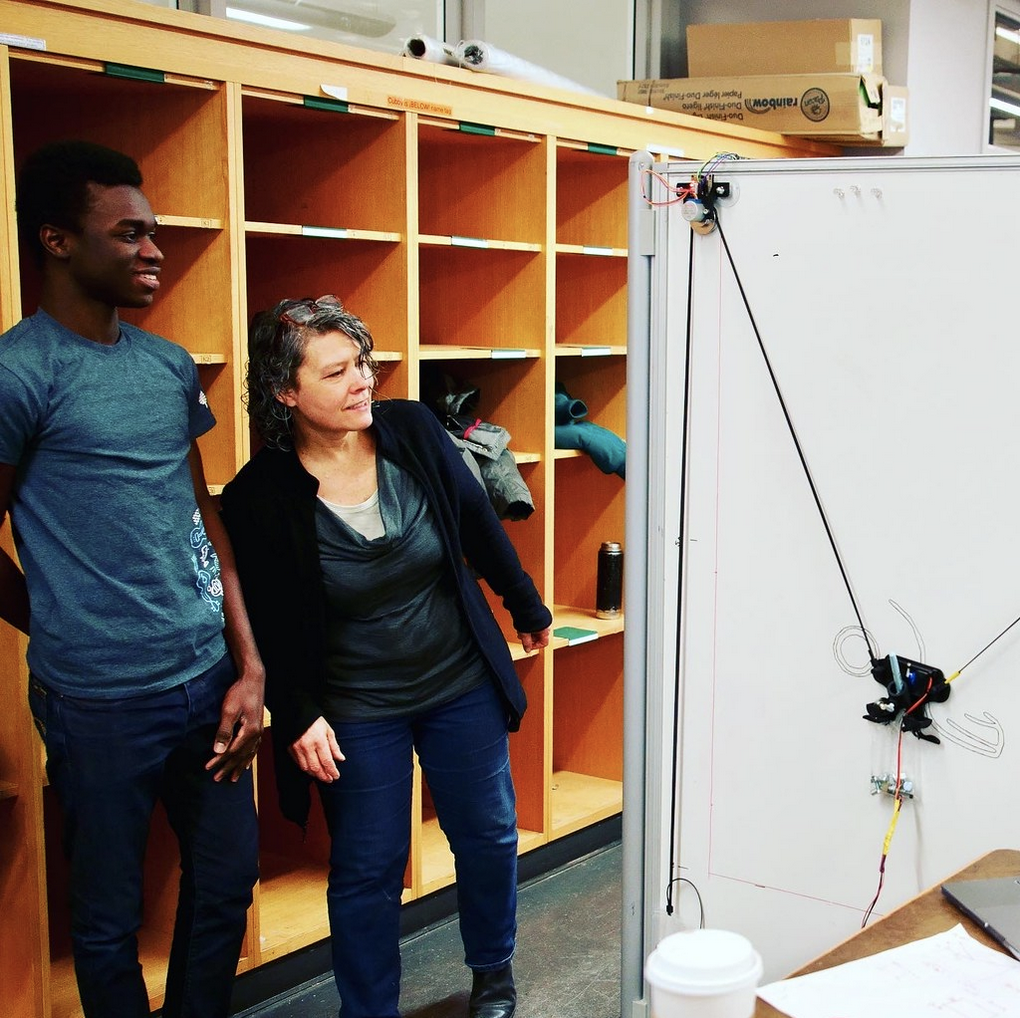
The software stack was meant for teaching, the parts meant to be cheap. It served that purpose and then I got engrossed in the tabletop plotter that became PlottyBot. In the back of my mind, I knew I’d circle back to the gondola plotter and bake in it all the lessons I learned, and port the PlottyBot software stack to it. Well, it’s now done, and I have great plans for it. For now I deployed it on a small wall for stress testing it and making sure it’s ready for prime time. I parameterized the PlottyBot software stack so that it can either run the tabletop or the gondola plotter. Live remote drawing, super complex plots, handwriting, it’s all there.
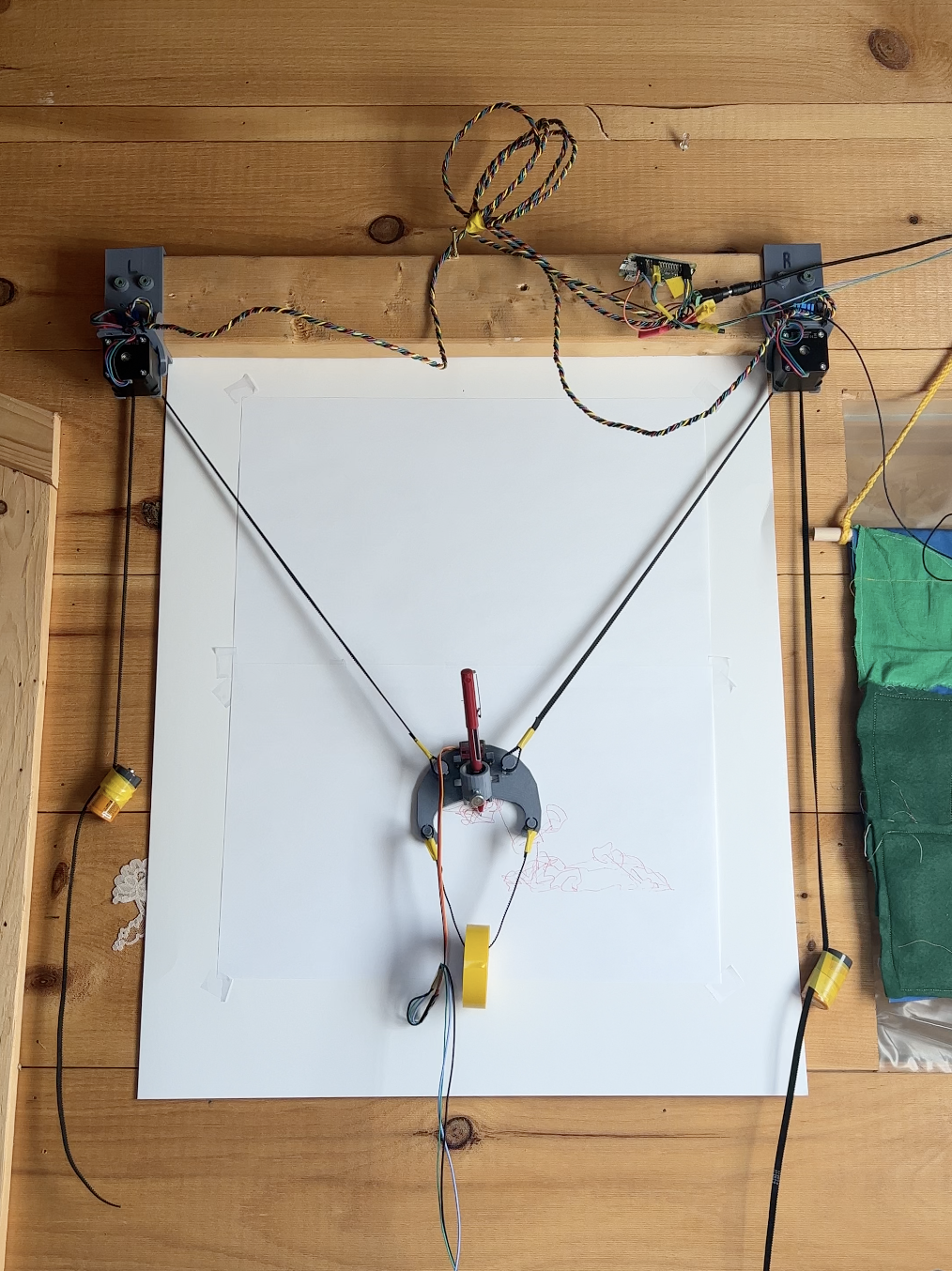
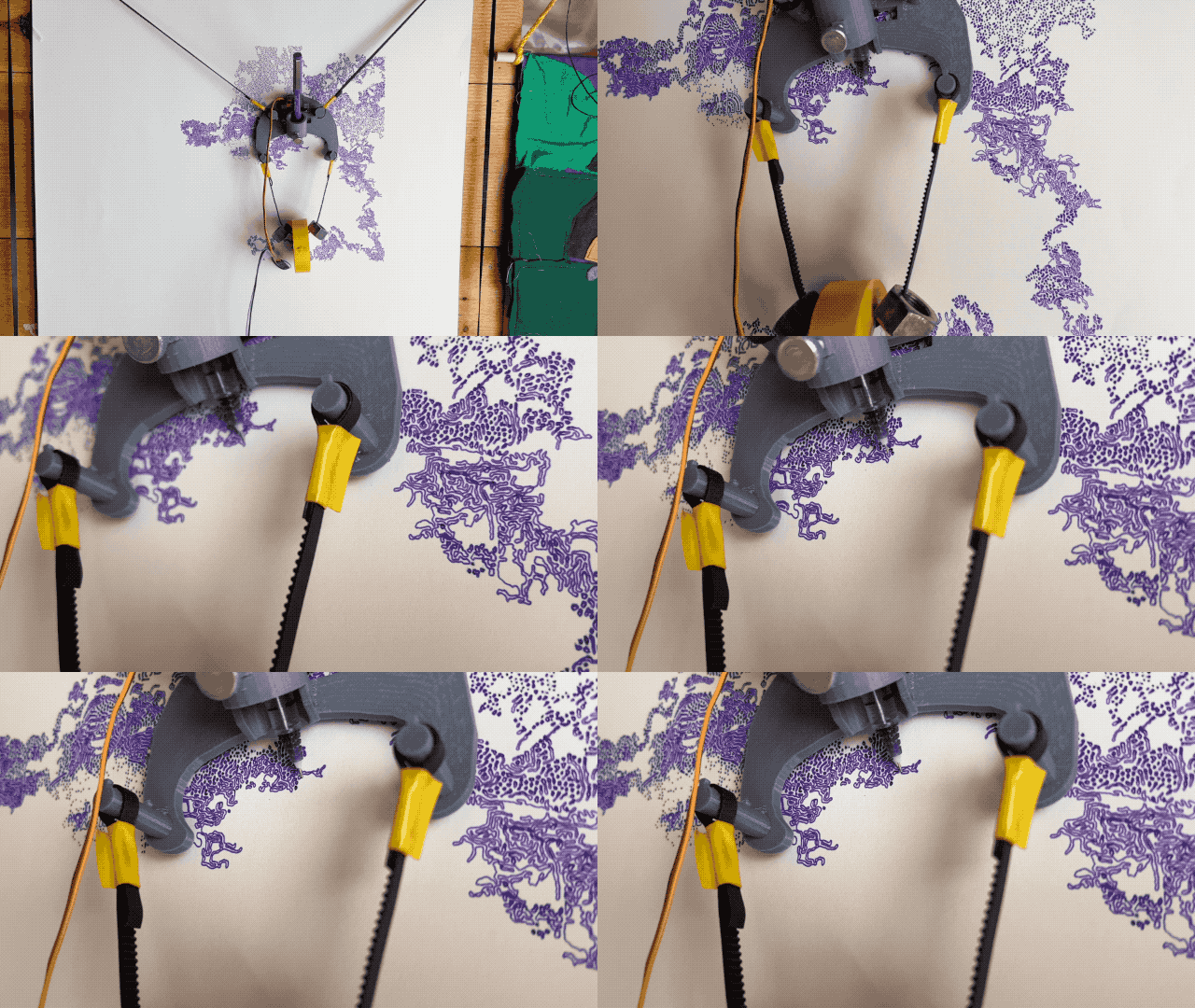
Through the iterations, I’ve managed to make it very accurate for a gondola plotter. One thing I make a point to do in the design, is open up the pen end so as to be able to watch the sweet drawing action.
And since I’m catching up on plotter related matters, I guest speaker’d in Robin’s classroom to talk about X,Y coordinates. It was super fun and of course, the end goal was to get kids to drive the plotter. Most kids were curious in seeing the machine draw, few were enthralled. I loved having the chance to trigger some sparks in their brains. We did some other fun things around Cartesian coordinate systems.
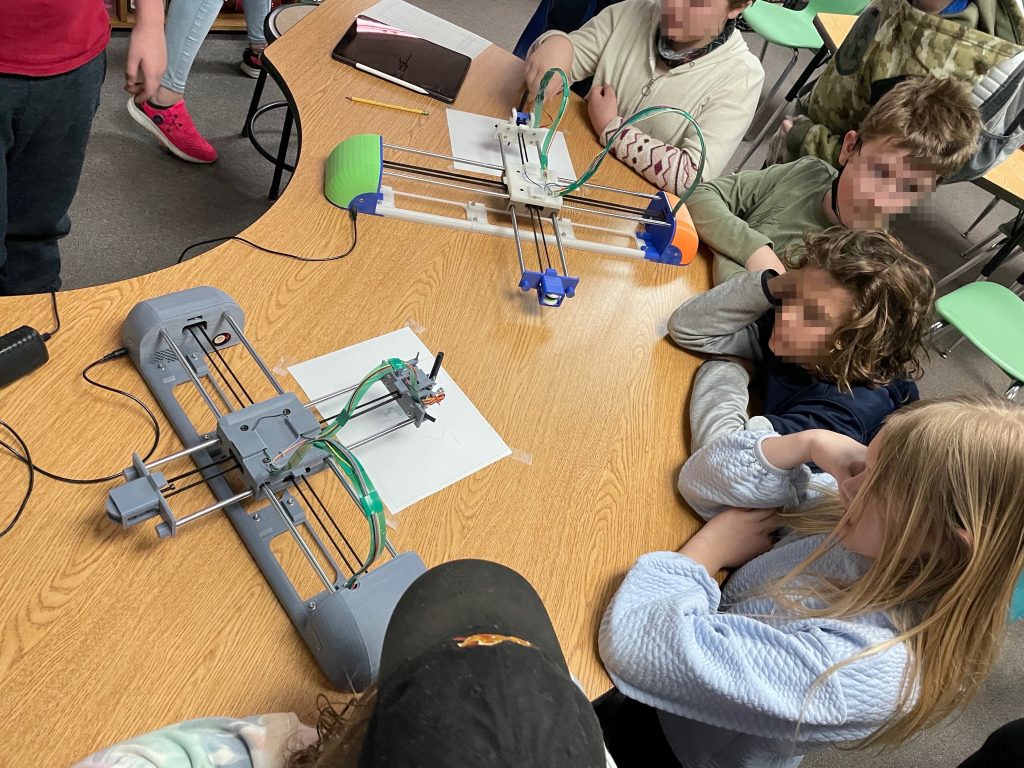
I’ve been asked to do it again this year. I’d love to, and I’ll have one more plotter in my arsenal.
Trails
I pushed trails a little this Summer. They’re starting to be very usable, not just barely accessible with the ATV.
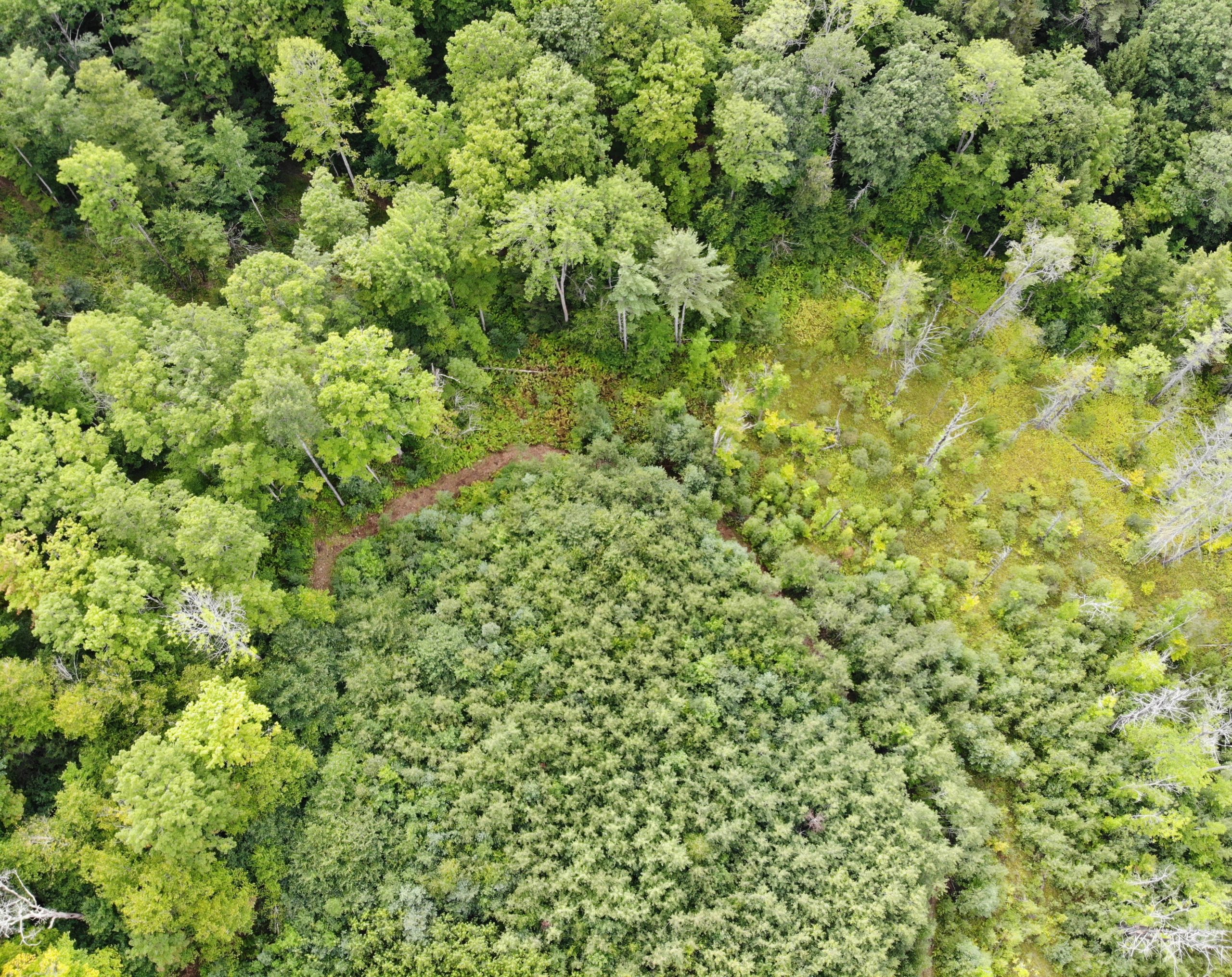
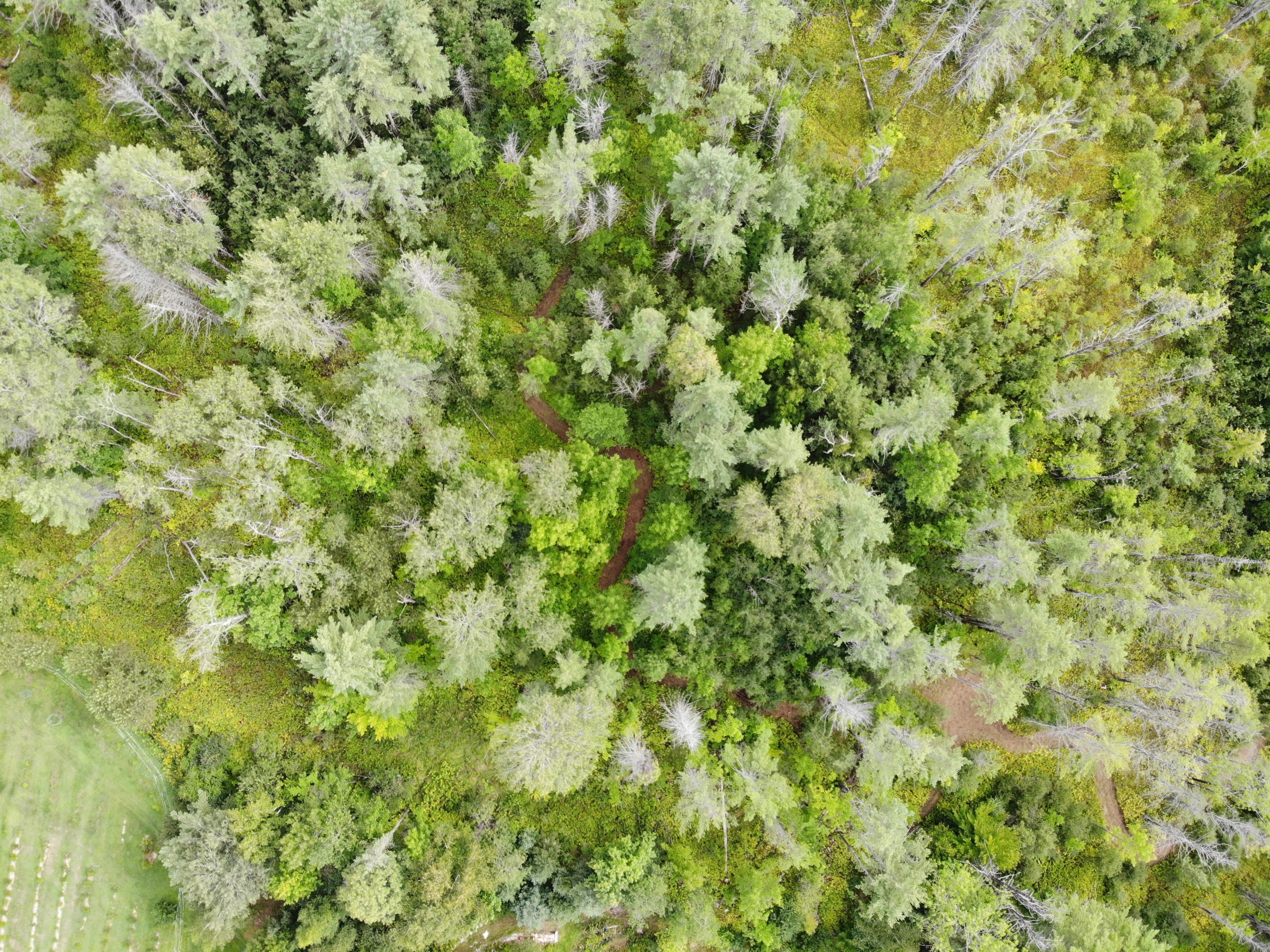
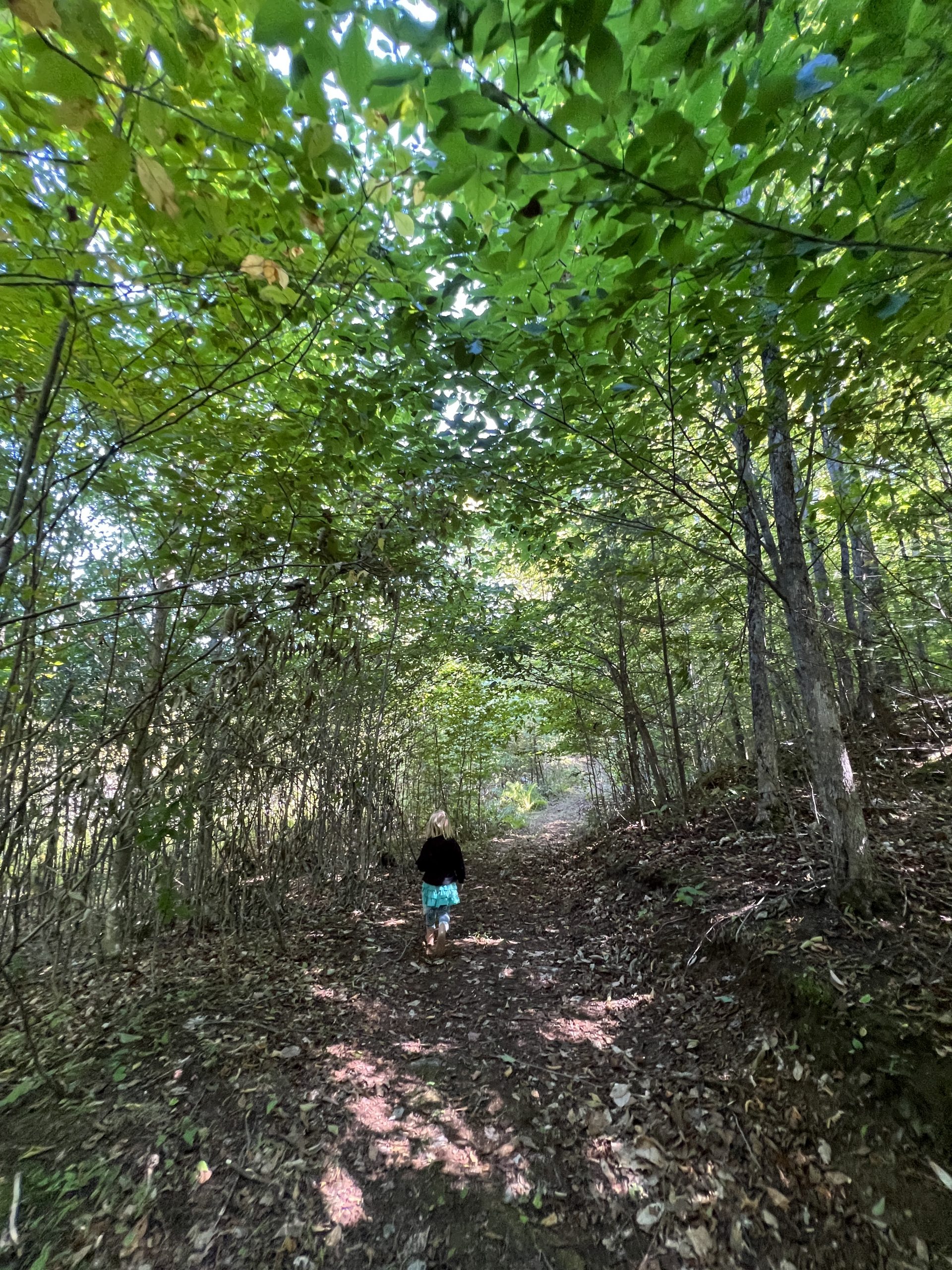
Following them from our house takes you to quaint places in the Forest. We are starting to dream of a secluded cabin now that we have access.
Thank you Jared for the drone pics :).
Roof On
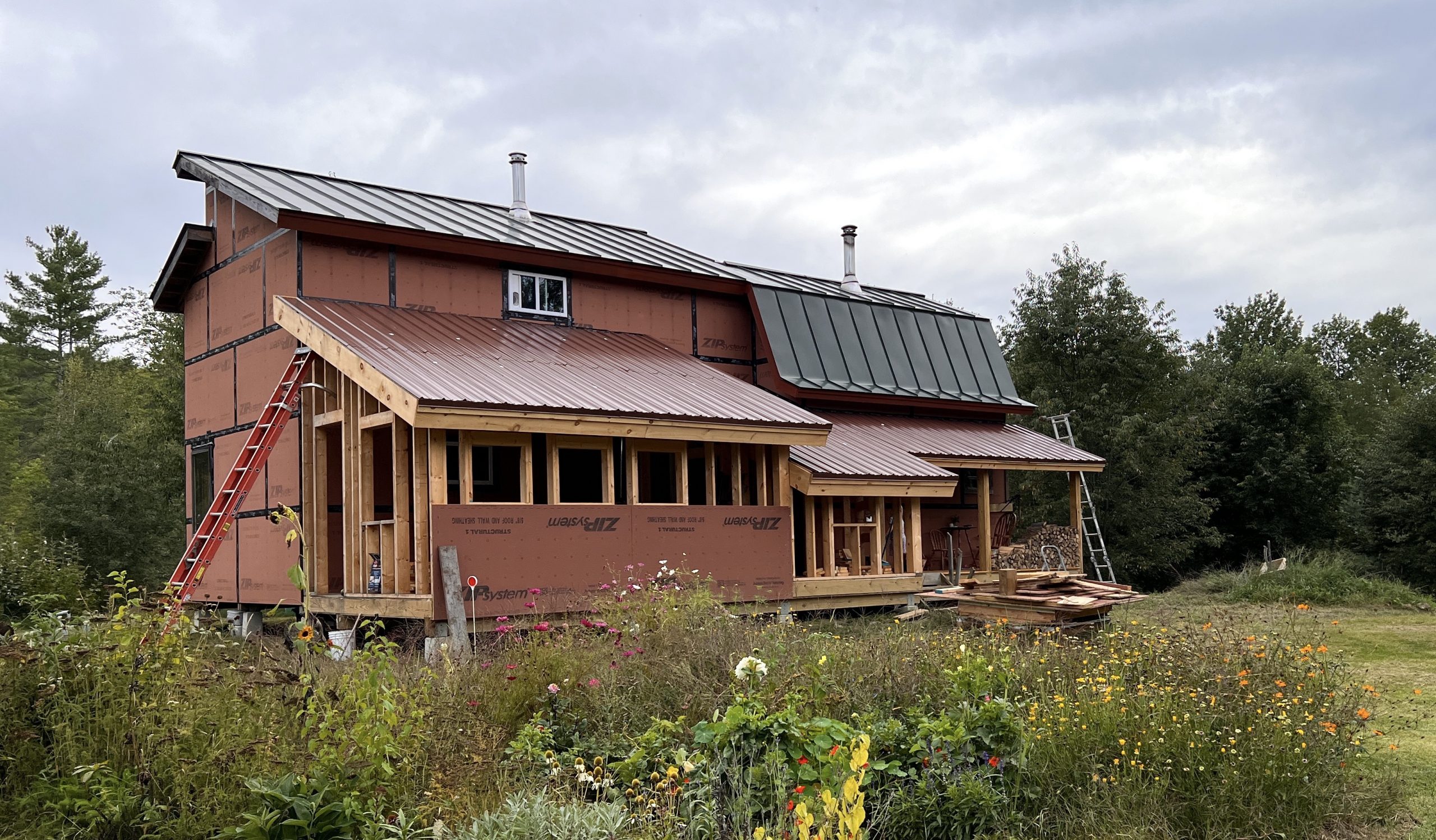
I still have another day of finish work but all the panels are up. I really don’t mind roofing, it is no longer a big scary thing.
Gyroscopic Head
Did you know? Chickens have an uncanny ability to keep their heads perfectly still regardless of what happens to their bodies.
A baby chicken (more like teenage chicken by now) felt a little too fearless and strayed way away from mama hen and the rest of the flock. To teach it a lesson (and for sport) we ran after it and caught it. It’s hard to catch these guys, they go fast and they’re small. This one hid under basil, it’s easier for us this way because you can at least get close when they think you can’t see them.
We traumatized it a little to teach it that it’s a big scary world away from the flock. First Esther petted it 6 ways to Sunday. Then we made it dance to observe its perfectly still head. That’s what happens to fearless chickens in these parts.

It’s funner to watch on a bigger chicken with a longer neck. But this still illustrates their amazing ability. That poor chicken ran back to its mom so fast when we let it :).
Sometimes life on planet Earth boils down to 2 small apes rolling on the floor laughing at poultry being made to dance by a big ape. It’s the miracle of life.
A Good Year for Monarchs
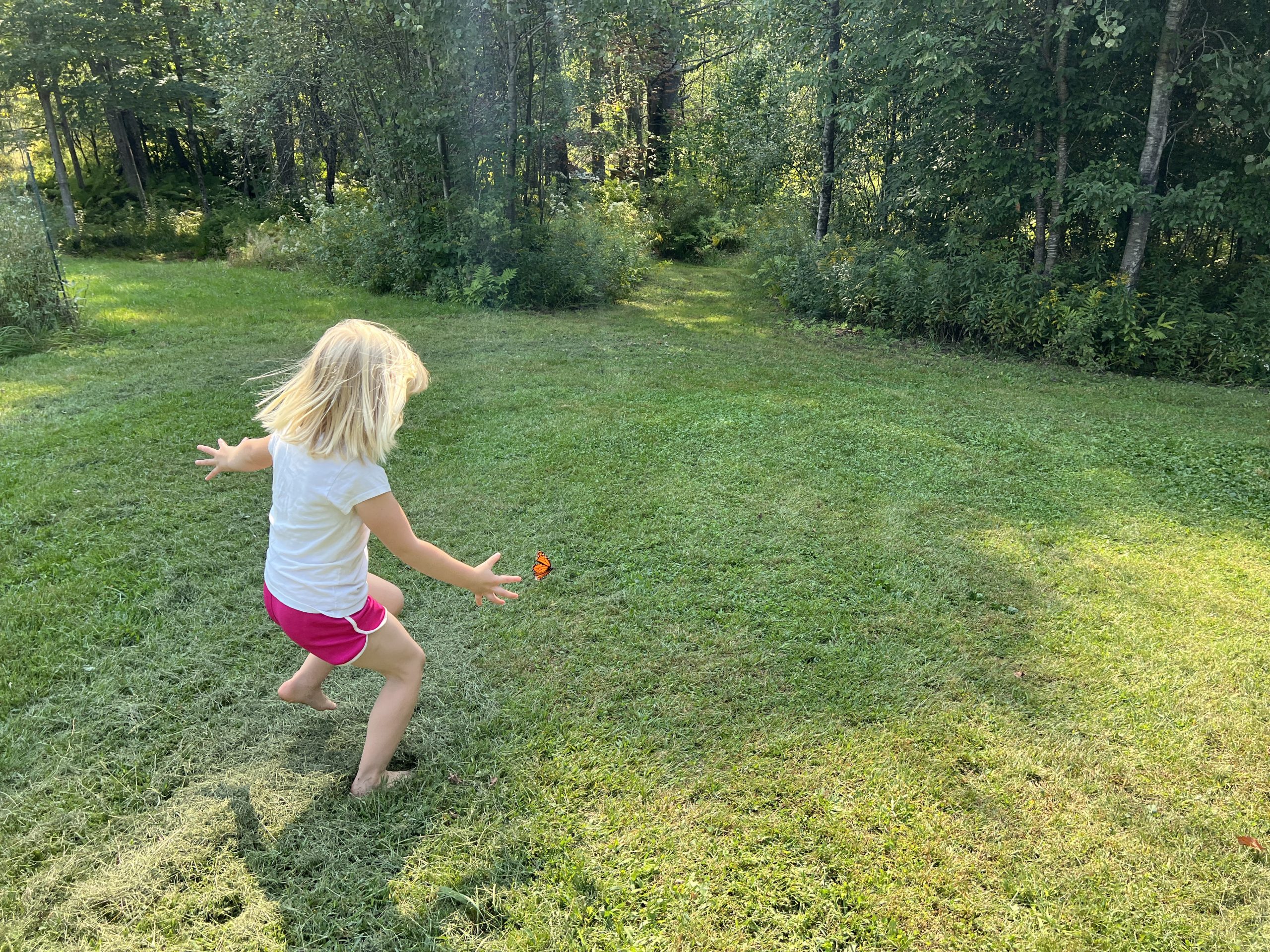
We are finding many chrysalises, and they are flying everywhere.

Fortunately, they are very good at escaping predators.
Analyzing Ultrasonic Signals
Disclaimer: I and other people may or may not have had anything to do with figuring this out.
Zoom Rooms emit ultrasounds to let devices within “earshot” connect without the user having to type anything. Ultrasounds have been used for such proximity related convenience before, and sometimes for more nefarious purposes such are mapping out who’s next to each other in the world. All using a wireless network that is available anywhere and completely ad-hoc. It just doesn’t go very far (thankfully).
In this post we’ll see how to analyze such a signal using Zoom Rooms’ Share Screen signal as an example.
Harvesting the Sound
First things first, to decipher the signal contained we need to extract the bits from a fuller audio landscape containing “noise” throughout various frequencies. Ultrasonic frequencies, the ones the human ear can’t hear, are by definition above 20KHz. Now this fluctuates between individuals, and especially age groups 🙂 but that’s the general cut-off: anything above 20KHz is unhearable, thus usable to transmit hidden signals. Although microphone and speaker manufacturers have no incentive to build products in the non-human range, humans are the one giving them money after all. And so hidden signals tend to be right around the 20KHz cutoff, where human-centered manufacturing specs will have a good chance of still working.
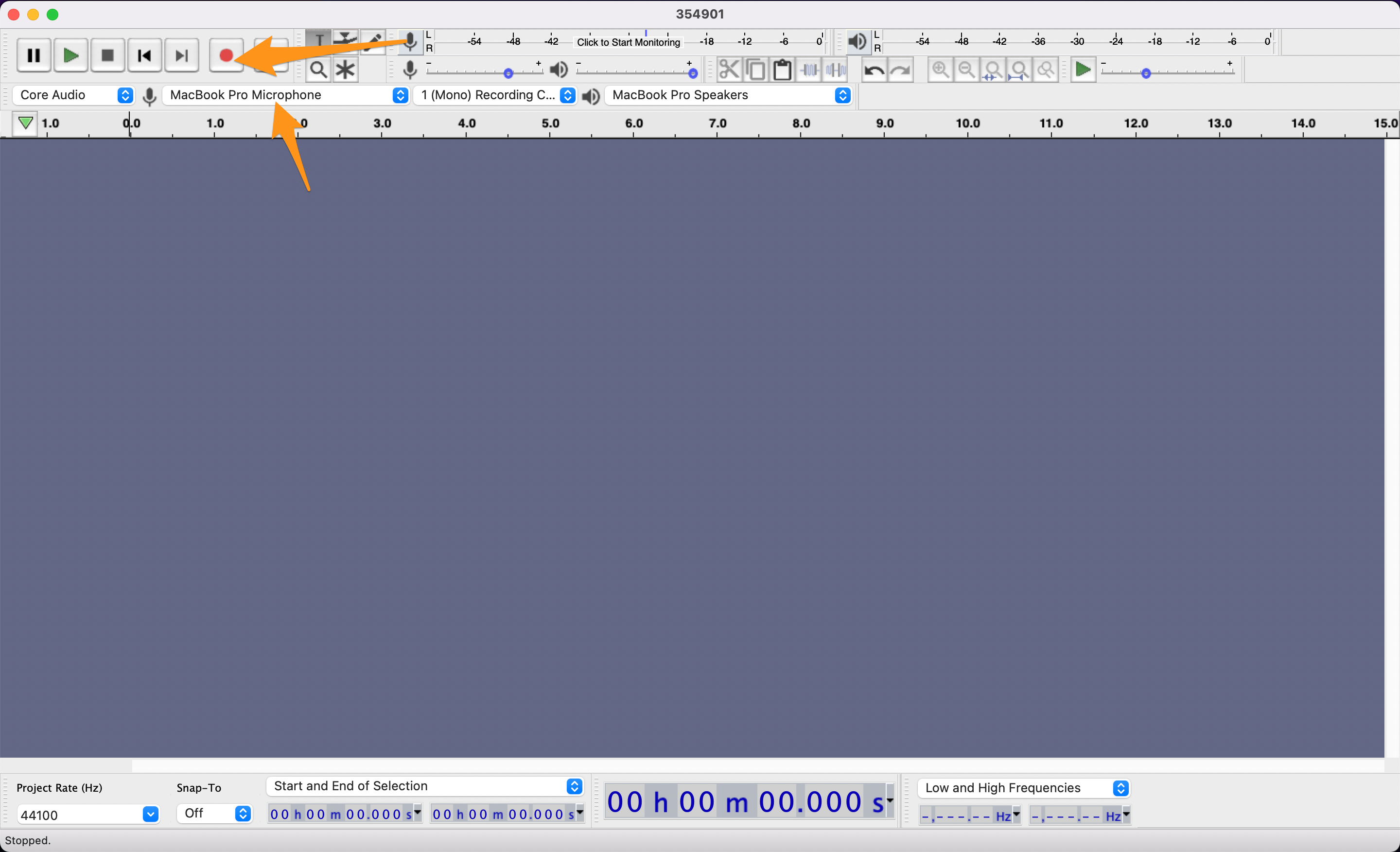
Audacity is great for recording and analysis, this is what we’ll use here. First record your sample, using your laptop, get close to the source of the ultra sounds, try and keep things quiet during recording, and gather a good sample.
Extracting the Signal
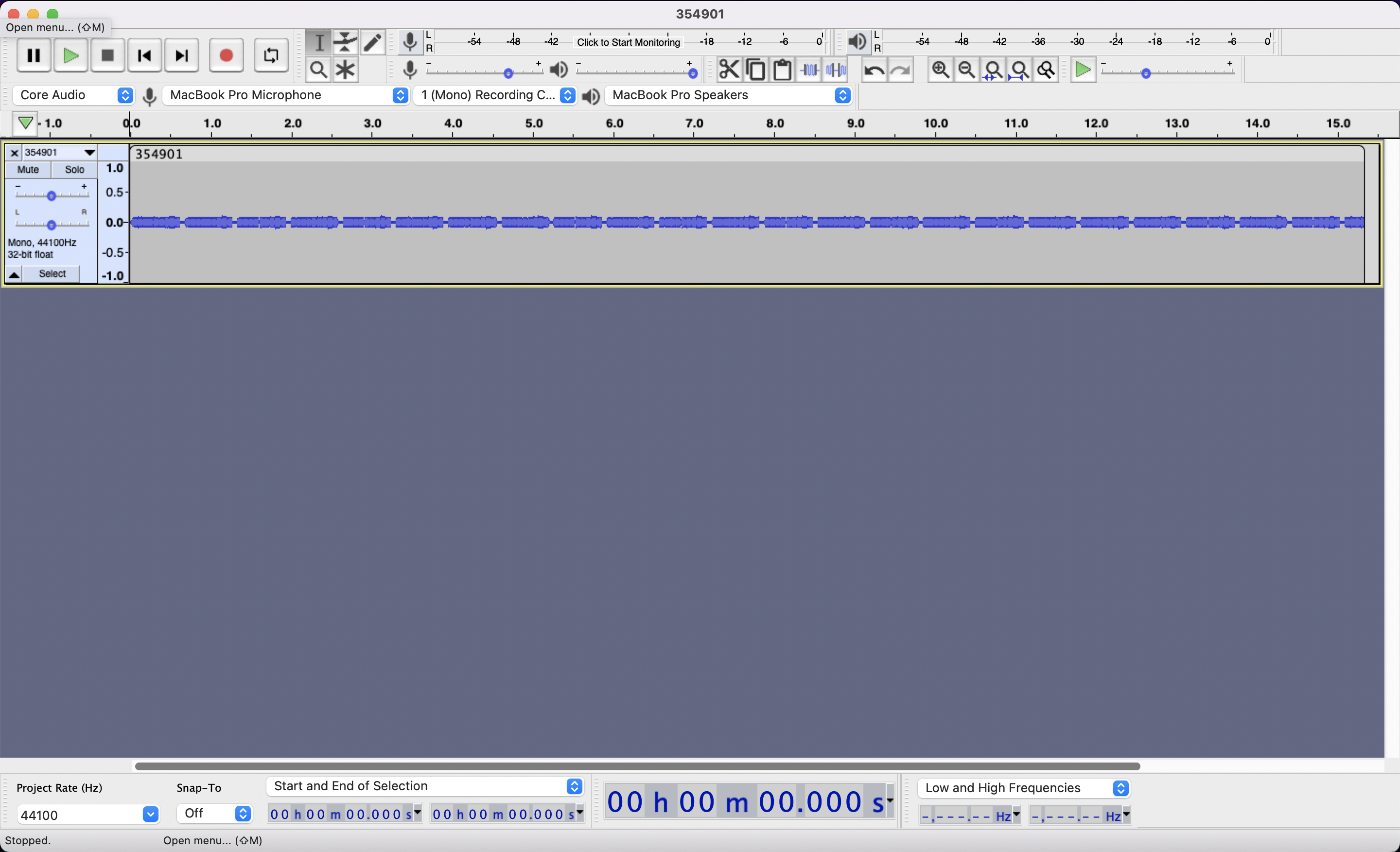
Looking at various time zoom levels, we can home in on a repeating pattern. The room is complete silence but your computer does hear it loud and clear.
The complete silence as it was recorded. Note the time scale just above the recording.
Zooming in on the pattern, each of the pattern’s blob is made of several blobs. At this level we can guess that the signal is made of 10 notes. Zoom Room’s Share Screen codes are 6 digits long so it feels right, either for control characters, or because they planned on room for expansion. Now we don’t know really know when the signal ends and when it stops, I’m drawing the rectangle for 10 notes starting on the quiet one, because I could see a silence being used as a separator much like a space or a line return.
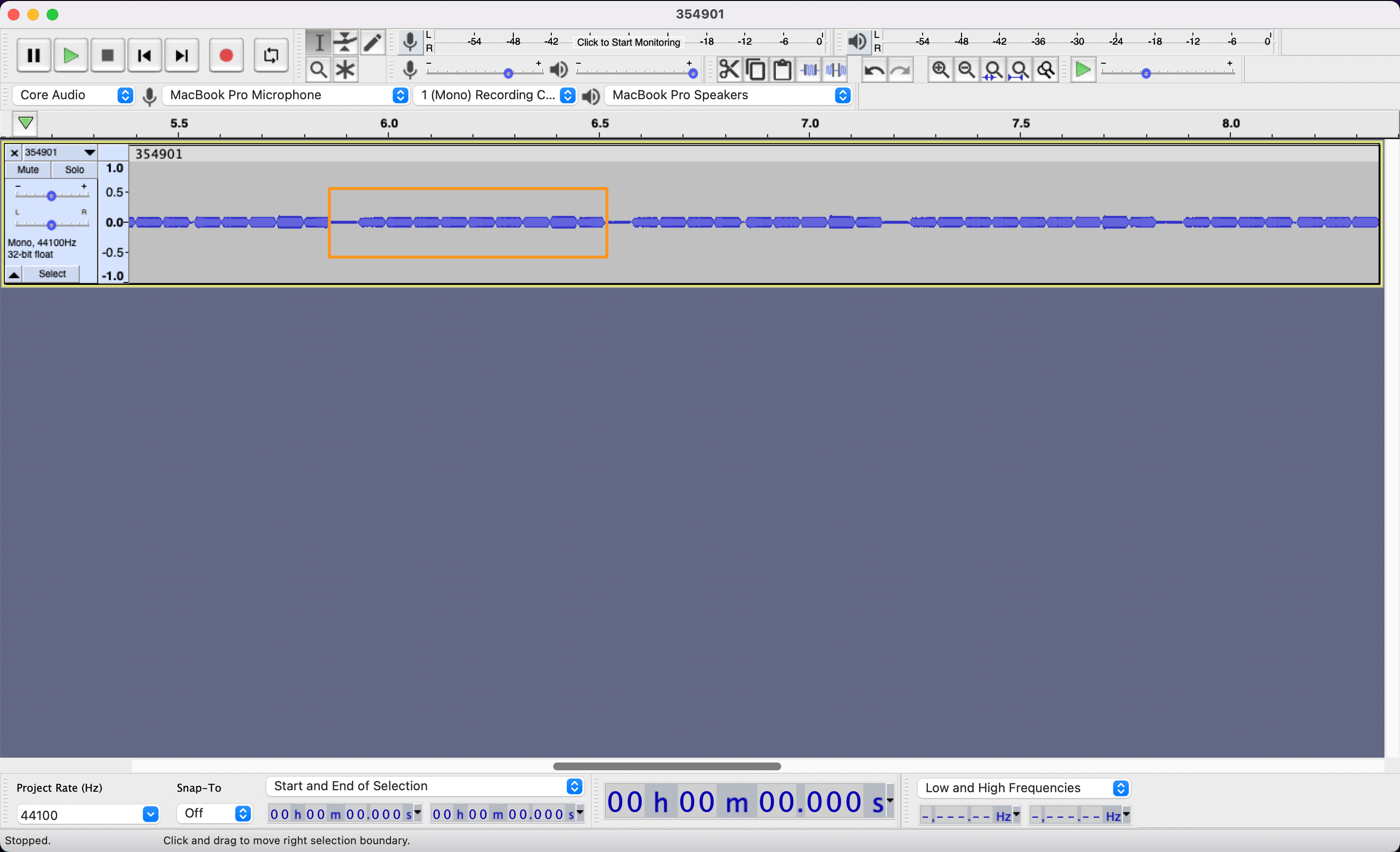
Finally, we zoom in just enough to start poking at each individual note/character.
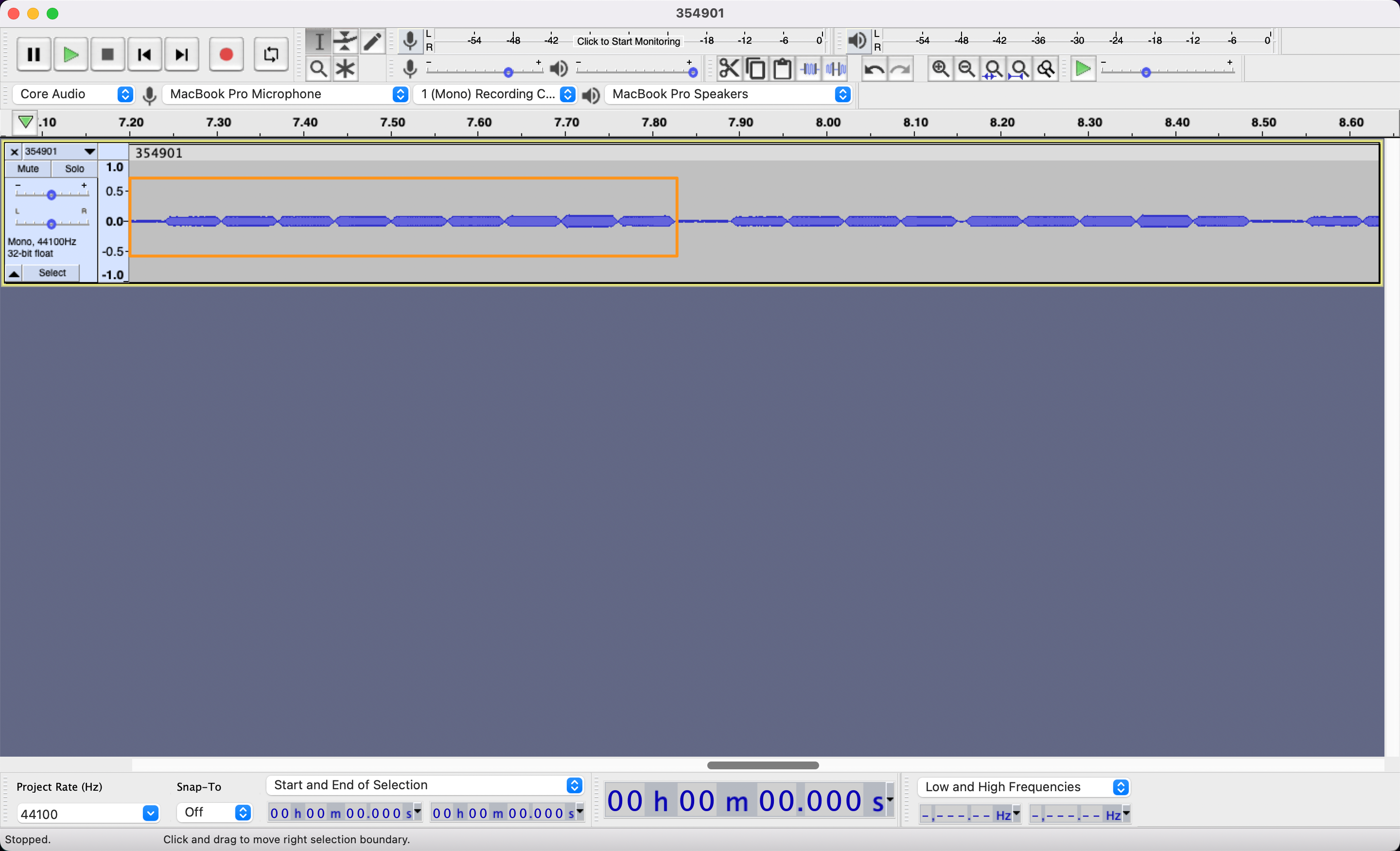
Pretty easy so far, all we’ve done is record and zoom and we can start seeing our signal. Now begins the tedious task of annotating as many samples of this signal as you can. This is the data that will let you decipher the code.
Select a clean section of just one note, don’t grab the edges, just the meat.
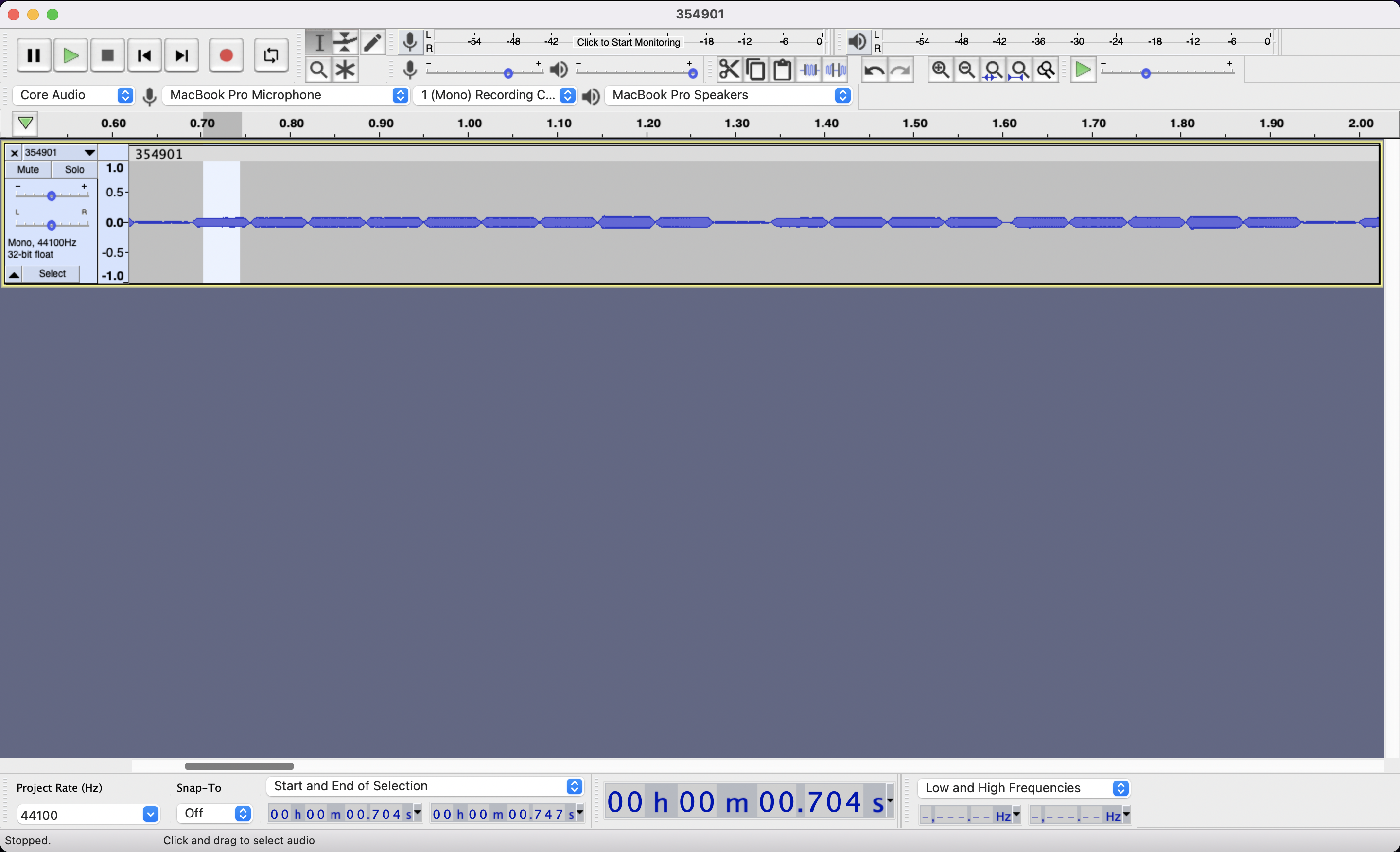
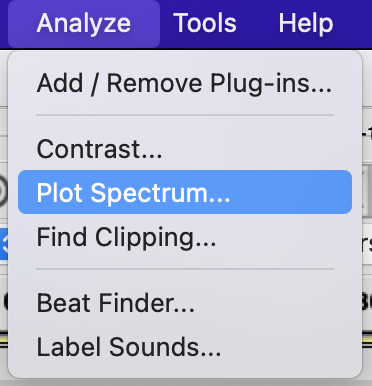
Then Click on Analyze -> Plot Spectrum
This will do a Fourier Transform of the selected area to decompose the sound into all of it various frequencies
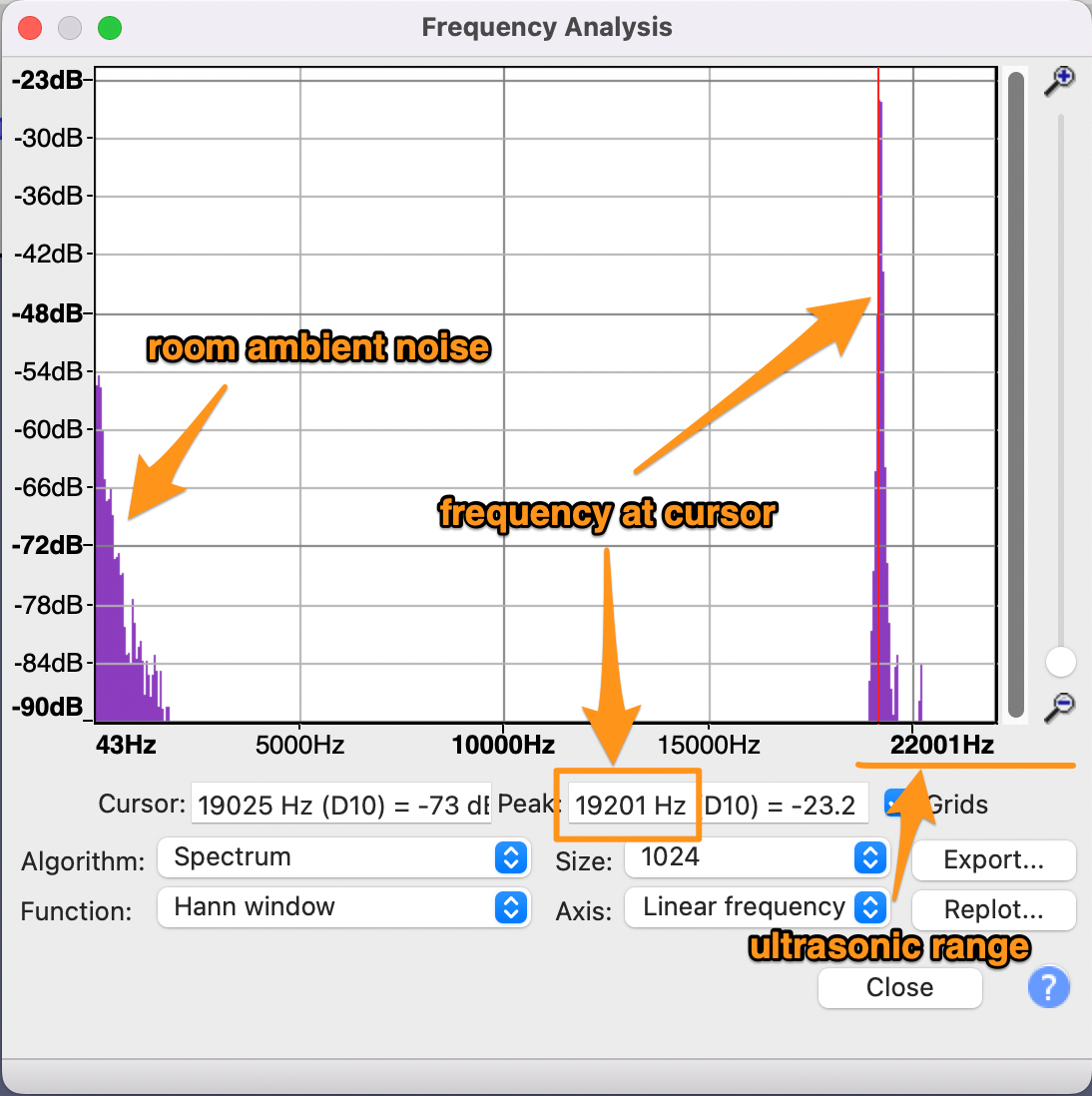
Place the cursor on the highest ultrasonic peak, and read the frequency: 19201Hz or 19.2KHz here.
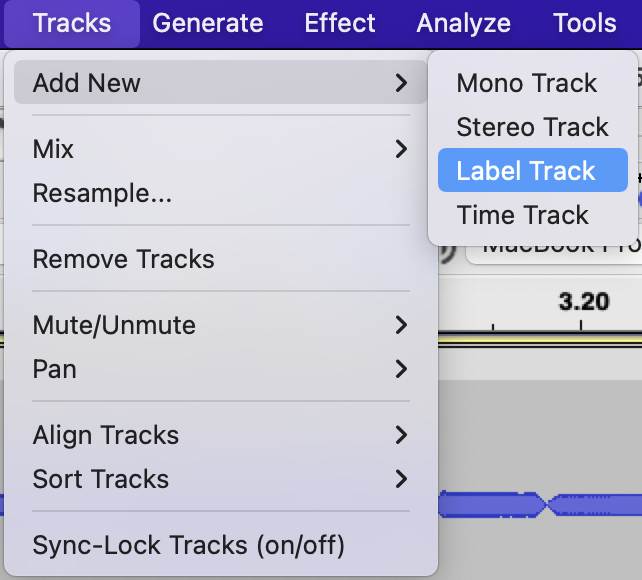
Make note of it by adding a label at the selection. You’ll first need a label track if you don’t already have one.
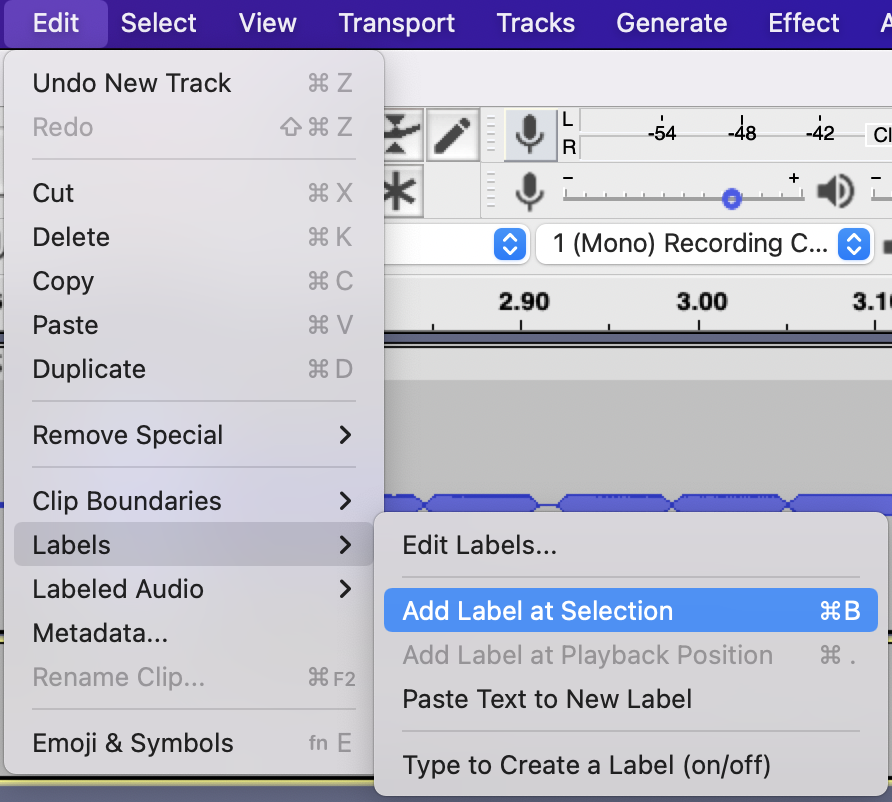
Then you can add the label.
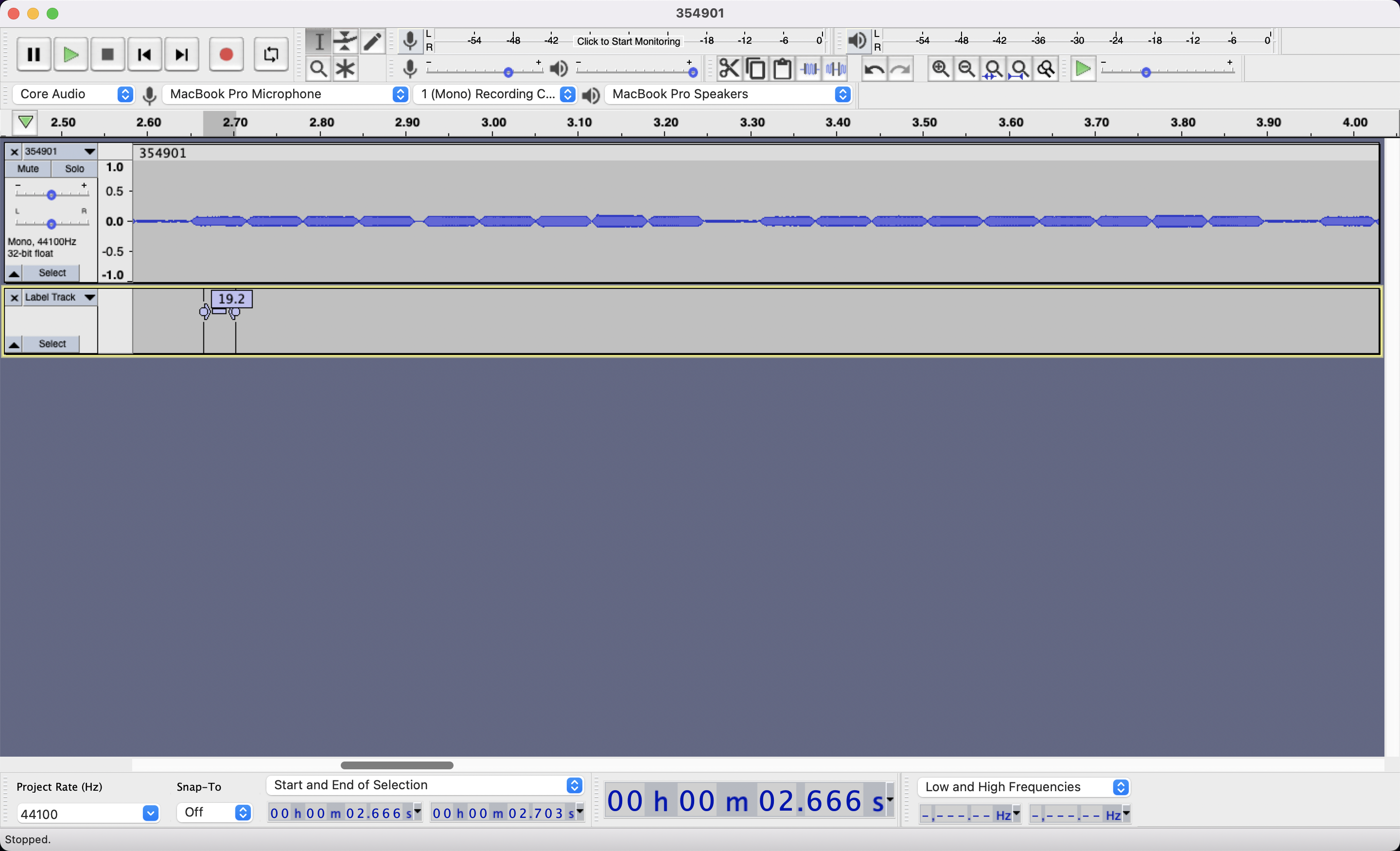
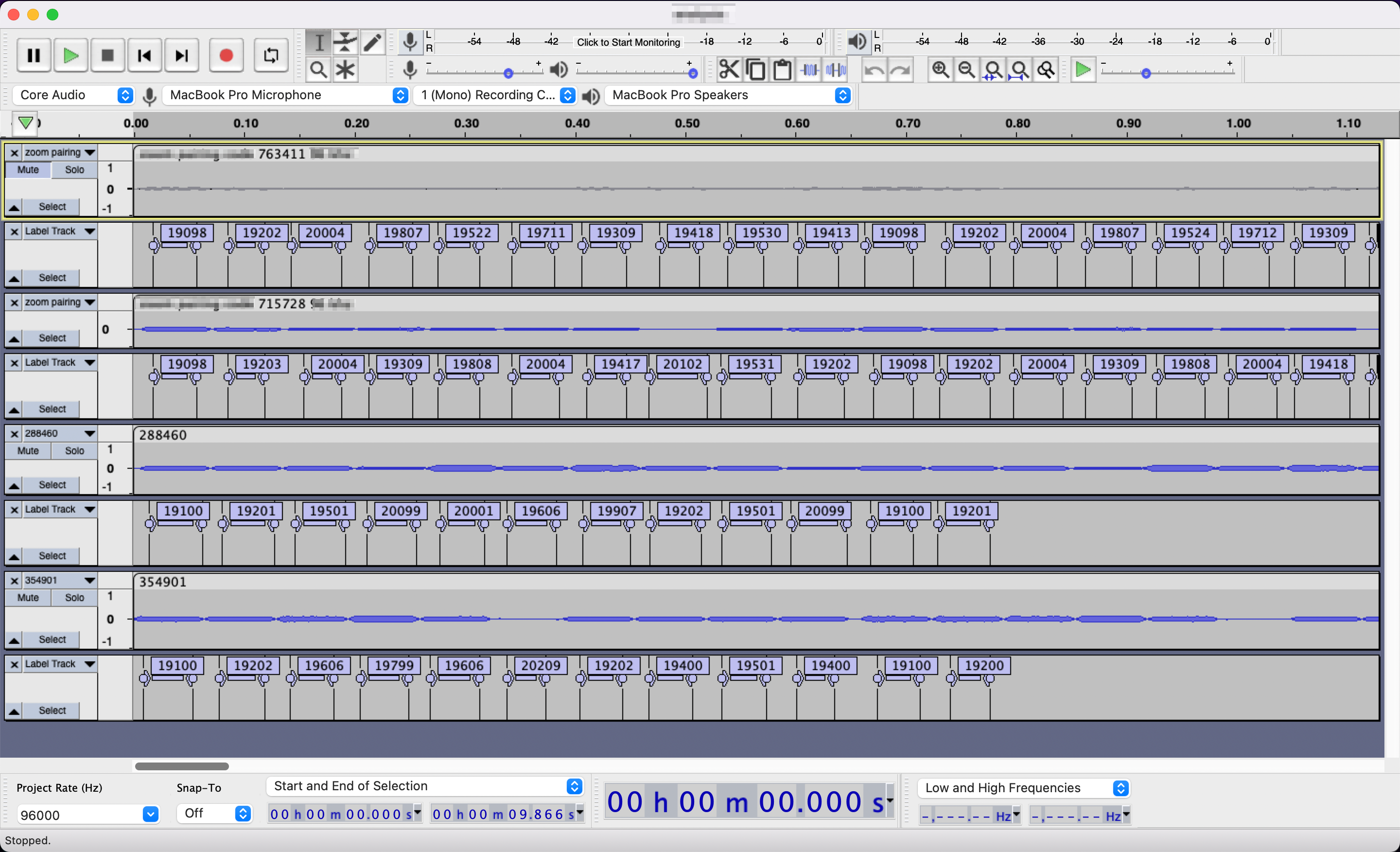
Do this for each note/character in the signal, it’s worth confirming the 10 character repetition we think we’re seeing. Then do this for many more samples… The more data, the easier it’ll be to decipher. Your project, which you should save often, will look something like that:
Deciphering the Signal
Now, obviously depending on what signal you are studying, the encoding will differ. I’m only talking about Zoom Rooms here and so I’ll only give general advice followed by the Zoom algorithm.
The general advice is as follows:
1. Gather a lot of data, this is the non-exciting part so it’s easy to want to move past it.
2. More often than not, there will be control notes/characters indicating the beginning or the end, or both of the signal. In the screenshot above, 19.1Khz followed by 19.2Khz is looking very likely like a control, align your audio sample to it and focus on the remaining notes/characters.
3. Look at the data from different angles, visually write it differently to see if patterns emerge. Spreadsheets can help.
4. Try various scenarios, even if you know they are likely false, they might get you closer to the truth.
5. Occam’s razor (or the lazy programmer) is likely a good guess
Zoom Room Rosetta Stone
Each signal starts with 19.1Khz followed by 19.2KHz. Then the 6 digits of the code displayed on the screen is “played”. Then a 2 digits representing the checksum of the 6 digits which is their sum. That’s 10 characters total.
Each digit maps to 2 possible frequencies:
0 -> 19.2Khz / 19.3Khz
1 -> 19.3Khz / 19.4Khz
2 -> 19.4Khz / 19.5Khz
3 -> 19.5Khz / 19.6Khz
4 -> 19.6Khz / 19.7Khz
5 -> 19.7Khz / 19.8Khz
6 -> 19.8Khz / 19.9Khz
7 -> 19.9Khz / 20.0Khz
8 -> 20.0Khz / 20.1Khz
9 -> 21.1Khz / 20.2Khz
Weird how they can possibly overlap and this is the twist behind this encoding, all other things being rather straightforward, for your next digit you always pick the frequency furthest from the frequency you just played. If you just played your control signal: 19.1Khz, 19.2Khz and your code starts with a 3 you will pick 19.6KHz to play the 3 as it it furthest from 19.2Khz. If your next digit is a 2, you will pick 19.4Khz to play it as it is furthest from 19.6Khz. I don’t know enough about sound engineering to know if Zoom did this to disambiguate frequencies which are close to each other, or if it’s meant as a cipher. I’m guessing the former, it seems to be a smart way to guarantee at least 0.2Khz of difference between 2 proximate characters while only adding 0.2Khz of spectrum. Since we know devices are likely to become distorted at the beginning of the inaudible range, it makes sense to both make an extra effort to distinguish characters, while not expanding too far into that range. Pretty cool eh?
Here’s a real world example, say that the code played is 790155:
first you play the control: 19.1Khz, 19.2Khz
then 7 with 20.0Khz as it is the furthest from 19.2Khz
then 9 with 20.2Khz as it is the furthest from 20.0Khz
then 0 with 19.2Khz as it is the furthest from 20.2Khz
then 1 with 19.4Khz as it is the furthest from 19.2Khz
then 5 with 19.8Khz as it is the furthest from 19.4Khz
then 5 with 19.7Khz as it is the furthest from 19.8Khz
compute your checksum of 7+9+0+1+5+5 = 27
play 2 with 19.4Khz as it is the furthest from 19.7Khz
then 7 with 20.0Khz as it is the furthest from 19.4Khz
Voila!
Some Code to go along with it
If you want to play the Share Screen code from your Zoom Rooms into the world, the following code will do it for your for a few seconds. Just make sure to update the “code” variable near the top. This code works in your standard browser’s web inspector console.
[code lang=”js”](async function main () { var code = "<6_digit_code_goes_here>" ; var context = new AudioContext() ; var o = context.createOscillator() ; o.type = "sine" ; var g = context.createGain() ; o.connect( g ) ; o.frequency.value = 0 ; g.connect( context.destination ) ; o.start( 0 ) ; var sleep_time_ms = 50 ; var control_frequency = 19100 var frequencies = { 0:[19200,19300], 1:[19300,19400], 2:[19400,19500], 3:[19500,19600], 4:[19600,19700], 5:[19700,19800], 6:[19800,19900], 7:[19900,20000], 8:[20000,20100], 9:[20100,20200], } console.log( "starting ultrasound emission" ) ; var i = 50 ; while( i>0 ) { i– ; // control o.frequency.value = 19100 await new Promise( r => setTimeout(r, sleep_time_ms) ) ; o.frequency.value = 19200 await new Promise( r => setTimeout(r, sleep_time_ms) ) ; // payload var checksum = 0 ; last_frequency = o.frequency.value ; for( var j=0 ; j<code.length ; j++ ) { checksum += parseInt( code[j] ) ; o.frequency.value = pick_furthest_frequency( last_frequency, frequencies[parseInt(code[j])] ) ; last_frequency = o.frequency.value ; await new Promise( r => setTimeout(r, sleep_time_ms) ) ; } // checksum checksum = checksum.toString() ; if( checksum.length==1 ) { checksum = "0" + checksum ; } o.frequency.value = pick_furthest_frequency( last_frequency, frequencies[parseInt(checksum[0])] ) ; last_frequency = o.frequency.value ; await new Promise( r => setTimeout(r, sleep_time_ms) ) ; o.frequency.value = pick_furthest_frequency( last_frequency, frequencies[parseInt(checksum[1])] ) ; last_frequency = o.frequency.value ; await new Promise( r => setTimeout(r, sleep_time_ms) ) ; } console.log( "stopped ultrasound emission" ) ; g.gain.exponentialRampToValueAtTime( 0.00001, context.currentTime + 0.04 ) ; function pick_furthest_frequency( previous, possible_new_frequencies ) { if( Math.abs(last_frequency-possible_new_frequencies[0]) > Math.abs(last_frequency-possible_new_frequencies[1]) ) { return possible_new_frequencies[0] ; } return possible_new_frequencies[1] ; } })();[/code]
Curious Deer
We’ve had several encounters with this deer over the Summer. It gets close to us and doesn’t run away when we move closer, talk, or even shoo it. Our default is to shoo since they will wreak havoc in the gardens, but this deer now gets an exception. We can talk with it for a while before it loses interest, you can tell it’s curious about humans. Having a literal eye to eye conversation with wild animals is a good reminder that despite our efforts to avoid each other, we share a common life experience.
