Dr. Meter B003+ 300X USB digital endoscope/miscroscope camera

TLDR: an awesome cheap device wrapped in Chinese funkiness.

The details

It is hard, very hard to not pay attention to all the funny details that go around the device. But it’s a solid device that performs great for a good price. As far as I can tell, it does not do zooming per se, it is only able to get very close to a subject and thus when the resulting picture is displayed on a bigger screen, small details are visible. As such, what you see is strictly dependent on how close you stick the camera to your subject. In fact the camera has a focus length of a few millimeters to infinity, which means you ca use it a a regular camera but you’ll have to turn the focus knob quite a bit for that.

First, some pics of what it’s capable of

They are seriously lacking online

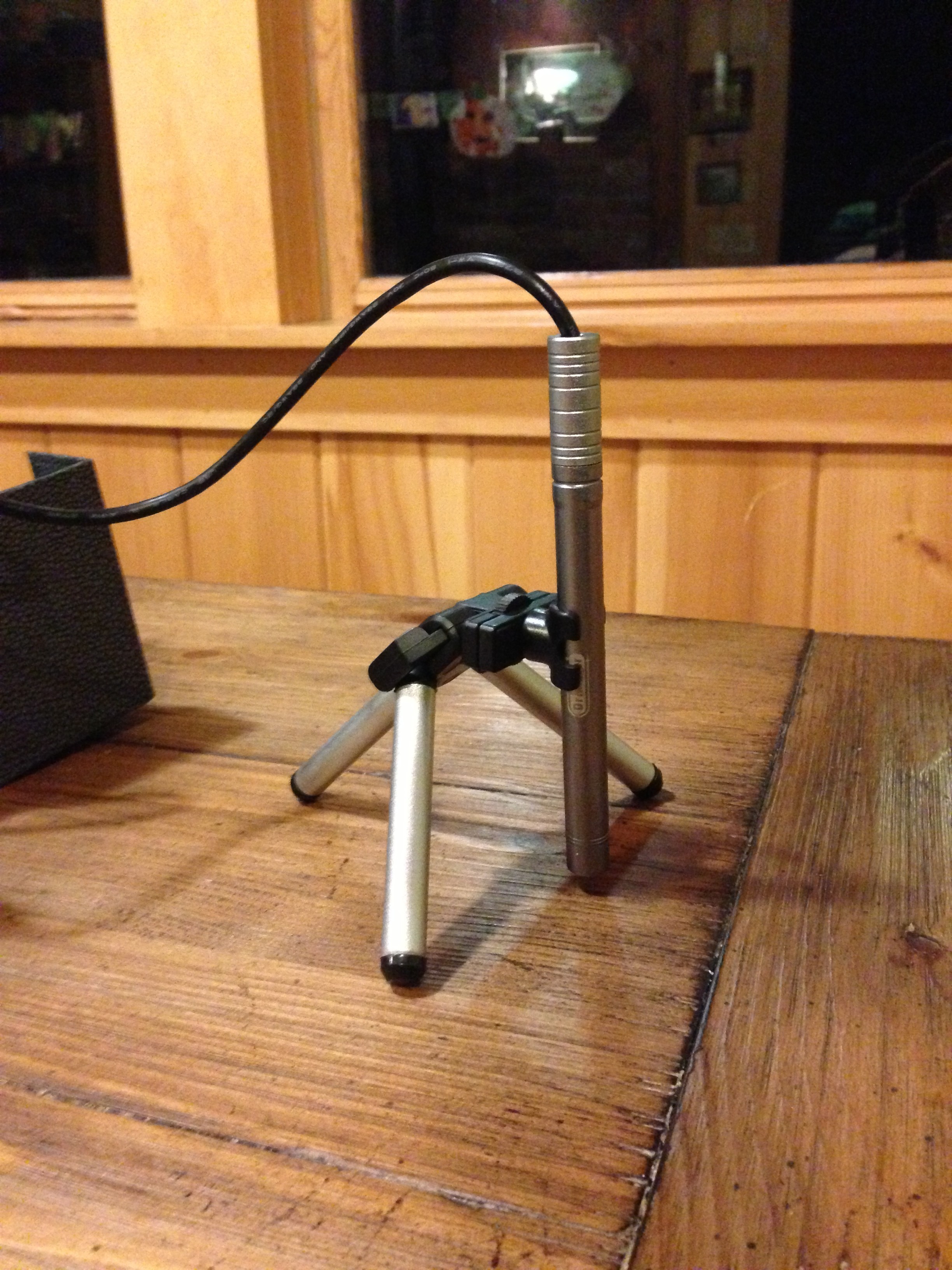
The device itself

 On its little tripod
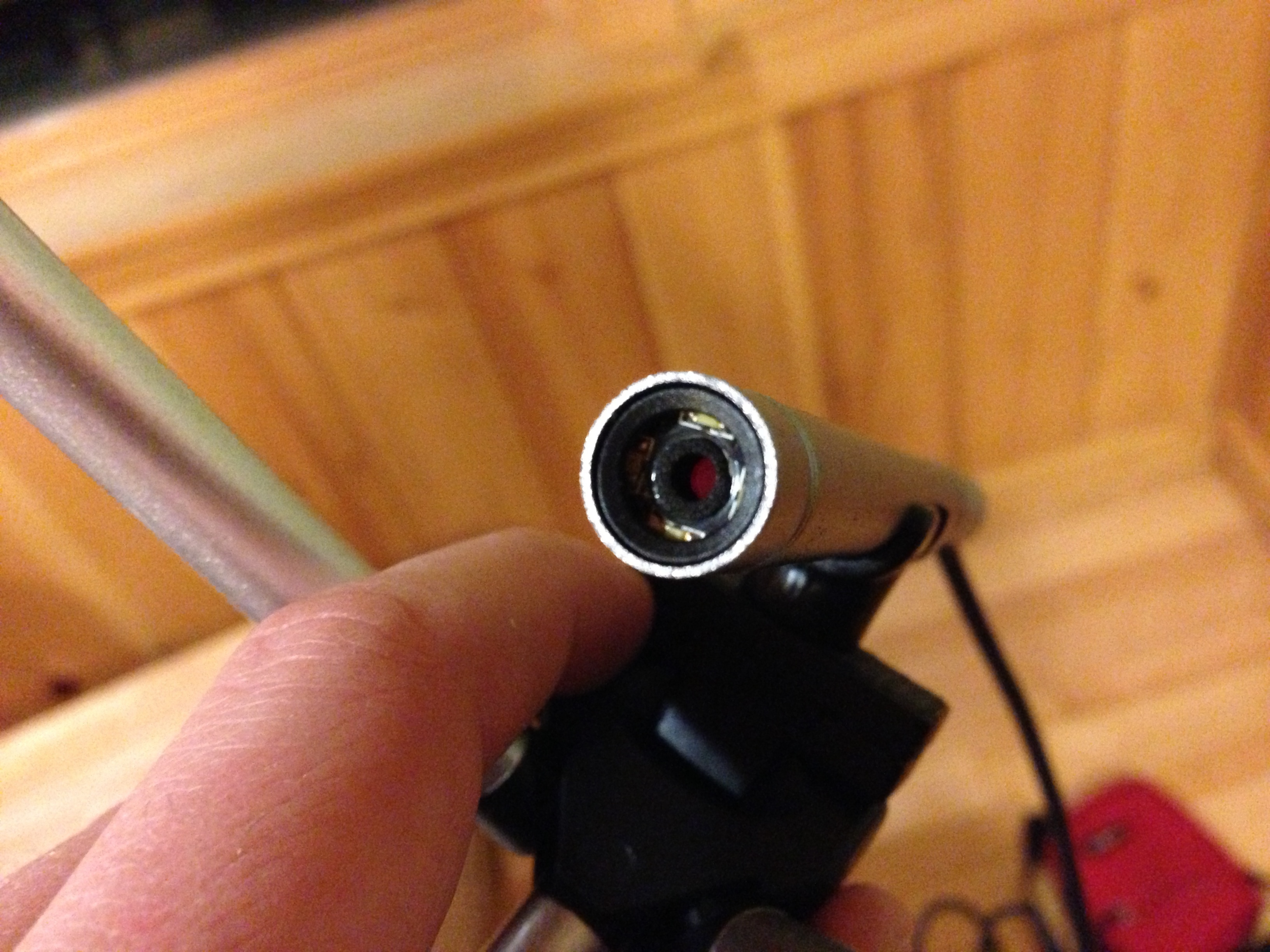
The lens
Everything else

The device has multiple attachments referred to as “beauty inspection tools” which are meant to stick the camera in various orifices of one’s body. They are nicely sealed in sterilized bags (but not the anal one).

Some of the various “beauty inspection tools”…

The unboxing feels like opening a Chinese treasure chest, the mechanism, the texture, the looks; this product is made in China and not pretending otherwise. What else feels Chinese is pretty much anything written in English. It’s super funny to read it all.
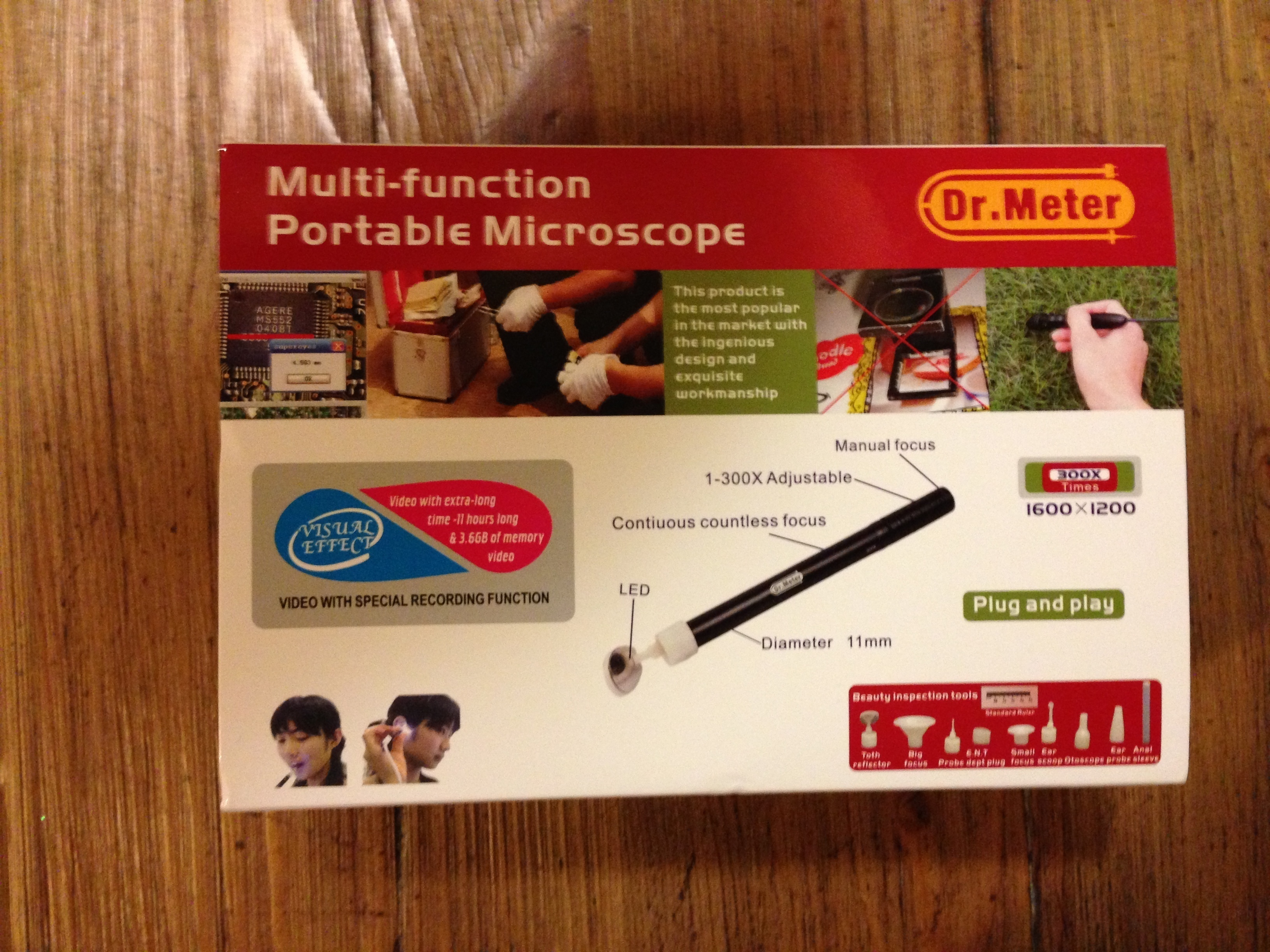
Technically

The device is recognized as a standard camera in Windows, MacOS & Linux! No extra drivers necessary. This is what I love about buying products from smaller companies, they go after existing standards. As such you can open it with any webcam software, I took my test shots with photobooth. They provide some software for filming & measuring among other things but I care not about this functionality so I won’t spend the time loading it.

I’ll take it to the beehive this week-end and we’ll see how it does there.

Chicken cam – back online!

But with a serious loss of functionality. Given the internet connection that I have (cellular) I can’t reasonably set it up to do live streaming. I’ve also disabled interaction with the cam. What’s left is an image uploaded every hour. Not super duper cool but I’ll take what I can get in this neck of the woods.

Hopefully this will get better when better internet is available.

FreeBSD 9.0: higher MTU & NIC bonding

Here’s is some information that took me a good while to gather.

With the igb driver in FreeBSD, the mbuf cluster size needed is a mathematical formula involving the number of CPUs & the desired MTU. Unfortunately, it is currently hard set. On enterprise machines with many cores and higher MTUs, it is quite easy to reach this set limit. It will express itself with the following error message after an ifconfig:

igb0: Could not setup receive structures

This limit can be overridden with the following in /etc/sysctl.conf

[code]kern.ipc.nmbclusters=131072
kern.ipc.nmbjumbo9=38400[/code]

These are the value that worked for 16 cores & an MTU of 9000.

While we’re at it, it took me a while to nail the exact syntax require for NIC bonding so here it is:

/etc/rc.conf

[code]if_lagg_load=”YES”
ifconfig_igb0=”mtu 9000 UP”
ifconfig_igb1=”mtu 9000 UP”
cloned_interfaces=”lagg0″
ifconfig_lagg0=”laggproto failover laggport igb0 laggport igb1 192.168.0.123 netmask 255.255.255.0″[/code]

As far as I can tell, capitalization matters…

The impairing lack of light pollution

When we lived in the city, ambient light pollution was such that I could set my CCTV cams to a certain brightness/contrast and the limited auto adjustments they did were enough to cope with day & night. In the middle of the forest, the night gets full on #000000 dark. The poor cams can’t adjust and I need to pick whether I want to record at night and get white frames during the day, or at daytime and get black frames during the night.

I wrote the following script which computes the average brightness of a cam’s current frame and issues more drastic adjustments if needed. It is obviously tailored for my FI8918Ws but the same idea can be used for others.

[php][/php]#!/usr/bin/php
<?php

$img = @imagecreatefromjpeg( 'http://192.168.1.203:8003/snapshot.cgi?user=<username>&pwd=<password>' ) ;
if( $img===false ) {
    die( "Unable to open image" ) ;
}

$w = imagesx( $img ) ;
$h = imagesy( $img ) ;

$total_r = 0 ;
$total_g = 0 ;
$total_b = 0 ;
for( $i=0 ; $i<$w ; $i++ ) {
    for( $j=0 ; $j<$h ; $j++ ) {
        $rgb = imagecolorat( $img, $i, $j ) ;
        $total_r += ($rgb >> 16) & 0xFF;
        $total_g += ($rgb >> 8) & 0xFF;
        $total_b += $rgb & 0xFF;
    }
}

$average_brightness = round( ( $total_r / ($w*$h) + $total_g / ($w*$h) + $total_b / ($w*$h) ) / 3 ) ;
echo $average_brightness, "n" ;

if( $average_brightness<30 ) {
    echo "night time!n" ;
    echo "moden" ;
    $result = file_get_contents( 'http://192.168.1.203:8003/camera_control.cgi?param=3&value=0&user=<username>&pwd=<password>' ) ;
    sleep( 10 ) ;
    echo "contrastn" ;
    $result = file_get_contents( 'http://192.168.1.203:8003/camera_control.cgi?param=2&value=6&user=<username>&pwd=<password>' ) ;
    sleep( 10 ) ;
    echo "brightnessn" ;
    $result = file_get_contents( 'http://192.168.1.203:8003/camera_control.cgi?param=1&value=240&user=<username>&pwd=<password>' ) ;
} else if( $average_brightness>170 ) {
    echo "day time!n" ;
    echo "moden" ;
    $result = file_get_contents( 'http://192.168.1.203:8003/camera_control.cgi?param=3&value=2&user=<username>&pwd=<password>' ) ;
    sleep( 10 ) ;
    echo "contrastn" ;
    $result = file_get_contents( 'http://192.168.1.203:8003/camera_control.cgi?param=2&value=4&user=<username>&pwd=<password>' ) ;
    sleep( 10 ) ;
    echo "brightnessn" ;
    $result = file_get_contents( 'http://192.168.1.203:8003/camera_control.cgi?param=1&value=64&user=<username>&pwd=password>' ) ;
}

?>[/code]

Verizon's 4620L, a great device for the technically inclined

My family recently moved to a fairly remote area, the question of internet access has been a major one for the couple of months leading to the move. Besides satellite & dial-up, our only option was Verizon’s MiFi (3G or 4g if you’re lucky) in the form of a hotspot device: the 4620L.

I was afraid that the 4620L would try to be too smart and not let you tinker with it very much, very few decent reviews are available online and the official documentation is seriously lacking. Fortunately this couldn’t be further from the truth, it is a great little device that performs well and lets you turn all its knobs.

When using “USB tethered mode” I was afraid I’d need specific drivers and a software suite running but lo and behold, it actually just pretends to be an ethernet device over USB. Absolutely perfect to put a Linux router in front of it!

One thing that did not get properly QA’d is the “Enable DCHP Server” checkbox which simply doesn’t work. But guess what, I want to do my own routing and I’d like to avoid NATing from the 4620L to the Linux router. One way to circumvent this is to use the “Config File Download” and “Config File Upload” options which are meant as a way to backup & restore configuration but since the file is all intuitively labeled XML it’s easy to disable the DHCP server from there.

While you’re in there, you can also override the maximum number of “Available Wi-fi Connections” (5 when using 3G). They probably have this restriction so regular Joe user doesn’t hook a gazillion device and complain about speed over 3G. Reaching this limit is very easy nowadays.

A new mission

Verizon’s plan is pretty pricy and very metered… All we get is 5GB per month, each additional 1GB will cost us $10. Ouch… I need to configure the network to consume as few bytes as possible. Netflix is out, AdBlock is in, automatic updates of various types are out. Above all, my home server will now be doing some serious routing, the goal of which is to allow devices to be on the home intranet while minimizing their use of the internet.

No inbound connection

That’s right, the IP you get from Verizon is in the private range (RFC 1918), this means they are doing some NATing of their own. You can forward ports all you want on your 4620L this will have no effect. Your only option is some cumbersome hole punching.

We’ll be talking routing in a next post, I would have liked to find this information about the device & Verizon’s setup so I wanted to put it out there sooner rather than later.

Mame box

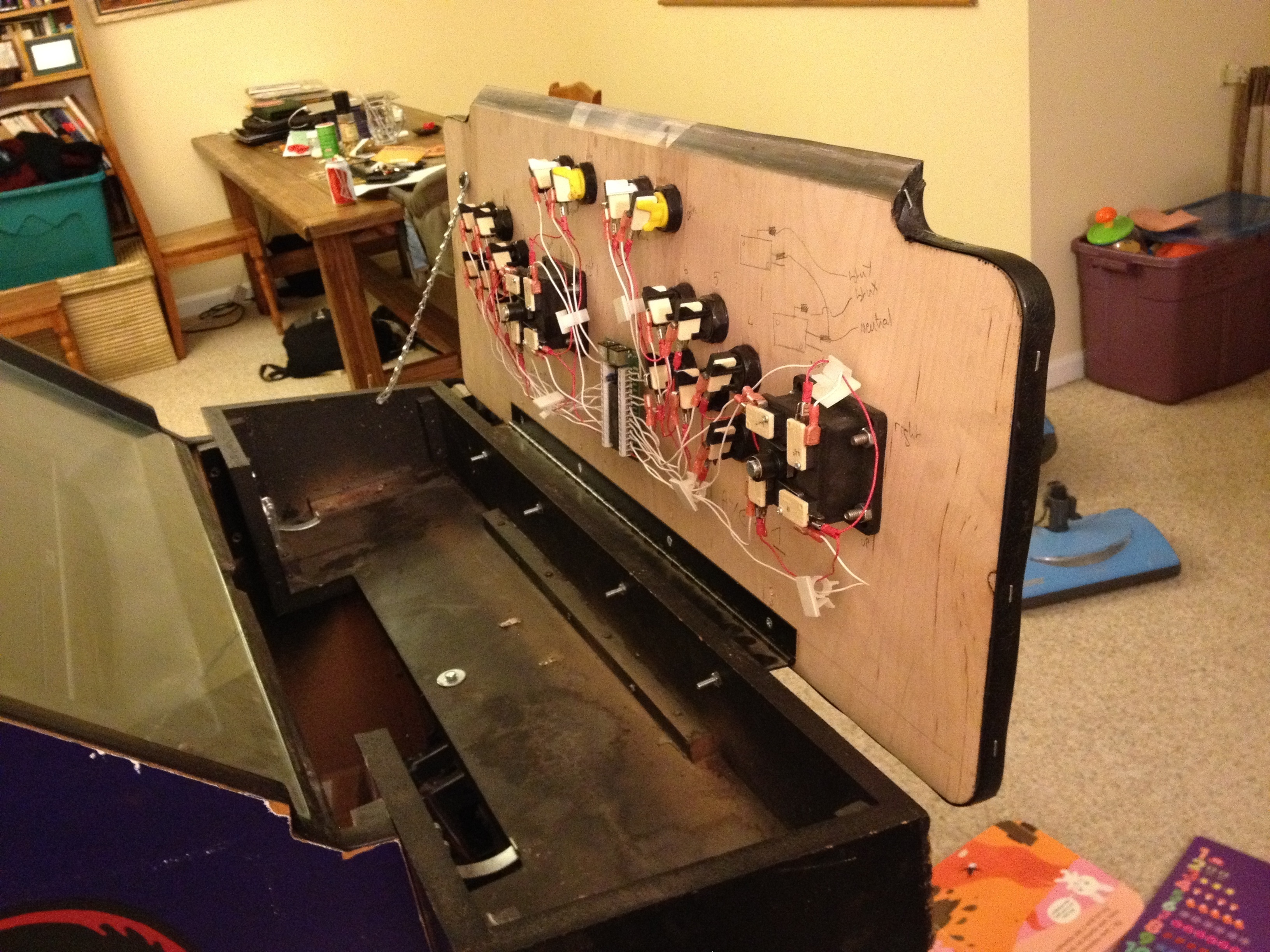
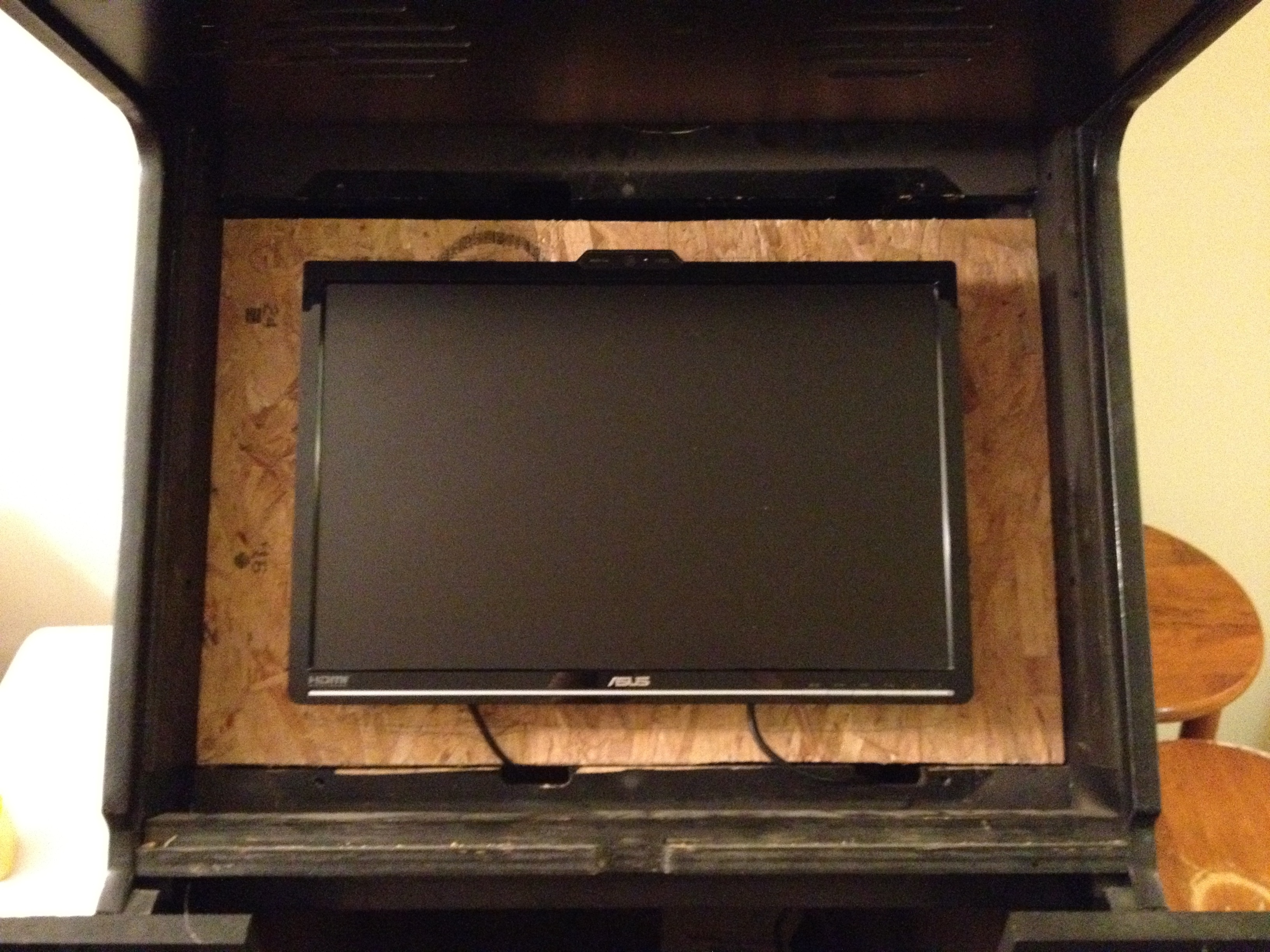
Here’s another project that’s been on the back burner for a while: my new Mame box:

This is the 5th arcade cabinet I turn into a Mame box. Gutting them always breaks my heart but having all the games in one cabinet with original artwork is very much worth it. The X-men cabinet is spacious, easy to work with and looks great.

The buttons and joysticks were bought from X-arcade: www.xgaming.com

And the control board to make them interface with a PC is an Ipac2: www.ultimarc.com

MAC address to IPv6 link-local address online converter

The converter

It can also be addressed directly via:
https://ben.akrin.com/ipv6_mac_address_to_link_local_converter/?mode=api&mac=52:74:f2:b1:a8:7f
for all your API needs.

The math

Link-local IPv6 addresses are used as part of the IPv6 network auto-configuration process. Instead of getting an address via DHCP, a NIC will hop on the network with a link-local IPv6 address and with this will have to ability to do further configuration automatically (soliciting neighbors, router, et cetera).

This link-local IPv6 is infered from the NIC’s mac address.

A mac address is 48 bits, an IPv6 address is 128 bits. Here’s the conversion process step by step:

  1. take the mac address: for example 52:74:f2:b1:a8:7f
  2. throw ff:fe in the middle: 52:74:f2:ff:fe:b1:a8:7f
  3. reformat to IPv6 notation 5274:f2ff:feb1:a87f
  4. convert the first octet from hexadecimal to binary: 52 -> 01010010
  5. invert the bit at index 6 (counting from 0): 01010010 -> 01010000
  6. convert octet back to hexadecimal: 01010000 -> 50
  7. replace first octet with newly calculated one: 5074:f2ff:feb1:a87f
  8. prepend the link-local prefix: fe80::5074:f2ff:feb1:a87f
  9. done!

Going the other way

A converter to do the same operation in reverse is available here.

Comments

There have been a few interesting comments on this post, I encourage you to read them if you want to learn more about this mechanism. Specifically:

Spamassassin stats

54.46% of all emails received on akrin so far got flagged as spam by the excellent Spamassassin. This is actually not too bad compared to high profile mail service providers.

1 email that takes the cake is with a spam score of 42.2 (anything above 4 is not relayed):

Return-Path: <comicalbp@sosmoteurs.com>
Received: from 201-93-229-84.dsl.telesp.net.br (201-93-229-84.dsl.telesp.net.br [201.93.229.84])
From: "Chase bank" <mailserver.id3373332193ib@chase.com>
To: <XXXXXX@akrin.com>
Subject: urgent security notification for client!
X-Spam-Level: ******************************************
X-Spam-Status: Yes, score=42.2 required=5.0

Content analysis details:

pts rule name              description
---- ---------------------- --------------------------------------------------
2.0 RCVD_IN_BL_SPAMCOP_NET RBL: Received via a relay in bl.spamcop.net [Blocked - see <http://www.spamcop.net/bl.shtml?201.93.229.84>]
3.0 RCVD_IN_XBL            RBL: Received via a relay in Spamhaus XBL [201.93.229.84 listed in zen.spamhaus.org]
0.9 RCVD_IN_PBL            RBL: Received via a relay in Spamhaus PBL
0.6 RCVD_IN_SORBS_WEB      RBL: SORBS: sender is a abuseable web server [201.93.229.84 listed in dnsbl.sorbs.net]
1.8 URIBL_PH_SURBL         Contains an URL listed in the PH SURBL blocklist [URIs: nilvert.com]
1.9 URIBL_AB_SURBL         Contains an URL listed in the AB SURBL blocklist [URIs: nilvert.com]
1.5 URIBL_WS_SURBL         Contains an URL listed in the WS SURBL blocklist [URIs: nilvert.com]
1.5 URIBL_JP_SURBL         Contains an URL listed in the JP SURBL blocklist [URIs: nilvert.com]
2.0 URIBL_BLACK            Contains an URL listed in the URIBL blacklist [URIs: nilvert.com]
3.5 BAYES_99               BODY: Bayesian spam probability is 99 to 100% [score: 1.0000]
4.3 HELO_DYNAMIC_HCC       Relay HELO'd using suspicious hostname (HCC)
4.4 HELO_DYNAMIC_IPADDR2   Relay HELO'd using suspicious hostname (IP addr 2)
0.0 FH_HELO_EQ_D_D_D_D     Helo is d-d-d-d
1.4 FROM_LOCAL_HEX         From: localpart has long hexadecimal sequence
1.9 TVD_RCVD_IP            TVD_RCVD_IP
2.8 TVD_PH_SUBJ_URGENT     TVD_PH_SUBJ_URGENT
0.7 SPF_NEUTRAL            SPF: sender does not match SPF record (neutral)
2.3 SPOOF_COM2COM          URI: URI contains ".com" in middle and end
1.6 HTML_IMAGE_ONLY_24     BODY: HTML: images with 2000-2400 bytes of words
0.0 HTML_MESSAGE           BODY: HTML included in message
1.4 MIME_QP_LONG_LINE      RAW: Quoted-printable line longer than 76 chars
0.1 RDNS_DYNAMIC           Delivered to trusted network by host with dynamic-looking rDNS
2.8 DOS_OE_TO_MX           Delivered direct to MX with OE headers