Here is the most basic information to build closed organ pipes that sound decent. The information I found online was overwhelming and hard to distill to the essential variables for a beginner. All the following variable names are in bold for reference against the diapason. This diapason is for a standard 29 notes organ.
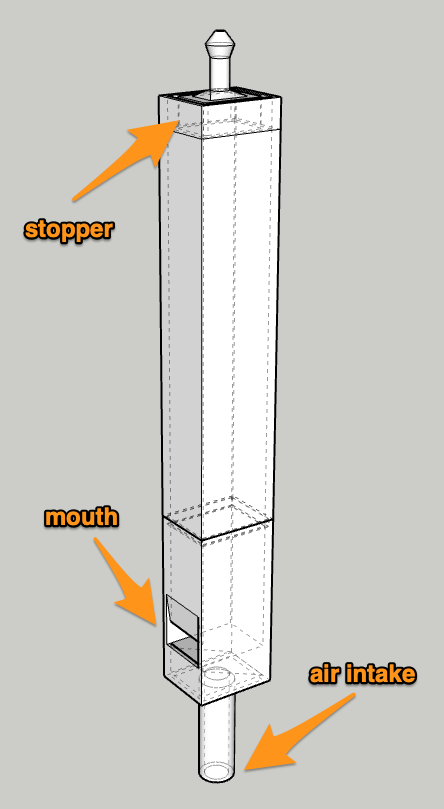
Here’s an organ pipe and its main parts. The stopper can go up and down to tune it to the exact frequency.
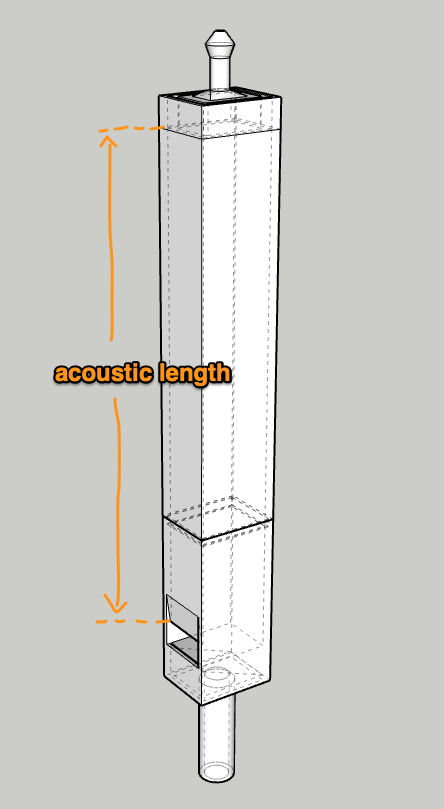
The frequency of the sound it’ll make depends on the length between the lip (top of the mouth) to the bottom of the stopper. This length is called the acoustic length.
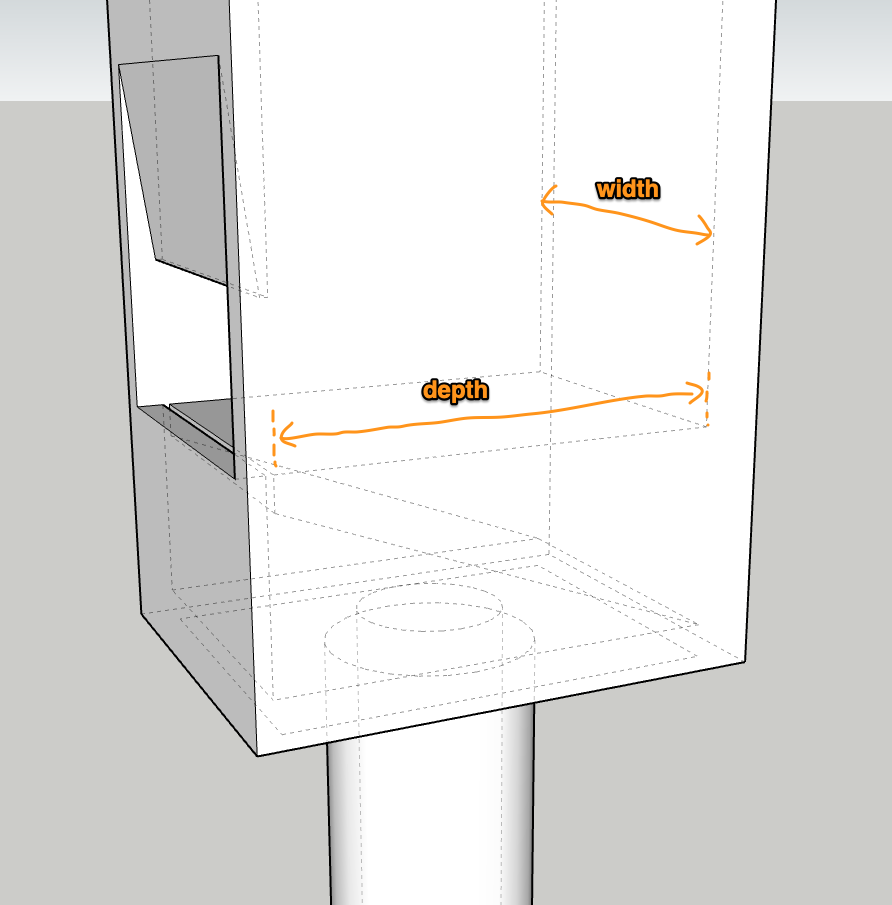
In reality, it’s not just this length that is at play, the volume of the pipe comes into the equation. The inside width and depth are relevant.
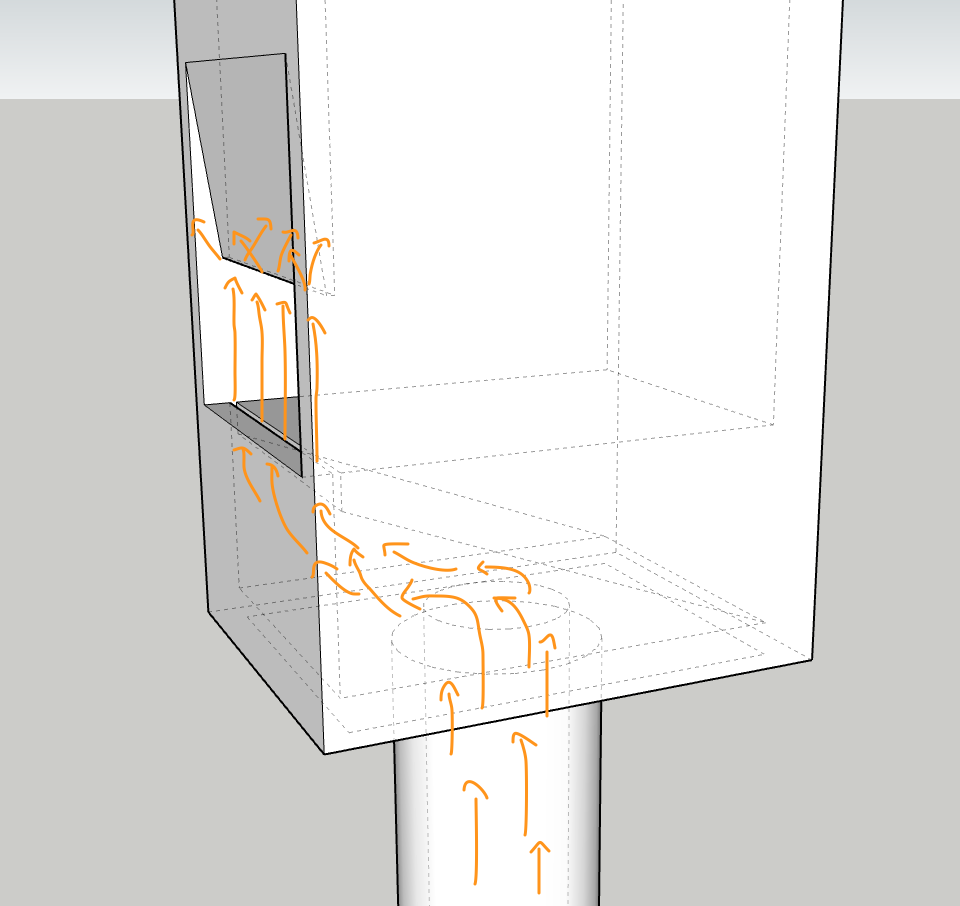
Of course a lot of the action is at the mouth. This is where the air gets split by the lip.
When the lip splits the air, the air stream oscillates back and forth between the sides of the lip which is the vibration causing the sound.
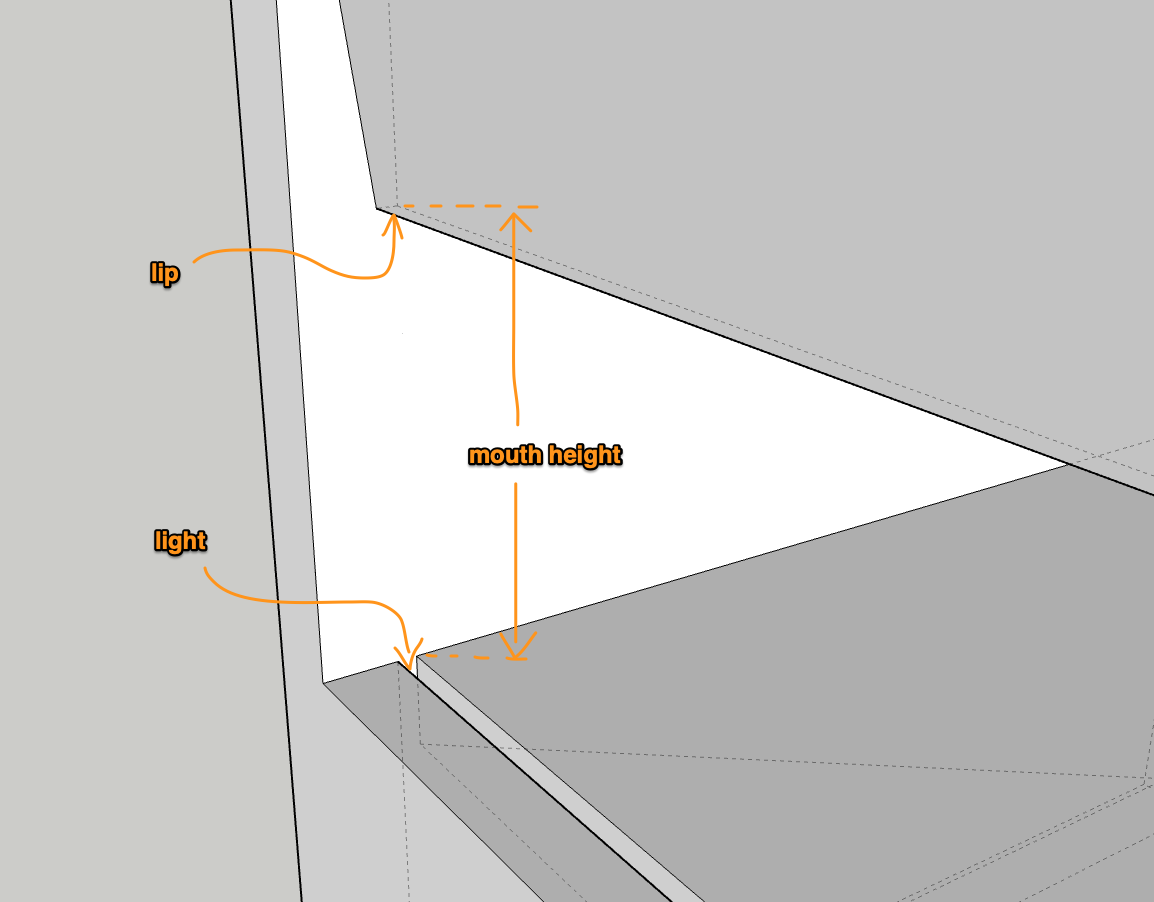
Zooming in on the mouth, we find a few more variables which matter to how well a pipe will perform. The mouth height and the “light“. A bigger pipe will need more air to get through and a higher mouth. The light is the size of the opening the air is allowed out of to go hit the lip. There might be a better name for it in English, but I don’t know what it is and I like the French name :). The lip and the light are the same size and perfectly aligned.
Reference: Philippe’s incredibly detailed blog on organ making, and many other odd websites. The diapason is his, cross-referenced with another, distilled to the essential variables, and with units standardized to millimeters. Thanks in particular to Philippe for his generosity in making information available and answering questions.
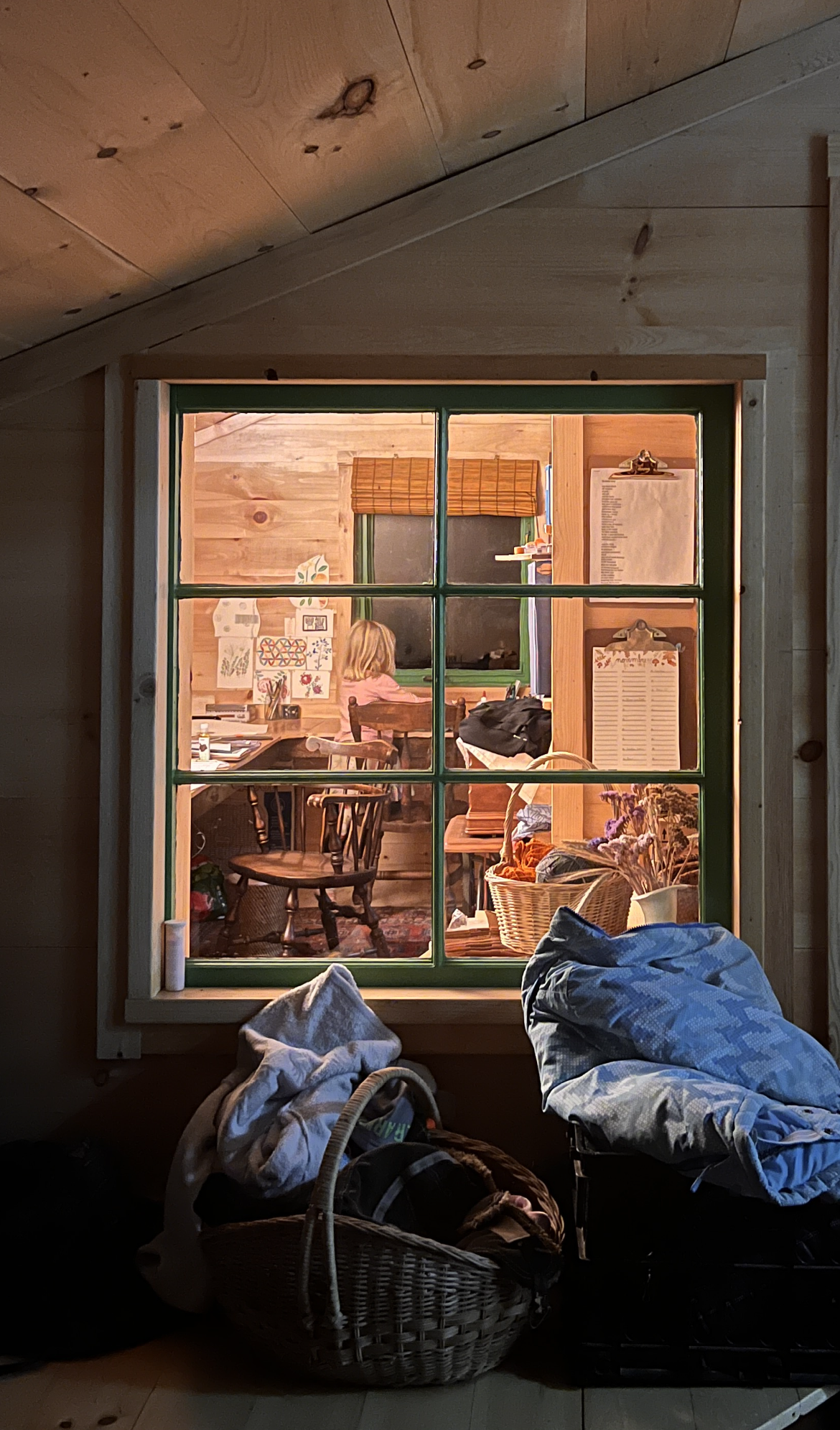
The house is still very unfinished 8½ years in, but it’s also gotten to be incredibly cozy during the cold months. It’s only ever gotten better over the years, while we slowly forgot what a regular house is like. I know we crave wood heat when we go somewhere it’s not used. We just bought a new stove, a real fancy clean burning one and I’m very much looking forward to using it although it’ll be likely at the end of Winter that we finally get it. To get a clean air tax incentive we were asked for a propane bill or electric bill, they’ll have to do without, things are too perfect where they are. It is putting it mildly to say that we were shaped by our living arrangements, in many ways I feel like the transformation we sought years ago is complete.
I wrote something pretty neat for Plottybot, and for the longest time I thought I should make it available on its own, and detached from the project. Then the most excellent Stuff Made Here guy made a writing machine, and ran into all the issues I ran into which drove me to write my own algorithms for capturing and replaying handwriting. My stuff wasn’t online then and that’s a shame, it was only available by building a Plottybot, or at least using its Pi image. Oh well.
As is tradition, I captured my kids’ handwritings as I do every year some time in the Winter. But this time I made sure to have the new site ready before Thanksgiving so that people could use it as they went and met with loved ones.
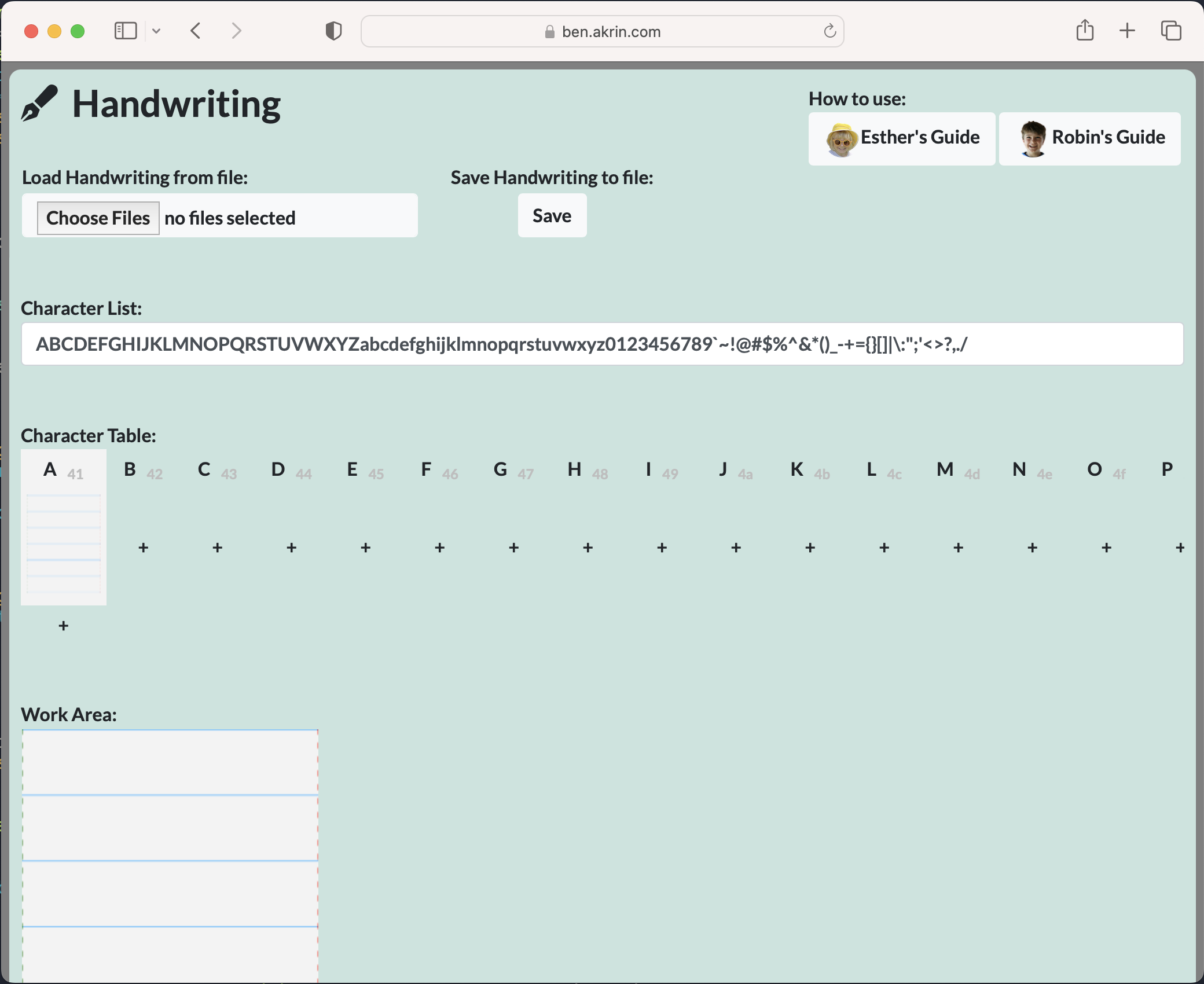
So here, this site serves the purpose of capturing one’s handwriting. It supports cursive, character variations, saving, and finally exporting to SVG & GCode. Hopefully this means you can use it with your favorite craft machine for the coolest of personalized projects.
We’re finally able to get our hands on some sweet Pis after a long shortage. I got a Pi Pico W because it’s just that cheap, why not? It’s the W that really makes the difference; years ago I went from full Pis to Pi Zeros because the Wifi capabilities meant I didn’t have to worry about USB dongles. Everything I do tends to be Wifi connected so not having it makes a board irrelevant. And so with a W next to the Pico’s name, I’m definitely interested. It’s pretty smart of the Raspberry Pi foundation to put in this functionality into a microcontroller, it’s just enough to get me curious in what I could actually do with it.
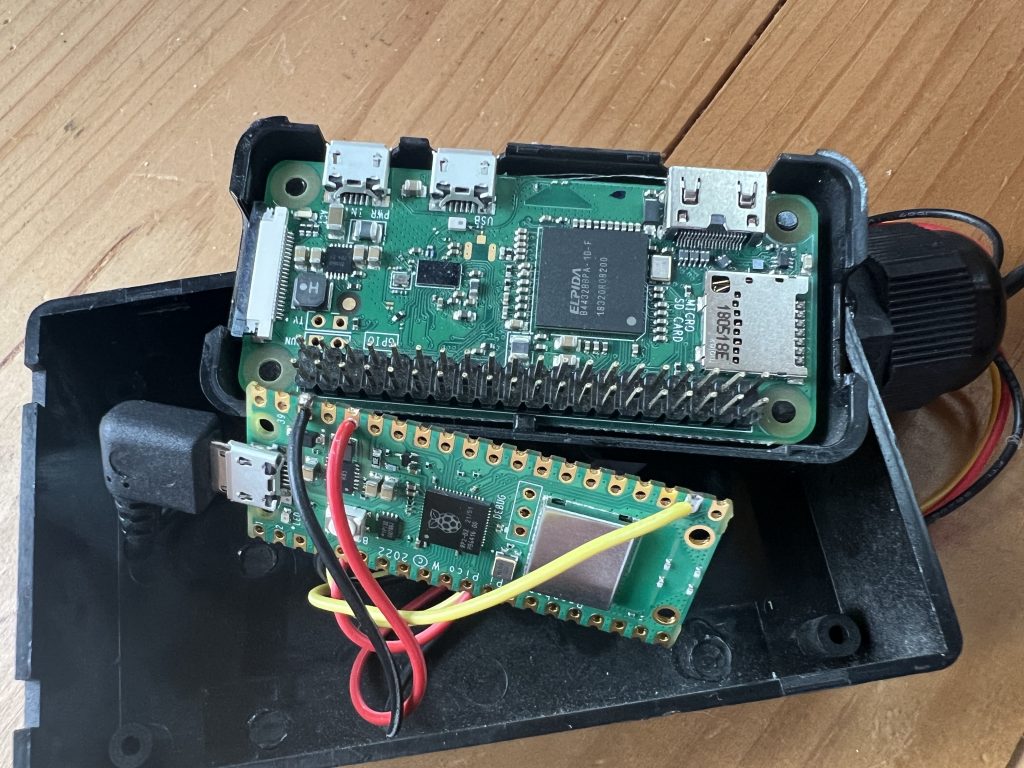
Now I have to get over the barrier of not having a fully fledged OS (and the sweet package managers with all the Debian packages that comes with it), but with Wifi I can definitely do some tasks with a Pico I’m usually doing with a Zero. So I figured I’d try replacing the house temperature sensor and see how that goes. I initially tried to use the Pico’s built in temperature sensor, but it’s terribly inaccurate so I did rewire the DS18B20 from the Zero to the Pico.
Brain transfer, The size gain is nice but not particularly significant
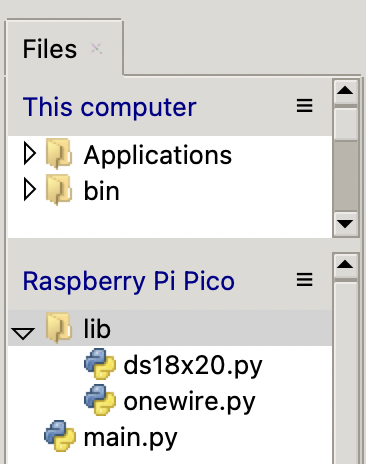
Coding was a breeze, there is isn’t much to say about that, but if you’re interested, here the code I’m running for a web server I can ask for current temperature. One thing I learned is that you need to make sure you have a “lib” directory with libraries you might need for your code.
I got the libraries online, but here they are in case it’s useful.
# 1-Wire driver for MicroPython
# MIT license; Copyright (c) 2016 Damien P. George

import _onewire as _ow


class OneWireError(Exception):
    pass


class OneWire:
    SEARCH_ROM = 0xF0
    MATCH_ROM = 0x55
    SKIP_ROM = 0xCC

    def __init__(self, pin):
        self.pin = pin
        self.pin.init(pin.OPEN_DRAIN, pin.PULL_UP)

    def reset(self, required=False):
        reset = _ow.reset(self.pin)
        if required and not reset:
            raise OneWireError
        return reset

    def readbit(self):
        return _ow.readbit(self.pin)

    def readbyte(self):
        return _ow.readbyte(self.pin)

    def readinto(self, buf):
        for i in range(len(buf)):
            buf[i] = _ow.readbyte(self.pin)

    def writebit(self, value):
        return _ow.writebit(self.pin, value)

    def writebyte(self, value):
        return _ow.writebyte(self.pin, value)

    def write(self, buf):
        for b in buf:
            _ow.writebyte(self.pin, b)

    def select_rom(self, rom):
        self.reset()
        self.writebyte(self.MATCH_ROM)
        self.write(rom)

    def scan(self):
        devices = []
        diff = 65
        rom = False
        for i in range(0xFF):
            rom, diff = self._search_rom(rom, diff)
            if rom:
                devices += [rom]
            if diff == 0:
                break
        return devices

    def _search_rom(self, l_rom, diff):
        if not self.reset():
            return None, 0
        self.writebyte(self.SEARCH_ROM)
        if not l_rom:
            l_rom = bytearray(8)
        rom = bytearray(8)
        next_diff = 0
        i = 64
        for byte in range(8):
            r_b = 0
            for bit in range(8):
                b = self.readbit()
                if self.readbit():
                    if b:  # there are no devices or there is an error on the bus
                        return None, 0
                else:
                    if not b:  # collision, two devices with different bit meaning
                        if diff > i or ((l_rom[byte] & (1 << bit)) and diff != i):
                            b = 1
                            next_diff = i
                self.writebit(b)
                if b:
                    r_b |= 1 << bit
                i -= 1
            rom[byte] = r_b
        return rom, next_diff

    def crc8(self, data):
        return _ow.crc8(data)
# DS18x20 temperature sensor driver for MicroPython.
# MIT license; Copyright (c) 2016 Damien P. George

from micropython import const

_CONVERT = const(0x44)
_RD_SCRATCH = const(0xBE)
_WR_SCRATCH = const(0x4E)


class DS18X20:
    def __init__(self, onewire):
        self.ow = onewire
        self.buf = bytearray(9)

    def scan(self):
        return [rom for rom in self.ow.scan() if rom[0] in (0x10, 0x22, 0x28)]

    def convert_temp(self):
        self.ow.reset(True)
        self.ow.writebyte(self.ow.SKIP_ROM)
        self.ow.writebyte(_CONVERT)

    def read_scratch(self, rom):
        self.ow.reset(True)
        self.ow.select_rom(rom)
        self.ow.writebyte(_RD_SCRATCH)
        self.ow.readinto(self.buf)
        if self.ow.crc8(self.buf):
            raise Exception("CRC error")
        return self.buf

    def write_scratch(self, rom, buf):
        self.ow.reset(True)
        self.ow.select_rom(rom)
        self.ow.writebyte(_WR_SCRATCH)
        self.ow.write(buf)

    def read_temp(self, rom):
        buf = self.read_scratch(rom)
        if rom[0] == 0x10:
            if buf[1]:
                t = buf[0] >> 1 | 0x80
                t = -((~t + 1) & 0xFF)
            else:
                t = buf[0] >> 1
            return t - 0.25 + (buf[7] - buf[6]) / buf[7]
        else:
            t = buf[1] << 8 | buf[0]
            if t & 0x8000:  # sign bit set
                t = -((t ^ 0xFFFF) + 1)
            return t / 16
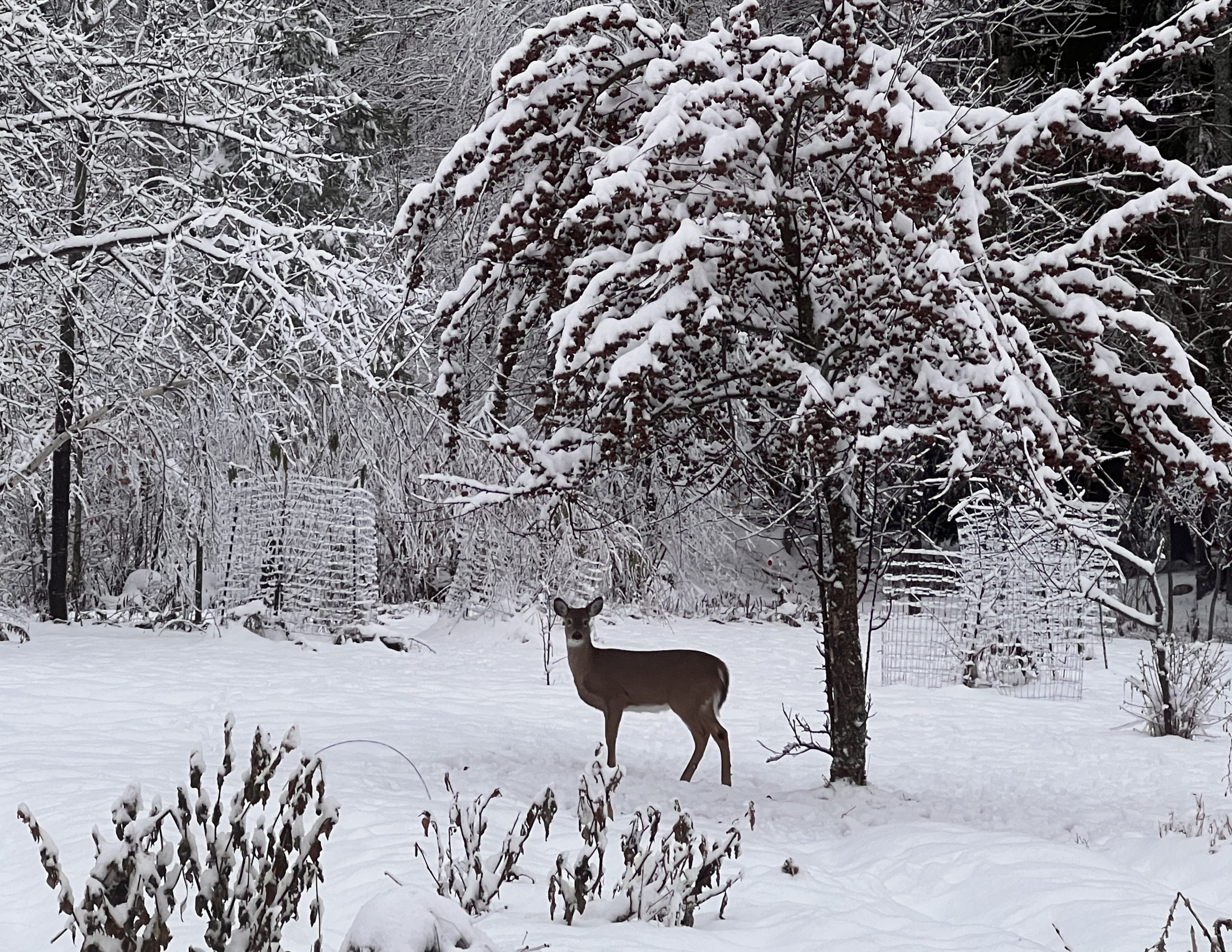
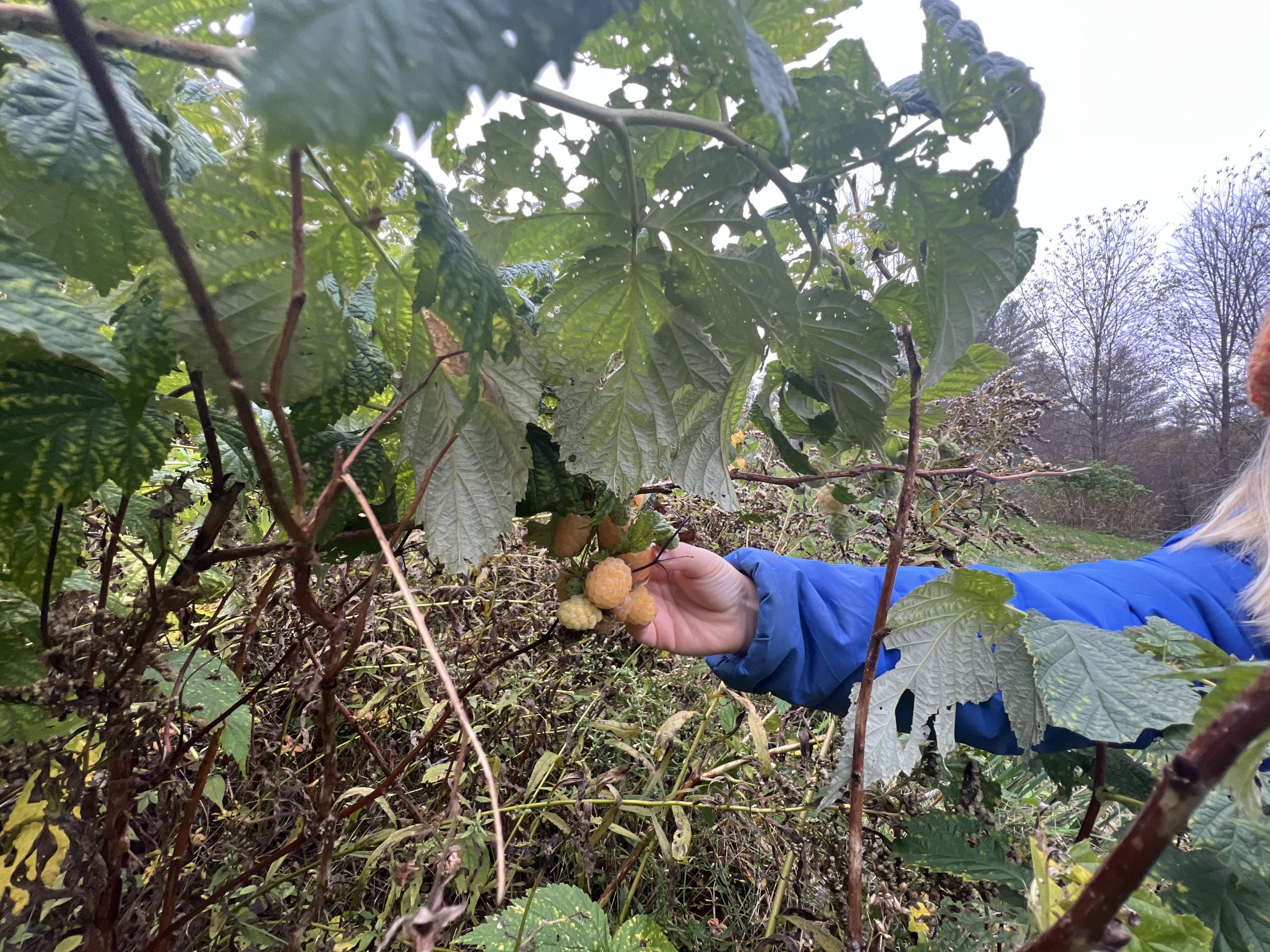
At some point every July we say goodbye to raspberries until next year. It’s a little sad because they hit first and they’re the best, but we’ve got other berries to keep us happy.
This year some of the plants decided to bear twice! We seem to recall some had this in their description, and I guess the season’s been long enough this year that they went for it. It’s a bit surreal to be brought back to the joys of early Summer at the very end of the season when everything is done and being put the bed for Winter. They taste just as good too.
I’ve played with Stable Diffusion a few months back, but the learning curve is steep, and easy access to DallE & MidJourney made it not worth it to press on. Until… I got excited about a super cool extension:
I just love the idea of having the same image have one analog meaning to a human and discrete meaning to a machine. And the same extension can be used for general masking other than just QR codes.
Without further ado, here’s the eye candy:
A benign QR code
General masking for an almost subliminal effect
There’s much to be refined in my incantation, but I really like how the mask isn’t just overlayed on top of a drawing in a subtle way, rather it’s the basis for growth of AI hallucinations.
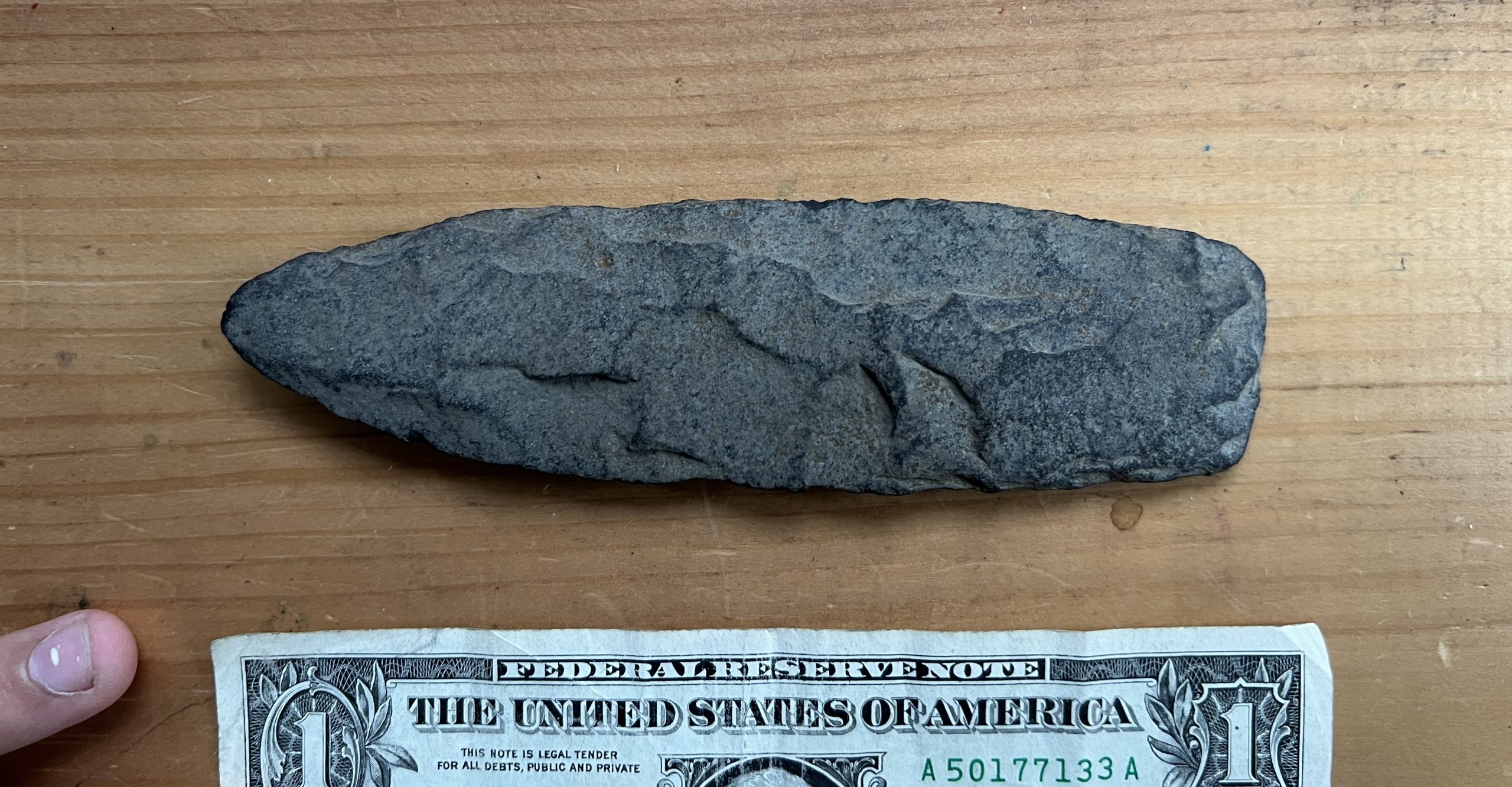
Robin found it in a local river bed. It’s still fairly sharp and surprisingly light and well balanced. I have no idea if it is a real Native American artifact or not. For the stories of the past we like to entertain considering its origin, I hope the person who crafted it paused a minute to think of the stories of the future and who would find it. I hope some of the stuff I leave behind make a little boy’s day some time.