I just did my yearly X,Y Coordinates stint with local 5th graders. It’s the 5th time I do it and this year is notable in that I didn’t write anything I wanted to fix for next year. Every time previous I came out thinking I needed to fix a bug, prevent a confusion, or improve something or other. This time it looks like the formula has been refined to its optimum.

Kids will definitely push the limits, and I love that relentless will to push, it’s identical in nature to IT security curiosity. 1 kid wrote some code and then copy/pasted it a bunch of time, no problem there’s an upper limit on instructions. Another tried to hog all the squares by having them draw just a single dot, no problem there’s a cool-off timer that prevents you from blasting through squares. I haven’t had to use it but I also have a censorship mechanism :), I can scribble over any square and the machines will prioritize it.
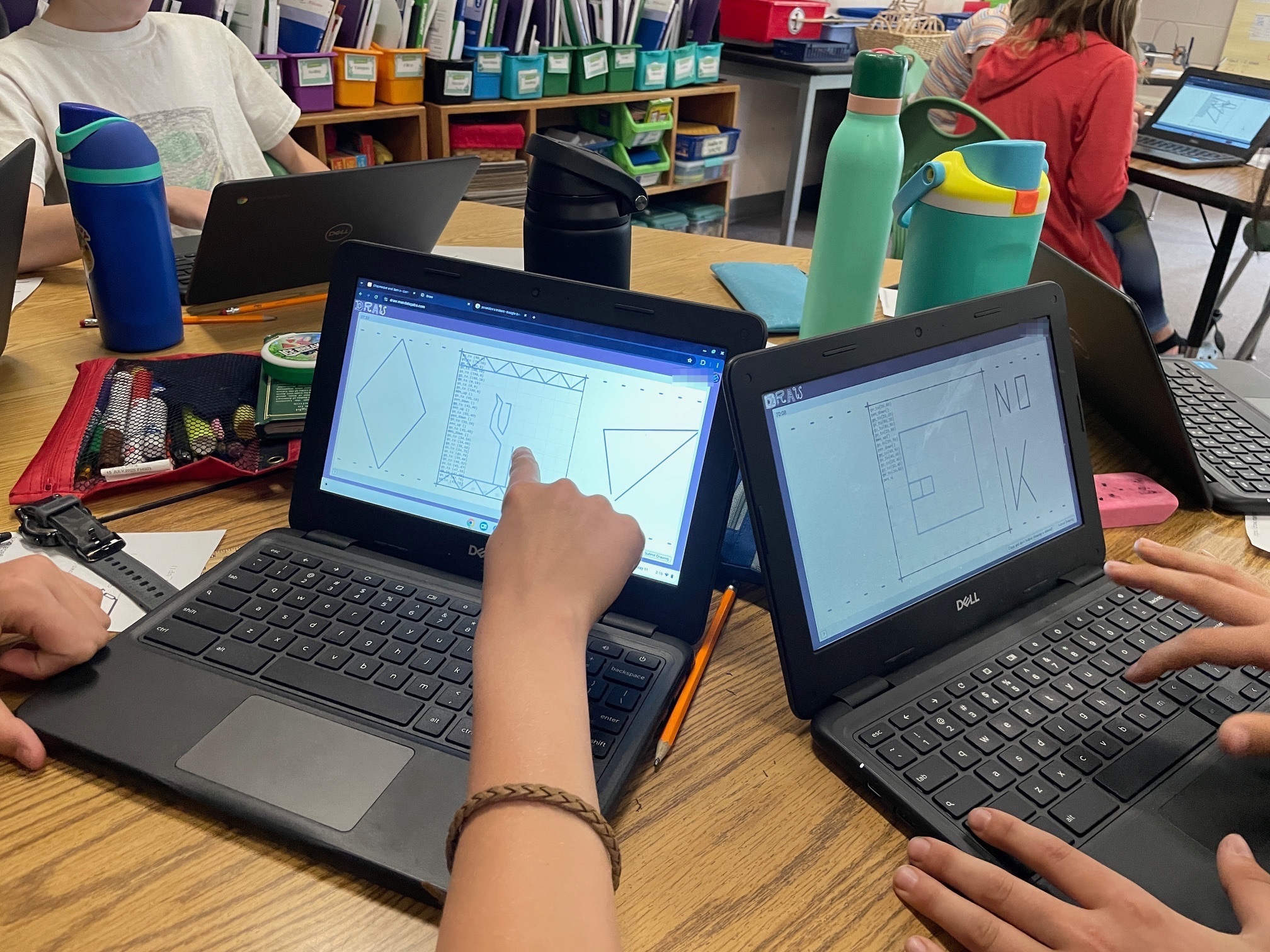
So this year went really well, I think I can say with confidence now that the magic operates every time, this isn’t just luck with a good batch of kids or other. Every time we launch into “coding”, there’s a moment of sheer teeth grinding where I think it’s going to be a disaster. And every time they are all extremely motivated by the idea of controlling the machines when they hit “submit”, and so they all pull through and help each other out. Once one of them has gotten the machines moving, there’s a real frenzy to figure things out, and then their next drawings get more and more sophisticated. 5th grade might have a few blasé pre-teens who are hard to motivate, and they will inevitably get sucked in. Now they might “whatever” out of the activity after a bit, but even they will want to have done it at least a couple of times :). I particularly like when kids realize they can coordinate action on neighboring squares to do something greater, I purposefully don’t suggest that to them. I’ve gotten good at fending off “learned-helplessness”, not that I was doing it for them before, I’m just quicker to disengage. “You want to control the laser kid? Well you better figure it out”.
The “coding” interface

One of the snag we always hit is kids not able to discern the difference between typing in a URL or doing a search with Google. And a giant middle finger please for all the corpos purposefully blurring lines so kids form the habit early of running anything they might want to do on a computer through Big Corp Inc.
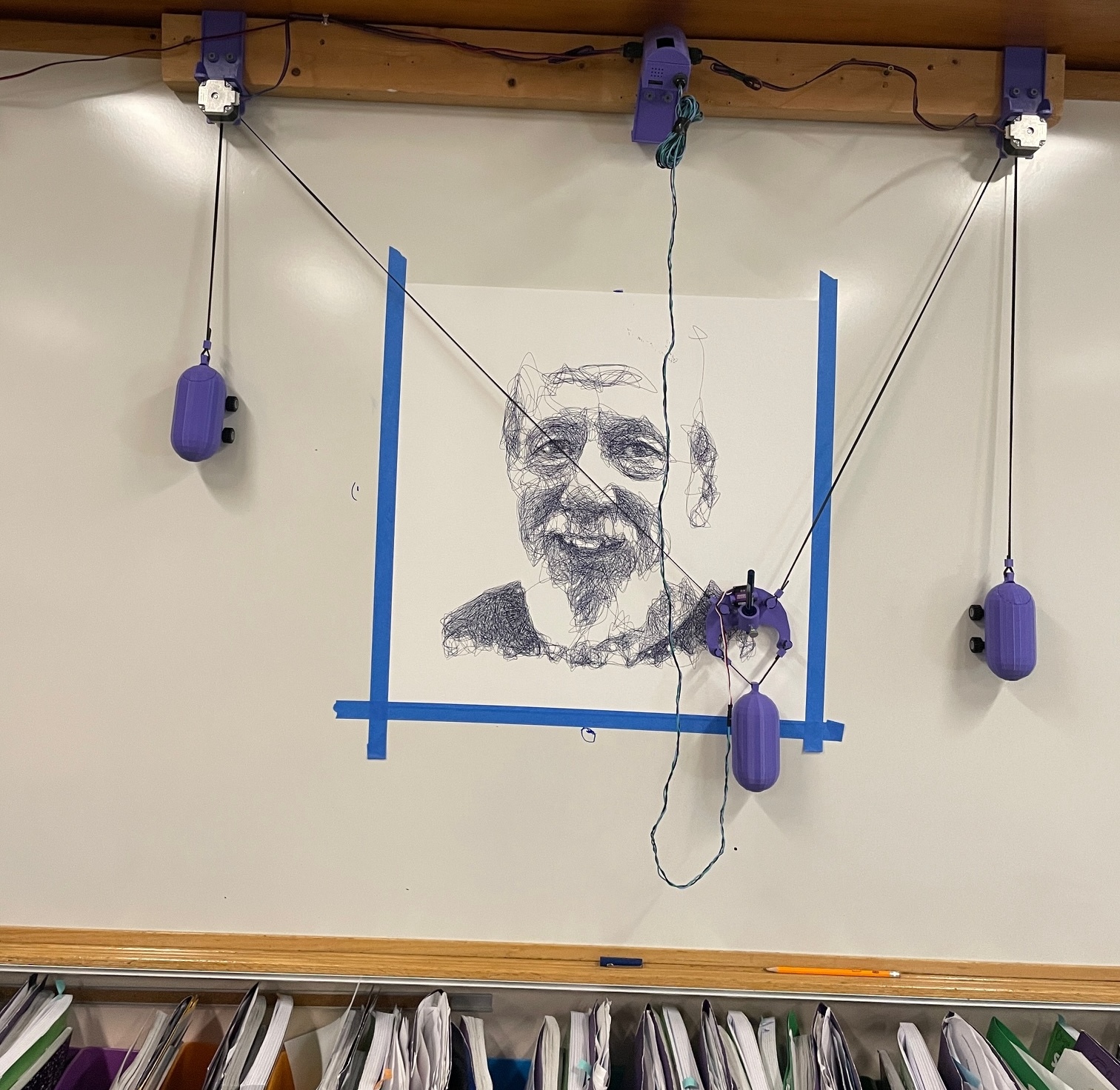
At the end of the day I send the wall plotter on an overnight portrait of a well liked central figure in the school. The next morning when I pick up the machine, the kids get one last wow effect. I’ll make a note of how many “go_to” statements went into the picture, usually several hundred thousands to get them thinking about scale and how curves can really be just a few tiny straight lines. They submit an average of 30 such statements for their cool drawings.
Leave a Comment