The Wordiest Word
With Markov chain based random word generation, I essentially have tables of the probabilities for letters sequences. With this I’ve always wanted to know what the most English word was. The word with the highest probability of each letter following its predecessors.
I finally bit the bullet and produced it; well them, because it varies depending on the corpus & depth used. All in all it’s not that impressive, just kind of cool to know. I don’t know what I was expecting, some amazing word that would rock my socks off.
Without further ado, here they are:
| Corpus | Depth | Wordiest Word |
| basic_english_words | 1 | st |
| basic_english_words | 2 | st |
| basic_english_words | 3 | struction |
| basic_english_words | 4 | statement |
| basic_english_words | 5 | store |
| unabridged_english_dictionary | 1 | prerererererererere… |
| unabridged_english_dictionary | 2 | press |
| unabridged_english_dictionary | 3 | press |
| unabridged_english_dictionary | 4 | preconcer |
| unabridged_english_dictionary | 5 | preconcertification |
PHP file upload to a Google storage bucket
Download
Google setup & use
1- Create a storage bucket for the script to upload into
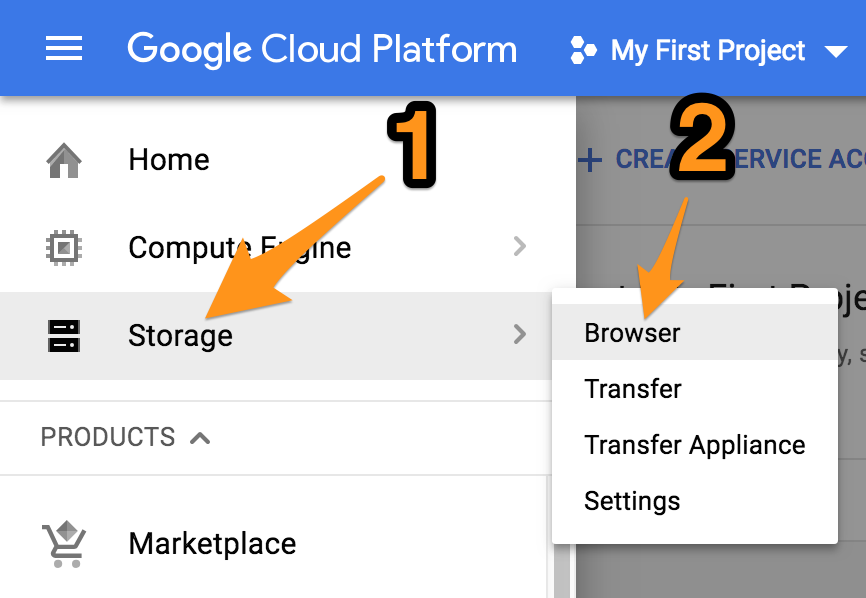
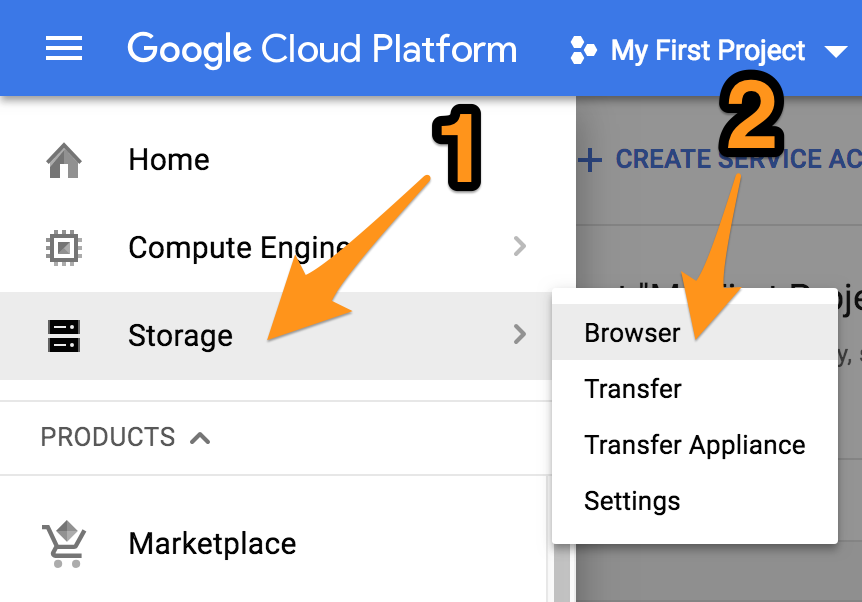
Go to the Google Cloud Console, click on “Storage”, “Browser”.
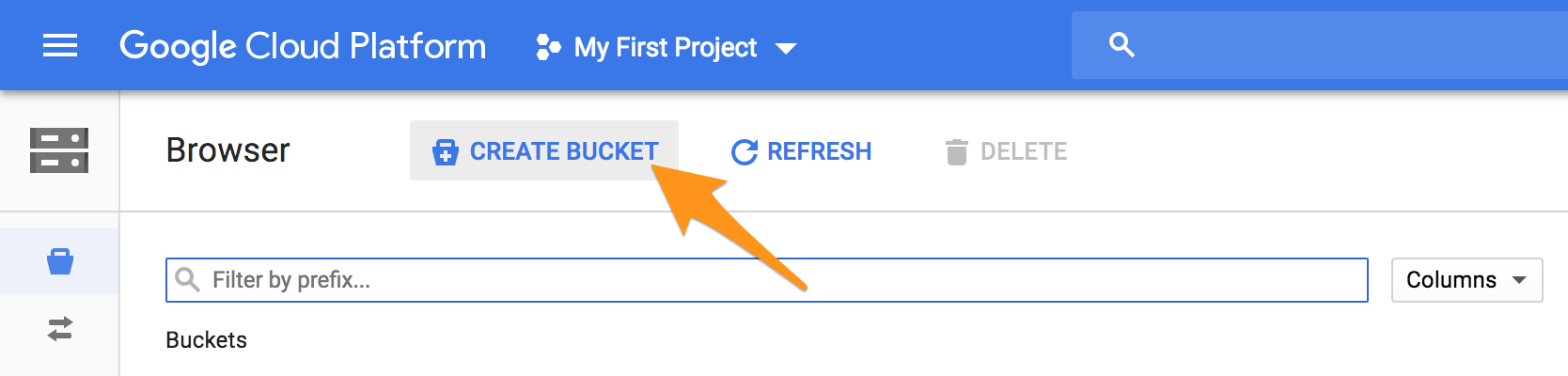
“Create Bucket”
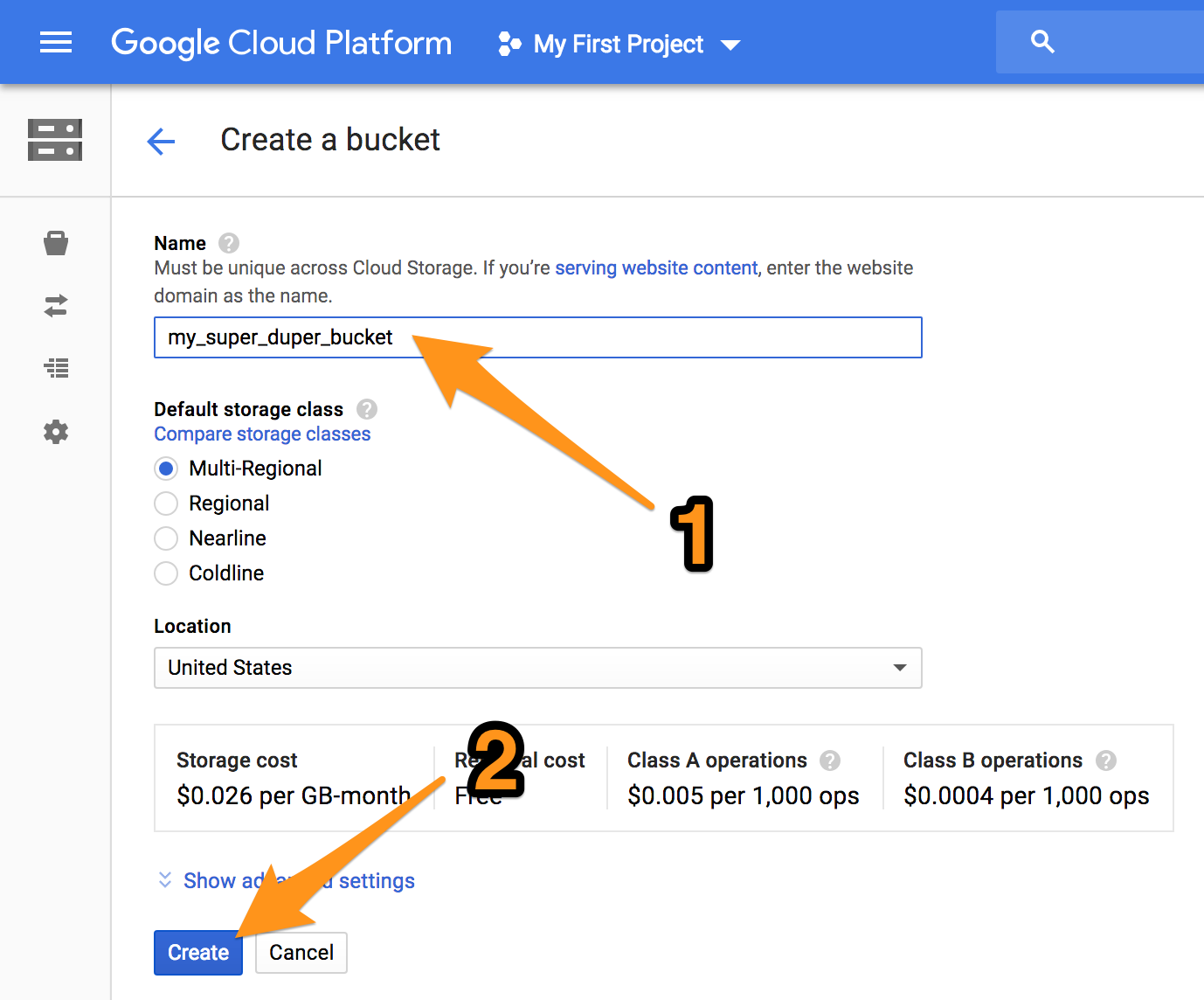
Give it a name and click “Create”.
2- Create a service account for the script
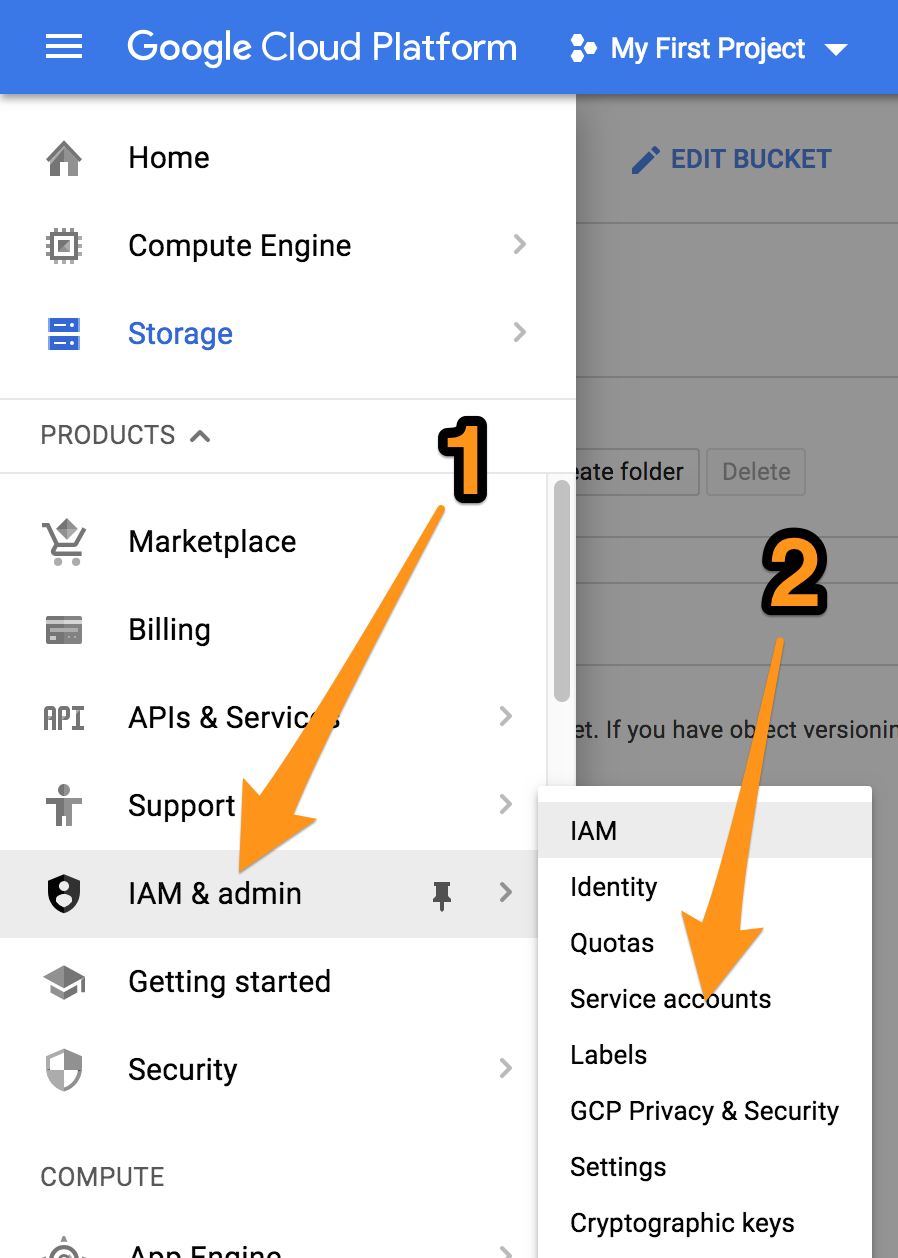
Expand the “IAM & admin” section, click on “Service accounts”.
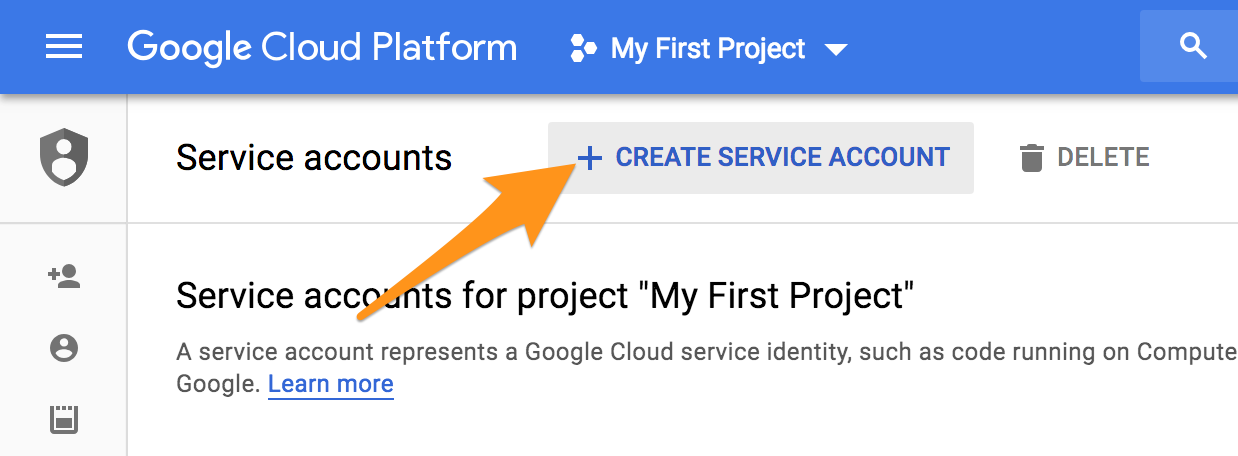
Click “Create Service Account”.
Give it a name, check “Furnish a new private key”, JSON, and click “Save”.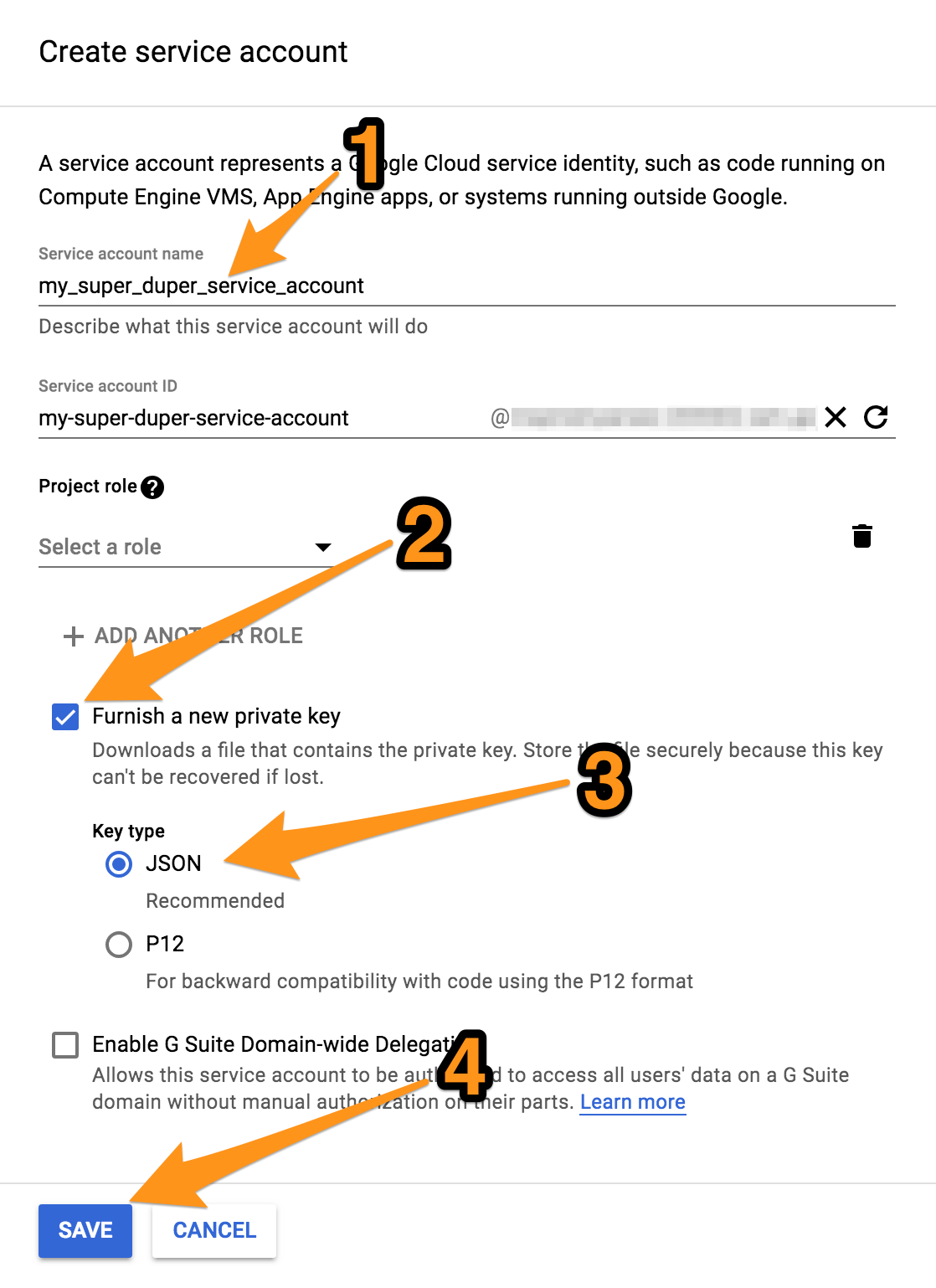
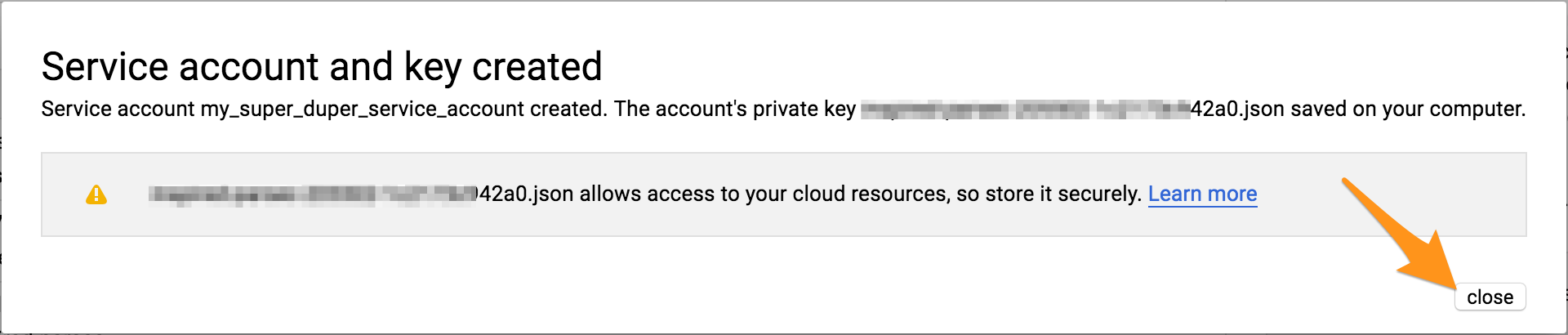
Save the JSON credentials file which you are prompted to download into a safe location.
3- Grant “Object Creator” permissions on the bucket to the service account
Go back to the storage bucket you created
Edit its permissions
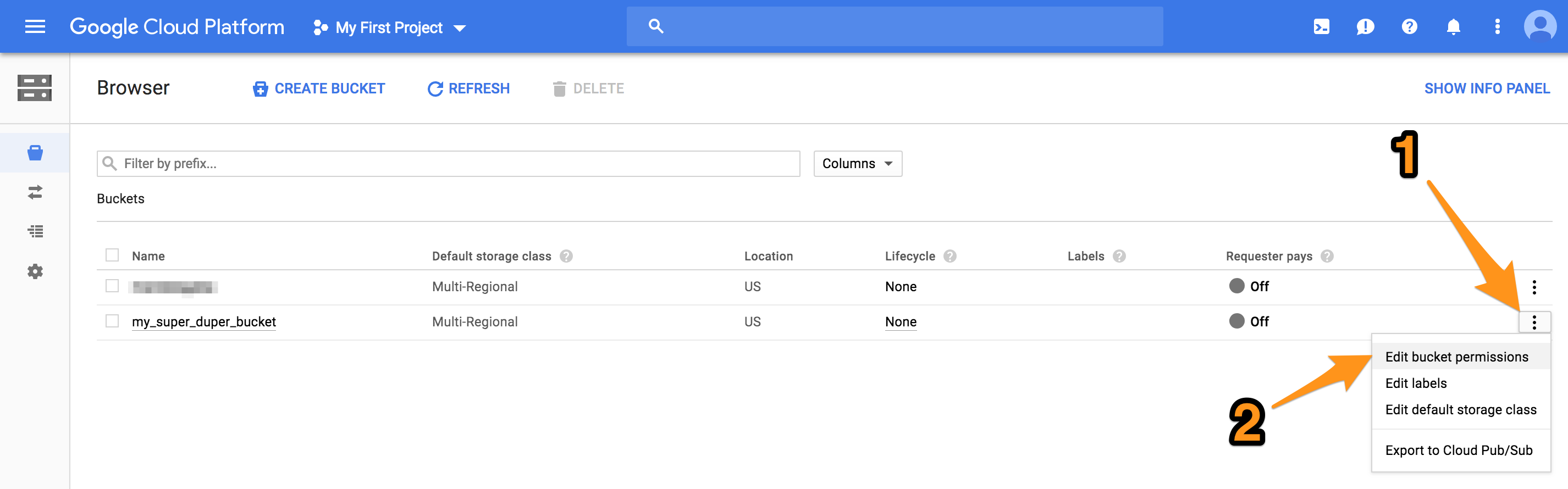
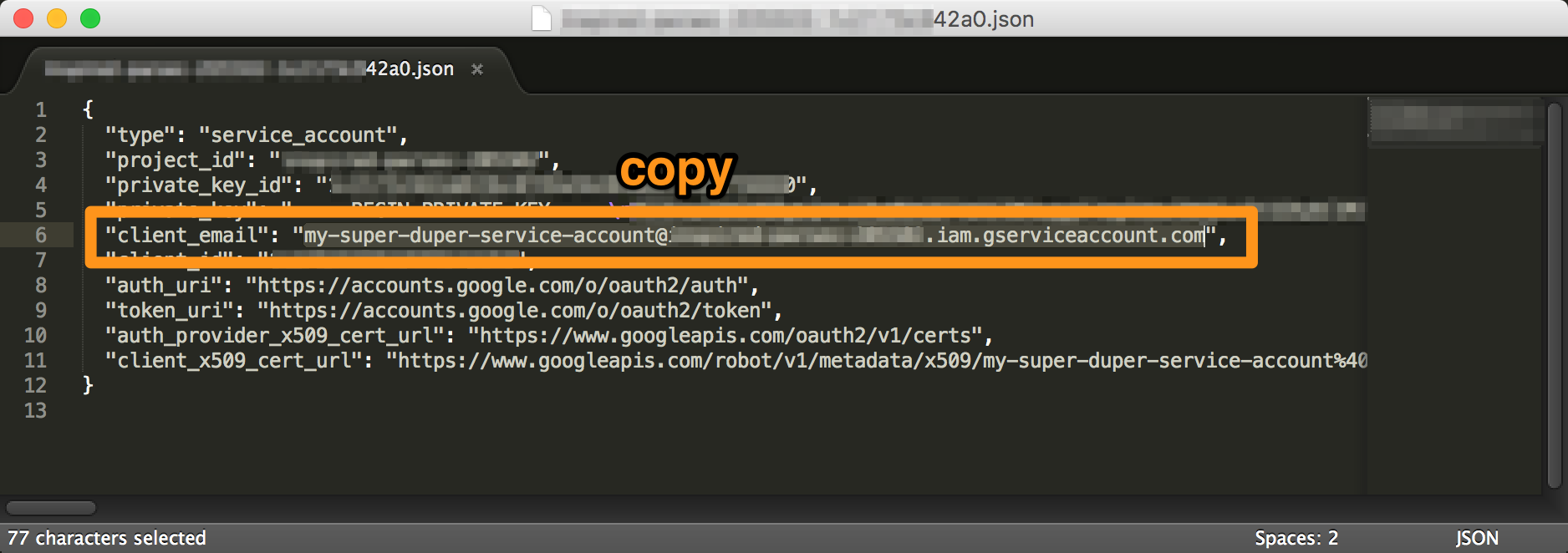
The JSON credentials file you just downloaded contains the email for the service account you created, copy it.
And paste it into the “Add members” field, select the permission to be “Storage Object Creator”. This service account doesn’t need permissions for anything else than dumping files in there. Not even viewing them.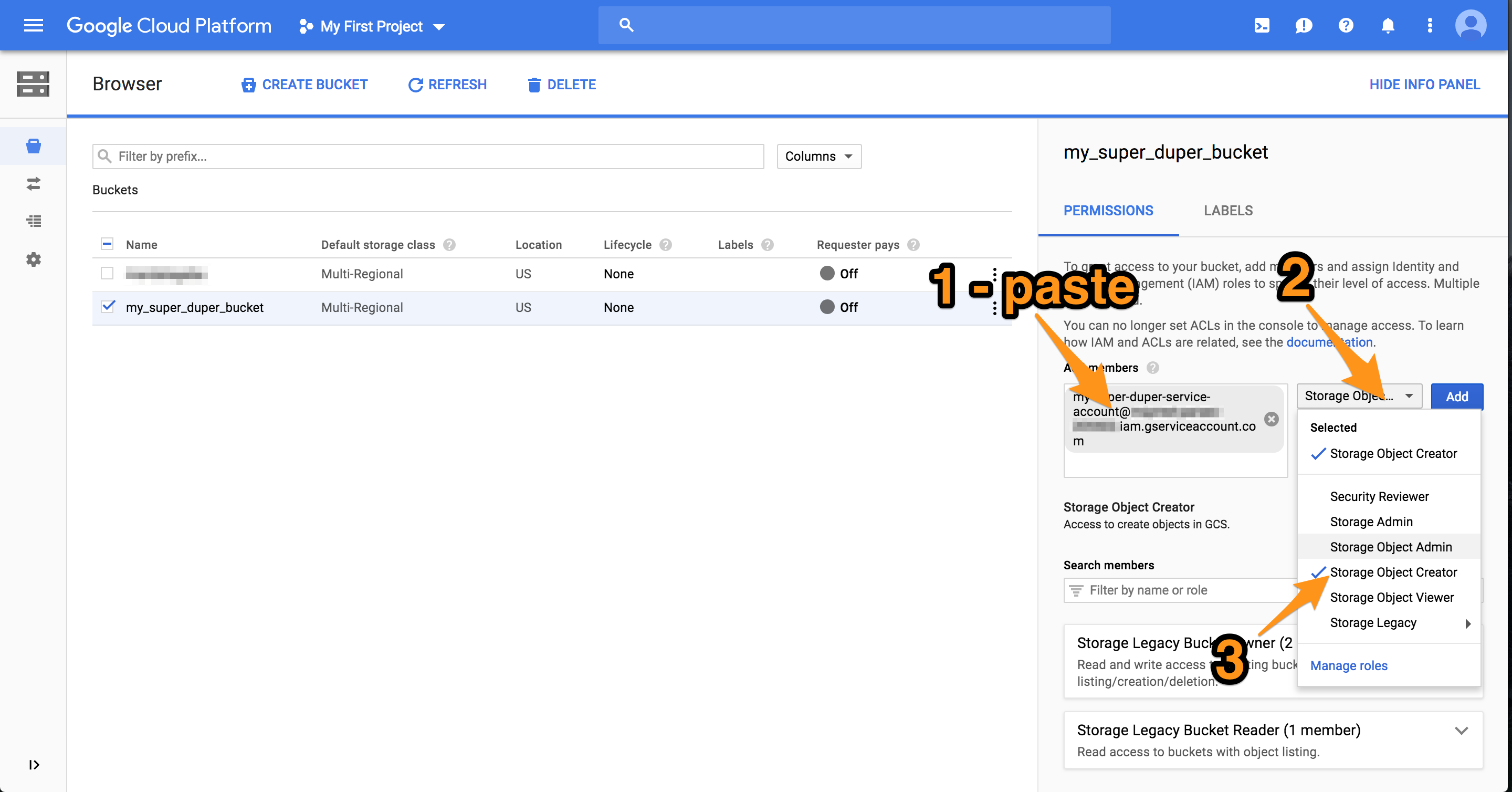
Optional: if you want the files uploaded by the script to be publicly viewable, add the permission “Storage Object Viewer” to the user “allUsers”. Accounts are all referred to by email in Google land, but there exist special keywords such as “allUsers”.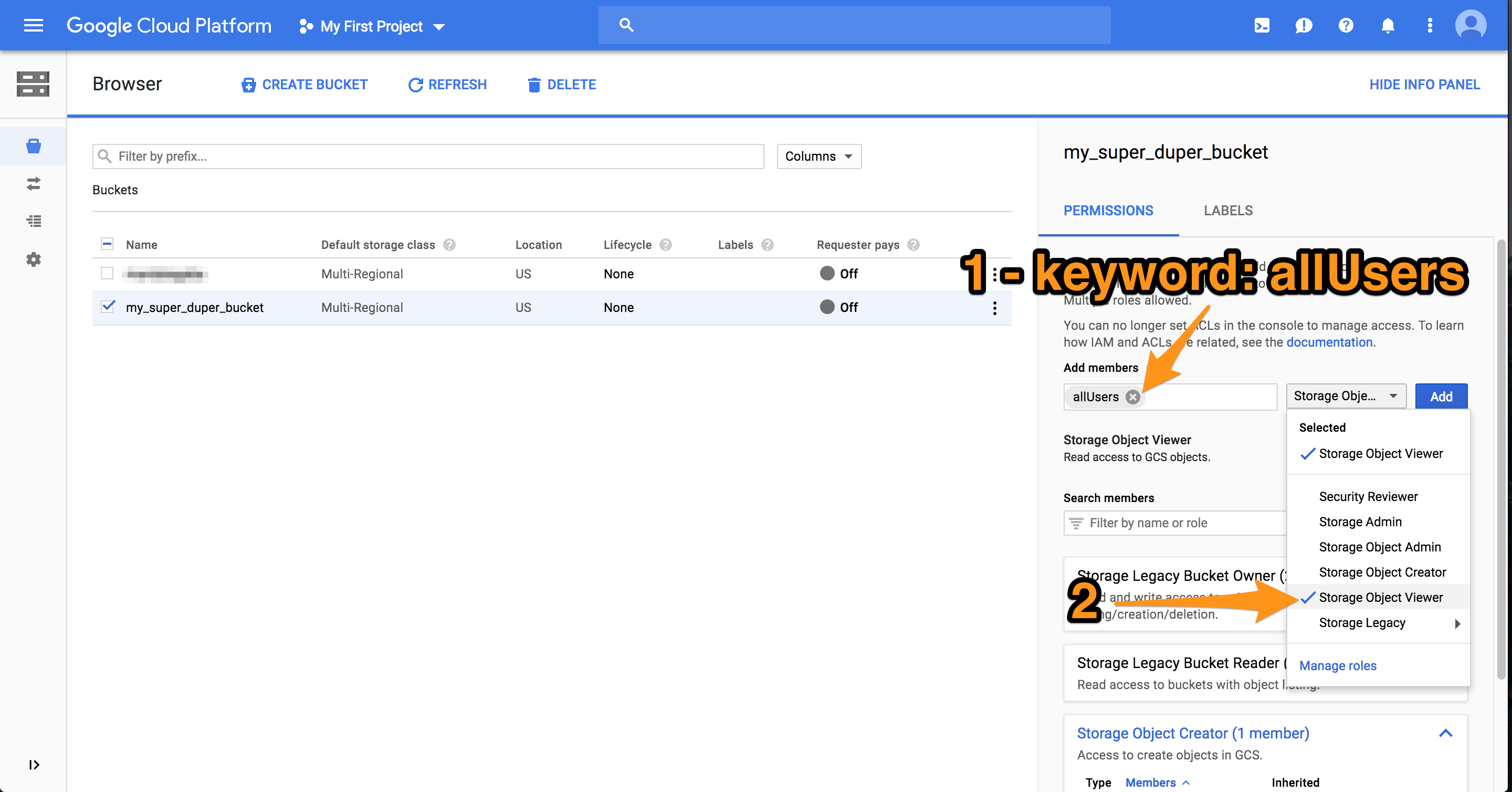
Done with the Google setup 🙂
4- Running the script
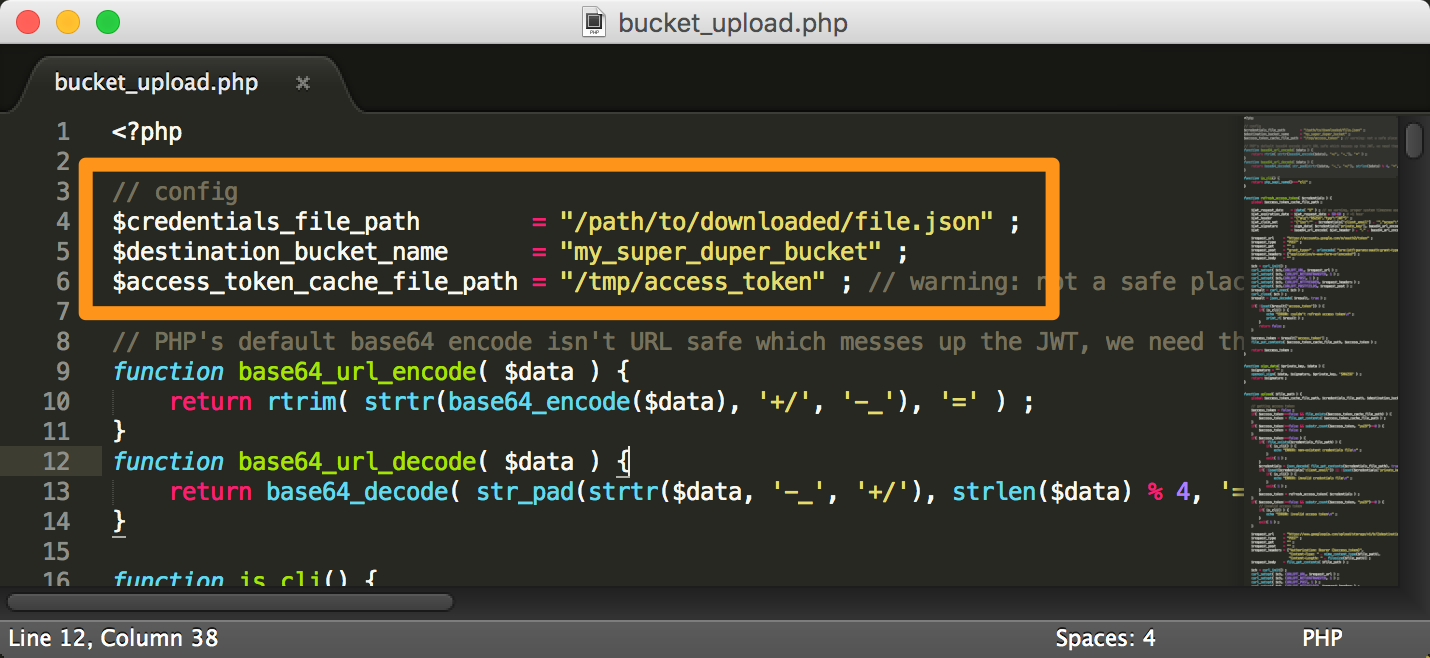
If you haven’t already, download the script at the top of this page. Decompress it and edit the config at the top.
$credentials_file_path is the full path to the JSON credentials file you got from Google when you created the service account. It should be a secure location.
$destination_bucket_name is the name of the bucket you created
$access_token_cache_file_path is a location where Google’s OAuth tokens are cached, it too should be a secure location.
Run the script with only 1 argument being the file you want to upload. The script can also be included and used outside of CLI, in that case simply call the upload( $filename ) function. 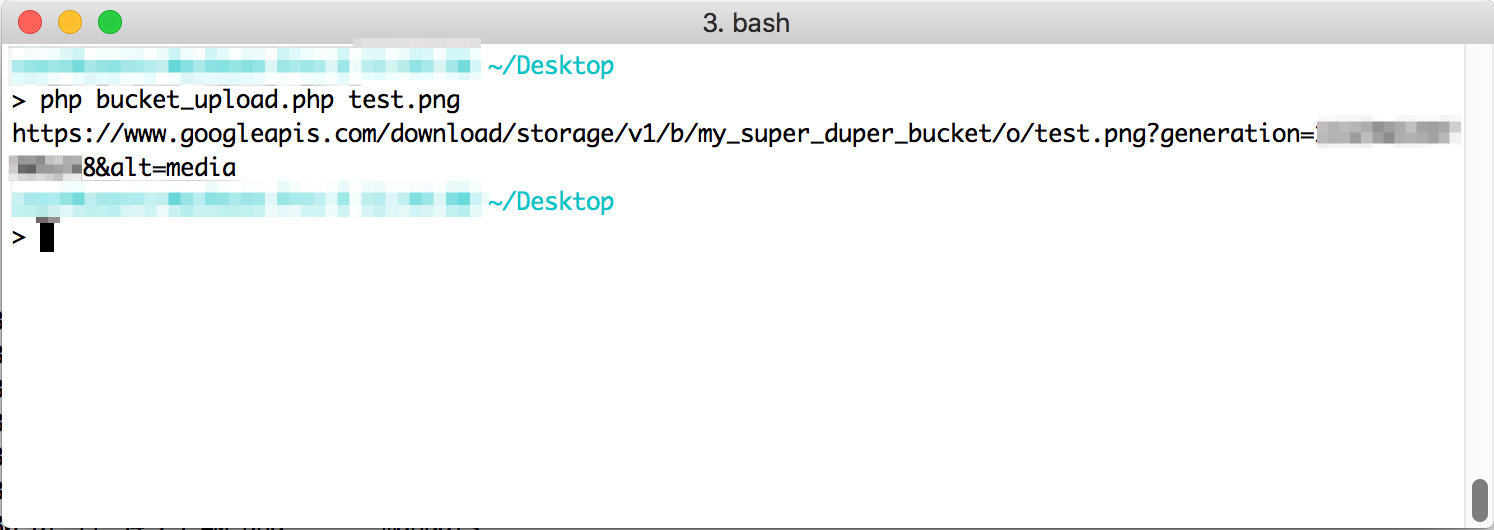
The script returns the URL to the file in the bucket.
Voilà: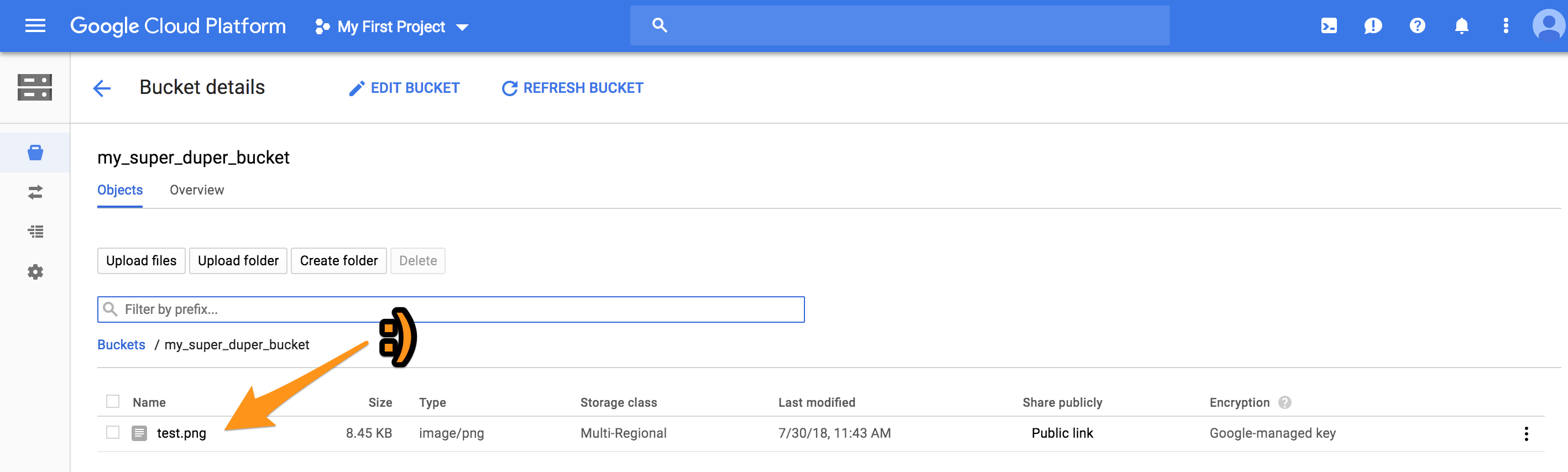
A small milestone
The millionth penstroke on Mandalagaba since the code rewrite last February

There’s more data I’d like to pull out of this. For example the average length of a stroke, average time, how many human lives where spent drawing mandalas, et cetera :).
An HTML5 canvas Flood Fill that doesn’t kill the browser
I took the longest time implementing the fill tool  on Mandalagaba. How hard could it be? Recurse through pixels looking for a color and update them to a new color.
While this method certainly works and is easy to implement, it is also extremely slow. Slow in a way that hangs the browser, yielding infamous messages from the browser.

Here we’ll take a look at various Javascript flood fill implementations along with their drawbacks. Jump to #4 if you are only interested in the best one.
2018-10-04 – edit – added fill algorithm #5 which proposes an alternate approach to filling pixel by pixel. Depending on your project it may or may not serve your needs better.
In all cases, the code is available in the example iframe, look for the function flood_fill.
1. Simple Recursive
Not much to explain here, we simply recursively call the function on adjacent pixels when they match the color we are trying to fill over.
Click to change color / pop-out link
It’s reasonably fast but the problem with this one is that any fill area slightly large yields too much recursion which breaks subsequent JS. This Canvas box is 200x200px and at 300x300px, Firefox complained about: It’s easy to see how this implementation will not satisfy a reasonably featured paint program. Even if your browser let you stack more function on the heap, I would bet it would lead to slowness.
2. Iterative
We simply take the previous idea of looking at adjacent pixels and filling them, and make it iterative instead so the function calls don’t get stacked to a ceiling.
Click to change color / pop-out link
The problem with this is is that is is sloooow. So slow it stalls browser. Most of time is spent having to keep track of pixels_stack. Recursion doesn’t have that need but as we’ve seen, it has other issues.
3. Recursive-Iterative (AKA catch-your-breath iterative)
This is a twist on #2 which every so often, recurses on itself via a setTimeout to let the browser catch it breath a little. It also yields a cool visual effect.
Click to change color / pop-out link
I really like the visual effect, and it makes the slowness tolerable. But the issue is that Mandalagaba has a network engine and allows for re-rendering of one’s work. So synchronization is a big deal, and you know what makes synchronization easy? Not having to worry about it.
So as long as I can help it, my life is a lot easier if the operations the users can perform are atomic. Operations need to be able to be processed one after the other counting on the fact that the ones that came before have completed.
The first 2 solutions are atomic but suck; this 3rd one, however cool it may be, isn’t.
4. The Holy Grail
I’m not sure where this algorithm originated from, but I’ve gotten to know it on this web page which explains it very well (with GIFs!). It is iterative and goes about finding pixels to fill in a much smarter way.
Click to change color / pop-out link
That’s it, no drawback here 🙂 I’ve tested it on large canvasses and this is what is implemented on Mandalagaba. Now of course, in a real application there is a ton more complexity dealing with smoothing edges and blending alpha. I only wanted to expose boiled down versions of these algorithms so they are easier to wrap your mind around.
5. The Holier Grail?
While #4 is fastest algorithm for filling pixel by pixel, I found myself in the need to have a fill operation in for form of a path which is filled with the native HTML5 canvas capabilities. This algorithm is a bit different from all the other ones in that it doesn’t go through every pixel and fills it. What it does is pathfinding to draw the outline of the shape of be filled, and then simply calls the native canvas fill() function. It does come with certain drawbacks and so I wouldn’t recommend it unless you specifically need this sort of approach.
Click to change color / pop-out link
Feel free to ask questions in the comments.
Nosy Monster alive and well
The Nosy Monster has been sitting on my desk idle for a while now, I’ve always wanted to work on it a bit and make it more reactive to web input. Finally, I bit the bullet and it’s now a lot smoother to operate. Instead of clicking for pre-timed commands, the start of a key press actuates and the end stops. With a websocket communication layer and a socket python command server, the commands find their way from keyboard to motors super fast.
To account for wireless imperfections and AP hopping, I also wrote the logic such that there isn’t a “start” and a “stop” command. Instead there is only a “start” command which gets sent every 200ms and if it isn’t heard every 300ms, Nosy Monster stops. This ensures it won’t be locked in a state of actuation which could lead to perilous situations.
I intend on polishing the code & publish a tutorial that hopefully a 7 year old could handle.
The Nosy Monster was deployed at the Dartmouth Thayer School of Engineering’s open house. I didn’t know how robust it was going to be under sustained kid use.

It turned out to be a huge hit, I let the kids drive it around a bit and then I’d throw the Nosy Monster in another room where they would have to find their way around with no visibility other than the camera. It performed flawlessly through the evening.
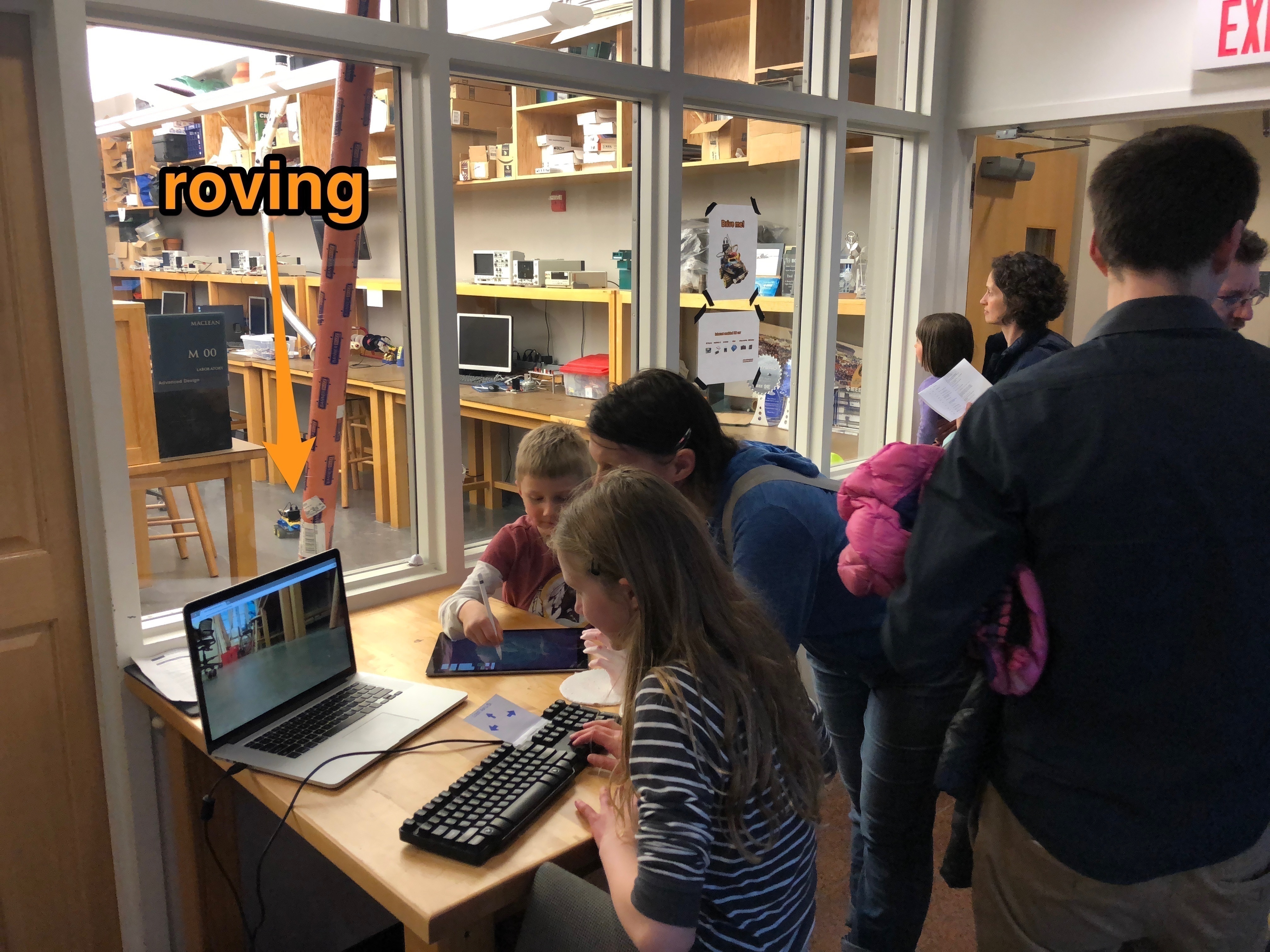
It’s always an enormous point of satisfaction to see kids get into something you made. Once I sent the RC car “to Mars” (the other room), the kids were really focused. All but one got stuck and never came home. I should have had a prize for the one, but what’s next, participation trophies?
With a much more usable and reliable toy, I decided to setup the same kind of maze in a house room under construction.

I moved the camera up on a stick for a better angle of vision, the next model will have a fisheye camera.

Without a reverse, it takes a few tries to get through the maze without getting stuck. He had to learn to be careful.
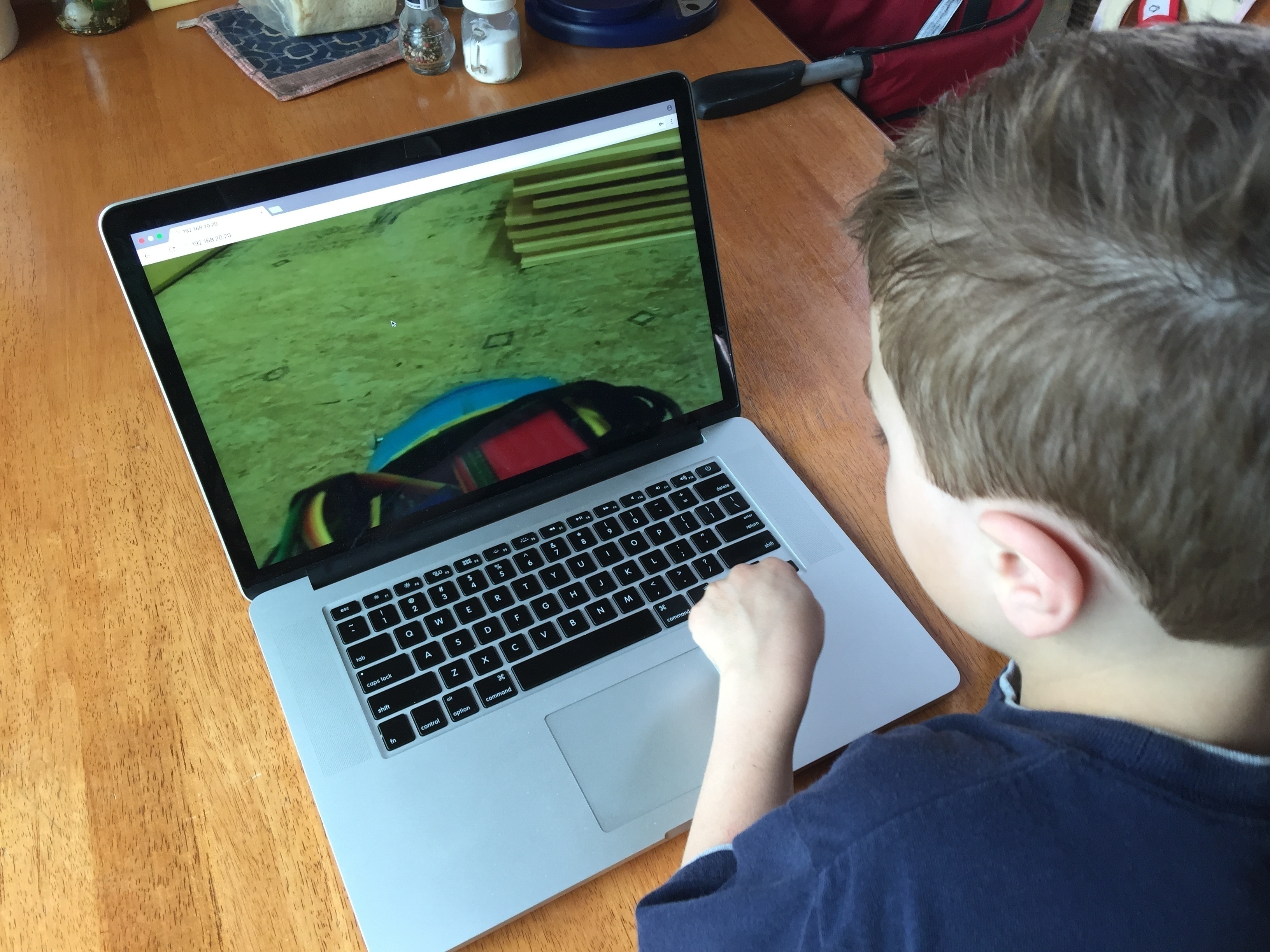
I’m bubbling up with ideas of cool things to do with the concept and acquired techniques. From a solar powered exterior land rover, to battle bots.
Turning your web traffic into a Super Computer
Full disclaimer:
The subject matter of this post is controversial as it discusses extracting computing resources from the visitors of a website. There are a lot of discussions at the moment centered around web-browser based crypto currency mining. Most paint a deplorable picture of the practice; please keep in mind that there are very desirable paths alongside which these practices can develop. I am not elaborating on these arguments here, I am only describing a method to harness the resources.
Premise
Web browsers are becoming quite powerful for code execution. Between Javascript’s increase in capability, WebAssembly, access to GPU & threading, a web browser today is almost as desirable for computing as the machine it’s running on. Ever since the rise of web-based crypto currency miners, I’ve been thinking of harnessing all that computing power as a single entity: a super computer made of your visitor’s web browsers.
Just like a regular computer cluster, the nodes all participate in a coordinated fashion to solving a single problem. Unlike a regular computer cluster, the nodes are very ephemeral (as website visitors come and go) and can’t talk to each other (no cross site requests).
Here’s a demo of what I came up with:
Right: the super computer control server
Left: one of the web clients contributing to the super computer simply by being connected to a website (& CPU metrics)
[mejsvideo mp4=”http://ben.akrin.com/videos/transient_node_javascript_supercomputer.mov.mp4″ ogg=”http://ben.akrin.com/videos/transient_node_javascript_supercomputer.mov.ogv” webm=”http://ben.akrin.com/videos/transient_node_javascript_supercomputer.mov.webm” poster=”http://ben.akrin.com/videos/transient_node_javascript_supercomputer.mov.jpg” width=”640″ height=”360″]
The problem being solved here is the hashing of 380,204,032 string permutations to find the reverse of a given hash. Problem parameters were chosen to make heavy processing quick for the clients.
Implementation & code samples
At the core of the idea is the websocket technology. It creates a persistent connection between a server and all of the nodes (the visitors of your website). This connection can be used to orchestrate actions between the nodes so that they can act as a concerted entity. From delivering the code to passing messages for coordination, websockets are what make everything possible.
Having a websocket connection to clients dramatically changes what you can do with web clients. They are fully addressable for the duration of their visit. They may show up on a website and be served some pre-established javascript; but with websockets, any javascript can materialize at any time.
Right: the super computer control server
Left: a web client being given an instruction on the fly
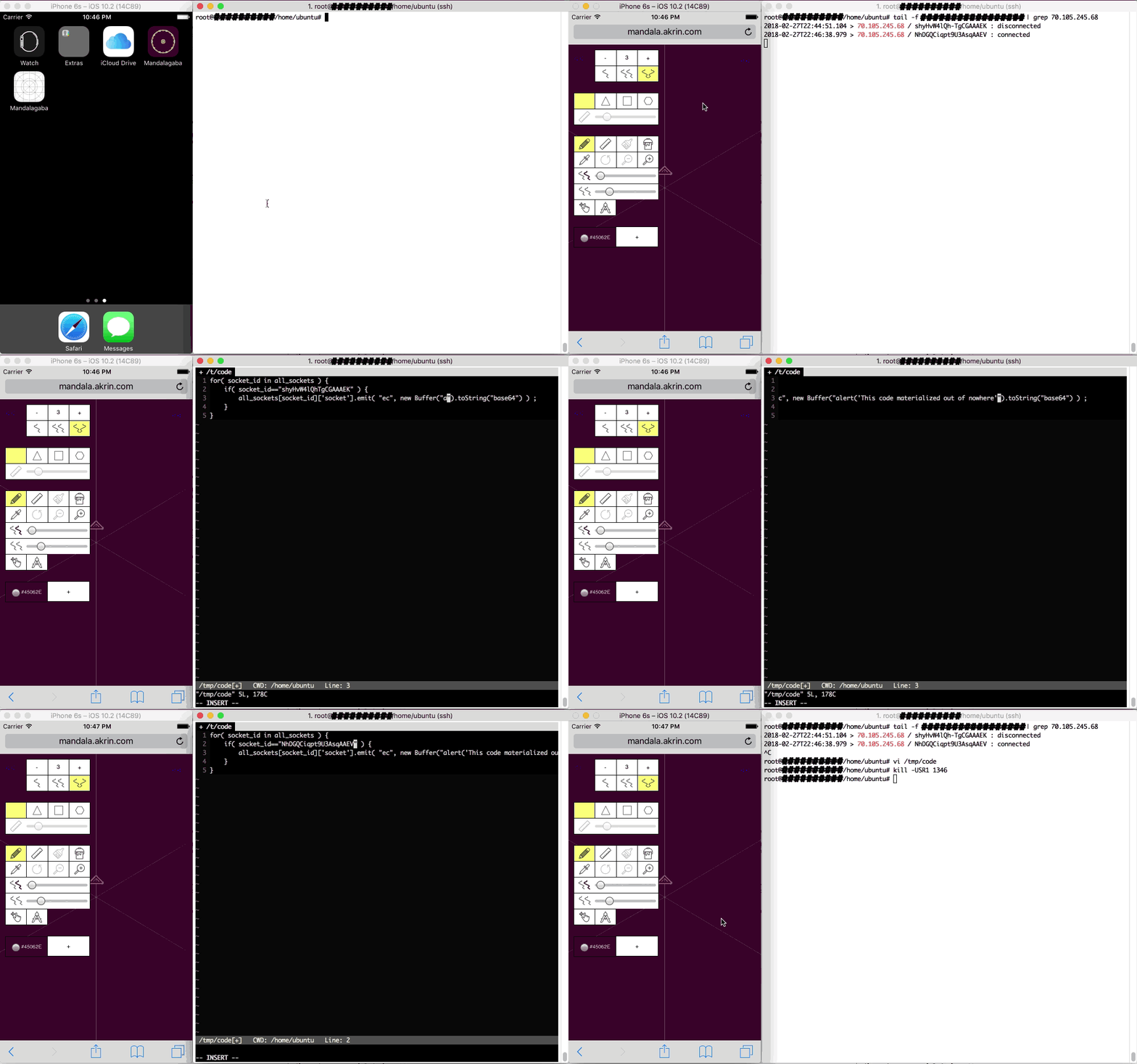
Slightly tangential but still worth considering, using a web view app, Javascript can pass execution to the app itself. This means code showing up on the websocket can escape the webview bubble and go into app land.
Right: the super computer control server
Left: a web app being given an instruction which percolates to the app layer
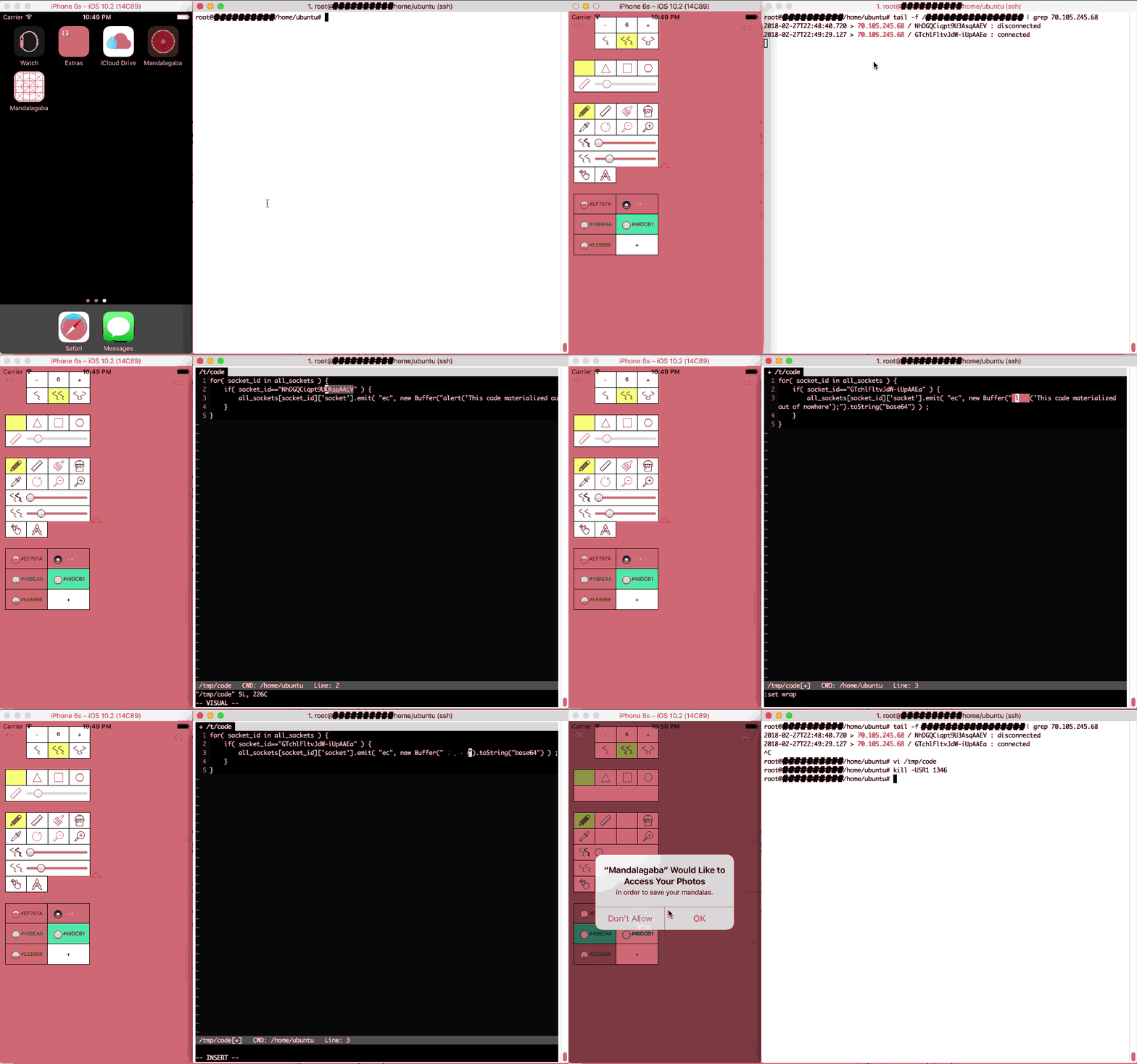
Now this is nothing new in a lot of ways; apps can be made to get instructions from C&Cs, and websites can get Javascript after the initial page load from dynamic sources. The websocket technique though is as dynamic as it gets (no Ajax pull), it is portable to many browsers and many devices, it is hard to catch looking at a web inspector; lastly, it executes with full access to the context it materialized in.
So we’ve established that websockets can be used to dynamically deliver code to be ran by the nodes. It can also be used for message passing and the overall orchestration of distributing the problem to be solved.
Crackzor.js
6 years ago I wrote a ditributed OpenMPI based password cracker: crackzor. Password cracking is a good distributed problem to solve because it’s a fairly simple problem: run through all the character permutations. The fact that it exhausts a known space also means benchmarking is easy. So to put the idea of a transient node javascript super computer in practice, I rewrote crackzor in JS instead of C, and for websockets instead of OpenMPI.
Every distributed problem is different and crackzor itself isn’t a magic way to distribute any problem to be solved. The magic of crackzor is its ability, given a space of character permutations, to divide it up in chunks which can be processed by the nodes. Given the problem, a start iteration and end iteration, a node can get to work without having to be provided the permutations themselves, thus removing the bandwidth bottleneck.
The first challenge: maximizing usage of the node’s CPU.
Javascript runs single threaded by default, so when the websocket sends code to be ran by a client, by default, the code running as fast as it can will only be able to fill one core of the CPU. A large majority of machines today have many more cores available. So we have to figure out how to use them or our super computer is going to loose a large portion of its processing power right off the bat.
Web workers to the rescue. With HTML5, it’s easy as pie to thread code. The one trick with the code we want to thread is that it can’t be gotten from a file as the web worker documentation suggests. That’s because our code doesn’t come from a static javascript file remember? It shows up out the the blue on the websocket, so it came from the network and is now in memory somewhere => not a file we can refer to.
The solution is to wrap it in a blob as such
[code language=”js”]var worker_code = ‘alert( "this code is threaded on the nodes" );’
window.URL = window.URL || window.webkitURL;
var blob;
try {
blob = new Blob([worker_code], {type: ‘application/javascript’});
} catch (e) {
window.BlobBuilder = window.BlobBuilder || window.WebKitBlobBuilder || window.MozBlobBuilder;
blob = new BlobBuilder();
blob.append(worker_code);
blob = blob.getBlob();
}
workers.push( new Worker(URL.createObjectURL(blob)) ) ;[/code]
Here you’ll notice we have our first layer of encapsulation. The code relevant to the problem we are solving is in the variable worker_code, the rest of the javascript only threads it.
Having distributed amongst a node’s cores, we now look at
the second challenge: distributing between the nodes
This work is obviously up to the websocket server along with subsequent coordination. Without going into too much details, the websocket server keeps track of all the nodes as they come and go, it also keeps track of which ones are working or not, allocates new chunks of the problem to nodes as they become available.
A trick of the websocket server is that it is running at all times to handle node connections. Super computer problems however may change from one day to the next. To address that, I give it a function which reads a file and evals its code; the function is summoned by a process signal. As such:
[code lang=”js”]function eval_code_from_file() {
if( !file_exists("/tmp/code") ) {
console.log( "error: file /tmp/code does not exist" ) ;
} else {
var code = read_file( "/tmp/code" ) ;
code = code.toString() ;
eval( code ) ;
}
}
process.on(‘SIGUSR1’, eval_code_from_file.bind() );[/code]
With this puppy in place, the next time I “kill -USR1 websocket_server_PID”, it will be imbued with new code that did not exist when it started. Does this sound familiar? Yup, javascript is super interesting in the ability it gives you to run arbitrary code at any time with full access to the established context.
Thus arrive the 2nd and 3rd layers of encapsulation, the code which will be distributed to the nodes is in a file which is to be evaled on the websocket server side and sent over the websocket to the clients.
The actual distribution to the nodes is simple, have them connect with a callback to eval code. Something like that:
Client:
[code lang=”js”]var websocket_client=io.connect("http://websocket_server.domain.com") ;
websocket_client.on( "eval_callback",function(data){data=atob(data),eval(data)}.bind() ) ;[/code]
Server:
[code land=”js”]client_socket.emit( "eval_callback", new Buffer("alert(‘this code will run on the client’);").toString("base64") ) ;[/code]
Recapping where we are
So…
- all the transient nodes (web browser of website visitors) attach to a websocket server
- the websocket server receives SIGUSR1 which signals it to execute new code it gets from a file
- this new code gives the websocket server a packaged problem to be solved by the nodes
- this new code also instructs how the websocket server will distribute and coordinate the nodes
- once the packaged problem to be solved shows up on a node, it is evaled and it contains threading to maximize CPU usage.
And there you have it,
all the pieces you need to make a super computer from your web traffic. I’m choosing not to publish the full code of my implementation for reasons of readability, security and complexity but I can go into more details if asked.
The same way that peer-to-peer protocols made any data available anywhere any time, could this do the same for computing power? Mind=blown, and your CPU along with it.
More tips
- When choosing a chunk size for clients to work on, it’s important to not pick too big a size. The nodes are very transient and a big chunk size means the chunk’s processing is more likely to be interrupted. Most web browsers also offer to kill poorly coded javascript running berserk and so a small chunk size taking a few seconds and letting the machine catch it’s breath briefly will make it less likely that a browser will notify a user that a script needs to be killed.

- When encapsulating out the wazoo, keep in mind that Internet Explorer (Edge or whatever it’s called today) doesn’t support backticks.
- Syntax highlighting will be confused by the strings in strings in strings of encapsulation, it helps to just turn it off.
- Javascript md5 implementation here: https://gist.github.com/josedaniel/951664
- I found it necessary to keep track of an average time to solving a chunk so that I may exclude the nodes which are taking too long and polluting the good performance of the supercomputer.

Tessellationgaba
Very intense 2 months coding marathon to bring into the world the new version of Mandalagaba.
I completely rewrote the symmetry engine to be universal. When I coded the first version, I only wanted to scratch a specific radial symmetry itch and had to expand on narrowly conceived code to accommodate for features that came up from the tool’s success. With this new version, I instead gave myself a broad framework built for expansion, I can translate any penstroke at any angle in any location. Beyond mandalas, it makes possible tessellations and even the 2 combined.

I used the opportunity to add many features which were lacking: zooming, forking, lines, color picker, et cetera. With many more to come. The interface was rethought to be more accessible. Doing so took much more time than building the core engine.
There is an obscene amount of math that goes behind every pen stroke you draw in the tool. It was kind of fun to go through it again in my life, 20 years later. Even though I had forgotten about it all, it came back nicely. It’s amazing to have the internet as a tool to look up methods, to be able to describe the problem in plain English and have potential solutions thrown at you. It used to be that you needed to know what you needed precisely to find it in a book.


I love that Robin copies what I do no matter the understanding level, we’ve had lots of talks about what is going on.
It’s not just the math but also algorithms, languages & infrastructure. Not to toot my own horn but in my 30s, I’ve never felt so intimate with every aspect of an idea’s implementation. It’s extremely enabling to know exactly where to go to achieve X. Honestly though I’m a little burnt out at the moment, something that was supposed to take 10 days took more than 2 months of coding every single night.
My hope is that the new tool becomes a reference online for this type of work. And it’s all 100% free; well… we’ll talk about that in the next post.
Lower tech fun found in a thrift shop
Been programming – Tessellation preview
Between the brutal cold and children, I haven’t had as many untainted brain cycles as I’ve been wishing for; still, I just finished the core engine for a universal way to apply translations to pen strokes. It allowed me to rewrite the mandala engine better, and expand it to allow for tessellations, and really any kind of translations on any center at any orientation. It’s been a ton of ground work so it’s nice to finally get some eye candy :).
I can’t wait to see what the internet does with it. Here’s a preview:
[mejsvideo mp4=”http://ben.akrin.com/videos/tessellation_preview.mov.mp4″ ogg=”http://ben.akrin.com/videos/tessellation_preview.mov.ogv” webm=”http://ben.akrin.com/videos/tessellation_preview.mov.webm” poster=”http://ben.akrin.com/videos/tessellation_preview.mov.jpg” width=”640″ height=”360″]
A Universal Caching Algorithm for PHP using Memcached
Here is an elegant way to use the same caching logic for all function calls which should have a cache. With the proliferation of 3rd party APIs I was quite happy to find a way to address them all with a single mechanism.
[php]function expensive_third_party_call( $param1, $param2 ) {
// universal caching algorithm header
$result = memcached_retrieve( __FUNCTION__ . serialize(func_get_args()) ) ;
if( $result!==null ) {
return $result ;
}
// this is where the third party call actually happens, if we are hit the cache missed
$to_return = /* some super complex and time consuming logic, throw in a couple of web calls*/ ;
// universal caching algorithm footer
memcached_store( __FUNCTION__ . serialize(func_get_args()), $to_return, CACHE_TIMEOUT ) ;
return $to_return ;
}
////////// helper functions bellow //////////
$m = false ;
function memcached_retrieve( $key ) {
global $m ;
$new_key = md5( $key ) ;
if( $m===false ) {
$m = new Memcached() ;
$m->addServer( ‘localhost’, 11211 ) ;
}
$temp = $m->get( $new_key ) ;
$result_code = $m->getResultCode() ;
if( $result_code==Memcached::RES_SUCCESS ) {
return $temp ;
} else if( $result_code==Memcached::RES_NOTFOUND ) {
return null ;
} else {
echo "error: can’t retrieve memcached key {$key} with result_code {$result_code}" ;
}
return null ;
}
function memcached_store( $key, $data, $timeout ) {
global $m ;
$new_key = md5( $key ) ;
if( $m===false ) {
$m = new Memcached() ;
$m->addServer( ‘localhost’, 11211 ) ;
}
// a little heavy handed but we use null to represent that nothing was found in the cache so we can’t have this be the data
if( $data===null ) {
$data = false ;
}
$m->set( $new_key, $data, $timeout ) ;
$result_code = $m->getResultCode() ;
if( $result_code!==Memcached::RES_SUCCESS ) {
echo "error: can’t store memcached key {$key} with result_code {$result_code}" ;
return false ;
} else {
return true ;
}
return false ;
}
[/php]
Requirements
- apt-get install memcached php-memcached
- make sure to define CACHE_TIMEOUT
Functioning principle
Using PHP’s awareness of the current function it is in along with the parameters which are passed to it, we derive a unique key which is used so store and retrieve from the cache.
House addition
We’re building again, this is what we’re going after this time. The plan isn’t 100% final yet
Feature feature feature draw feature feature
Since the success of the Mandala maker, I’ve been pumping out a ton of features, improvements and bug fixes. They are too numerous to list but a few stand out.
- Collaborative editing using websockets for drawing mandalas with multiple people on the same session.
- Drawing without mandalas, there are only so many Mandalas one can collaboratively draw and so I created http://draw.akrin.com which leverages all the Mandalagaba goodness for drawing and removes the mandala specific layer.
- Read only mode guided by artists who like to livestream their drawing, I created a read-only mode to the collaboration. This way, people can watch but not participate.
- An iOS app was born
- High resolution renders are possible for $2, the charge helps with server costs and makes it a bit fairer if one was going to make money using the tool.
- Not visible but noteworthy nonetheless, an intricate server strategy was put in place to alleviate future waves, load balancing had to be built from scratch because of the collaboration layer.
- many, many, many other little things 🙂
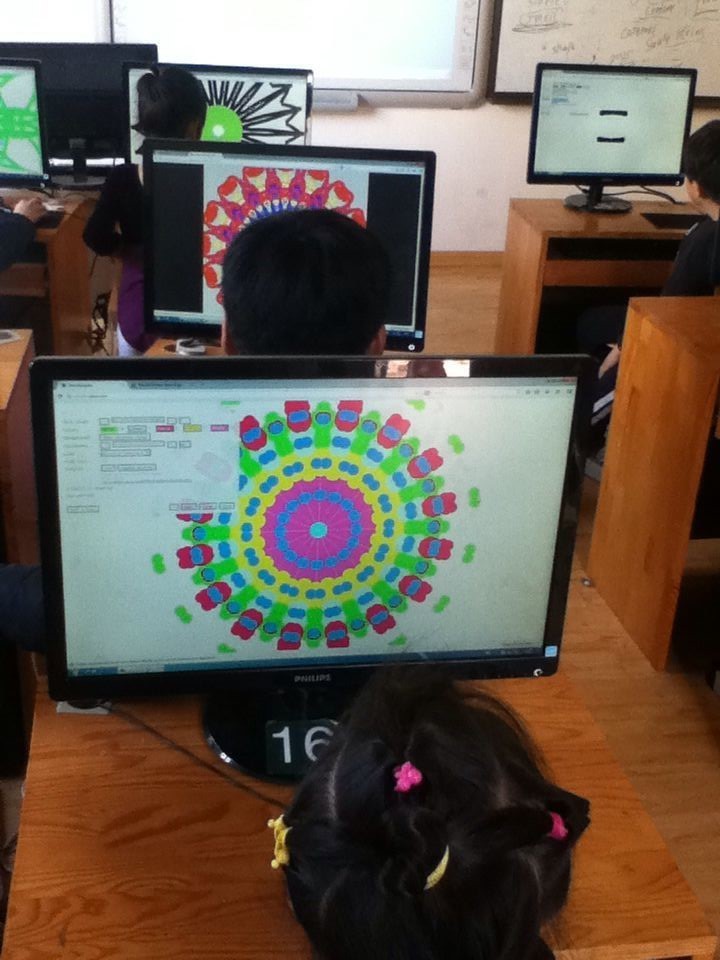
In terms of use, while the initial tsunami is dead, the project was picked up by artists and educators. I can’t post all all the pictures for privacy but I can’t tell you how awesome it feels to receive pictures like these:
Kids enjoying a Mandala making lab somewhere in China

Artist Peter Draws created more amazing work:

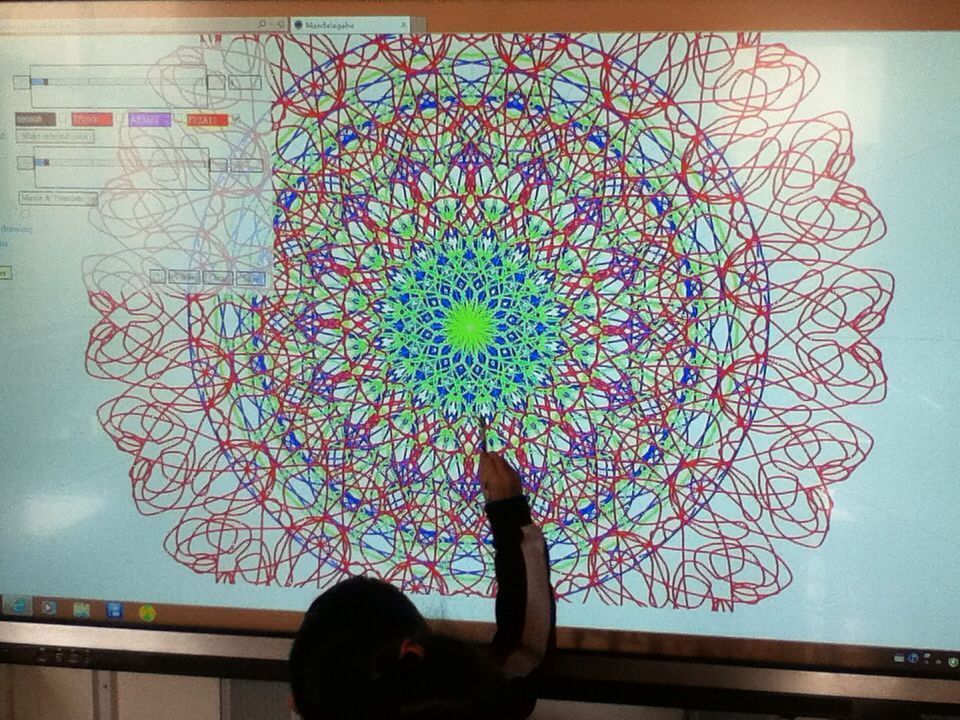
The mandala maker was deployed on big touch screens which turned it into a more social activity much like arcade games.

Here’s draw.akrin.com: Click to pop out.
HTML Canvas smooth drawing & websocket live collaboration
Intro
For a while I’ve been polishing a way to have not only a smooth drawing/writing algorithm for HTML Canvasses, but also have it be “streamed” over the network for live collaboration. While the work has been mostly integrated into projects such as Mandalagaba, here I present it in its most basic form so that it may be dissected.
Demo
Draw by dragging your mouse/finger/stylus bellow, fire up another browser to test network repeat. Canvas is used by others online (sorry for anything obsene the internet has left on it) and cleared every hour.
Quick start
- download & decompress html_canvas_smooth_writing.tar.gz
- if you don’t have it already, install NodeJS
- run the websocket server
[code]node websocket_server.js[/code]
- edit index.html and replace all occurences of “ben.akrin.com” by the host/ip which is running your websocket server. If you are testing on your computer, 127.0.0.1 will do. Alternatively, you can leave it set to “ben.akrin.com” and use my websocket server, in which case step 2 & 3 aren’t necessary, and you’ll have limited latitude as to how many changes you can implement. But it’s perfect for just trying & dissecting the code.
- navigate to index.html
(tested on Mac, Raspbian & Ubuntu)
Rendering Pen Strokes
The usual method
Drawing on an HTML Canvas is usually done by collecting coordinates at which “touch” is being detected and drawing straight lines in between. While this makes for a simple implementation with decent results it has multiple issues:
- straight lines do not represent well the curvatures of human drawing & writing
- the joins between lines of various orientations can add seams
- these problems are exacerbated on devices which sample touch slowly, resulting in less coordinates to represent a pen stroke
Here is a classic example of what this looks like:
 The quadratic curve method
To make drawing and writing smoother, we use quadratic curves to link our coordinates. Here’s a basic explanation of how it works:
you need 2 canvasses overlaid on top of each other (z-index is highly relevant here). The way it works is that the top canvas is the one that you draw on.
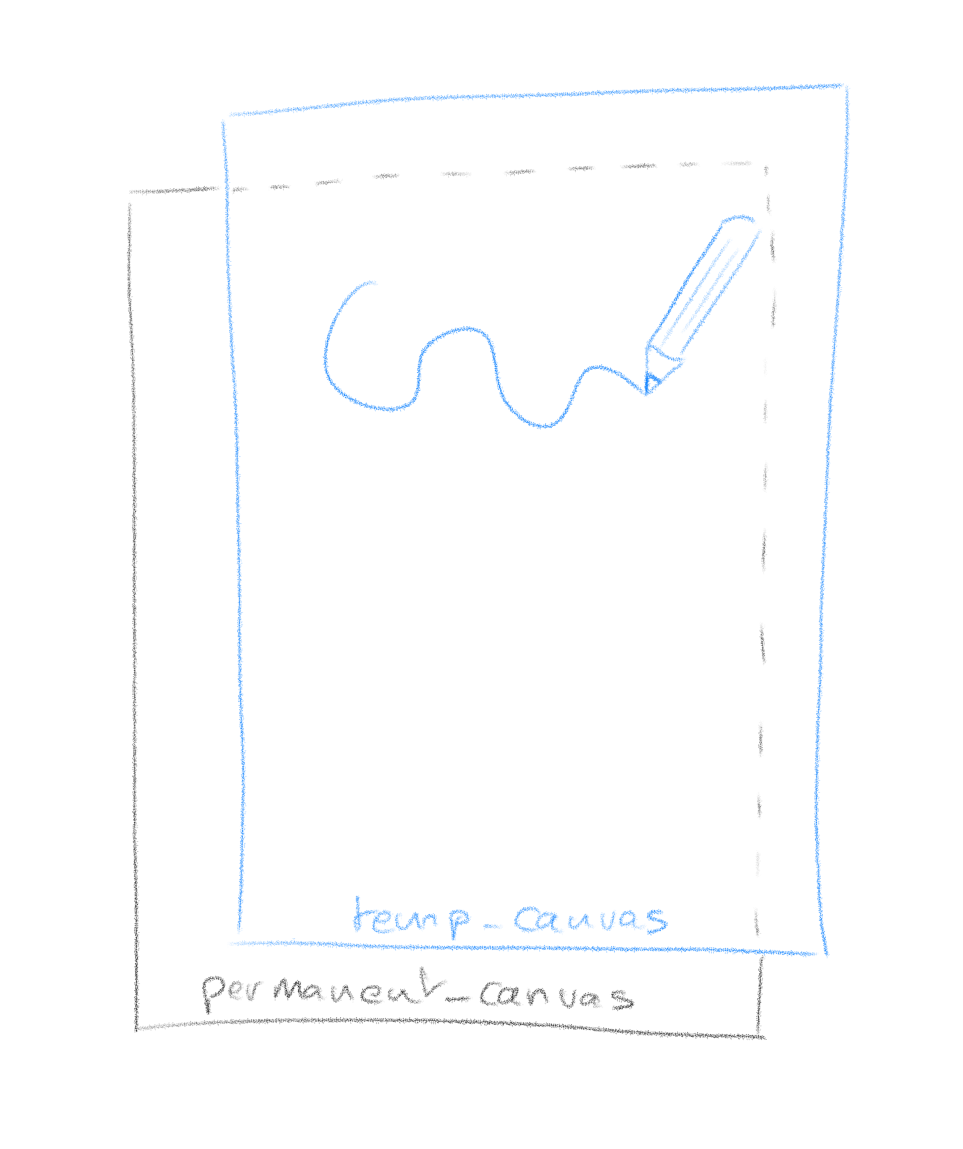
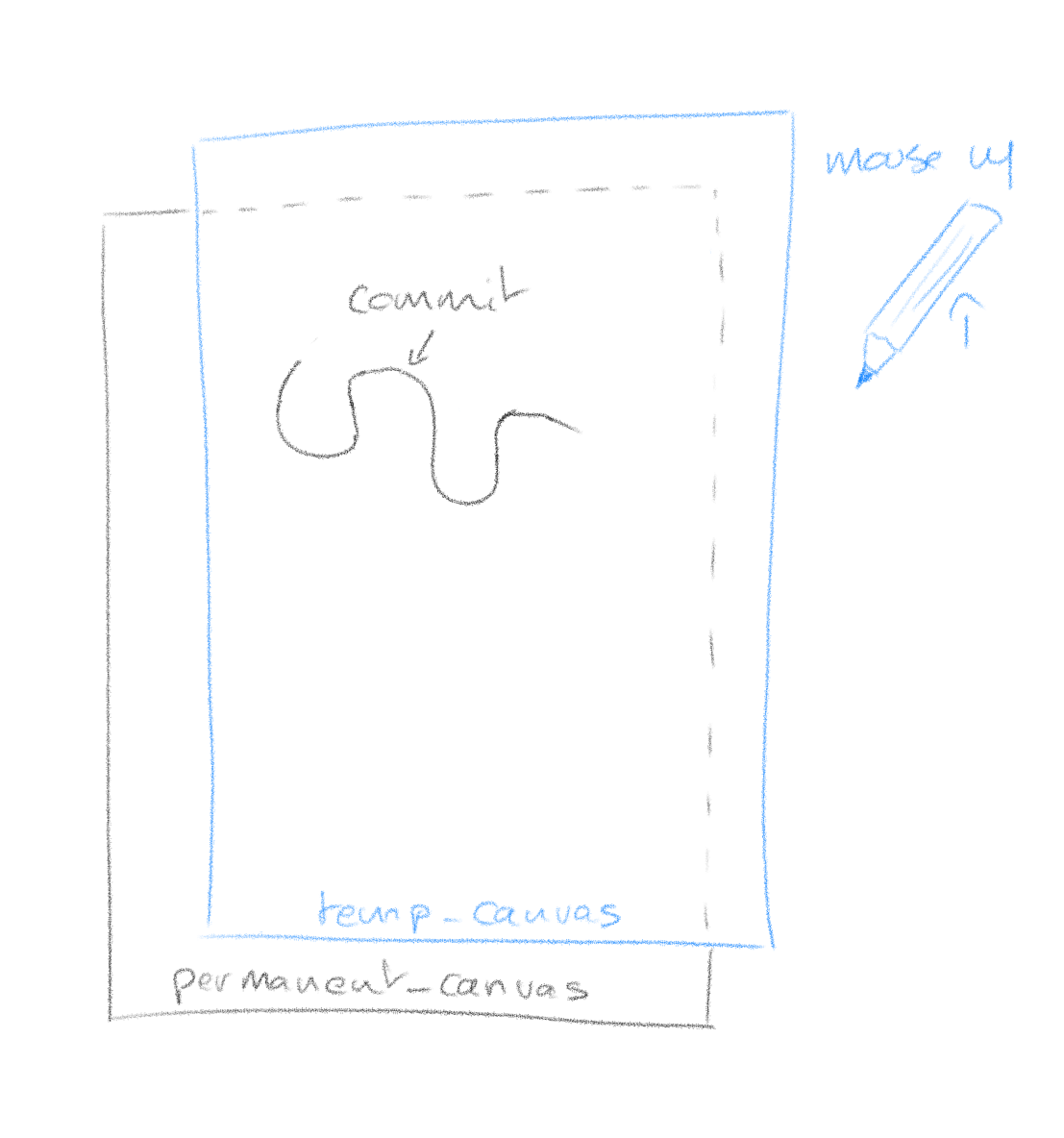
The reason for this is that a pen stroke is getting redrawn entirely every time new coordinates come in. This is because with quadratic curving, the final shape of a stroke is never fully known until all coordinates are. So every time coordinates come in (mouse move event), we clear the temp_canvas and redraw the whole stroke. The operation happens fast enough that it is invisible.
When you are finished with your stroke (mouse up event), the temp_canvas is cleared and the whole stroke is committed (redrawn) on the permanent canvas.
What it looks like with our quadratic curving algorithm:

Network Streaming
Here is how we add network streaming to the pen strokes. Emitting your pen stroke to other clients is easy, you simply blast your current coordinates to a websocket which will repeat it to other clients. When you receive coordinates from other clients though, you can’t use temp_canvas to render them as it might conflict with your current drawing. To this effect we add yet another canvas between permanent_canvas and temp_canvas which will render network events.
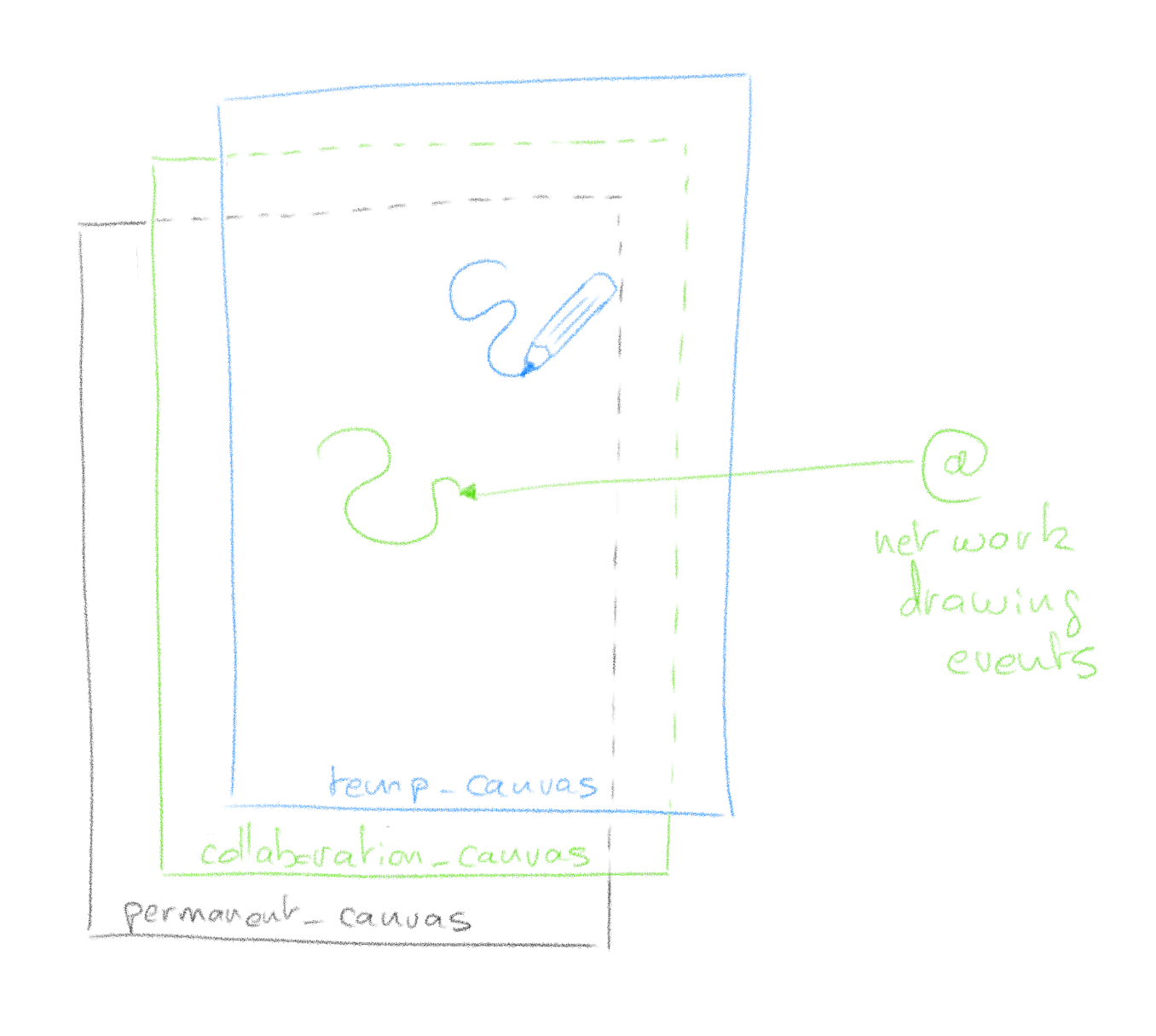

Much like temp_canvas, collaboration_canvas is meant for temporary rendering and when other clients finish their pen stroke (mouse up), the instruction to commit to the permanent canvas is sent through the websocket.
That’s it
It’s hard for me to document every step of the code; I don’t know your coding level, it’s asynchronous and has lots of bits & pieces which serve specific purposes. I hope however with the basic theory explained, and the code boiled down to its essentials, that you can dissect it easily. Feel free to use the comments section for questions.
Multiaxis symmetrical drawing – A Mandala maker that doesn’t suck
I’ve had a terrible time finding a good piece of software to draw mandalas with. To be honest, I don’t care what mandalas are but I’m obsessed with how cool it is to draw with replicated symmetry on multiple axis.
Without further ado, here it is (drag your mouse to draw):
So wow… just wow, this blew up. This little tool ended up making the front page of Reddit in one amazing thread in which many people shared their mandalas. It was an amazing day in many ways, first of all I’ve never seen so many positive comments in a single thread online. The amount of people who seem to have been positively touched by this program is humbling. Drawing mandalas is apparently great stress relief for many and I’ve received several personal notes on how much this program had done for them. I did not see that coming to say the least. Then the fact that this tools was picked up by real artists pushed it to build creations I didn’t even know it was capable of. Lastly, my solar powered raspberry Pi handled hundred of thousands of connections in a single day which turned out to be a technical challenge on top of the overwhelming response. When I set out to create this program, I did not have the slightest idea that it would hit such a sweet spot. I mainly wanted to scratch an itch and couldn’t find any good apps out there. It is a true privilege to have had the chance so see so many people use a tool I made, and have them report they were positively touched by it.
Here is a few of the most amazing mandalas that were posted on the Reddit thread, this is what it looks like when real artists take over your tool 🙂
At the junction of I.T. & homesteading – continued
Figuring out a good repeatable & maintainable way to deploy Pi Zeros.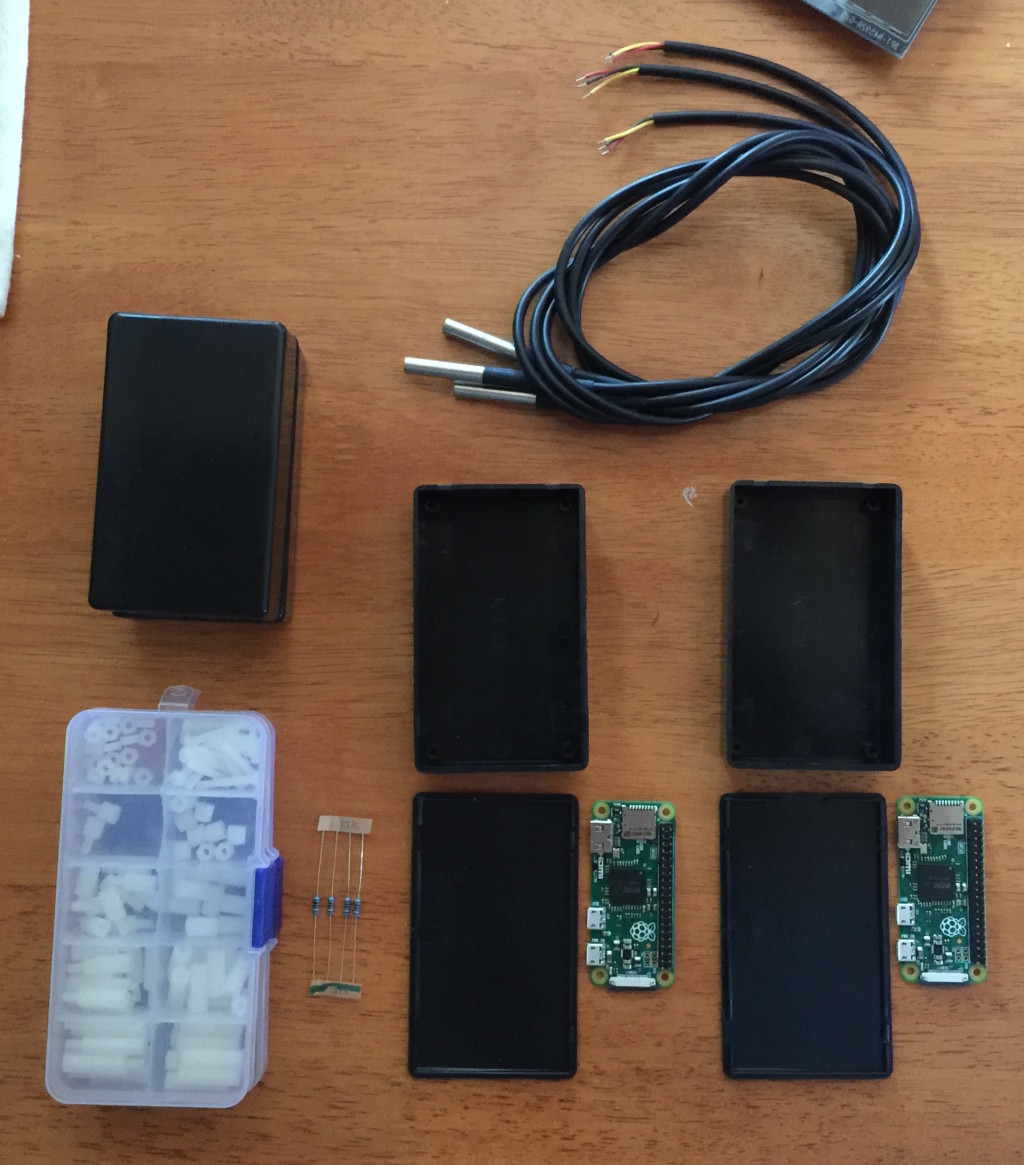
My favorite project screws in action.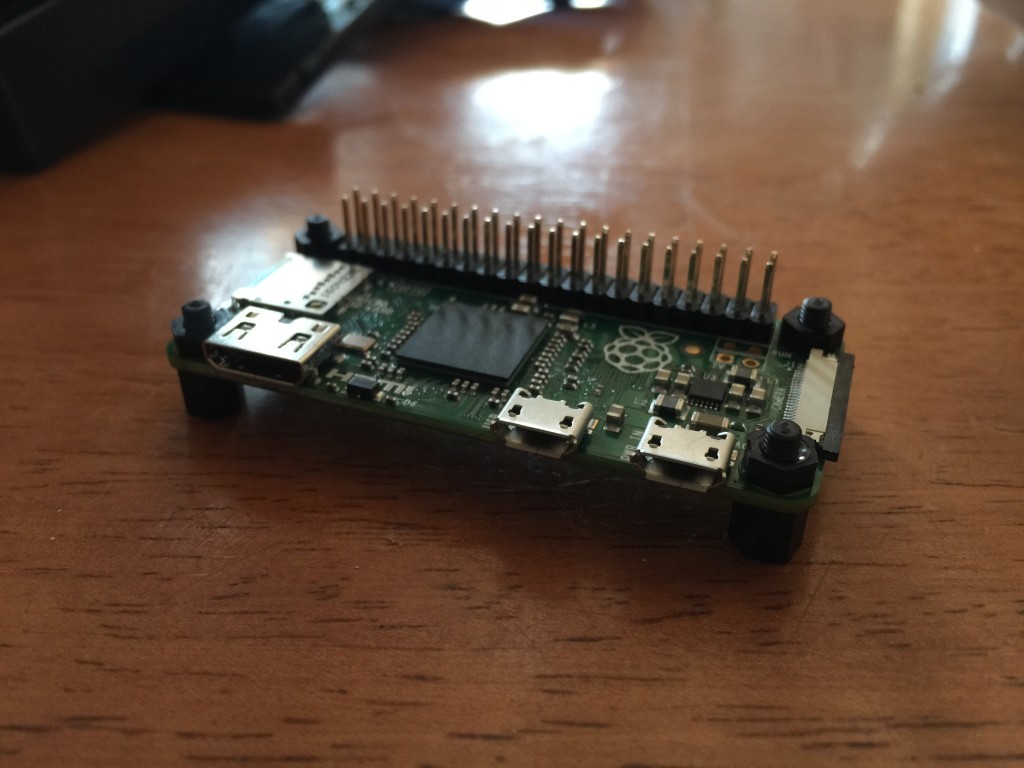
The boxes I picked a very tight and leave no room for any other hardware.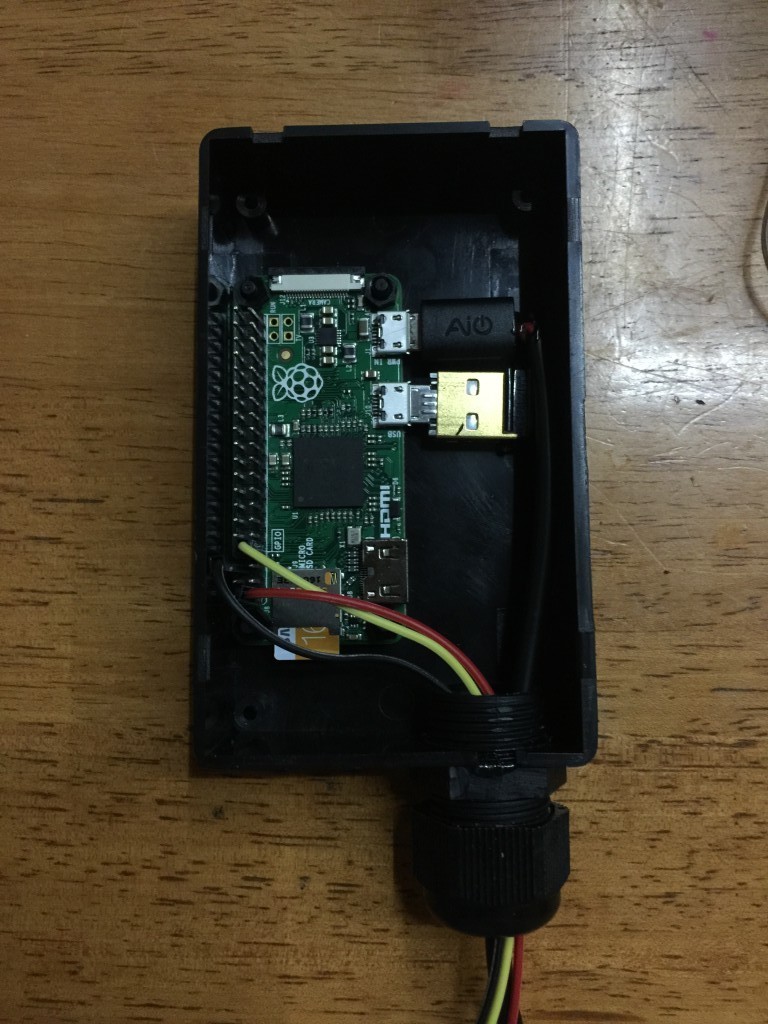
I made a hole for a cable gland which is very helpful for cable strain relief, removing friction on sharp edges and making a right cable entryway.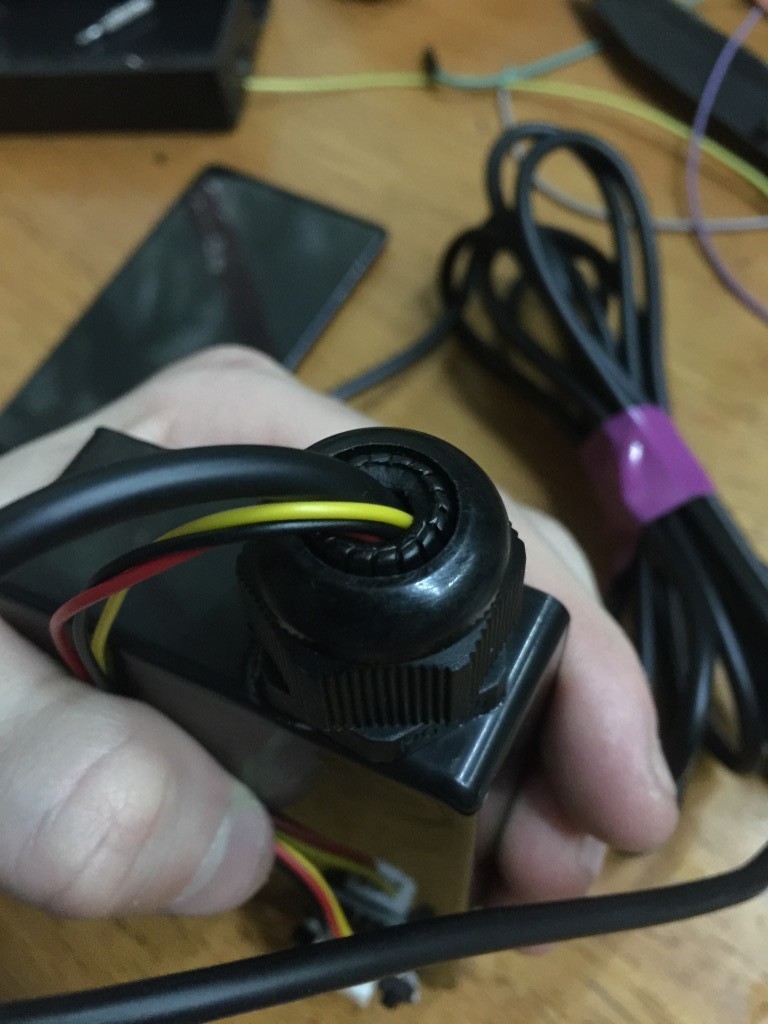
This little guy is only monitoring temperature, I’ll need a bigger box for the greenhouse device as it needs a bit more hardware.
At the junction of I.T. & homesteading
I started acquiring multiple Raspberry Pi Zeros for the purpose of starting to figure out a consistent deployment scheme for the various automation related projects I envision for our homestead.
For now I’ve simply deployed 2 DS18b20 temperature sensors. One on the existing Pi in the Solar shed which serves this blog, and another on a Pi Zero in the house. Only sensing for now which complements the data I’m gathering from the solar array.
The Pi Zero consumes between 0.1 and 0.2 Amps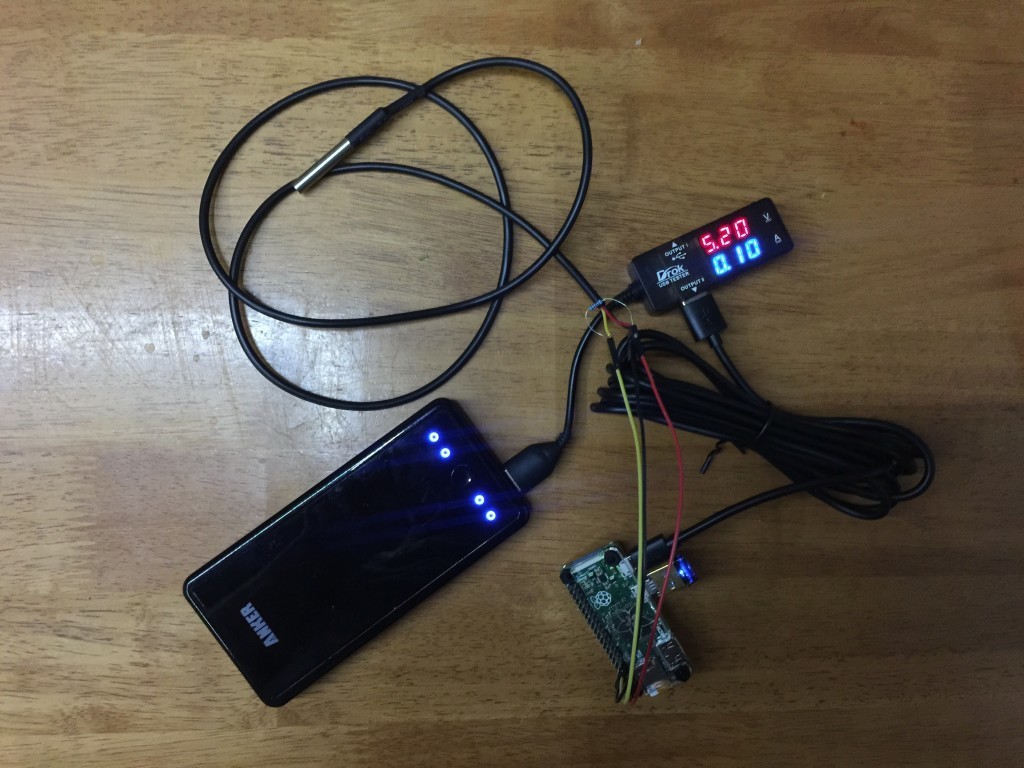
Sample data being gathered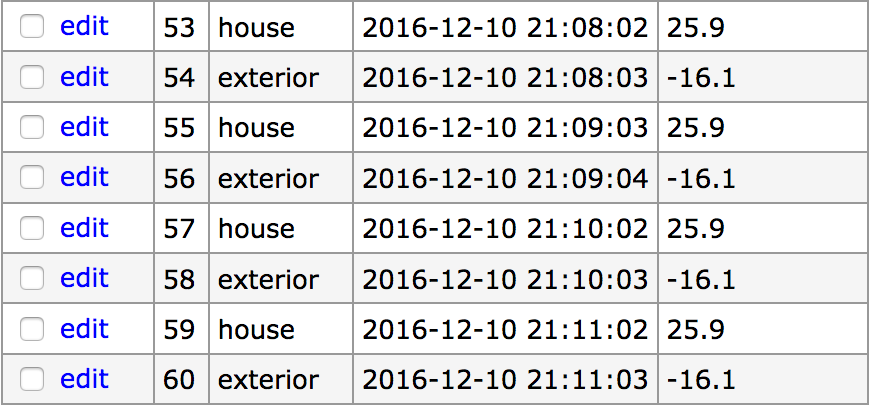
Here are my current install notes for the Pi Zero.
To limit power consumption, add this to /etc/rc.local to turn off HDMI output
[code]/usr/bin/tvservice -o[/code]
To be able to read from the temperature probe, add the following line to /boot/config.txt
[code]dtoverlay=w1-gpio:3[/code]
Get the python-w1thermsensor package
[code]sudo apt-get install python-w1thermsensor[/code]
Reboot & make sure devices are listed in /sys/bus/w1/devices
The python code necessary to read the probe is:
[python]from w1thermsensor import W1ThermSensor
# assuming only 1 sensor
sensor = W1ThermSensor.get_available_sensors( [W1ThermSensor.THERM_SENSOR_DS18B20] )[0]
temperature = sensor.get_temperature()
if temperature is not None:
print ‘%.1f’ % (temperature)
else:
print "failed to get reading."[/python]
Adding collaborative editing to the Ace web code editor with web sockets
Using Ace‘s excellent API, it is relatively easy to enhance it to allow for live collaborative editing.
The gist of what we’re doing here is to use Ace’s API for extracting and applying delta when changes occur in the editor. Then we simply transmit them over a websocket that all clients are connected to. This example is functional but in no way comprehensive to what a full code editing collaboration could be. It’s meant to be simple thus understandable. It’s a great starting point for whatever other pieces of functionality you want to send across web sockets.
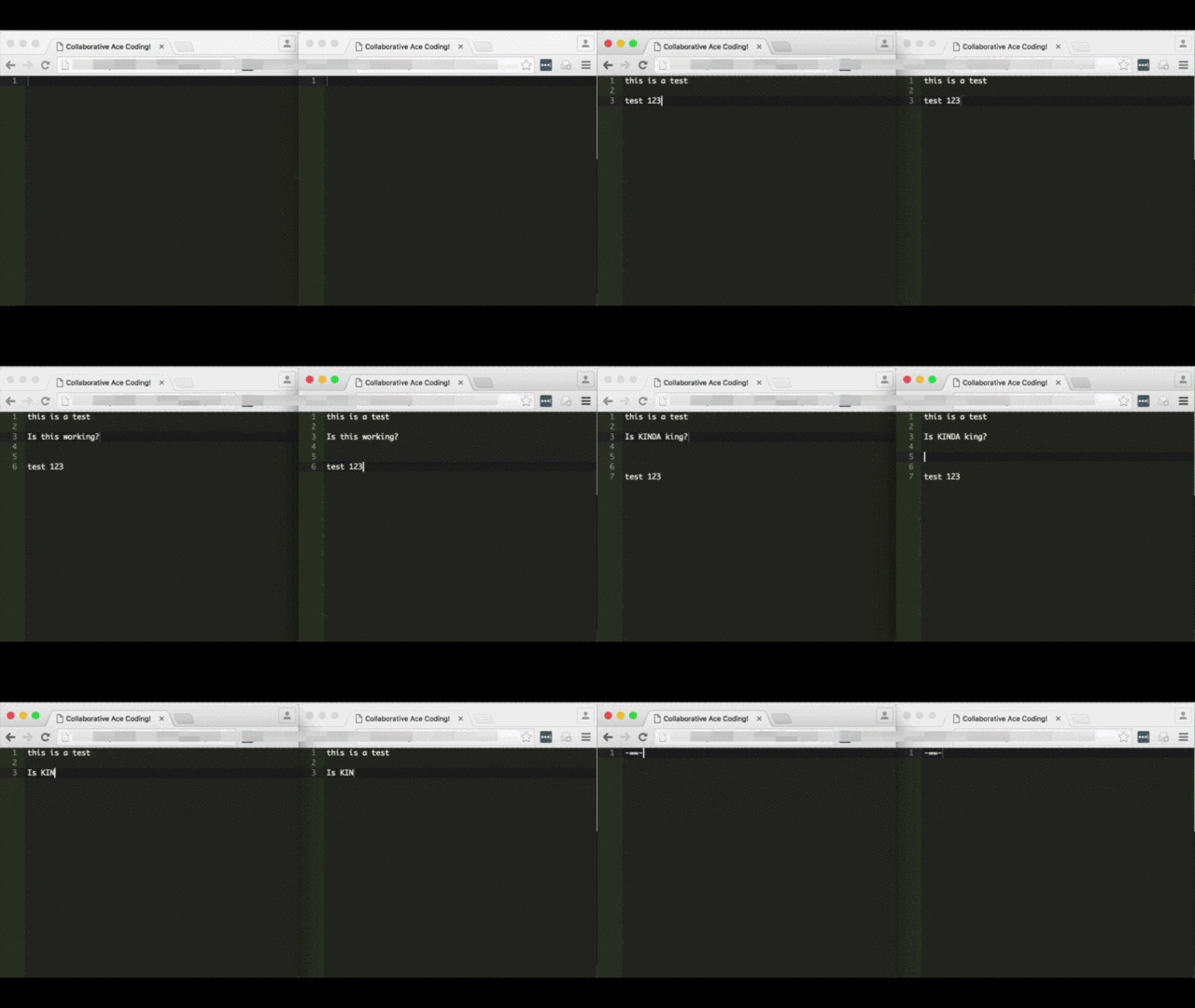
Loading Ace in a webpage with some custom Javascript
This is what your web page looks like, load Ace as instructed and add Javascript to handle interaction with the websocket server.
[php]
<!DOCTYPE html>
<html lang="en">
<head>
<title>Collaborative Ace Coding!</title>
<style type="text/css" media="screen">
#editor {
position: absolute;
top: 0;
right: 0;
bottom: 0;
left: 0;
}
</style>
<script src="https://<?=$_SERVER[‘HTTP_HOST’]?>:1337/socket.io/socket.io.js"></script>
<script src="ace-builds/src/ace.js" type="text/javascript" charset="utf-8"></script>
<script src="ace-builds/src/ext-language_tools.js"></script>
<script>
var session_id = null ;
var editor = null ;
var collaborator = null ;
var buffer_dumped = false ;
var last_applied_change = null ;
var just_cleared_buffer = null ;
function Collaborator( session_id ) {
this.collaboration_socket = io.connect( "https://code.thayer.dartmouth.edu:1337", {query:’session_id=’ + session_id} ) ;
this.collaboration_socket.on( "change", function(delta) {
delta = JSON.parse( delta ) ;
last_applied_change = delta ;
editor.getSession().getDocument().applyDeltas( [delta] ) ;
}.bind() ) ;
this.collaboration_socket.on( "clear_buffer", function() {
just_cleared_buffer = true ;
console.log( "setting editor empty" ) ;
editor.setValue( "" ) ;
}.bind() ) ;
}
Collaborator.prototype.change = function( delta ) {
this.collaboration_socket.emit( "change", delta ) ;
}
Collaborator.prototype.clear_buffer = function() {
this.collaboration_socket.emit( "clear_buffer" ) ;
}
Collaborator.prototype.dump_buffer = function() {
this.collaboration_socket.emit( "dump_buffer" ) ;
}
function body_loaded() {
session_id = "meow" ;
editor = ace.edit( "editor" ) ;
collaborator = new Collaborator( session_id ) ;
// registering change callback
editor.on( "change", function( e ) {
// TODO, we could make things more efficient and not likely to conflict by keeping track of change IDs
if( last_applied_change!=e && !just_cleared_buffer ) {
collaborator.change( JSON.stringify(e) ) ;
}
just_cleared_buffer = false ;
}, false );
editor.setTheme( "ace/theme/monokai") ;
editor.$blockScrolling = Infinity ;
collaborator.dump_buffer() ;
document.getElementsByTagName(‘textarea’)[0].focus() ;
last_applied_change = null ;
just_cleared_buffer = false ;
}
</script>
</head>
<body onLoad="body_loaded()">
<div id="editor"></div>
</body>
</html>
[/php]
Parallel to this, run the following Node.js server script
Following is the Node.js websocket server which must be instantiated on the same server serving the web page above. It needs to be up for the page above to work.
- Make sure to have port 1337 open in the same capacity as ports 80 & 443, this is what this listens on.
- Make sure to update the paths to SSL certs, we use SSL on the websocket server. We do SSL here so browsers can run the websocket Javascript regardless of whether their original context it SSL or not.
- You need to have Socket.IO installed
[javascript]
// config variables
verbose = false ;
session_directory = "/tmp" ; // it has to exist
/* https specific */
var https = require(‘https’),
fs = require(‘fs’);
var options = {
key: fs.readFileSync(‘/path/to/your/ssl.key’),
cert: fs.readFileSync(‘/path/to/your/ssl.crt’),
ca: fs.readFileSync(‘/path/to/your/CA.crt’)
};
var app = https.createServer(options);
io = require(‘socket.io’).listen(app); //socket.io server listens to https connections
app.listen(1337, "0.0.0.0");
// will use the following for file IO
var fs = require( "fs" ) ;
//io = require(‘socket.io’).listen(2015) ;
if( verbose ) { console.log( "> server launched" ) ; }
collaborations = [] ;
socket_id_to_session_id = [] ;
io.sockets.on(‘connection’, function(socket) {
var session_id = socket.manager.handshaken[socket.id].query[‘session_id’] ;
socket_id_to_session_id[socket.id] = session_id ;
if( verbose ) { console.log( session_id + " connected on socket " + socket.id ) ; }
if( !(session_id in collaborations) ) {
// not in memory but is is on the filesystem?
if( file_exists(session_directory + "/" + session_id) ) {
if( verbose ) { console.log( " session terminated previously, pulling back from filesystem" ) ; }
var data = read_file( session_directory + "/" + session_id ) ;
if( data!==false ) {
collaborations[session_id] = {‘cached_instructions’:JSON.parse(data), ‘participants’:[]} ;
} else {
// something went wrong, we start from scratch
collaborations[session_id] = {‘cached_instructions’:[], ‘participants’:[]} ;
}
} else {
if( verbose ) { console.log( " creating new session" ) ; }
collaborations[session_id] = {‘cached_instructions’:[], ‘participants’:[]} ;
}
}
collaborations[session_id][‘participants’].push( socket.id ) ;
socket.on(‘change’, function( delta ) {
if( verbose ) { console.log( "change " + socket_id_to_session_id[socket.id] + " " + delta ) ; }
if( socket_id_to_session_id[socket.id] in collaborations ) {
collaborations[socket_id_to_session_id[socket.id]][‘cached_instructions’].push( ["change", delta, Date.now()] ) ;
for( var i=0 ; i<collaborations[session_id][‘participants’].length ; i++ ) {
if( socket.id!=collaborations[session_id][‘participants’][i] ) {
io.sockets.socket(collaborations[session_id][‘participants’][i]).emit( "change", delta ) ;
}
}
} else {
if( verbose ) { console.log( "WARNING: could not tie socket_id to any collaboration" ) ; }
}
});
socket.on(‘change_selection’, function( selections ) {
if( verbose ) { console.log( "change_selection " + socket_id_to_session_id[socket.id] + " " + selections ) ; }
if( socket_id_to_session_id[socket.id] in collaborations ) {
for( var i=0 ; i<collaborations[session_id][‘participants’].length ; i++ ) {
if( socket.id!=collaborations[session_id][‘participants’][i] ) {
io.sockets.socket(collaborations[session_id][‘participants’][i]).emit( "change_selection", selections ) ;
}
}
} else {
if( verbose ) { console.log( "WARNING: could not tie socket_id to any collaboration" ) ; }
}
});
socket.on(‘clear_buffer’, function() {
if( verbose ) { console.log( "clear_buffer " + socket_id_to_session_id[socket.id] ) ; }
if( socket_id_to_session_id[socket.id] in collaborations ) {
collaborations[socket_id_to_session_id[socket.id]][‘cached_instructions’] = [] ;
for( var i=0 ; i<collaborations[session_id][‘participants’].length ; i++ ) {
if( socket.id!=collaborations[session_id][‘participants’][i] ) {
io.sockets.socket(collaborations[session_id][‘participants’][i]).emit( "clear_buffer" ) ;
}
}
} else {
if( verbose ) { console.log( "WARNING: could not tie socket_id to any collaboration" ) ; }
}
});
socket.on(‘dump_buffer’, function() {
if( verbose ) { console.log( "dump_buffer " + socket_id_to_session_id[socket.id] ) ; }
if( socket_id_to_session_id[socket.id] in collaborations ) {
for( var i=0 ; i<collaborations[socket_id_to_session_id[socket.id]][‘cached_instructions’].length ; i++ ) {
socket.emit( collaborations[socket_id_to_session_id[socket.id]][‘cached_instructions’][i][0], collaborations[socket_id_to_session_id[socket.id]][‘cached_instructions’][i][1] ) ;
}
} else {
if( verbose ) { console.log( "WARNING: could not tie socket_id to any collaboration" ) ; }
}
socket.emit( "buffer_dumped" ) ;
});
socket.on(‘disconnect’, function () {
console.log( socket_id_to_session_id[socket.id] + " disconnected" ) ;
var found_and_removed = false ;
if( socket_id_to_session_id[socket.id] in collaborations ) {
//var index = collaborations[socket_id_to_session_id[socket.id]].participants.indexOf( socket.id ) ;
var index = collaborations[socket_id_to_session_id[socket.id]][‘participants’].indexOf( socket.id ) ;
if( index>-1 ) {
//collaborations[socket_id_to_session_id[socket.id]].participants.splice( index, 1 ) ;
collaborations[socket_id_to_session_id[socket.id]][‘participants’].splice( index, 1 ) ;
found_and_removed = true ;
//if( collaborations[socket_id_to_session_id[socket.id]].participants.length==0 ) {
if( collaborations[socket_id_to_session_id[socket.id]][‘participants’].length==0 ) {
if( verbose ) { console.log( "last participant in collaboration, committing to disk & removing from memory" ) ; }
// no one is left in this session, we commit it to disk & remove it from memory
write_file( session_directory + "/" + socket_id_to_session_id[socket.id], JSON.stringify(collaborations[socket_id_to_session_id[socket.id]][‘cached_instructions’]) ) ;
delete collaborations[socket_id_to_session_id[socket.id]] ;
}
}
}
if( !found_and_removed ) {
console.log( "WARNING: could not tie socket_id to any collaboration" ) ;
}
console.log( collaborations ) ;
});
});
function write_file( path, data ) {
try {
fs.writeFileSync( path, data ) ;
return true ;
} catch( e ) {
return false ;
}
}
function read_file( path ) {
try {
var data = fs.readFileSync( path ) ;
return data ;
} catch( e ) {
return false
}
}
function file_exists( path ) {
try {
stats = fs.lstatSync( path ) ;
if (stats.isFile()) {
return true ;
}
} catch( e ) {
return false ;
}
// we should not reach that point
return false ;
}
[/javascript]
Using Google's APIs with Python scripts
I was never able to find centralized, succinct and example based documentation for doing domain delegated API calls with Google. Hopefully here is exactly this documentation from all the pieces I gathered along the way.
Service Account Creation
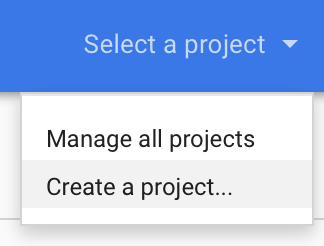
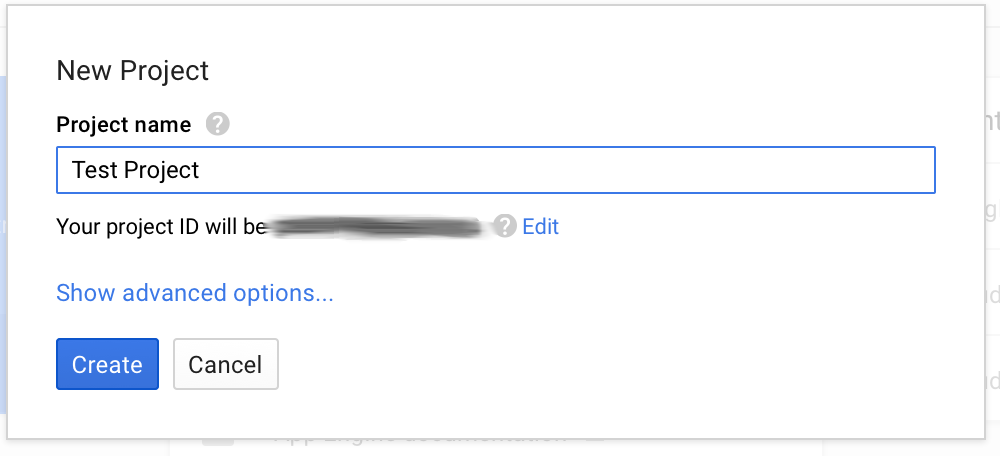
- Go to https://console.developers.google.com/start and create a new project.
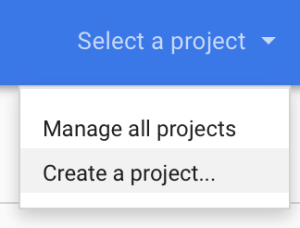
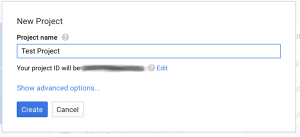
- Call it whatever you want
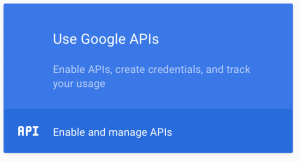
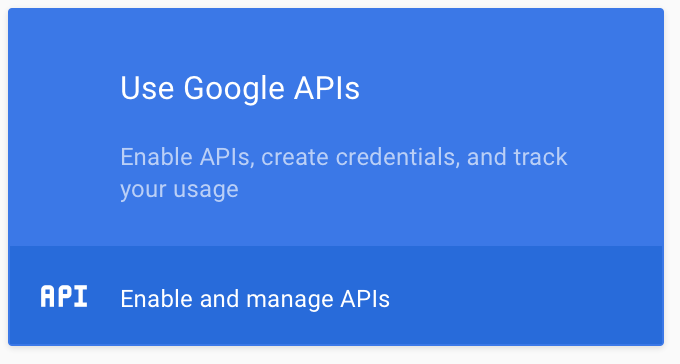
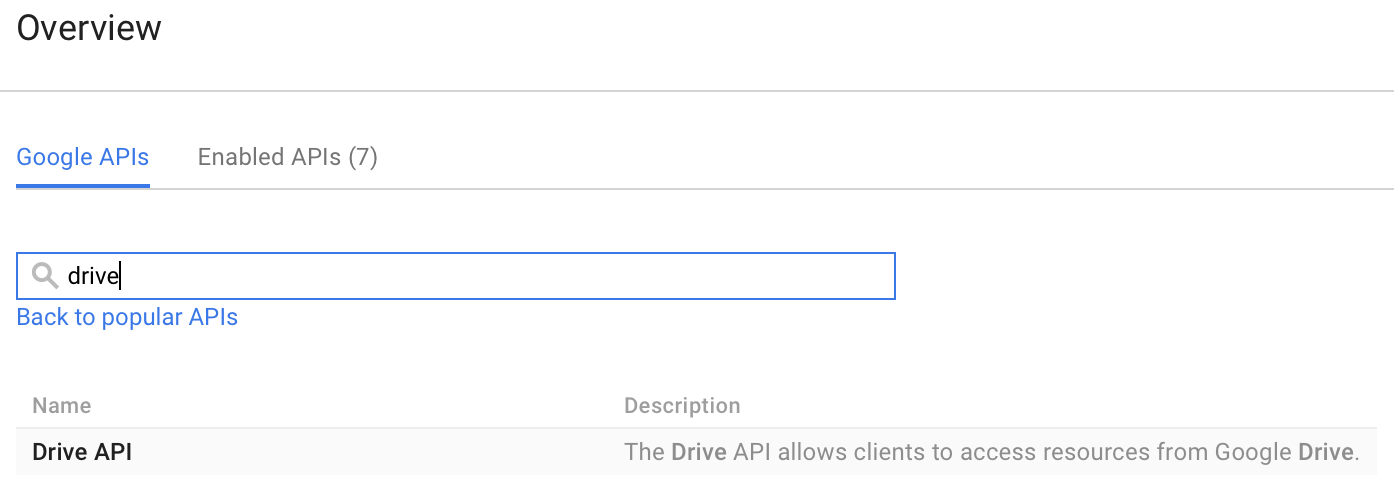
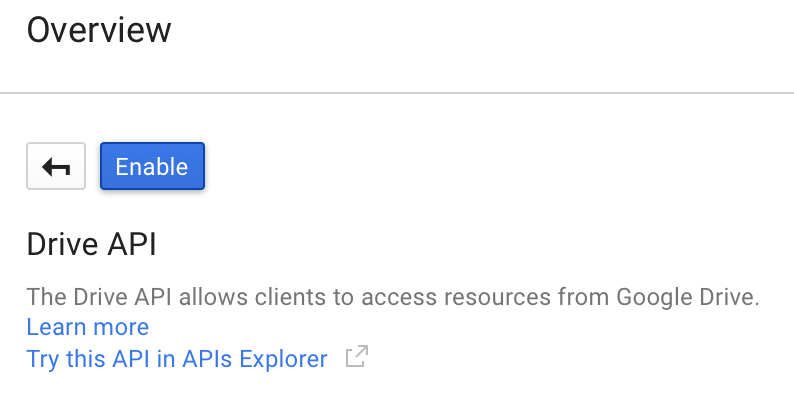
- Enable the right APIs that this project will use We’ll do drive API for the purpose of this testing
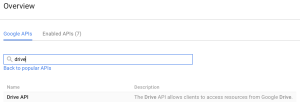
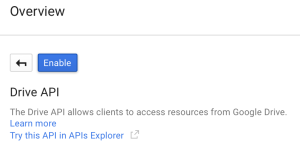
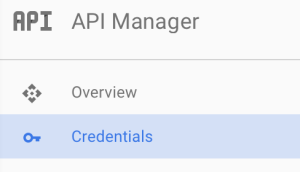
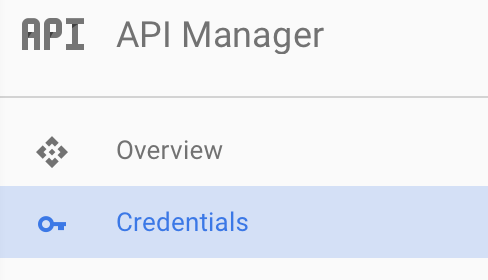
- Go to the “Credentials” screen
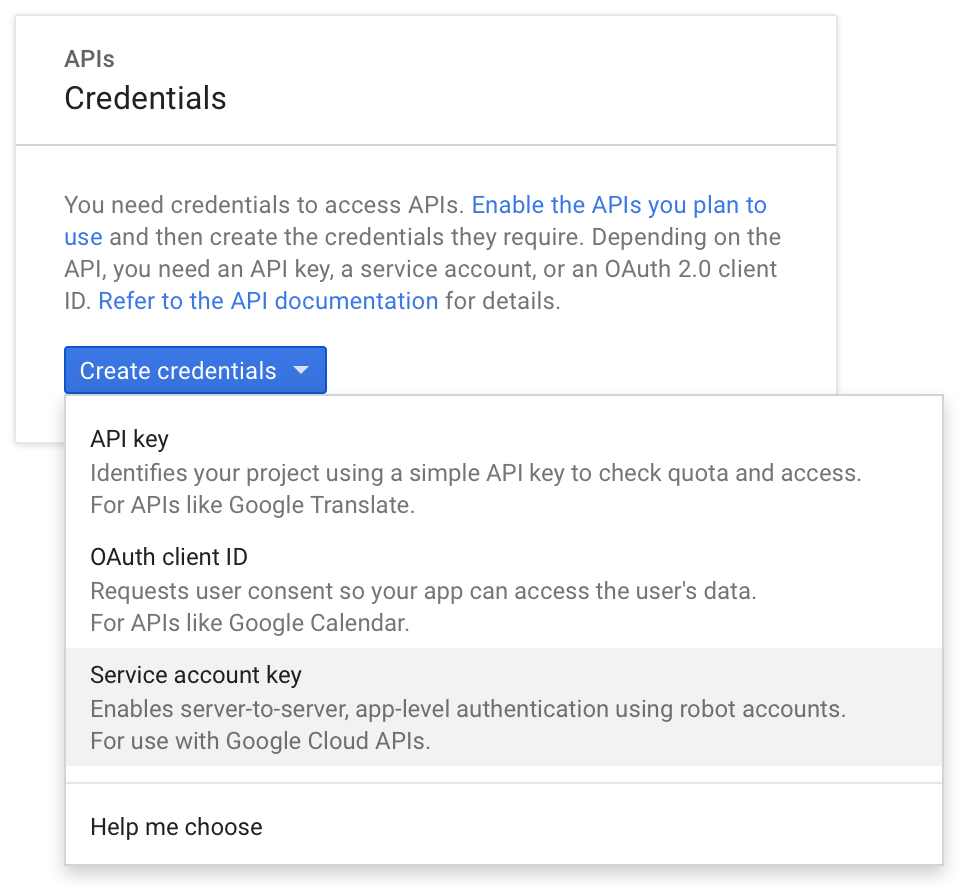
- Create a “Service Account Key”
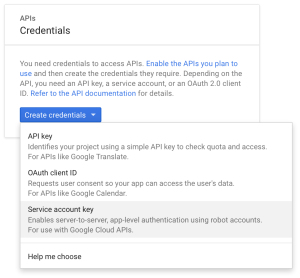
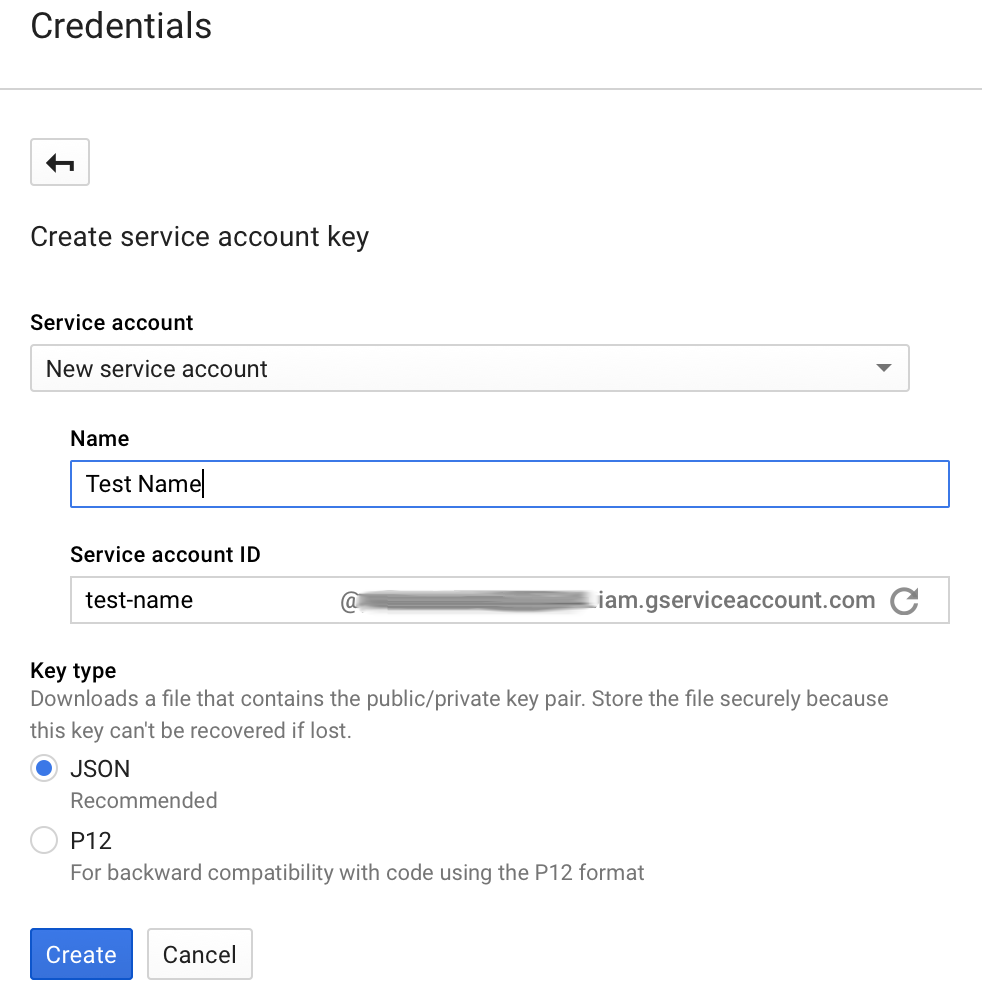
- Make it a “New service account” and give it a name
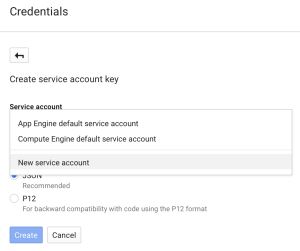
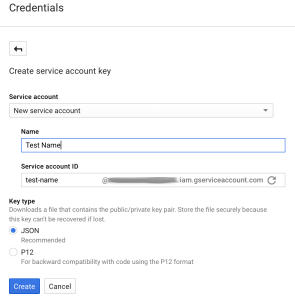
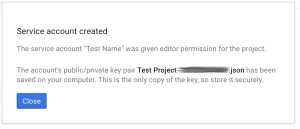
- Download that JSON file that follows.
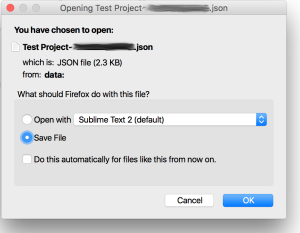
This file contains the credentials for the account you just created, treat it with care, anyone getting their hands on it can authenticate with the account. This is especially critical since we are about to grant domain delegation to the account we created. Any one with access to this file is essentially able to run any API call masquerading as anyone in your Google Apps domain. This is for all intents and purposes a root account.
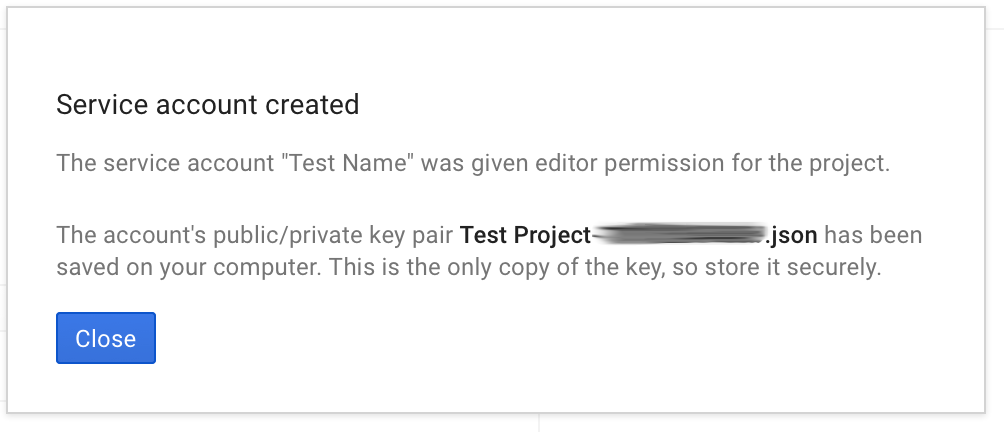
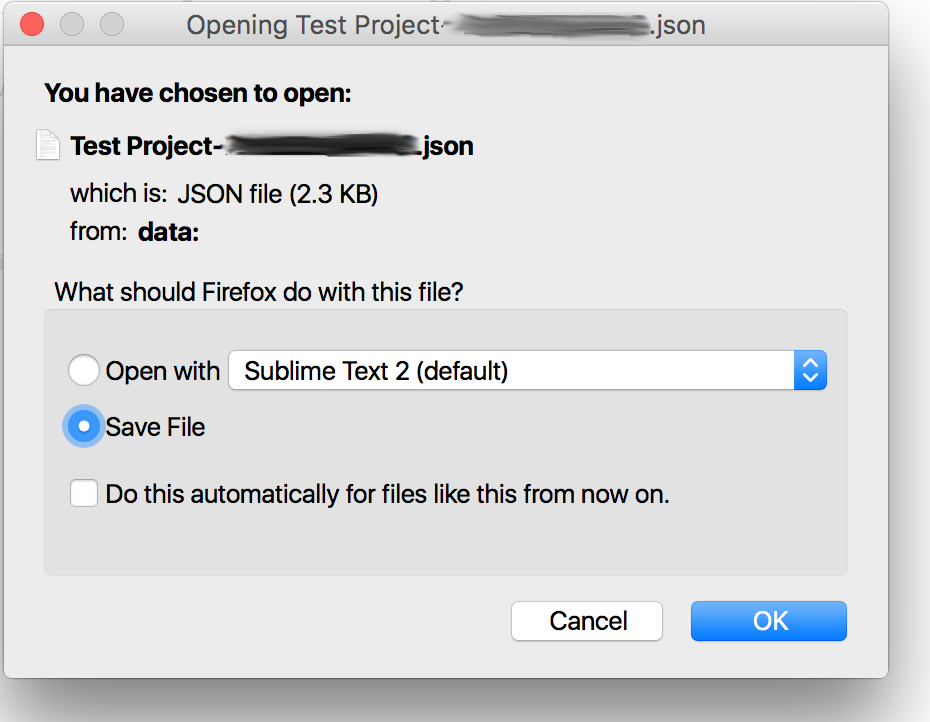
Domain Delegation
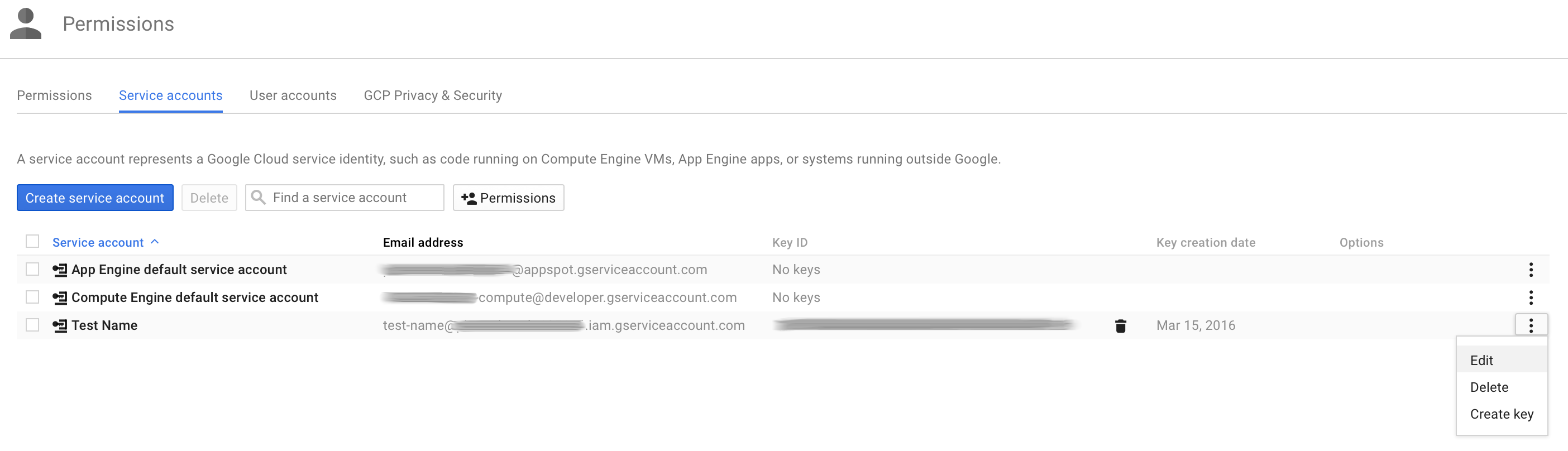
- Back on the “Credentials” screen, click “Manage service accounts”

- Edit the service account you just created

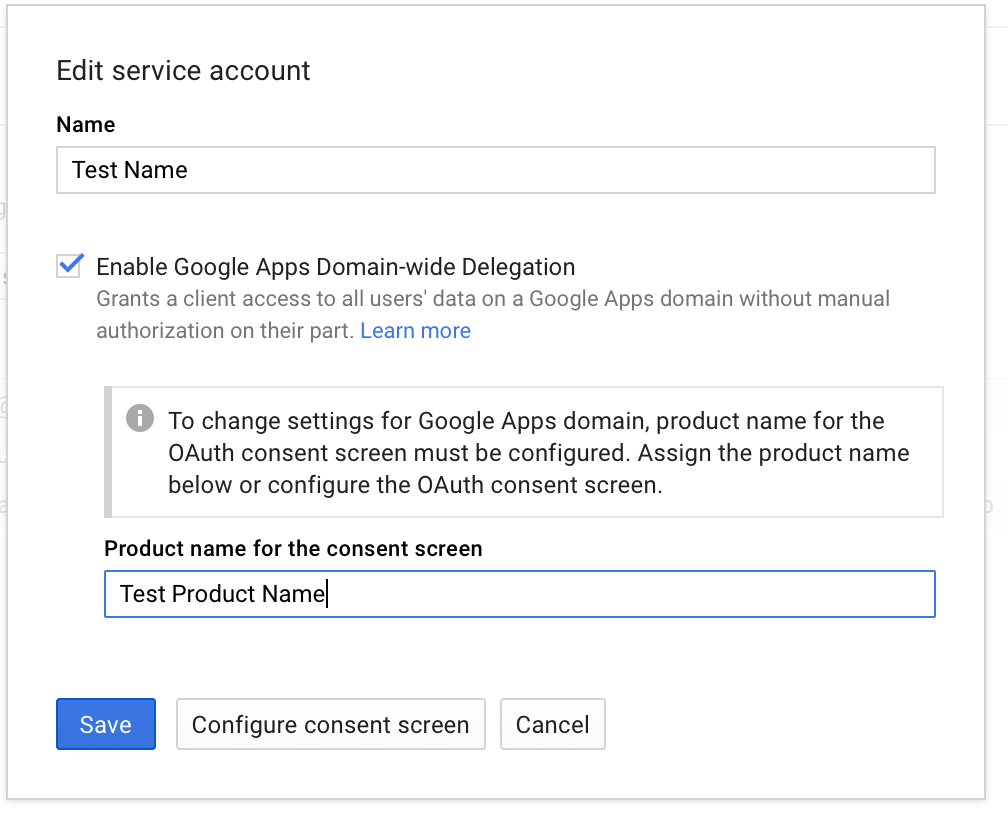
- Check the “Enable Google Apps Domain-wide Delegation” checkbox and click “Save”.
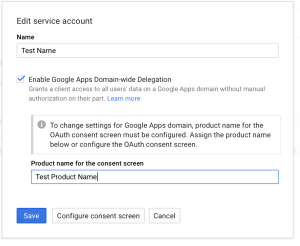 Google at this points needs a product name for the consent screen, so be it.
 - At this point, if everything went well, when you go back to the “Credentials” screen, you will notice that Google create an “OAuth 2.0 client ID” that is paired with the service account you created.
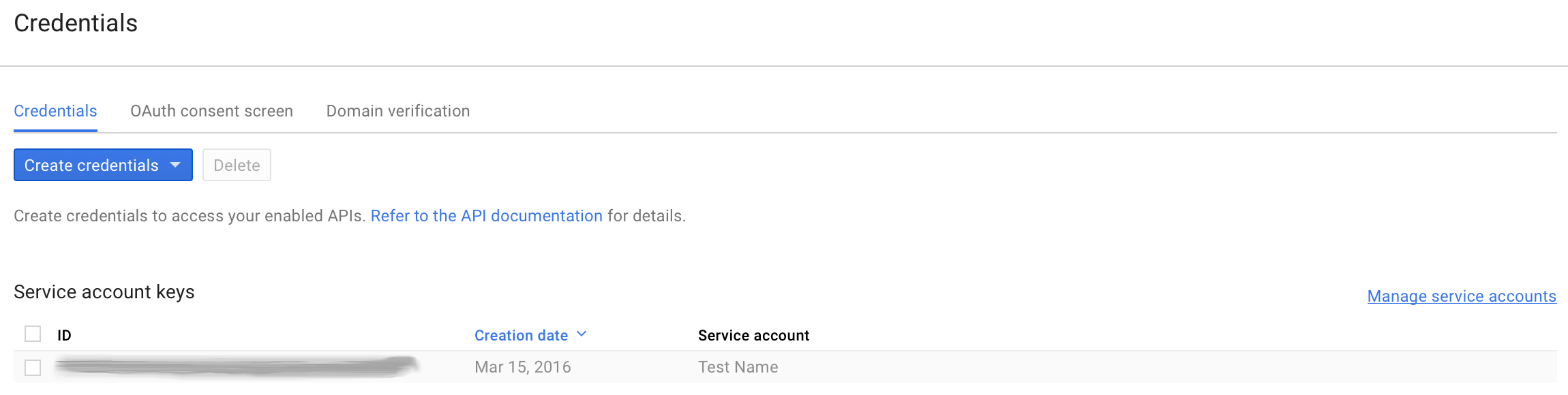
Domain delegation continued, configuring API client access
Granting domain delegation to the service account as we just did isn’t enough, we now need to specify the scopes for which the account can request delegated access.
- Go to your Google Apps domain’s Admin console.
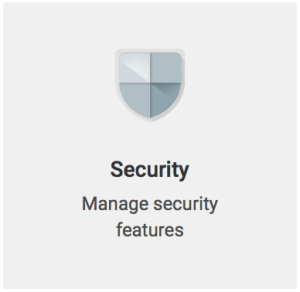
- Select the Security tab
- Click “Show more” -> “Advanced Settings”

- Click “Manage API client access

- In the “Client Name” field, use the “client_id” field from the json file you downloaded earlier. You can get it via the following command:
[bash]cat ~/Downloads/*.json | grep client_id | cut -d ‘"’ -f4[/bash]
In the “One or More API Scopes” field use the following scope:
[code]https://www.googleapis.com/auth/drive[/code]

If you want to allow more scopes], comma separate them. This interface is very finicky, only enter URLs and don’t copy/paste the description that show up for previous entries. There also might be a few minutes delay between you granting a scope and its taking effect. - Click “Authorize”, you should get a new entry that looks like this:

If you need to find the URL for a scope, this link is helpful.




Scripting & OAuth 2.0 authentication
Okay! The account is all set up on the Google side of things, let’s write a Python script to use it. Here’s your starting point:
This scripts contains all the functions to get you started with making API calls to Google with Python. It isn’t the simplest form it could be presented in but it solves a few issues right off the bat:
- All Google interactions are in the “google_api” class, this allows for efficient use of tokens. When “subing as” a user in your domain, the class will keep track of access tokens for users and only re-generate them when they expire.
- Exponential back-off is baked-in and generalized to anything unusual gotten back from Google (based on observation).
- SIGINT will get handled properly
Before running the script, you may need to:
[bash]sudo apt-get update && sudo apt-get install python-pycurl[/bash]
Running the script is done as such:
[bash]./google_api_script.py /path/to/json/file/you/downloaded/earlier.json account.to.subas@your.apps.domain[/bash]
It will simply run the “get about” Drive API call and print the result. This should allow you to verify that the call was indeed executed as the account you specified in the arguments.
Once you’ve ran this script once, the sky is the limit, all the Drive API calls can be added to it based on the get_about function.
Important note on scopes: the same way that you granted domain delegation to certain comma separated scopes in the Google Apps Admin Console earlier; this script needs to reflect the scopes that are being accessed and the same space separated list of scopes need to be part of your jwt claim set (line 78 of the script). So if you need to make calls against more than just drive, make sure to update scopes in both locations or your calls won’t work.
More scopes & more functions
Taking it one step further with the Google Enforcer. This is the project that lead me down the path of writing my own class to handle Google API calls. While it is not quite ready for public use, I’m publishing the project here as it is an excellent reference to making all kinds of other Google API calls; some doing POSTs, PUTs, DELETEs, some implementing paging, et cetera.
Download:
google_drive_permission_enforcer_1.0.tar.gz
The purpose of this project is to enforce on the fly permissions on a directory tree. There is a extravagant amount of gotchas to figure out to do this. If you are interested in implementing it with your organization, please leave a comment and I can either help or get it ready for public use depending on interest.
This project works towards the same end as AODocs, making Google Drive’s permission not completely insane as they are by default.
Here are the scopes I have enabled for domain delegation for this project.
 Problems addressed by this project:
- domain account “subbing as” other users AKA masquerading
- a myriad of Google Drive API calls focused on file permissions
- watching for changes
- crawling through directory hierarchy
- threading of processes to quickly set the right permissions
- disable re-sharing of files
- access token refreshing and handling
- exponential back-off
IPv6 link-local address to MAC address online converter
The converter
https://ben.akrin.com/ipv6_link_local_to_mac_address_converter/?mode=api&ipv6=fe80::5074:f2ff:feb1:a87f
for all your API needs.
Description
This converter was implemented per Dave Russell’s suggestion as a follow up to the MAC address to IPv6 link-local address online converter. If you are interested in the steps behind this conversion, they are simply a reverse of the original Mac->IPv6 converter.
Please note that of the various IPv6 notations, the one this script will expect is fe80::xxxx:xxxx:xxxx:xxxx.
Remove all Exif data from JPEGs recursively
Because I always spend 20 minutes googling it
[bash]
apt-get update && apt-get install libimage-exiftool-perl
find /var/www -type f -iname *.jpg -exec exiftool -all= {} \;
[/bash]
IT rant
I don’t know why it is that every time I want to download the simplest of modules I’m asked to download this great new package manager to end all package managers. Which results in this glorious 3 fold install sequence: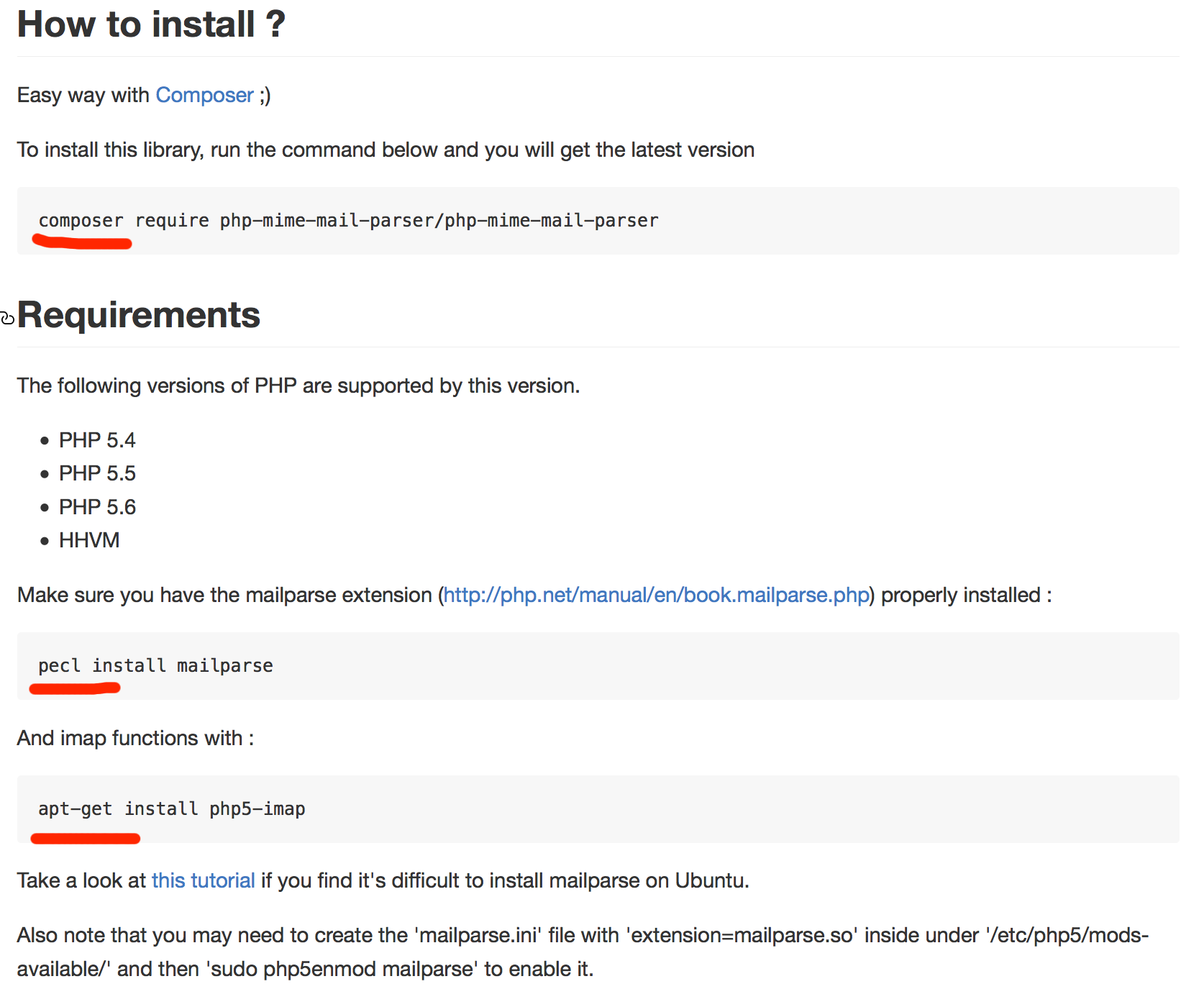 “Installing is easy, Composer will take care of all dependencies! Ooops it doesn’t but PECL will! Oops just kidding I guess we’re back to apt.”
Not to mention all 3 package managers are independent from one another so changes in one don’t percolate to the others; thus throwing out the window their mission to resolve dependencies.
I’m flabbergasted by this trend and its unquestioned acceptance.