Ben's Blog

Category: I.T.

202 Articles
I.T., unix / linux ben March 19, 2015

Resilient SSH Tunnel

[bash]#!/bin/bash

tunnel_entrance_port=13306
tunnel_end=username@re.mo.te.ip
destination=127.0.0.1
destination_port=3306

# Use netcat to connect to tunnel entrance port. If its exit code is not zero, the tunnel needs to be brought up
nc -w1 localhost $tunnel_entrance_port > /dev/null
if [[ $? -ne 0 ]]; then
echo "creating new tunnel for MySQL"
/usr/bin/ssh -f -N -L $tunnel_entrance_port:$destination:$destination_port $tunnel_end
if [[ $? -eq 0 ]]; then
echo " tunnel to $destination through $tunnel_end created successfully"
else
echo " an error occurred creating a tunnel to $destination through $tunnel_end"
fi
fi[/bash]

I.T., unix / linux ben February 27, 2015

Script to reboot a Comtrend AR-5381u Modem when connectivity is lost

[bash]#!/bin/bash

# default username for this model
export MODEMUSERNAME=admin
# default password for model
export MODEMPASSWORD=user12345
export COOKIE=/tmp/cookie_jar
export CURL=/usr/bin/curl
export PING=/bin/ping
export GREP=/bin/grep
export CUT=/usr/bin/cut

$PING -c 5 google.com > /dev/null 2>&1

if [ $? -ne 0 ]
then
rm $COOKIE > /dev/null 2>&1

export OUTPUT=`$CURL -v -c $COOKIE ‘http://$MODEMUSERNAME:$MODEMPASSWORD@192.168.1.1/resetrouter.html’ 2>> /tmp/output`
export SESSIONKEY=`echo "$OUTPUT" | $GREP var | $GREP sessionKey | $CUT -d"=" -f2 | $CUT -d"’" -f2`
echo "kicking modem with session key $SESSIONKEY"
export OUTPUT=`$CURL -v -c $COOKIE "http://$MODEMUSERNAME:$MODEMPASSWORD@192.168.1.1/rebootinfo.cgi?sessionKey=$SESSIONKEY" 2>> /tmp/output`
fi[/bash]

I.T. ben January 15, 2015

Google Drive API – the case of the unprocessed video files

We’ve been using the Google Drive API uploader for quite a while now. The main lesson we took away from using Google service, specifically from their API is that things will break for more or less valid reasons. That’s not to say we’re unhappy with the way things are going, by and large Google provides amazing service.

To answer quirks, we’ve done everything from handling 2 http response codes to crawling folders to add & remove user permissions or they wouldn’t see the folders that were shared with their groups.

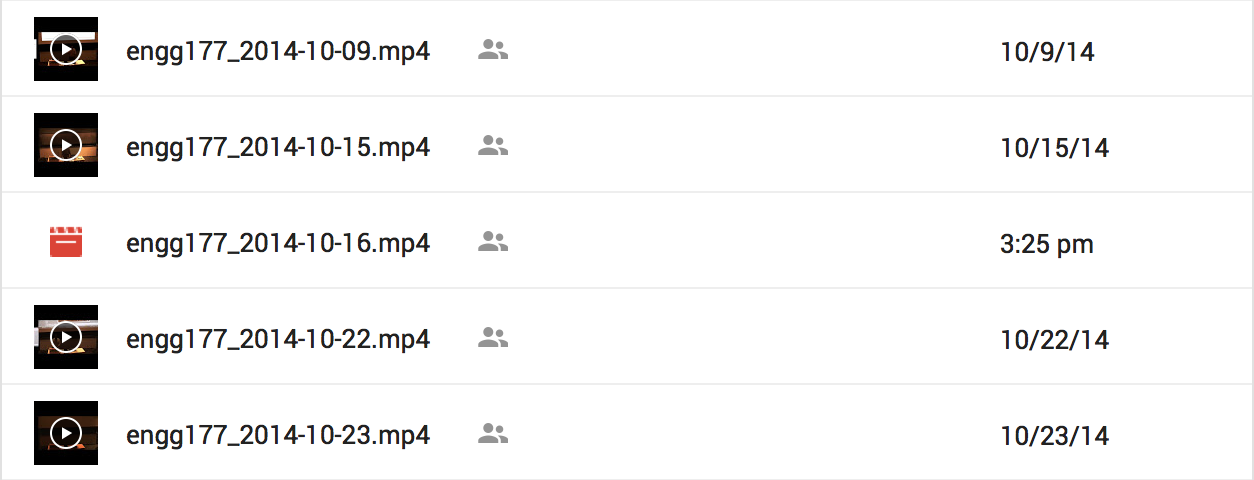
The last bug we’ve had on our radar for a while is that of the Video files that mysteriously would go unprocessed.Screen Shot 2015-01-15 at 16.27.21Leave them for days they will never get encoded. Everything about the file is right but specifically the md5 checksum reported by Google. The only way to have it processed is to re-upload it. After months of chasing down such files we finally found a programmatic way to “kick” the processing.

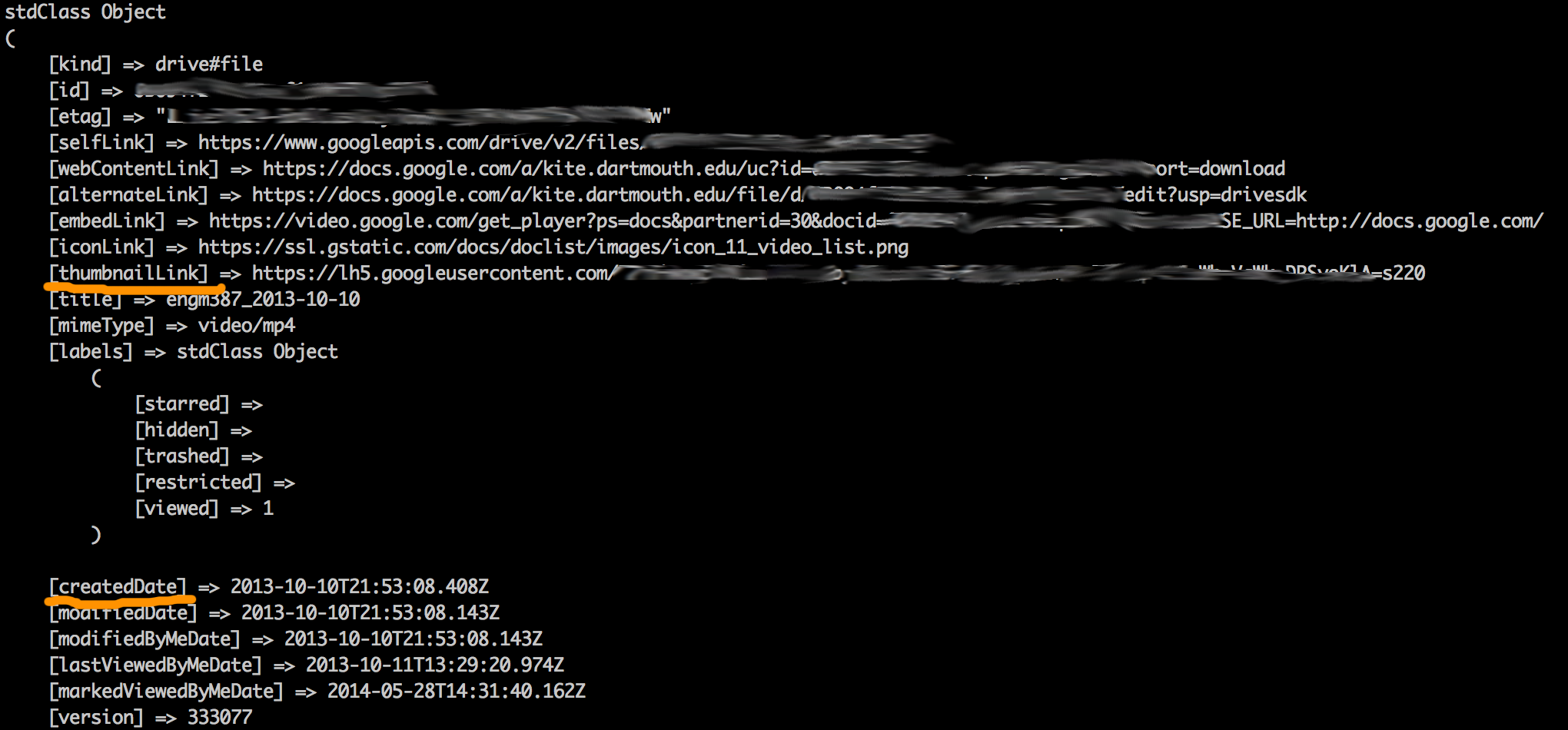
When a file is in this state, it does not contain the “thumbnail” attribute, this is how you find them. Then if its “createdDate” attribute is older than X hours, you can run API calls to copy it and delete the original.

Screen Shot 2015-01-15 at 20.15.23

Of course this assumes you’re already knee deep into API land.

3D modeling / printing, I.T. ben January 06, 2015

3D Printed Snowglobe

Here’s a cool idea for a present, model someone’s house, 3D print it and stick it in a snow globe. Bonus points if the person is really attached to their house and live in a place that gets good snow.

How hard can this be right? Well it’s actually pretty hard but I feel like with all the gotchas researched and out of the way, that I would be able to do another one easily.

Here’s the process in a nutshell:

  1. Sketchup for modeling
  2. Shapeways for 3D printing
  3. Painting
  4. Sticking in snow globe

Here’s the actual process with all the gotchas:

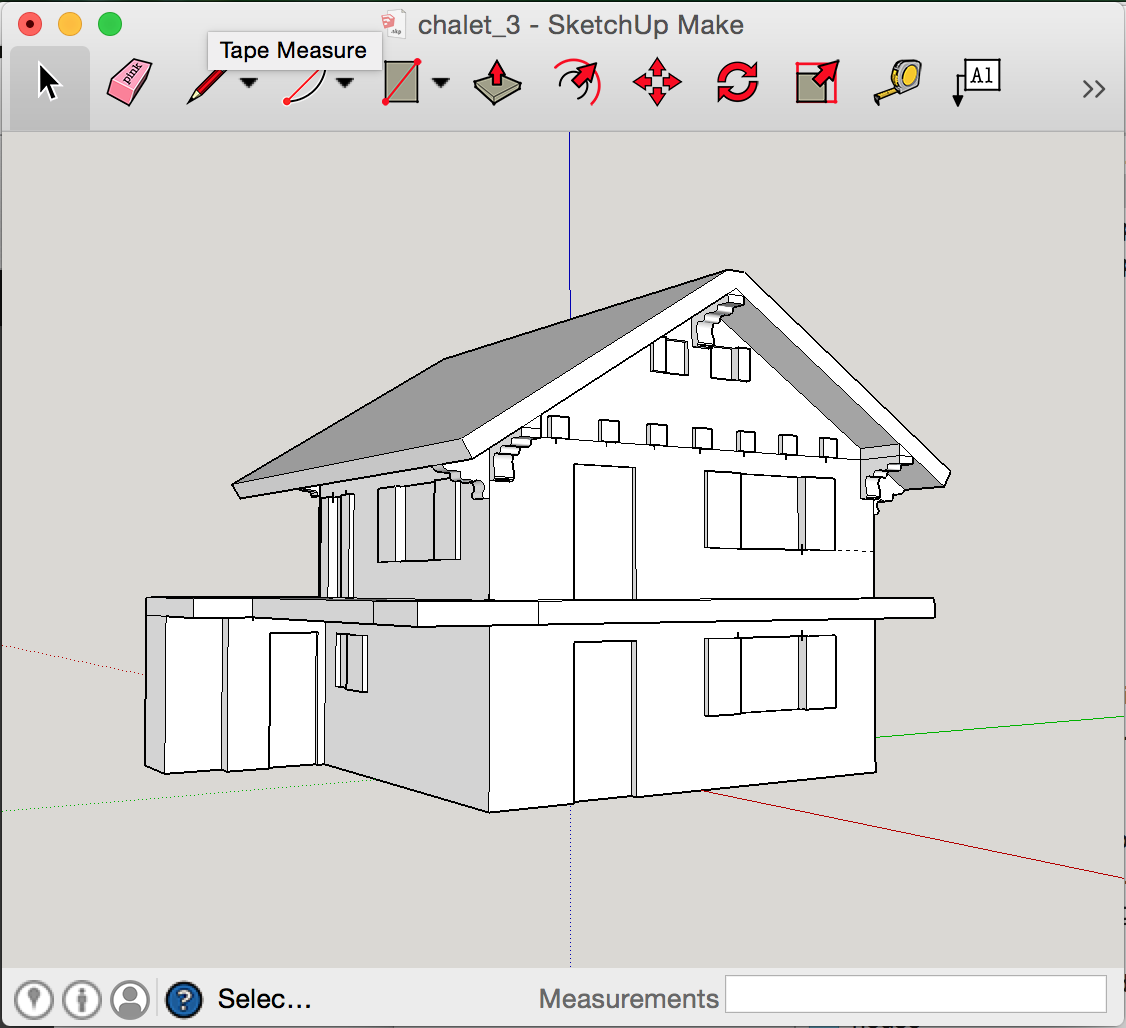
1. Sketchup for modeling

Sketchup is perfect for the job and can export models to DAE natively and STL using this plugin, both formats can be imported by Shapeways. But it can be very hard to model a solid with no leaks. And leaks will really fuck things up. Also if you have a leaky model, fixing it it out of the question requiring starting from scratch. This other plugin is quite good at finding leaks but horrible a pointing them out, I only found it later in the process but I found it useful to check the model with it every time I made a change. The same way you compile after every added line of code right? There are other products out there to find the leaks and point them out, all of them horrible and requiring various exports imports to see results. Ultimately you know you have a leak when your model looks like shit in the finder preview on your mac (yes *.daes are previewable) or in Shapeways’ excellent viewer.

Screen Shot 2015-01-05 at 21.54.02

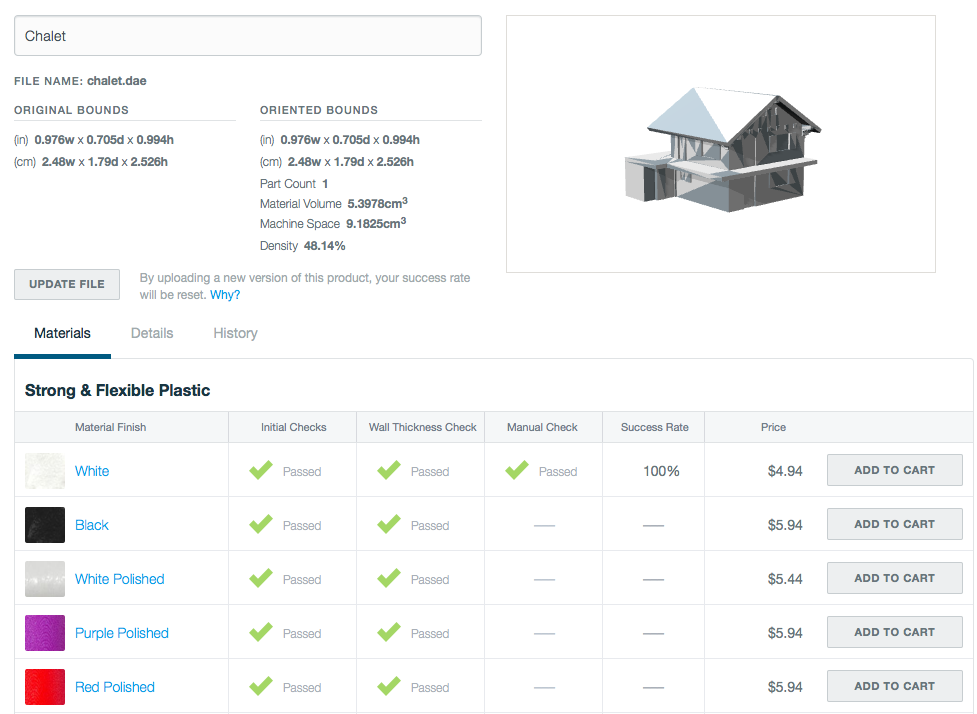
2. Shapeways for 3D printing

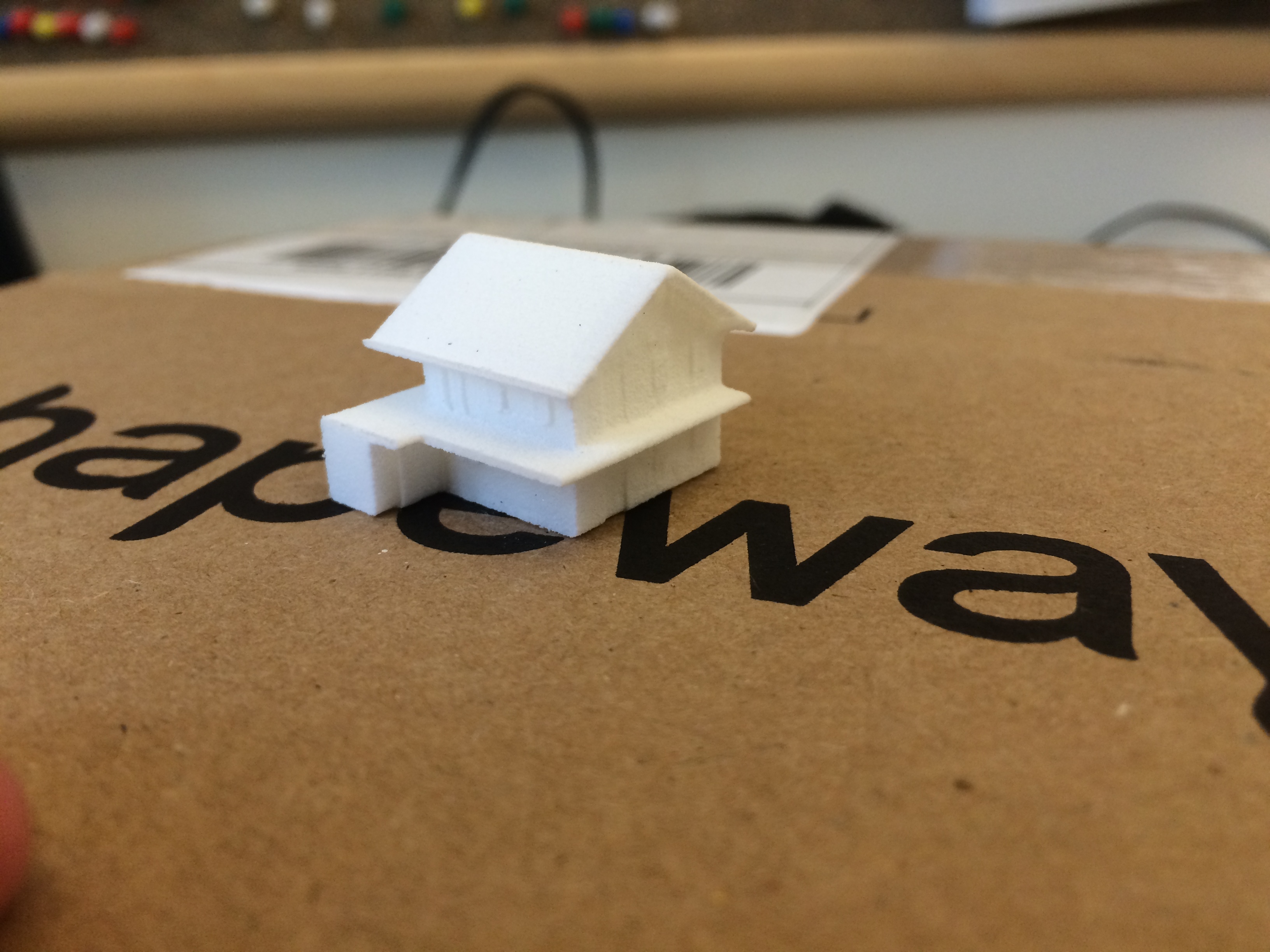
Absolutely nothing bad to say there, Shapeways is amazing and light years ahead of the competition in terms of service & useability. I used their “strong & flexible plastic” material as it’s cheap and I had done extended submersion tests with it but it is quite limited in the small details it can render. The minimum wall size with it is 0.7 millimeters and anything around this size doesn’t look super sharp. They just came up with a line of “Detail Acrylic” materials which promise much better resolution but I was too far in the process and hadn’t tested the material in water. To compound the issue the empty snowglobes I found are on the small side and so a lot of details that make a house special to someone got lost.

Screen Shot 2015-01-05 at 16.50.27

IMG_1477

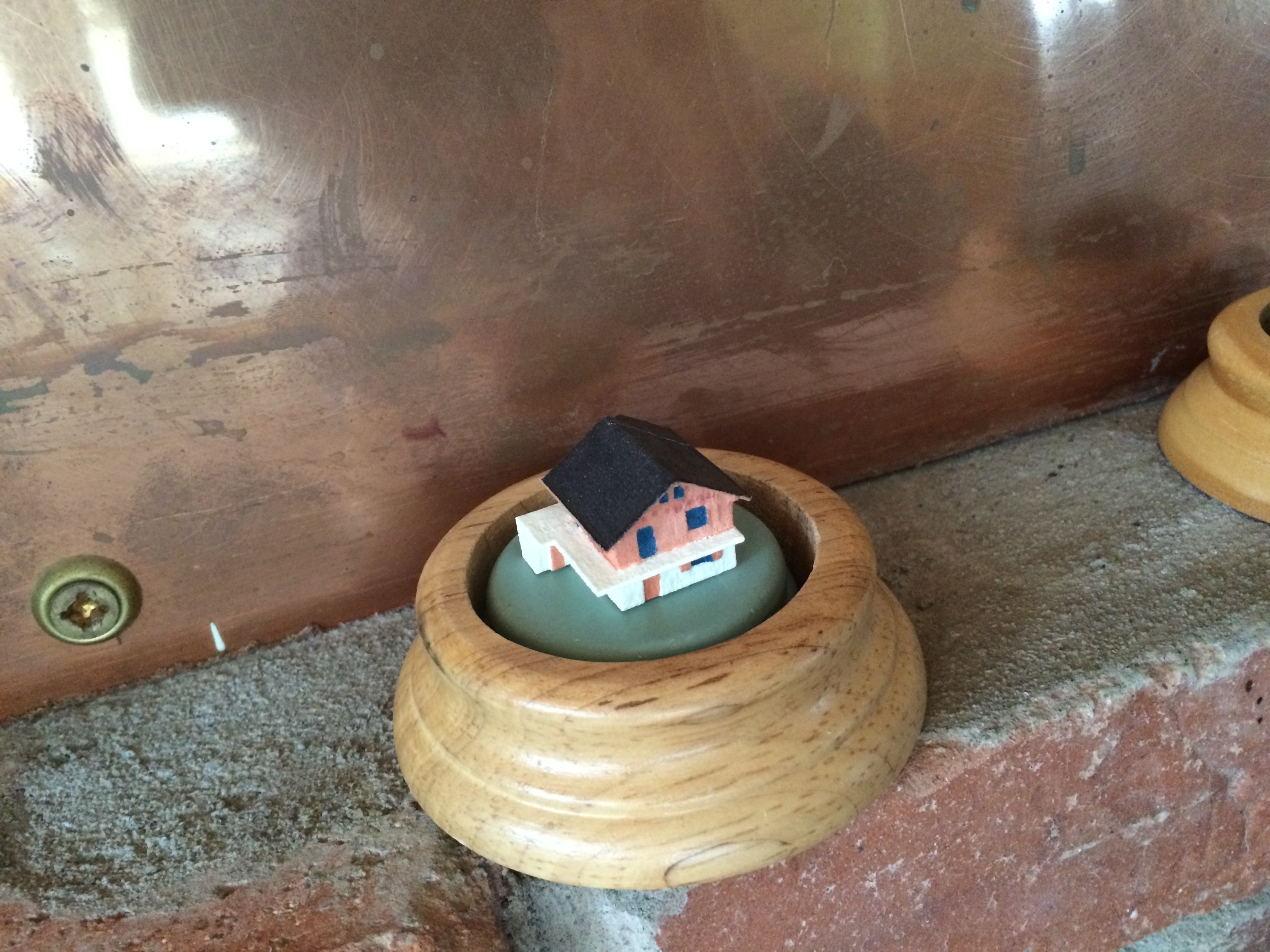
3. Painting

This is where small didn’t help, it was tedious but not impossible. Definitely being able to 3D print the color would have been nice but the only material that allows this at the moment (full color sandstone) doesn’t lend itself well to this project. You also want to varnish it for good measure. As far as gluing the house and subsequently the globe on its wooden base I’ve used E6000 which was recommended by the manufacturer and many custom snowglobe making blogs.

IMG_2071

4. Sticking in snowglobe

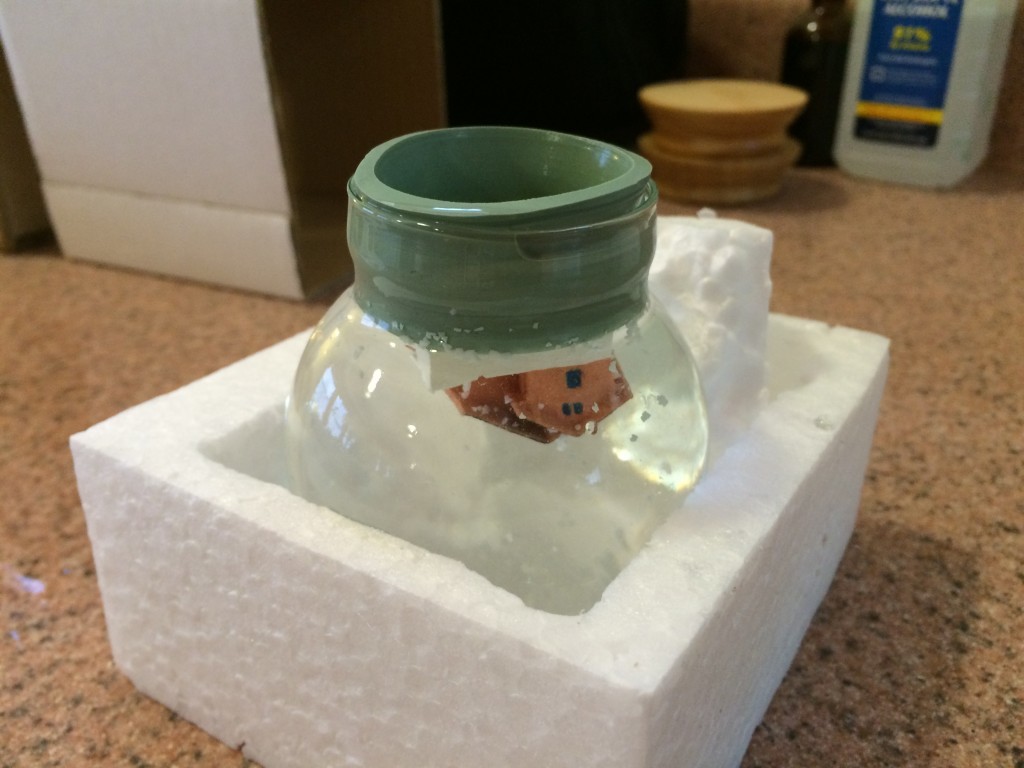
This is the trickiest operation where everything can go wrong. First of all it’s good to play with how to insert the rubber gasket before you glue a house to it. Putting in in the freezer for 5 minutes and adding water to its edges will help slide it in.

Now about 80% of the snowflakes that were provided floated and wanted to do nothing else than float. A good idea is to put the flakes in another glass of water, scoop the shitty floating ones out and then add the rest to the globe upside down right before you add the house. Quite frankly I wish I had even filtered the snowflakes, they came with particles that gray out the water a bit. Some recommend adding glycerin to slow the falling of the flakes, I felt like they were falling at an acceptable rate with only water.

Another issue is one of bacteria growth. Per recommendations I’ve disinfected everything and used distilled water and added 1 drop of rubbing alcohol to the water. In the submersion tests I’ve done (not using distilled water or alcohol) the water would get noticeably funky after ~3 months. I don’t know how the new method holds over time.

Pull a bit of the gasket away to fill with distilled water, add some E6000 glue around the joint between the rubber and the glass and you’re set.

IMG_2076

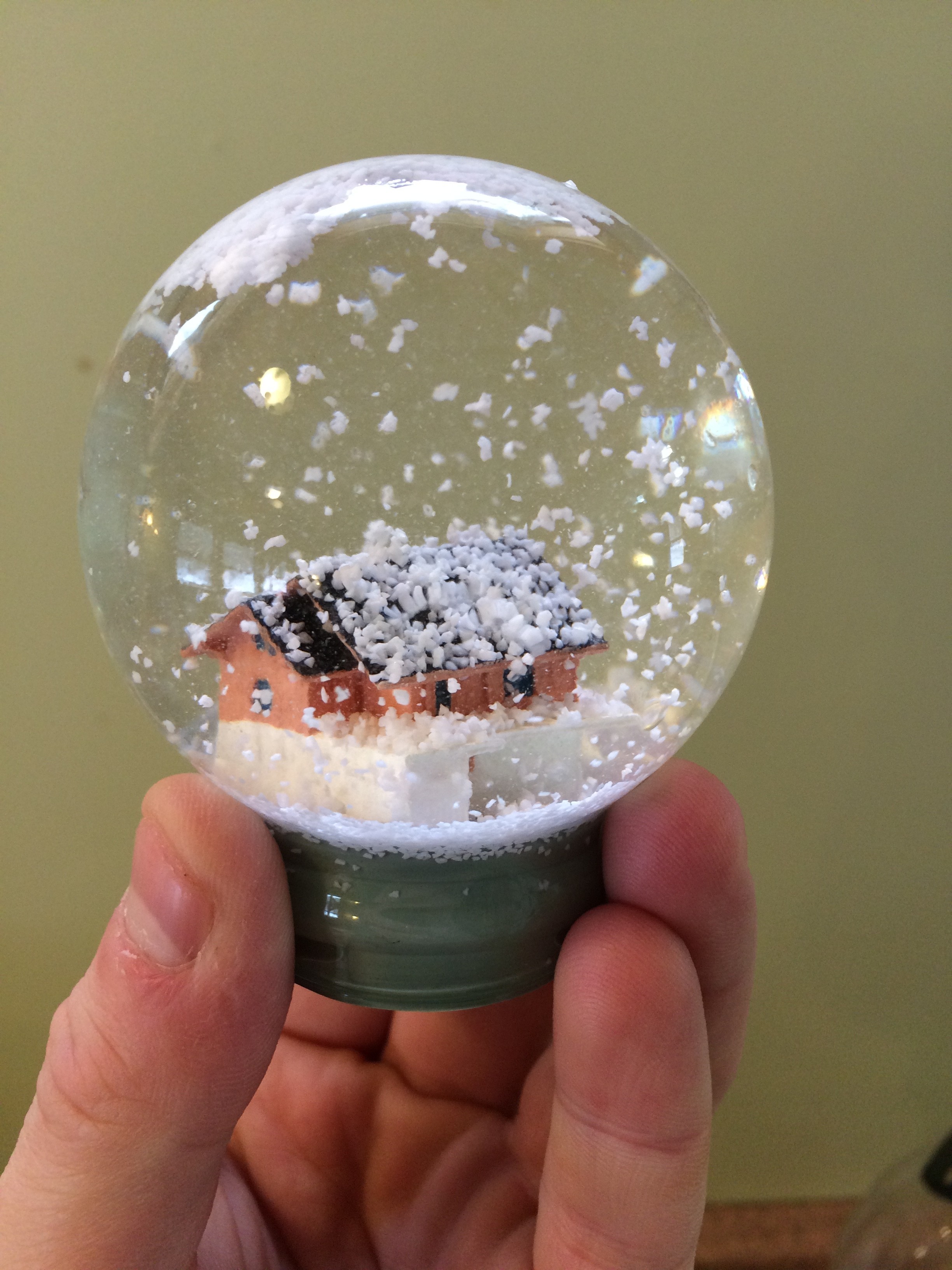
Hard truth #1: A simple house isn’t a great subject to put in a snow globe, it kind of depends on it shape but it will occupy only the bottom part of the globe. I’m still happy about the result.

Hard truth #2: Snow globe distort the view of what is inside them. Not a huge deal, this just caught me off guard.

IMG_2096

The finished product

IMG_2101

I.T. ben August 25, 2014

Mysqldump only certain fields of a table

The trick here is to not use mysqldump

[code]mysql -u root -p -e “SELECT `field_01` AS ‘new_name_01`,`field_02` as `new_name_02` FROM database.schema” -X > /tmp/output.xml[/code]

And to load it back into the new table which exists and has the fields new_name_01 & new_name_02:

[code]mysql -u root -p –local-infile -e “LOAD XML LOCAL INFILE ‘/tmp/output.xml’ INTO TABLE database.new_schema ROWS IDENTIFIED BY ‘<row>’;”[/code]

I.T. ben June 11, 2014

iPXE booting with vlan support

Getting a version of iPXE that supports vlans

Download

ipxe_with_vlan_support_2014-06-12.iso

Build it yourself

[code]
git clone git://git.ipxe.org/ipxe.git
cd ipxe/src
sed -i ‘s///#define VLAN_CMD/#define VLAN_CMD/’ config/general.h
make
[/code]

There is multiple ways you can use your compiled binary, for testing just mounting bin/ipxe.iso and booting from it is good.

Using it

Boot from the ROM/ISO.

CTRL+B to get a command line when prompted.

Then assuming a desired vlan ID of 123:

[code]
vcreate –tag 123 net0
dhcp net0-123
chain tftp://${next-server}/${filename}
[/code]

I.T., web development ben April 16, 2014

PHP 2-dimensional array sorting algorithms

For 2-dimensional arrays looking like:

[code]
Array
(
[0] => Array
(
[id] => 1
[name] => roger
[age] => 31
)

[1] => Array
(
[id] => 2
[name] => brutus
[age] => 24
)

[2] => Array
(
[id] => 3
[name] => ganesh
[age] => 92
)

)
[/code]

I find that comb sort is usually the fastest but its worst case is much worst than quick sort so it could become a bottleneck depending on your data.

[php]
<?php

ini_set( ‘memory_limit’, ‘128M’ ) ;

/**
* @desc bubble_sort for 2 dimensional array (all the arrays of the 2nd dimension need to have the field $sort_by)
* @param array^2 $data the array of arrays
* @param string $sort_by the parameter that will be used for comparison
* @param string $sort_direction "asc": ascending, "desc": descending
*/
function bubble_sort( $data, $sort_by, $sort_direction ) {
if( $sort_direction==’asc’ ) {
for( $i=1 ; $i<count($data) ; $i++ ) {
for( $j=1 ; $j<count($data) ; $j++ ) {
if( $data[$j-1][$sort_by]>$data[$j][$sort_by] ) {
$temp = $data[$j-1] ;
$data[$j-1] = $data[$j] ;
$data[$j] = $temp ;
}
}
}
} else {
for( $i=1 ; $i<count($data) ; $i++ ) {
for( $j=1 ; $j<count($data) ; $j++ ) {
if( $data[$j-1][$sort_by]<$data[$j][$sort_by] ) {
$temp = $data[$j-1] ;
$data[$j-1] = $data[$j] ;
$data[$j] = $temp ;
}
}
}
}
return $data ;
}

/**
* @desc comb_sort for 2 dimensional array (all the arrays of the 2nd dimension need to have the field $sort_by)
* @param array^2 $data the array of arrays
* @param string $sort_by the parameter that will be used for comparison
* @param string $sort_direction "asc": ascending, "desc": descending
*/
function comb_sort( $data, $sort_by, $sort_direction ) {
$gap = count( $data ) ;
$swaps = -1 ;
while( !($gap<=1 && $swaps==0) ) {
if( $gap>1 ) {
$gap = $gap/1.3 ;
if( $gap==10 || $gap==9 ) {
$gap = 11 ;
}
}
$i = 0 ;
$swaps = 0 ;
while( !(($i+$gap)>=count($data)) ) {
if( ($sort_direction==’asc’ && $data[$i][$sort_by]>$data[$i+$gap][$sort_by]) ||
($sort_direction==’desc’ && $data[$i][$sort_by]<$data[$i+$gap][$sort_by]) ) {
$temp = $data[$i] ;
$data[$i] = $data[$i+$gap] ;
$data[$i+$gap] = $temp ;
$swaps = 1 ;
}
$i++ ;
}
}

return $data ;
}

/**
* @desc quick_sort for 2 dimensional arrays (all the arrays of the 2nd dimension need to have the field $sort_by)
* @param array^2 $data the array of arrays
* @param string $sort_by the parameter that will be used for comparison
* @param string $sort_direction "asc": ascending, "desc": descending
*/
function quick_sort( $data, $sort_by, $sort_direction ) {
if( count($data)<=1 || $sort_by==” ) {
return $data ;
} else {
$pivot = $data[0][$sort_by] ;
$x = $y = array() ;
for( $i=1 ; $i<count($data) ; $i++ ) {
if( $data[$i][$sort_by]<$pivot ) {
if( $sort_direction=="asc" ) {
$x[] = $data[$i] ;
} else {
$y[] = $data[$i] ;
}
} else {
if( $sort_direction=="asc" ) {
$y[] = $data[$i] ;
} else {
$x[] = $data[$i] ;
}
}
}
return array_merge( quick_sort($x, $sort_by, $sort_direction), array($data[0]), quick_sort($y, $sort_by, $sort_direction) ) ;
}
}
?>
[/php]

I.T., unix / linux ben April 02, 2014

Gnuplot one-liner from Hell

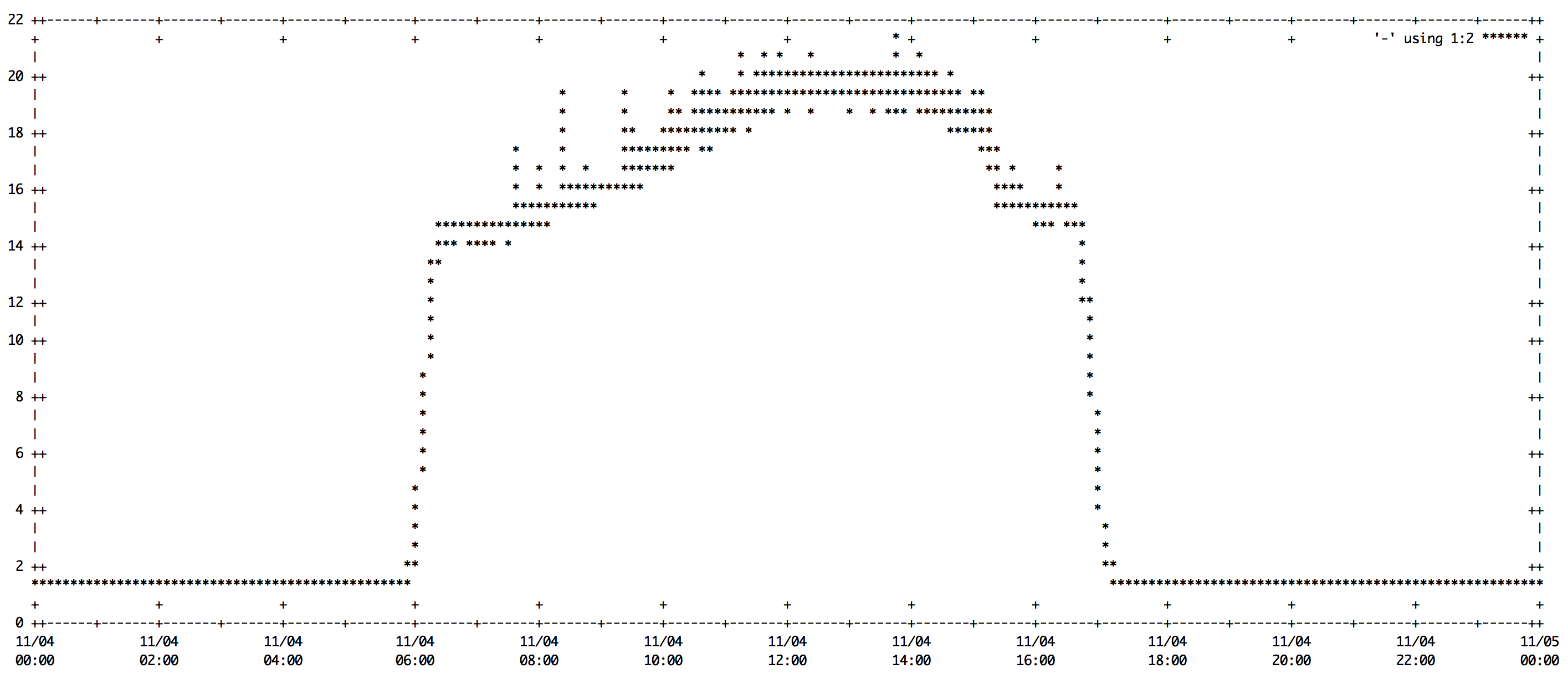
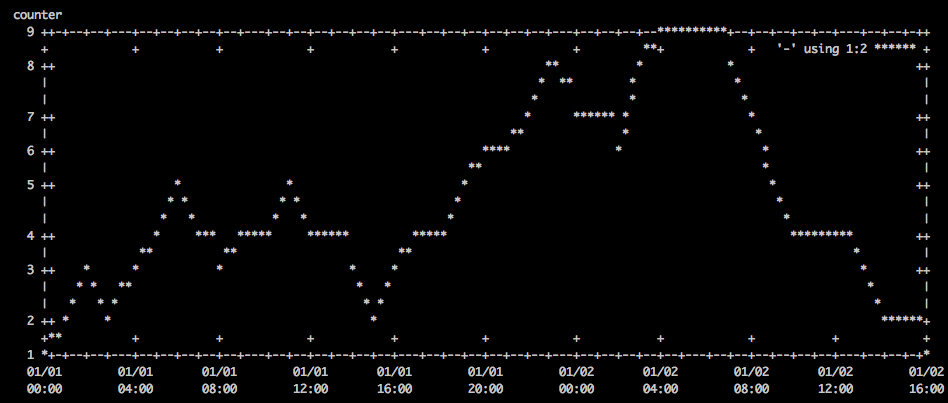
Here’s a convenient one liner to chronologically plot data on the command line

Screenshot

Screen Shot 2014-04-02 at 11.18.44 AM

Command

[bash]

export width=`stty size | cut -d " " -f2`; export height=`stty size | cut -d " " -f1`-10; cat /tmp/data | sed "s/ /T/" | gnuplot -e "set terminal dumb $width $height; set autoscale; set xdata time; set timefmt \"%Y-%m-%dT%H:%M:%S\"; set xlabel \"time\"; set ylabel \"counter\"; plot ‘-‘ using 1:2 with lines"

[/bash]

Data

/tmp/data contains the following:

[code]2000-01-01 00:00:00 1
2000-01-01 01:00:00 2
2000-01-01 02:00:00 3
2000-01-01 03:00:00 2
2000-01-01 04:00:00 3
2000-01-01 05:00:00 4
2000-01-01 06:00:00 5
2000-01-01 07:00:00 4
2000-01-01 08:00:00 3
2000-01-01 09:00:00 4
2000-01-01 10:00:00 4
2000-01-01 11:00:00 5
2000-01-01 12:00:00 4
2000-01-01 13:00:00 4
2000-01-01 14:00:00 3
2000-01-01 15:00:00 2
2000-01-01 16:00:00 3
2000-01-01 17:00:00 4
2000-01-01 18:00:00 4
2000-01-01 19:00:00 5
2000-01-01 20:00:00 6
2000-01-01 21:00:00 6
2000-01-01 22:00:00 7
2000-01-01 23:00:00 8
2000-01-02 00:00:00 7
2000-01-02 01:00:00 7
2000-01-02 02:00:00 6
2000-01-02 03:00:00 8
2000-01-02 04:00:00 9
2000-01-02 05:00:00 9
2000-01-02 06:00:00 9
2000-01-02 07:00:00 8
2000-01-02 08:00:00 7
2000-01-02 09:00:00 5
2000-01-02 10:00:00 4
2000-01-02 11:00:00 4
2000-01-02 12:00:00 4
2000-01-02 13:00:00 3
2000-01-02 14:00:00 2
2000-01-02 15:00:00 2
2000-01-02 16:00:00 1[/code]

I.T., poultry, self sustainability ben January 08, 2014

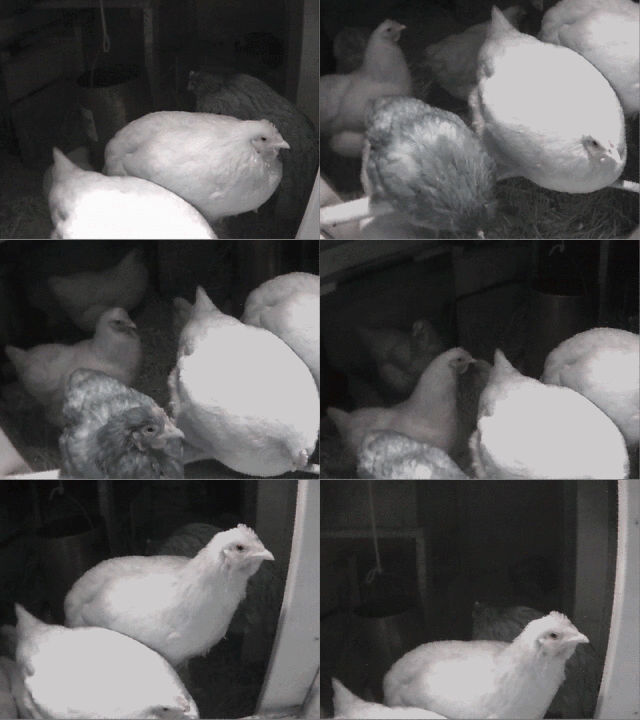
Staying warm under the heat lamp

chickengif

I.T., web development ben November 20, 2013

Pulling the number keyboard in iOS' Safari while disabling client side input validation

Safari on iOS allows you to pull a specific keyboard for an input field. For example if I have a field expecting numeric input, we’ll make sure that our input has the attribute of “number” rather than the usual “text” as such:

[html]<input type="number"/>[/html]

This will save users a few clicks; however Safari forces input validation on the client-side when you do that. Meaning if you wanted a numeric keyboard by default while allowing other characters, you input will fail.

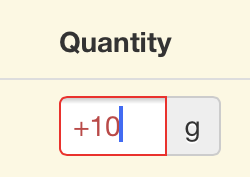
IMG_0798

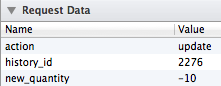
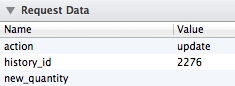
Not only is it highlighted in red, this.value also returns null as opposed to what is clearly in the field, rendering it unusable.

When the field is set to “-10”

Screen Shot 2013-11-20 at 10.14.10 AM

When the field is set to “+10”

Screen Shot 2013-11-20 at 10.14.03 AM

One would think that explicitly defining a pattern to check for would let Safari know that we are interested in trumping its input validation but such is not the case. As a result, the following does not help our cause:

[html]<input type="number" pattern="(-+){0,1}[0-9]{1,}">[/html]

So here’s a completely hackish way to get the keyboard you want with no input validation:

[html]<input type="number" pattern="(-+){0,1}[0-9]{1,}" onFocus="that=this; setTimeout(function(){ that.setAttribute(‘type’,’text’); },10);" onBlur="that=this; setTimeout(function(){ that.setAttribute(‘type’,’number’); },10);"/>;[/html]

That’s right, after iOS pulled the right keyboard, we change the field type to “text”. Note that the client will still display some red around the field as it will perform the validation but at least this.value will return what’s in the friggin’ field.

Note 1: the setTimeout is necessary, if we perform the change immediately onFocus, safari pulls the text keyboard.

Note 2: the that=this indirection is necessary to save a reference of the object to the context of setTimeout.

I.T., miscellaneous, video games ben November 16, 2013

Protected: 3 years

This content is password-protected. To view it, please enter the password below.

I.T., miscellaneous, web development ben June 26, 2013

A website to make the meal math easier on the parents

https://yum.akrin.com

List of current features:

  1. It uses the USDA National Nutrient Database as the basis for all the foods you can search (your tax dollars at work).
  2. You can add your own recipes, ingredients whatever else is not in the base database. We find that we add all the foods we use even if it’s just bread because a bread with a label is always more accurate than the generic/average bread as defined in the USDA database. It’s also nice for adding your family specials once and for all and never have to do the math again.
  3. What you add is not shared amongst users and it only visible to you.
  4. It tries to learn which foods come back to help pick them later on.
  5. It remembers which amounts you last used
  6. Calculates insulin dose on the fly
  7. Very simple & streamlined navigation for the least work for the parents

This is still very much a work in progress but has made our meals a lot more agreeable already.

all out geekery, I.T. ben May 11, 2013

Markov chains music generation

Here’s a project I’ve had on the back-burner for many years. Following the natural progression of generating stuff based on Markov chains, I decided a while ago to port the algorithm to music.

Music presents many challenges that I haven’t been able to address well so far. As a result, what the algorithm produces always had a bitter unfinished aftertaste to me, hence why I haven’t published anything about it for years.

  • Music is multidimensional, time is relevant and needs it own analysis and subsequent generation
  • The interconnectedness of different instruments from the piece is important as well.
  • Random generation even based on Markov chains fails to produce any structure. The pieces all sound like a long solo without chorus or any other repetition that would give us what we strive for: anticipation. In other words, it’s perfect for jazz.

I’m hoping that publishing this will give me the kick in the nuts necessary to keep improving it. Without further ado, here’s what I have so far.


Future improvements:

  • add to corpus
  • clean pieces analyzed of noise
  • try to infuse structure
I.T., unix / linux ben March 01, 2013

FreeBSD manual multipath script

I recently ran into an issue installing FreeBSD on a system that already had some disks & zpools. Because the disks were partitioned previously, automatic multipath was not an option as the last sector of all hard drives isn’t available to store an ID. The remaining option is to do manual multipath, and it needs to be done every time the system boots.

Here’s an rc script that will run early in the sequence and create a multipath “link” between drives based on their serial number.

/etc/rc.d/manual_multipath

[bash]#!/bin/sh

# PROVIDES: manual_multipath
# REQUIRE: sysctl
# BEFORE: hostid

. /etc/rc.subr

name="manual_multipath"
start_cmd="${name}_start"
stop_cmd=":"

manual_multipath_start()
{
echo "> manual_multipath script started"
echo "> linking drives with the same serial number with gmultipath"
counter=0
serials=""
devices=`/usr/bin/find /dev -maxdepth 1 -regex ‘.*da[0-9]*’ | /usr/bin/cut -d ‘/’ -f 3`
for device in $devices
do
echo $device
serial=`camcontrol inquiry $device -S`
substring=`echo "$serials" | /usr/bin/sed -n "s/|$serial|.*//p" | /usr/bin/wc -c`
if [ $substring -eq 0 ]
then
found_multi=0
arg1="$device"
arg2="$device"
for newdevice in $devices
do
newserial=`camcontrol inquiry $newdevice -S`
if [ "$device" != "$newdevice" -a "$serial" == "$newserial" ]
then
echo " same as $newdevice!"
counter=`expr $counter + 1`
found_multi=1
arg1=$arg1"$newdevice"
arg2=$arg2" $newdevice"
fi
done
if [ $found_multi -eq 1 ]
then
gmultipath create $arg1 $arg2
fi
fi
serials=$serials"|$serial|"
done
echo "> manual_multipath script finished, found $counter matches"
}

load_rc_config $name
run_rc_command "$1"[/bash]

Don’t forget to “chmod 555 /etc/rc.d/manual_multipath”.

Lastly, when importing a zpool from the drives you just multipathed, make sure to specify where to look for devices or you might end up importing a mix of multipath and regular devices. Make sure to “zpool import -d /dev/multipath”.

I’m delving pretty deep into FreeBSD, time to grow an epic beard.

all out geekery, I.T. ben February 24, 2013

More Dr. Meter fun

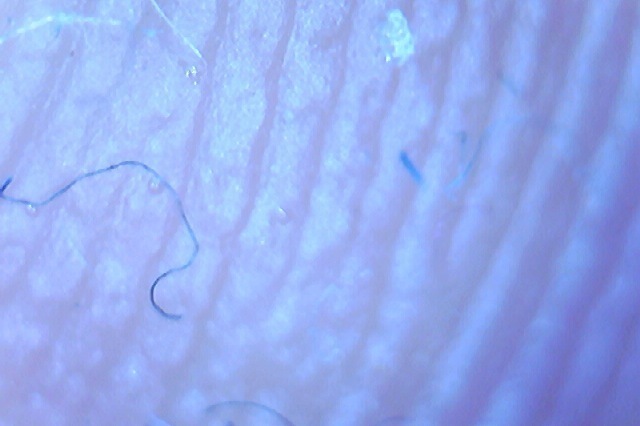
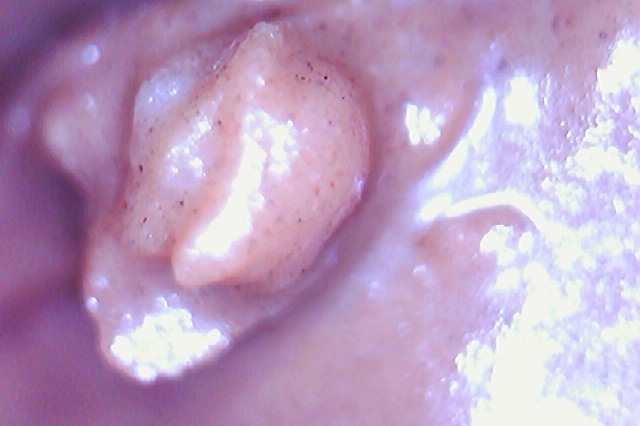
Finger

Arm

Hair

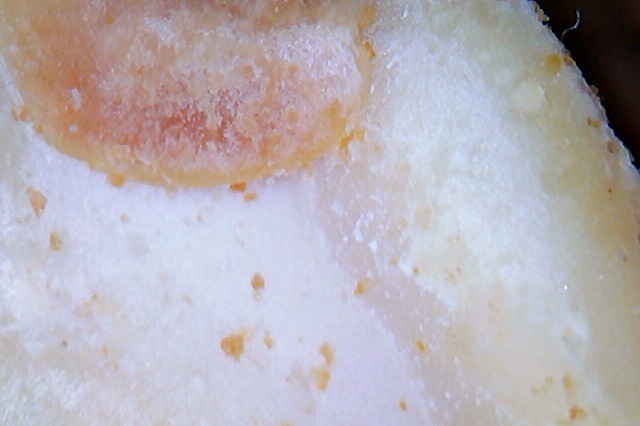
Salt

Nutella (gross)

Peanut

Serrated knife blade

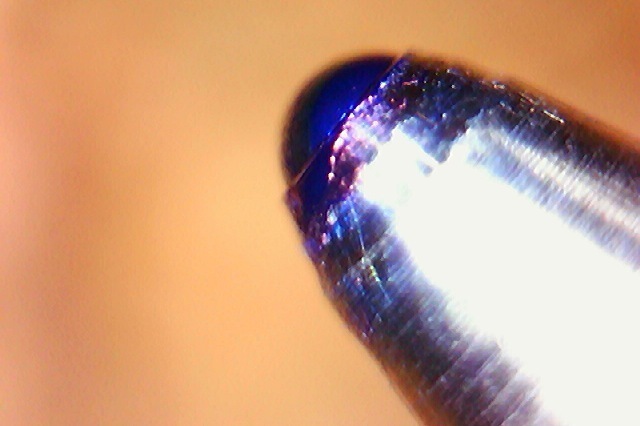
Ballpoint pen

Printed beer logo

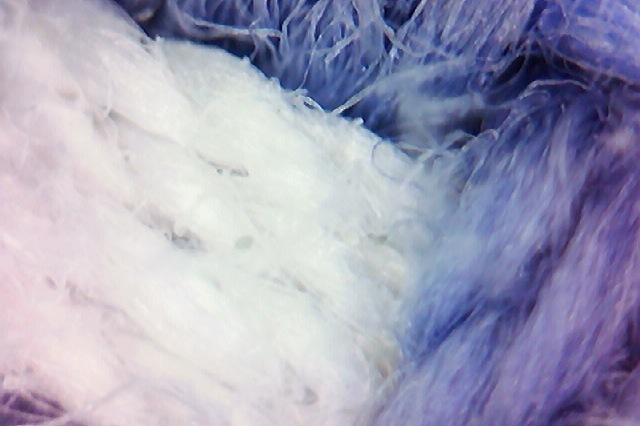
Cloth

Melting snow

[flv:http://ben.akrin.com/wp-content/uploads/2013/02/temp.flv http://ben.akrin.com/wp-content/uploads/2013/02/Screen-Shot-2013-02-24-at-11.53.58-PM.png 640 426]

I.T. ben January 06, 2013

Google drive API file upload script

If you want to upload file to Google Drive, you will naturally gravitate towards the Google Drive API. While reading about the APIs that Google publishes for almost anything, you will learn about their SDK. The SDK provides you with easy functions for interfacing with the API for various programming languages.

The problem is that the more I used the SDK the more confused I was. The documentation is often unclear, not all bindings are implemented across all languages. But above all, the thing that made me dislike the SDK is the fact that uploading a file to Google Drive took 5 times the amount of memory than the file itself. Meaning that the datastructure they use and how they pass it around is SUPER LAME. Not a huge deal if you’re uploading a few doc files but definitely crappy for GB range files. It’s just not right and completes the pattern of “meh” surrounding the SDK.

What is clear & consistently documented is every single API call you can make. It was time to go straight to the API. Sure there is still quite a bit of poking involved in getting something working exactly right but my experience with the API has been a lot better. It has also helped me understand the mindset & design so figuring out new things is much faster.

How?

HTTP, every API call uses it. You can use any technology that you are familiar with to do your HTTP call but I have a penchant for PHP + cURL.

The script

It will read a file in chunks and upload them consecutively. Do to so it uses the API’s resumable uploads. As such it will never consume more RAM that the configurable chunk size.

download

It still needs a few improvements at the moment but it’s functional.

What it solves

  • authentication: getting a new access token from a refresh token as needed
  • curl custom HTTP requests with custom headers
  • file chunking
  • Google Drive API resumable upload
  • passing JSON encoded requests in body
  • exponential backoff

Doesn’t sound like much but it took a while to piece it all together.

all out geekery, I.T. ben January 03, 2013

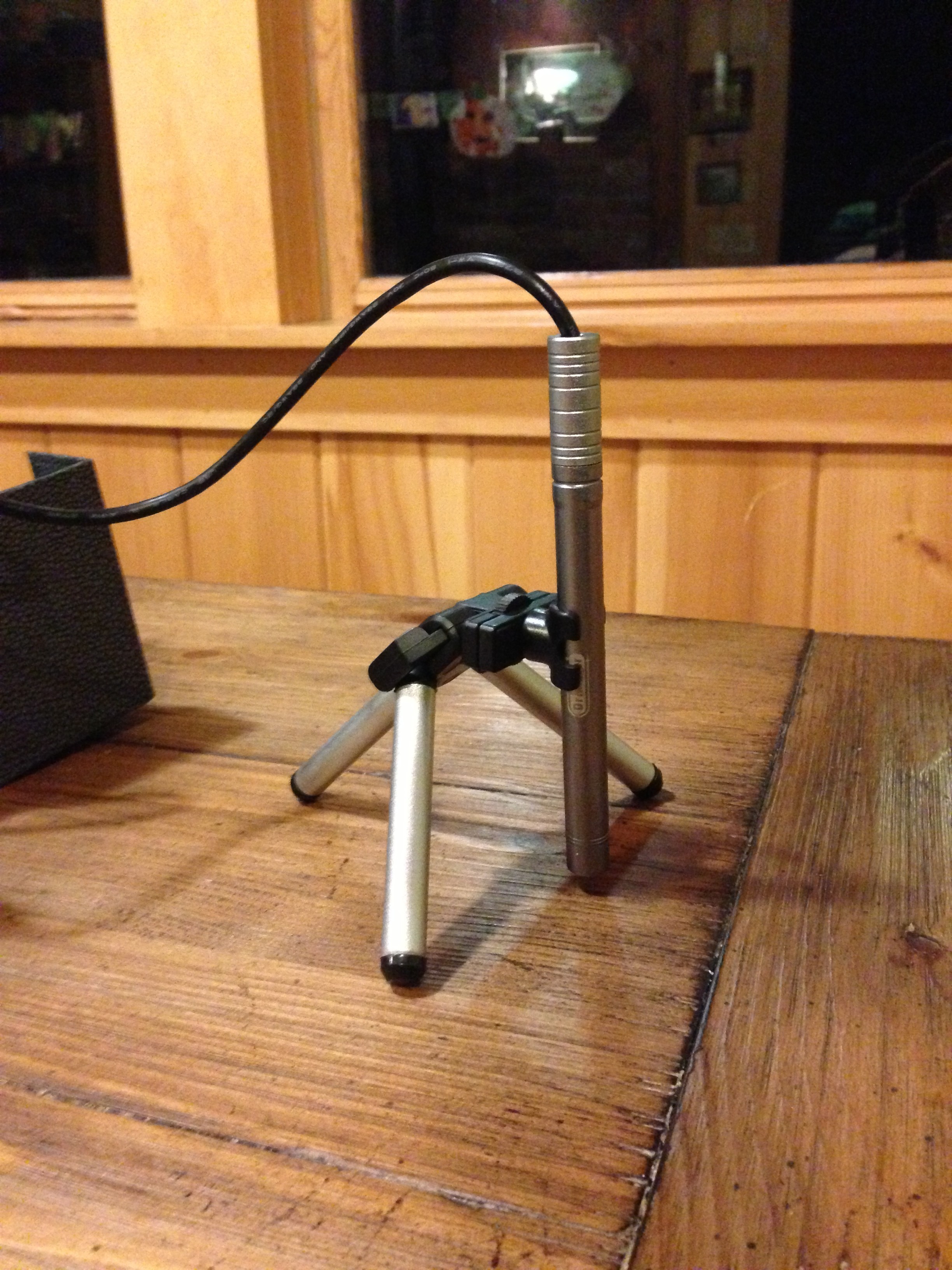
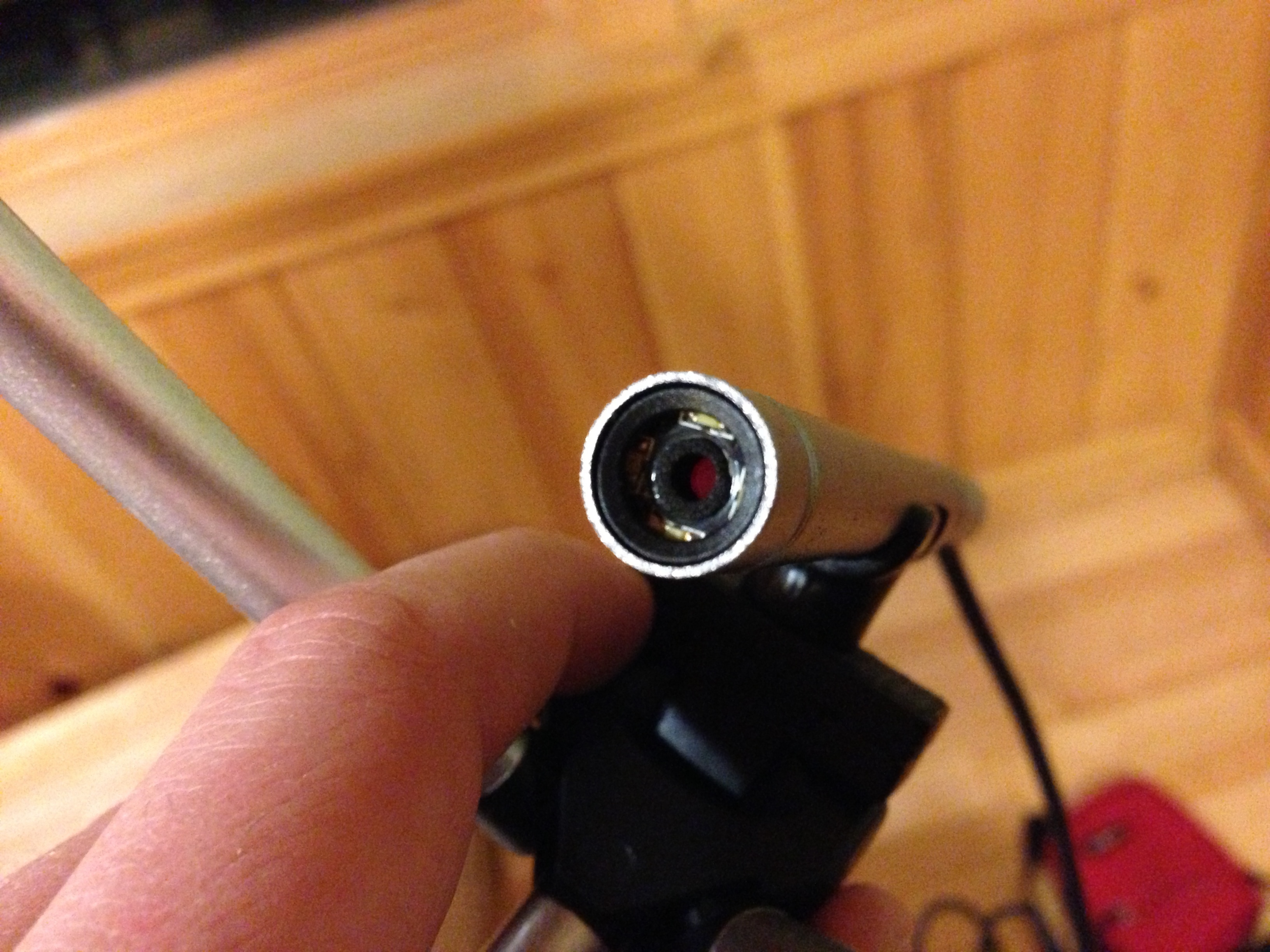
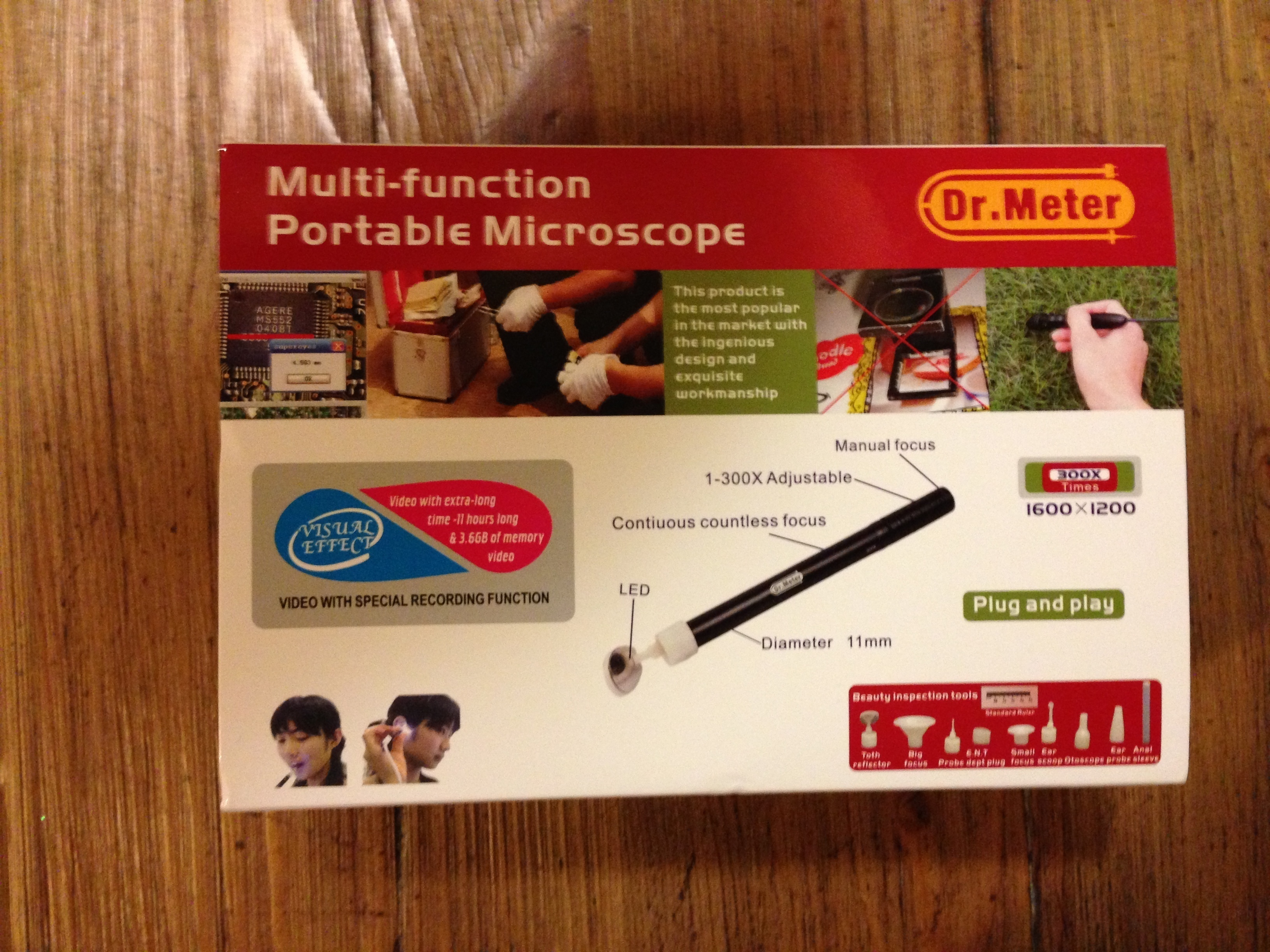
Dr. Meter B003+ 300X USB digital endoscope/miscroscope camera

TLDR: an awesome cheap device wrapped in Chinese funkiness.

The details

It is hard, very hard to not pay attention to all the funny details that go around the device. But it’s a solid device that performs great for a good price. As far as I can tell, it does not do zooming per se, it is only able to get very close to a subject and thus when the resulting picture is displayed on a bigger screen, small details are visible. As such, what you see is strictly dependent on how close you stick the camera to your subject. In fact the camera has a focus length of a few millimeters to infinity, which means you ca use it a a regular camera but you’ll have to turn the focus knob quite a bit for that.

First, some pics of what it’s capable of

They are seriously lacking online

The device itself

 On its little tripod

The lens

Everything else

The device has multiple attachments referred to as “beauty inspection tools” which are meant to stick the camera in various orifices of one’s body. They are nicely sealed in sterilized bags (but not the anal one).

Some of the various “beauty inspection tools”…

The unboxing feels like opening a Chinese treasure chest, the mechanism, the texture, the looks; this product is made in China and not pretending otherwise. What else feels Chinese is pretty much anything written in English. It’s super funny to read it all.

Technically

The device is recognized as a standard camera in Windows, MacOS & Linux! No extra drivers necessary. This is what I love about buying products from smaller companies, they go after existing standards. As such you can open it with any webcam software, I took my test shots with photobooth. They provide some software for filming & measuring among other things but I care not about this functionality so I won’t spend the time loading it.

I’ll take it to the beehive this week-end and we’ll see how it does there.

all out geekery, I.T., poultry, self sustainability ben November 20, 2012

Chicken cam – back online!

But with a serious loss of functionality. Given the internet connection that I have (cellular) I can’t reasonably set it up to do live streaming. I’ve also disabled interaction with the cam. What’s left is an image uploaded every hour. Not super duper cool but I’ll take what I can get in this neck of the woods.

Hopefully this will get better when better internet is available.

I.T., unix / linux ben November 09, 2012

ZFS send/receive accross different transport mechanisms

Sending ZFS snapshots across the wires can be done via multiple mechanisms. Here are examples of how you can go about it and what the strengths and weaknesses are for each approach.

SSH

strengths: encryption / 1 command on the sender

weaknesses: slowest

command:

[bash]zfs send tank/volume@snapshot | ssh user@receiver.domain.com zfs receive tank/new_volume[/bash]

NetCat

strengths: pretty fast

weaknesses: no encryption / 2 commands on each side that need to happen in sync

command:

on the receiver

[bash]netcat -w 30 -l -p 1337 | zfs receive tank/new_volume[/bash]

on the sender

[bash]zfs send tank/volume@snapshot | nc receiver.domain.com 1337[/bash]

(make sure that port 1337 is open)

MBuffer

strengths: fastest

weaknesses: no encryption / 2 commands on each side that need to happen in sync

command:

on the receiver

[bash]mbuffer -s 128k -m 1G-I 1337 | zfs receive tank/new_volume[/bash]

on the sender

[bash]zfs send tank/volume@snapshot | mbuffer -s 128k -m 1G -O receiver.domain.com:1337[/bash]

(make sure that port 1337 is open)

SSH + Mbuffer

strengths: 1 command / encryption

weaknesses: seems CPU bound by SSH encryption, may be a viable option in the future?

command:

[bash]zfs send tank/volume@snapshot | mbuffer -q -v 0 -s 128k -m 1G | ssh root@receiver.domain.com ‘mbuffer -s 128k -m 1G | zfs receive tank/new_volume'[/bash]

Finally, here is a pretty graph of the relative time each approach takes:

SSH + MBuffer would seem like the best of both worlds (speed & encryption), unfortunately it seems as though CPU becomes a bottleneck when doing SSH encryption.

I.T., unix / linux ben October 05, 2012

MDNS/Bonjour printer discovery script

Here’s a script I wrote whose purpose is to discover the printers that are currently being advertised by Bonjour on the network. The reason I wrote it was for a Nagios check that would in term verify that our printers were present. Writing it took me through the meanders of MDNS in Python & on Linux with multiple vlans. Let’s just say non-trivial.

Download

find_mdns_printers_1.0.tar.gz

Sample output

all out geekery, I.T. ben September 12, 2012

FreeBSD 9.0: higher MTU & NIC bonding

Here’s is some information that took me a good while to gather.

With the igb driver in FreeBSD, the mbuf cluster size needed is a mathematical formula involving the number of CPUs & the desired MTU. Unfortunately, it is currently hard set. On enterprise machines with many cores and higher MTUs, it is quite easy to reach this set limit. It will express itself with the following error message after an ifconfig:

igb0: Could not setup receive structures

This limit can be overridden with the following in /etc/sysctl.conf

[code]kern.ipc.nmbclusters=131072
kern.ipc.nmbjumbo9=38400[/code]

These are the value that worked for 16 cores & an MTU of 9000.

While we’re at it, it took me a while to nail the exact syntax require for NIC bonding so here it is:

/etc/rc.conf

[code]if_lagg_load=”YES”
ifconfig_igb0=”mtu 9000 UP”
ifconfig_igb1=”mtu 9000 UP”
cloned_interfaces=”lagg0″
ifconfig_lagg0=”laggproto failover laggport igb0 laggport igb1 192.168.0.123 netmask 255.255.255.0″[/code]

As far as I can tell, capitalization matters…

3D modeling / printing, I.T., poultry, self sustainability ben September 08, 2012

Chicken Coop!

It’s been over a year since our move away from the city and we’re finally getting back into chickens. Things take time, starting fresh at the other end of the country doesn’t happen overnight. We only got 5 layers  as we’re pretty late in the season, we’ll start meat birds next spring.

The coop still needs some polish and a window but here it is in all its current glory:

With a bunch of Rhode-Island Reds

Works for toddlers as well

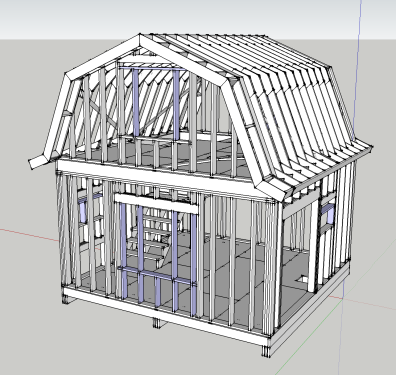
As with the beehive, I drafted everything on Google Sketchup and it made building it completely devoid of surprises. The plan can be downloaded here.

all out geekery, I.T., maniacal paranoia, unix / linux ben June 29, 2012

The impairing lack of light pollution

When we lived in the city, ambient light pollution was such that I could set my CCTV cams to a certain brightness/contrast and the limited auto adjustments they did were enough to cope with day & night. In the middle of the forest, the night gets full on #000000 dark. The poor cams can’t adjust and I need to pick whether I want to record at night and get white frames during the day, or at daytime and get black frames during the night.

I wrote the following script which computes the average brightness of a cam’s current frame and issues more drastic adjustments if needed. It is obviously tailored for my FI8918Ws but the same idea can be used for others.

[php][/php]#!/usr/bin/php
<?php

$img = @imagecreatefromjpeg( 'http://192.168.1.203:8003/snapshot.cgi?user=<username>&pwd=<password>' ) ;
if( $img===false ) {
    die( "Unable to open image" ) ;
}

$w = imagesx( $img ) ;
$h = imagesy( $img ) ;

$total_r = 0 ;
$total_g = 0 ;
$total_b = 0 ;
for( $i=0 ; $i<$w ; $i++ ) {
    for( $j=0 ; $j<$h ; $j++ ) {
        $rgb = imagecolorat( $img, $i, $j ) ;
        $total_r += ($rgb >> 16) & 0xFF;
        $total_g += ($rgb >> 8) & 0xFF;
        $total_b += $rgb & 0xFF;
    }
}

$average_brightness = round( ( $total_r / ($w*$h) + $total_g / ($w*$h) + $total_b / ($w*$h) ) / 3 ) ;
echo $average_brightness, "n" ;

if( $average_brightness<30 ) {
    echo "night time!n" ;
    echo "moden" ;
    $result = file_get_contents( 'http://192.168.1.203:8003/camera_control.cgi?param=3&value=0&user=<username>&pwd=<password>' ) ;
    sleep( 10 ) ;
    echo "contrastn" ;
    $result = file_get_contents( 'http://192.168.1.203:8003/camera_control.cgi?param=2&value=6&user=<username>&pwd=<password>' ) ;
    sleep( 10 ) ;
    echo "brightnessn" ;
    $result = file_get_contents( 'http://192.168.1.203:8003/camera_control.cgi?param=1&value=240&user=<username>&pwd=<password>' ) ;
} else if( $average_brightness>170 ) {
    echo "day time!n" ;
    echo "moden" ;
    $result = file_get_contents( 'http://192.168.1.203:8003/camera_control.cgi?param=3&value=2&user=<username>&pwd=<password>' ) ;
    sleep( 10 ) ;
    echo "contrastn" ;
    $result = file_get_contents( 'http://192.168.1.203:8003/camera_control.cgi?param=2&value=4&user=<username>&pwd=<password>' ) ;
    sleep( 10 ) ;
    echo "brightnessn" ;
    $result = file_get_contents( 'http://192.168.1.203:8003/camera_control.cgi?param=1&value=64&user=<username>&pwd=password>' ) ;
}

?>[/code]

Posts pagination

← Previous 1 … 6 7 8 9 Next →

This blog is solar powered

Interactive

Handwriting Capture
Mandalagaba
IPv6 link-local to MAC converter
IPv6 MAC to link-local converter
Markov Text Generation
Markov Word Generation
Markov Music Generation
Duplogrifier
Flood Fill Algorithms
Homestead Metrics
RGB Playground
Web Games

Categories

  • aesthetics111
    • plots54
    • specular holography6
  • Books3
  • I.T.202
    • 3D modeling / printing21
    • AI6
    • all out geekery36
    • electronics27
    • homestead automation6
    • maniacal paranoia25
    • plotters49
    • unix / linux29
    • video games4
    • web development29
    • web games3
  • Lego / Duplo67
  • life in the U.S.42
  • miscellaneous202
  • nature encounters114
  • old vinyls3
  • organs2
  • self sustainability560
    • agriculture105
    • apiculture38
    • apple20
    • building131
    • canning3
    • crochet6
    • foraging6
    • hunting10
    • maple syrup47
    • poultry39
    • preserving2
    • solar power28
    • water23
    • wood84
  • trip to a new life6
Theme by Bloompixel. Proudly Powered by WordPress