Ben's Blog

Category: I.T.

202 Articles
electronics, homestead automation, I.T. ben February 22, 2024

Beefed up Sensoring

A friend bought a couple of Sensirion SEN54s and I helped him get one working, and ended up buying the extra from him. It had been a few years since I researched what sensors were out there that worked well with Raspberry Pis, and were more on the industrial side than the hobbyist side. I was immediately enthused by Sensirion’s documentation, and their sensor looked top notch. My friend did all the homework on reading specs and comparing with others, it was really a no brainer.

With this SEN54 we’ve gained:

  • accurate humidity (the previous sensor was worthless)
  • VOC
  • PM1.0
  • PM2.5
  • PM4.0
  • PM10.0

It’ll be interesting to see the patterns. I’m honestly a little worried about what the particles will reveal seeing as we’re running 2 wood stoves in the house for half of the year. Reassuringly, the first few readings show we’re in the green, but then Nicole opened the stove to let out a bunch of grilled cheese sandwiches and the readings skyrocketed well above WHO guidelines for particles.

But those are only delicious cheese particles finding their way into your nostrils, surely that can’t have and adverse health effect. Jokes aside it’s interesting to see how much of a tail this benign event has. I’ll be really curious to discover more, I really have no idea what I’m looking at yet.

I am very glad to see the Pis become established as industry capable devices. It’s honestly remarkable what I’ve thrown at them over the years while they kept serving their purpose.

3D modeling / printing ben January 27, 2024

Protected: Crutch Guitar

This content is password-protected. To view it, please enter the password below.

I.T., plotters, web development ben November 19, 2023

And Handwriting for All

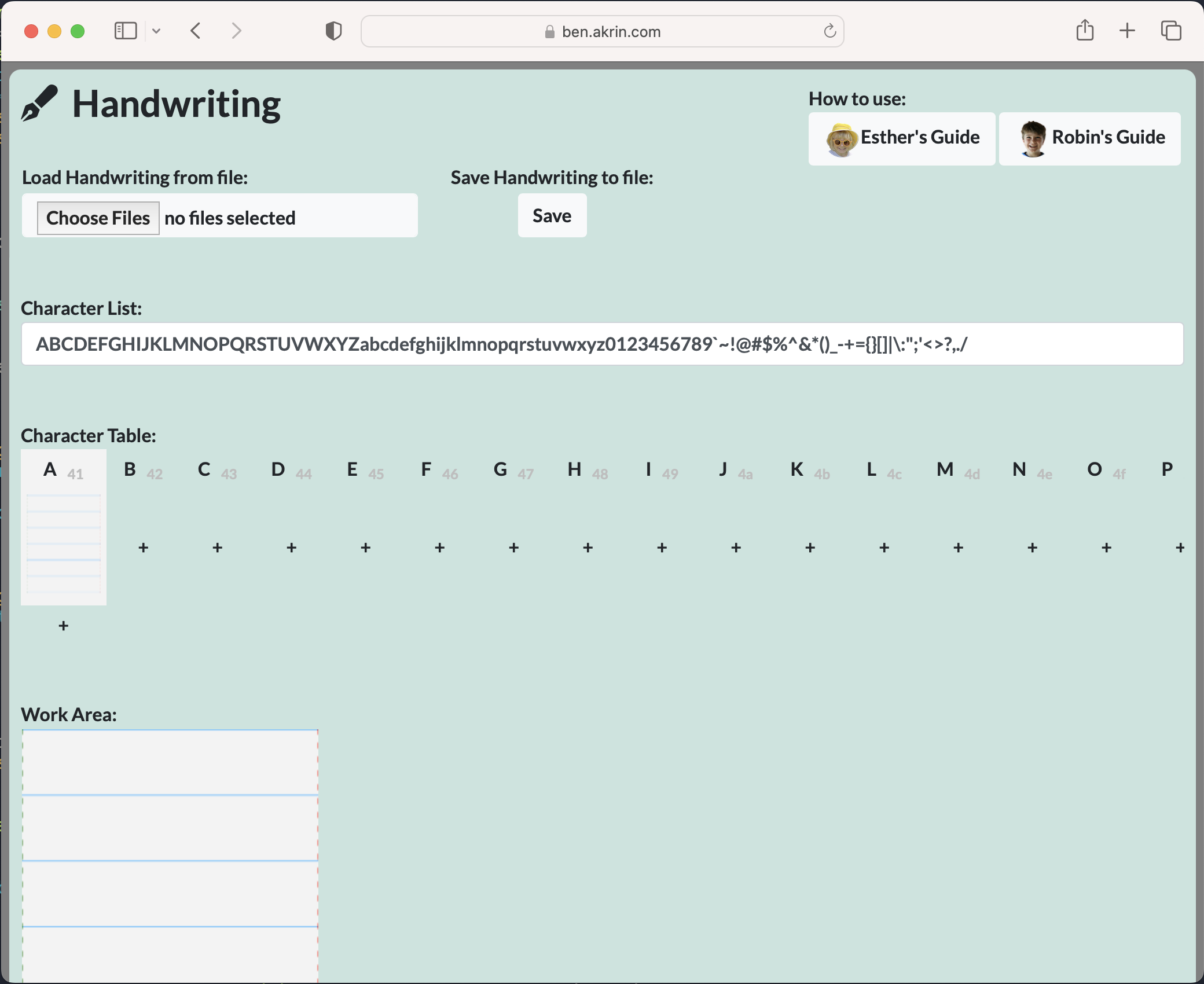
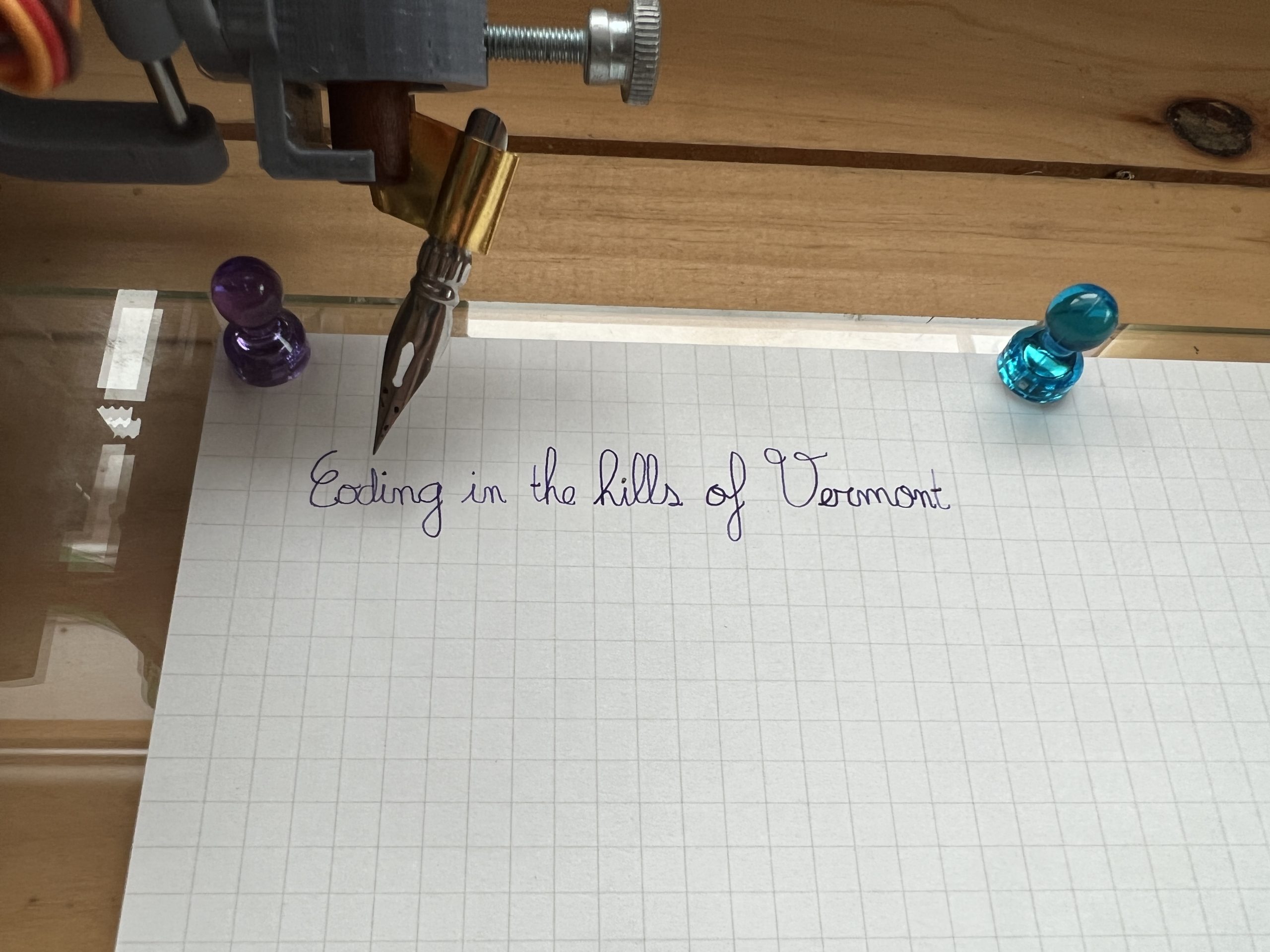
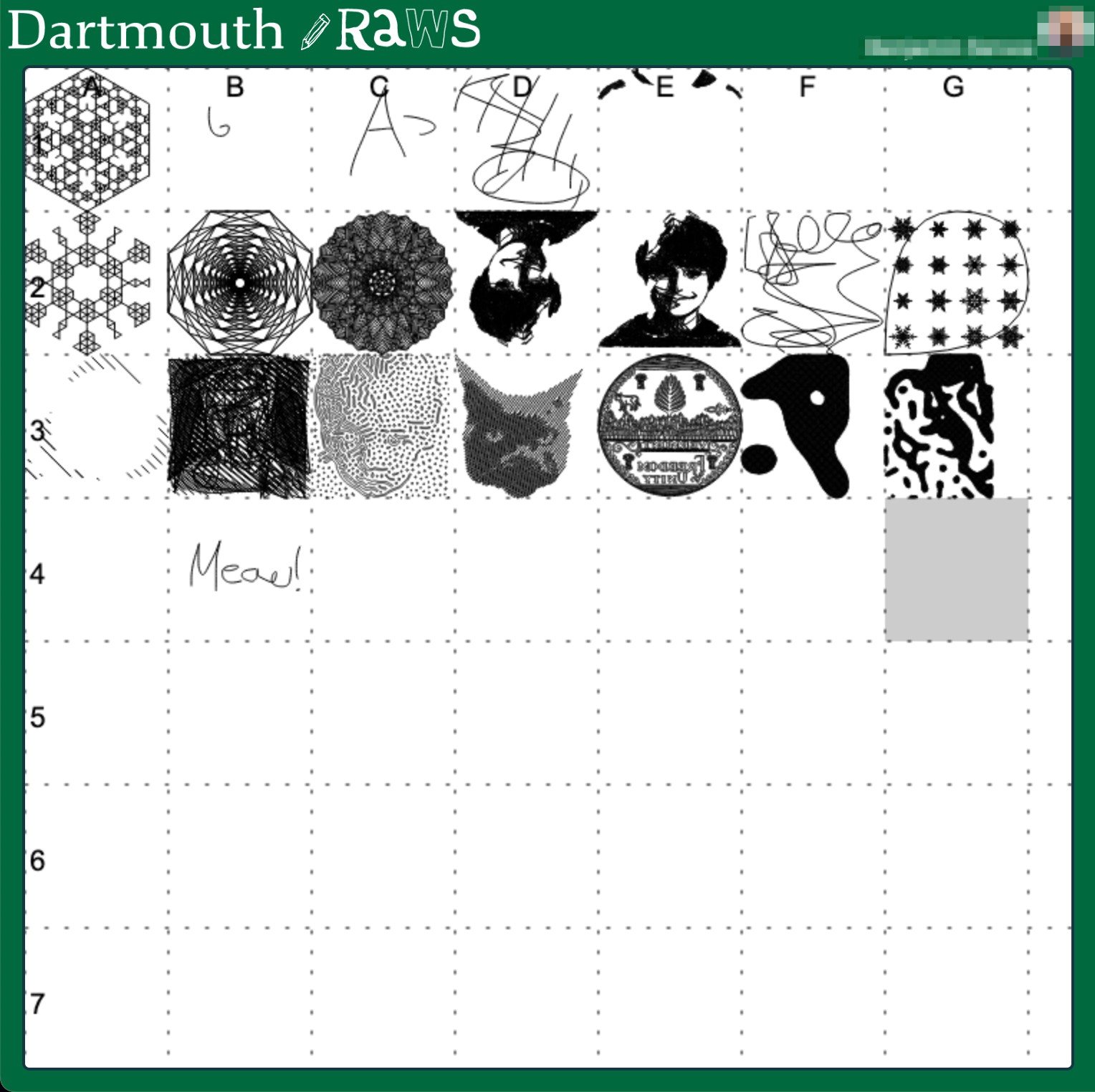
I wrote something pretty neat for Plottybot, and for the longest time I thought I should make it available on its own, and detached from the project. Then the most excellent Stuff Made Here guy made a writing machine, and ran into all the issues I ran into which drove me to write my own algorithms for capturing and replaying handwriting. My stuff wasn’t online then and that’s a shame, it was only available by building a Plottybot, or at least using its Pi image. Oh well.

As is tradition, I captured my kids’ handwritings as I do every year some time in the Winter. But this time I made sure to have the new site ready before Thanksgiving so that people could use it as they went and met with loved ones.

So here, this site serves the purpose of capturing one’s handwriting. It supports cursive, character variations, saving, and finally exporting to SVG & GCode. Hopefully this means you can use it with your favorite craft machine for the coolest of personalized projects.

https://ben.akrin.com/plottytools/

I.T. ben November 07, 2023

Pi Zero W to Pi Pico W

We’re finally able to get our hands on some sweet Pis after a long shortage. I got a Pi Pico W because it’s just that cheap, why not? It’s the W that really makes the difference; years ago I went from full Pis to Pi Zeros because the Wifi capabilities meant I didn’t have to worry about USB dongles. Everything I do tends to be Wifi connected so not having it makes a board irrelevant. And so with a W next to the Pico’s name, I’m definitely interested. It’s pretty smart of the Raspberry Pi foundation to put in this functionality into a microcontroller, it’s just enough to get me curious in what I could actually do with it.

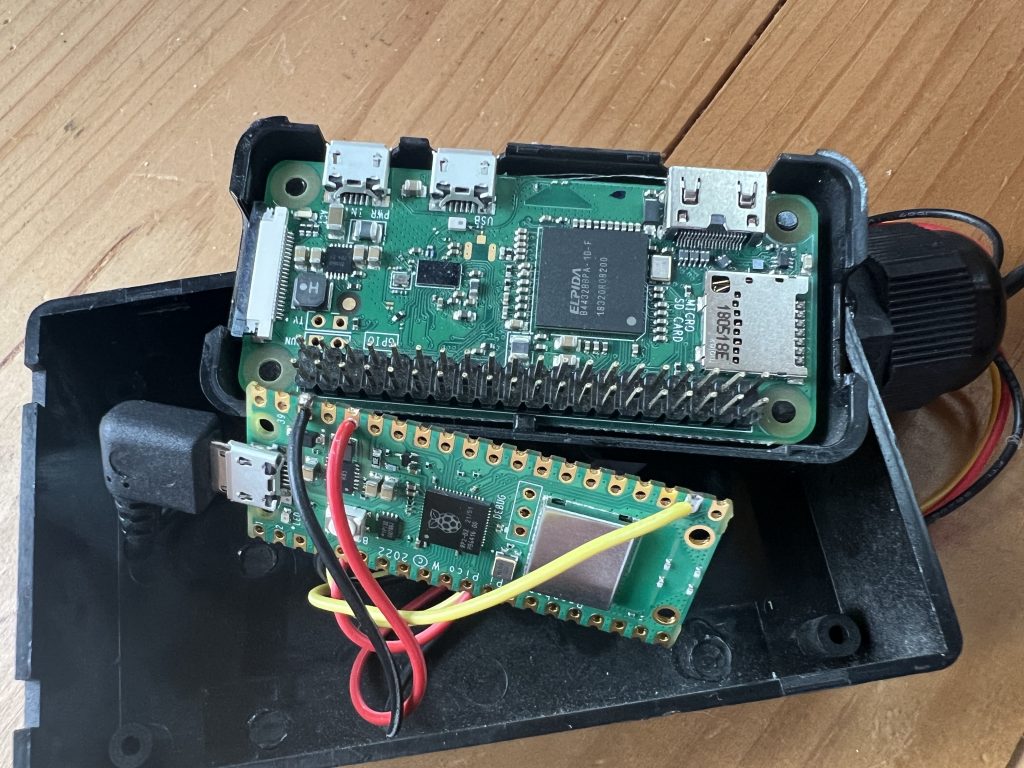
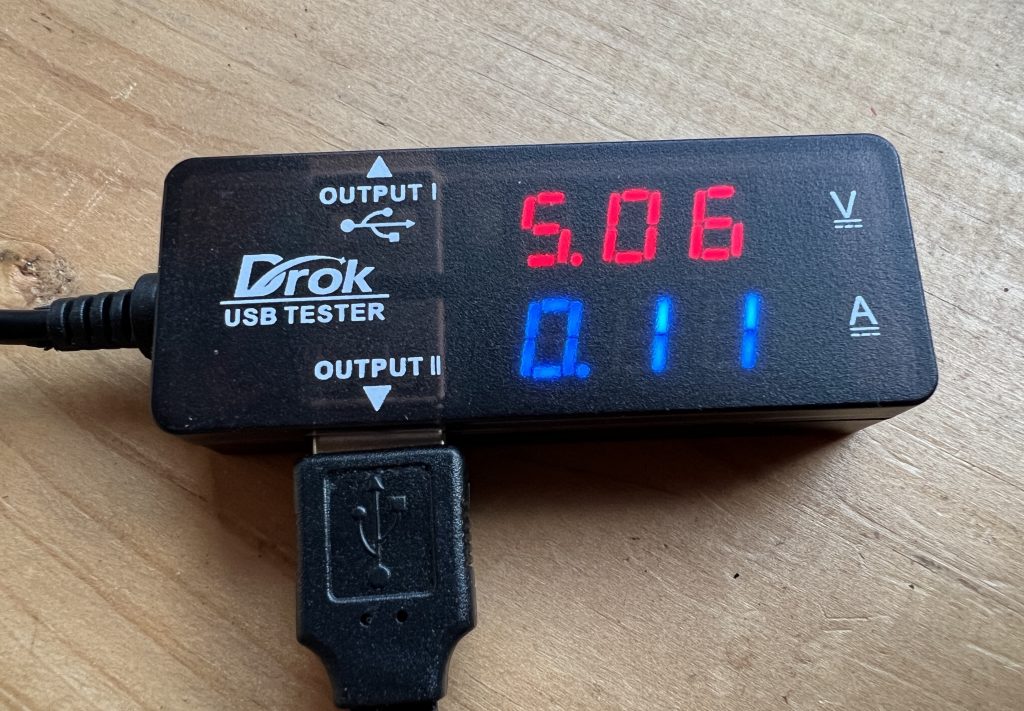
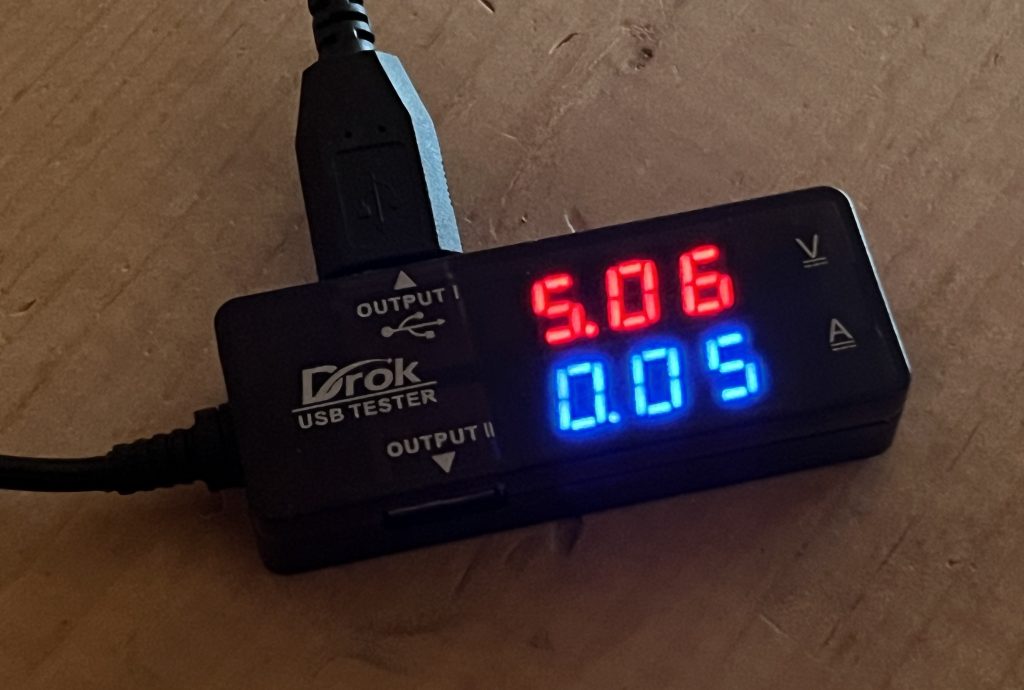
Now I have to get over the barrier of not having a fully fledged OS (and the sweet package managers with all the Debian packages that comes with it), but with Wifi I can definitely do some tasks with a Pico I’m usually doing with a Zero. So I figured I’d try replacing the house temperature sensor and see how that goes. I initially tried to use the Pico’s built in temperature sensor, but it’s terribly inaccurate so I did rewire the DS18B20 from the Zero to the Pico.
Brain transfer, The size gain is nice but not particularly significant

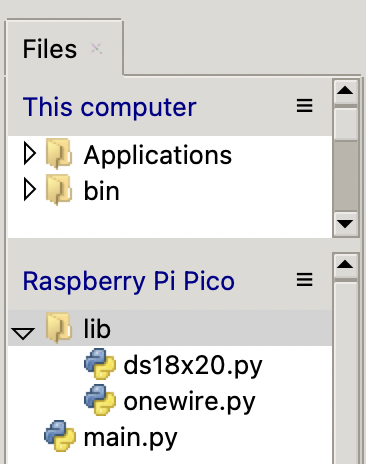
Coding was a breeze, there is isn’t much to say about that, but if you’re interested, here the code I’m running for a web server I can ask for current temperature. One thing I learned is that you need to make sure you have a “lib” directory with libraries you might need for your code.

import machine
import time
import network
import socket
from machine import ADC
import machine, onewire, ds18x20

html = """{\"house_temperature\":<TEMPERATURE>}"""

led = machine.Pin( "LED", machine.Pin.OUT )

ds_pin = machine.Pin( 17 )
ds_sensor = ds18x20.DS18X20( onewire.OneWire(ds_pin) )
roms = ds_sensor.scan()
print( "Found DS devices: ", roms )

ssid = "<redacted>"
password = "<redacted>"
wlan = network.WLAN( network.STA_IF )
wlan.active( True )
wlan.connect( ssid, password )

# wait for connect or fail
max_wait = 20
while max_wait>0:
    if wlan.status() < 0 or wlan.status() >= 3:
        break
    max_wait -= 1
    print( "waiting for connection..." )
    time.sleep( 1 )

# handle connection error
if wlan.status()!=3:
    raise RuntimeError( "network connection failed" )
else:
    print( "connected" )
    status = wlan.ifconfig()
    print( "ip = " + status[0] )

# open socket
addr = socket.getaddrinfo( "0.0.0.0", 80)[0][-1]
s = socket.socket()
s.bind( addr )
s.listen( 1 )
print( "web server listening on", addr )

# listen for connections
while True:
    try:
        cl, addr = s.accept()
        print( "client connected from", addr)

        request = cl.recv( 1024 )
        print( request )
        request = str( request )
        
        ds_sensor.convert_temp()
        time.sleep_ms(750)
        response = html.replace( "<TEMPERATURE>", str(ds_sensor.read_temp(roms[0])) ) 
        
        led.value( 1 )
        
        cl.send('HTTP/1.0 200 OK\r\nContent-type: application/json\r\n\r\n')
        led.value( 0 )
        cl.send(response)
        cl.close()
 
    except OSError as e:
        cl.close()
        print('connection closed')

I got the libraries online, but here they are in case it’s useful.

# 1-Wire driver for MicroPython
# MIT license; Copyright (c) 2016 Damien P. George

import _onewire as _ow


class OneWireError(Exception):
    pass


class OneWire:
    SEARCH_ROM = 0xF0
    MATCH_ROM = 0x55
    SKIP_ROM = 0xCC

    def __init__(self, pin):
        self.pin = pin
        self.pin.init(pin.OPEN_DRAIN, pin.PULL_UP)

    def reset(self, required=False):
        reset = _ow.reset(self.pin)
        if required and not reset:
            raise OneWireError
        return reset

    def readbit(self):
        return _ow.readbit(self.pin)

    def readbyte(self):
        return _ow.readbyte(self.pin)

    def readinto(self, buf):
        for i in range(len(buf)):
            buf[i] = _ow.readbyte(self.pin)

    def writebit(self, value):
        return _ow.writebit(self.pin, value)

    def writebyte(self, value):
        return _ow.writebyte(self.pin, value)

    def write(self, buf):
        for b in buf:
            _ow.writebyte(self.pin, b)

    def select_rom(self, rom):
        self.reset()
        self.writebyte(self.MATCH_ROM)
        self.write(rom)

    def scan(self):
        devices = []
        diff = 65
        rom = False
        for i in range(0xFF):
            rom, diff = self._search_rom(rom, diff)
            if rom:
                devices += [rom]
            if diff == 0:
                break
        return devices

    def _search_rom(self, l_rom, diff):
        if not self.reset():
            return None, 0
        self.writebyte(self.SEARCH_ROM)
        if not l_rom:
            l_rom = bytearray(8)
        rom = bytearray(8)
        next_diff = 0
        i = 64
        for byte in range(8):
            r_b = 0
            for bit in range(8):
                b = self.readbit()
                if self.readbit():
                    if b:  # there are no devices or there is an error on the bus
                        return None, 0
                else:
                    if not b:  # collision, two devices with different bit meaning
                        if diff > i or ((l_rom[byte] & (1 << bit)) and diff != i):
                            b = 1
                            next_diff = i
                self.writebit(b)
                if b:
                    r_b |= 1 << bit
                i -= 1
            rom[byte] = r_b
        return rom, next_diff

    def crc8(self, data):
        return _ow.crc8(data)
# DS18x20 temperature sensor driver for MicroPython.
# MIT license; Copyright (c) 2016 Damien P. George

from micropython import const

_CONVERT = const(0x44)
_RD_SCRATCH = const(0xBE)
_WR_SCRATCH = const(0x4E)


class DS18X20:
    def __init__(self, onewire):
        self.ow = onewire
        self.buf = bytearray(9)

    def scan(self):
        return [rom for rom in self.ow.scan() if rom[0] in (0x10, 0x22, 0x28)]

    def convert_temp(self):
        self.ow.reset(True)
        self.ow.writebyte(self.ow.SKIP_ROM)
        self.ow.writebyte(_CONVERT)

    def read_scratch(self, rom):
        self.ow.reset(True)
        self.ow.select_rom(rom)
        self.ow.writebyte(_RD_SCRATCH)
        self.ow.readinto(self.buf)
        if self.ow.crc8(self.buf):
            raise Exception("CRC error")
        return self.buf

    def write_scratch(self, rom, buf):
        self.ow.reset(True)
        self.ow.select_rom(rom)
        self.ow.writebyte(_WR_SCRATCH)
        self.ow.write(buf)

    def read_temp(self, rom):
        buf = self.read_scratch(rom)
        if rom[0] == 0x10:
            if buf[1]:
                t = buf[0] >> 1 | 0x80
                t = -((~t + 1) & 0xFF)
            else:
                t = buf[0] >> 1
            return t - 0.25 + (buf[7] - buf[6]) / buf[7]
        else:
            t = buf[1] << 8 | buf[0]
            if t & 0x8000:  # sign bit set
                t = -((t ^ 0xFFFF) + 1)
            return t / 16

Half the amp draw from a Zero

That’s it!

AI, I.T., miscellaneous ben October 04, 2023

Stable Diffusion

I’ve played with Stable Diffusion a few months back, but the learning curve is steep, and easy access to DallE & MidJourney made it not worth it to press on. Until… I got excited about a super cool extension:

https://huggingface.co/monster-labs/control_v1p_sd15_qrcode_monster

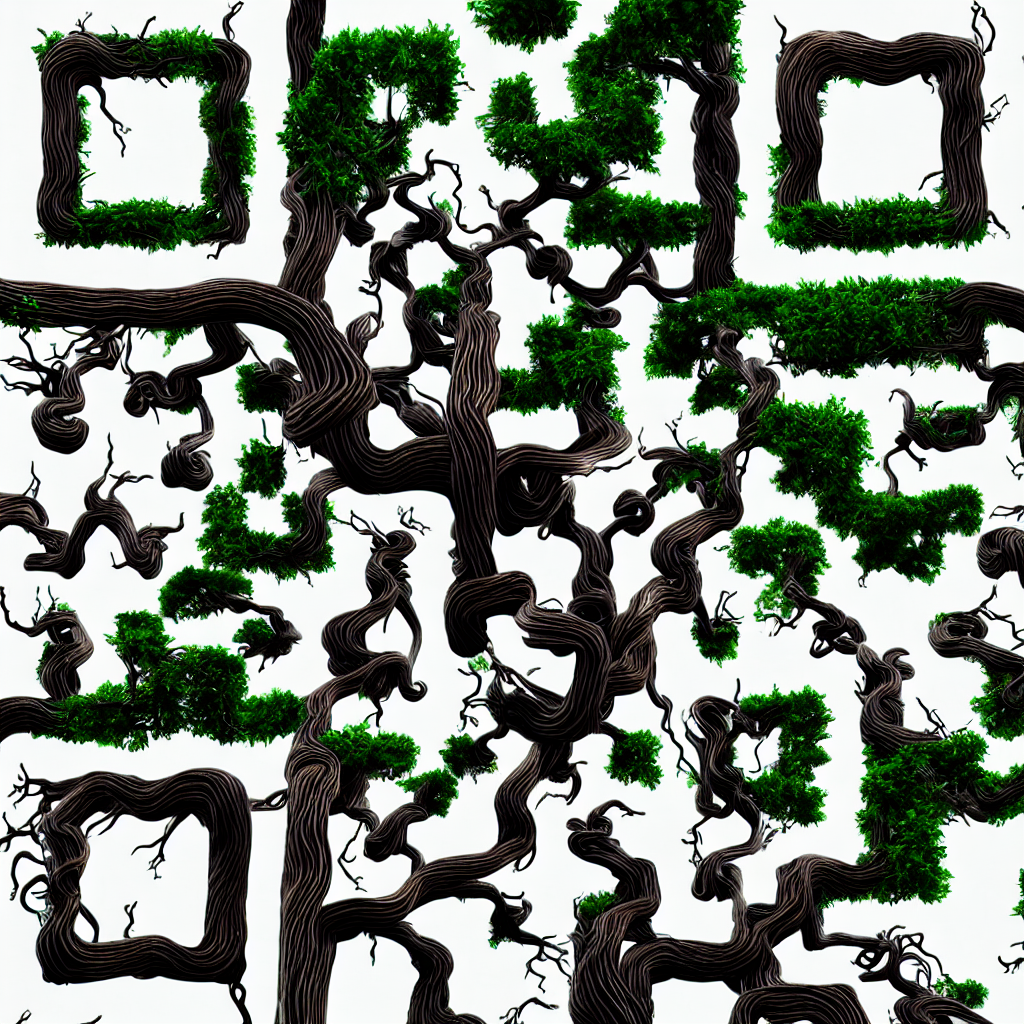
I just love the idea of having the same image have one analog meaning to a human and discrete meaning to a machine. And the same extension can be used for general masking other than just QR codes.
Without further ado, here’s the eye candy:

A benign QR code

General masking for an almost subliminal effect

There’s much to be refined in my incantation, but I really like how the mask isn’t just overlayed on top of a drawing in a subtle way, rather it’s the basis for growth of AI hallucinations.
Lego / Duplo, plotters ben September 07, 2023

Protected: Mindstorm Gondola Plotter

This content is password-protected. To view it, please enter the password below.
I.T., plotters ben July 28, 2023

Warming Up

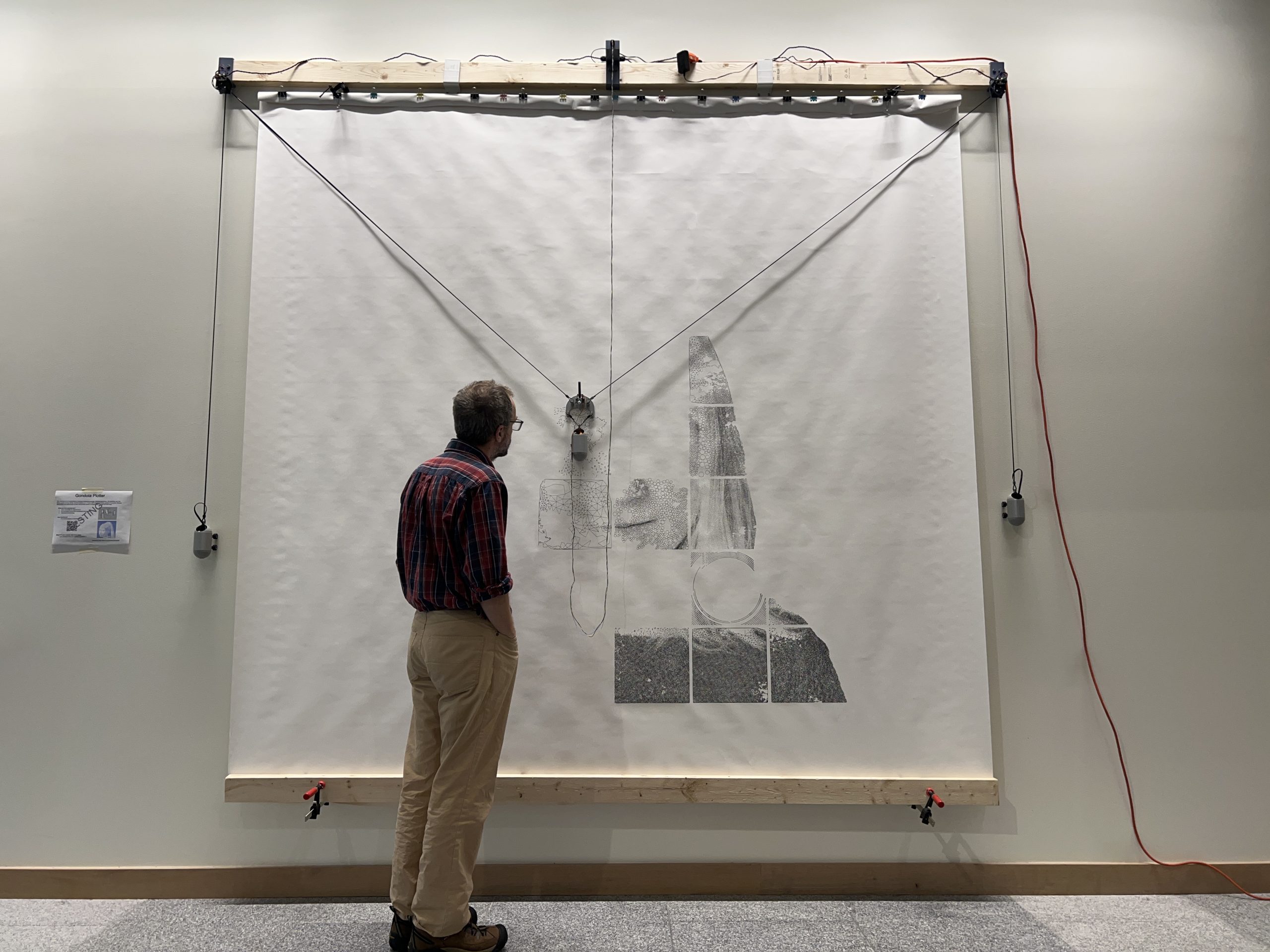
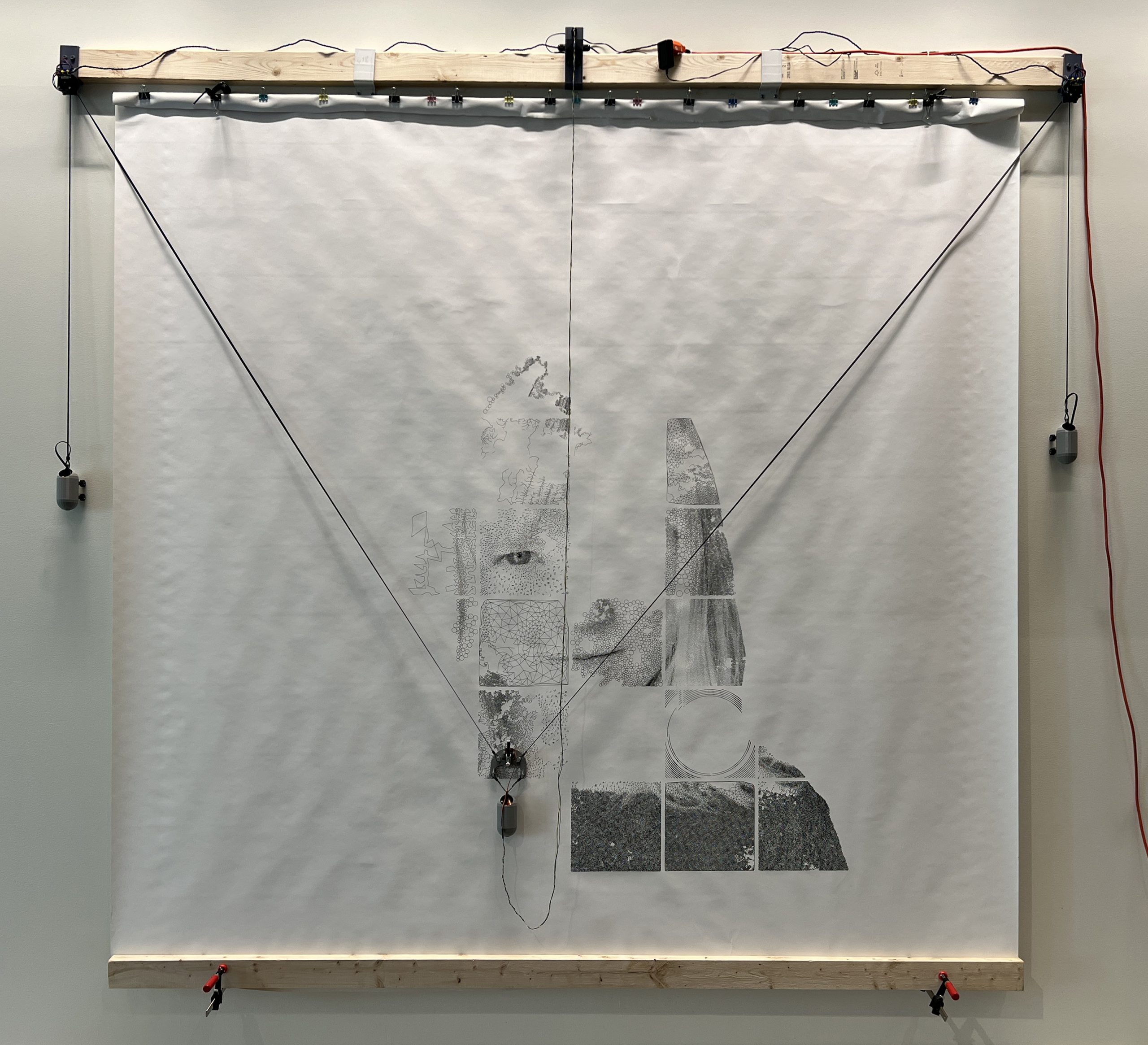
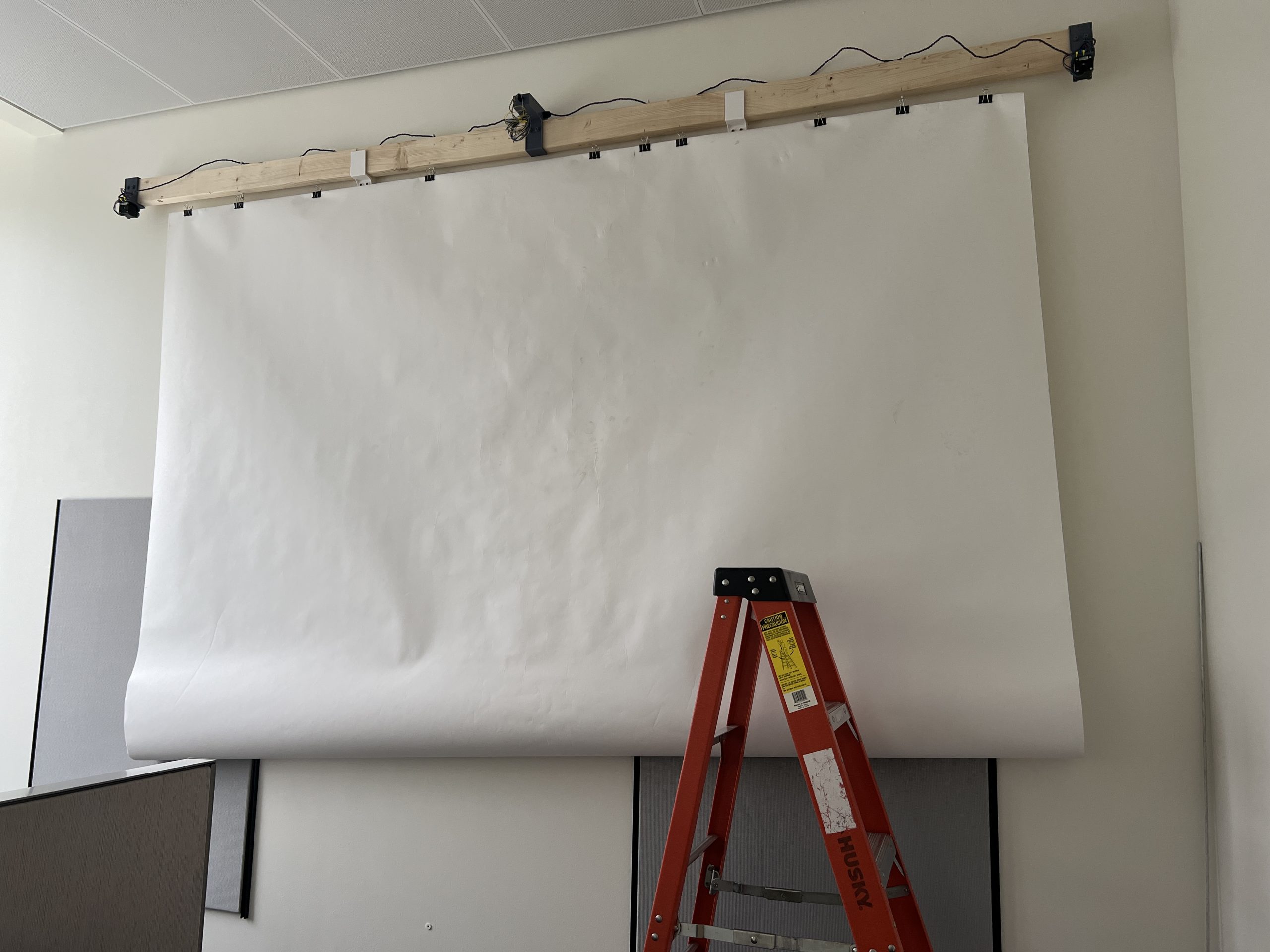
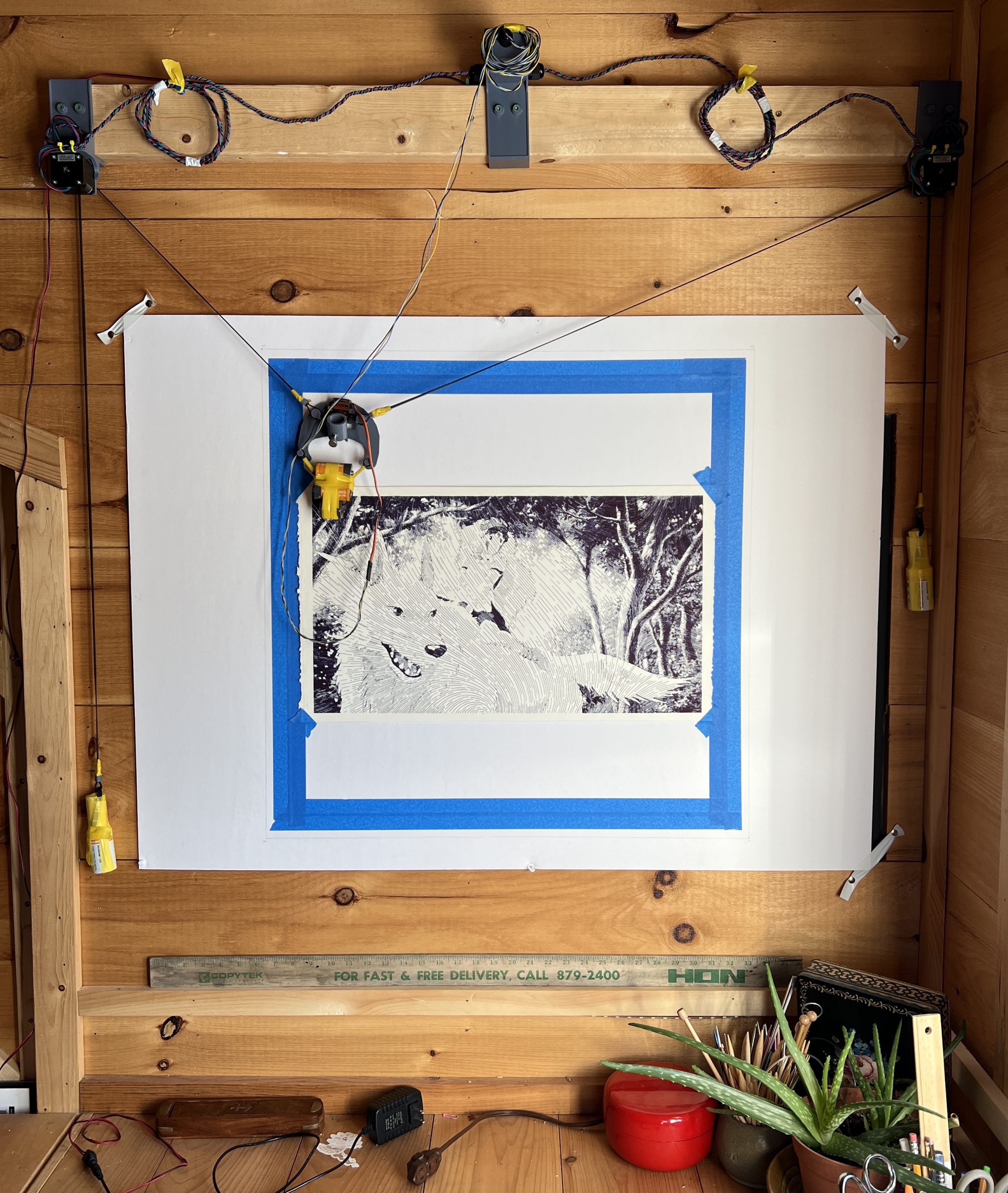
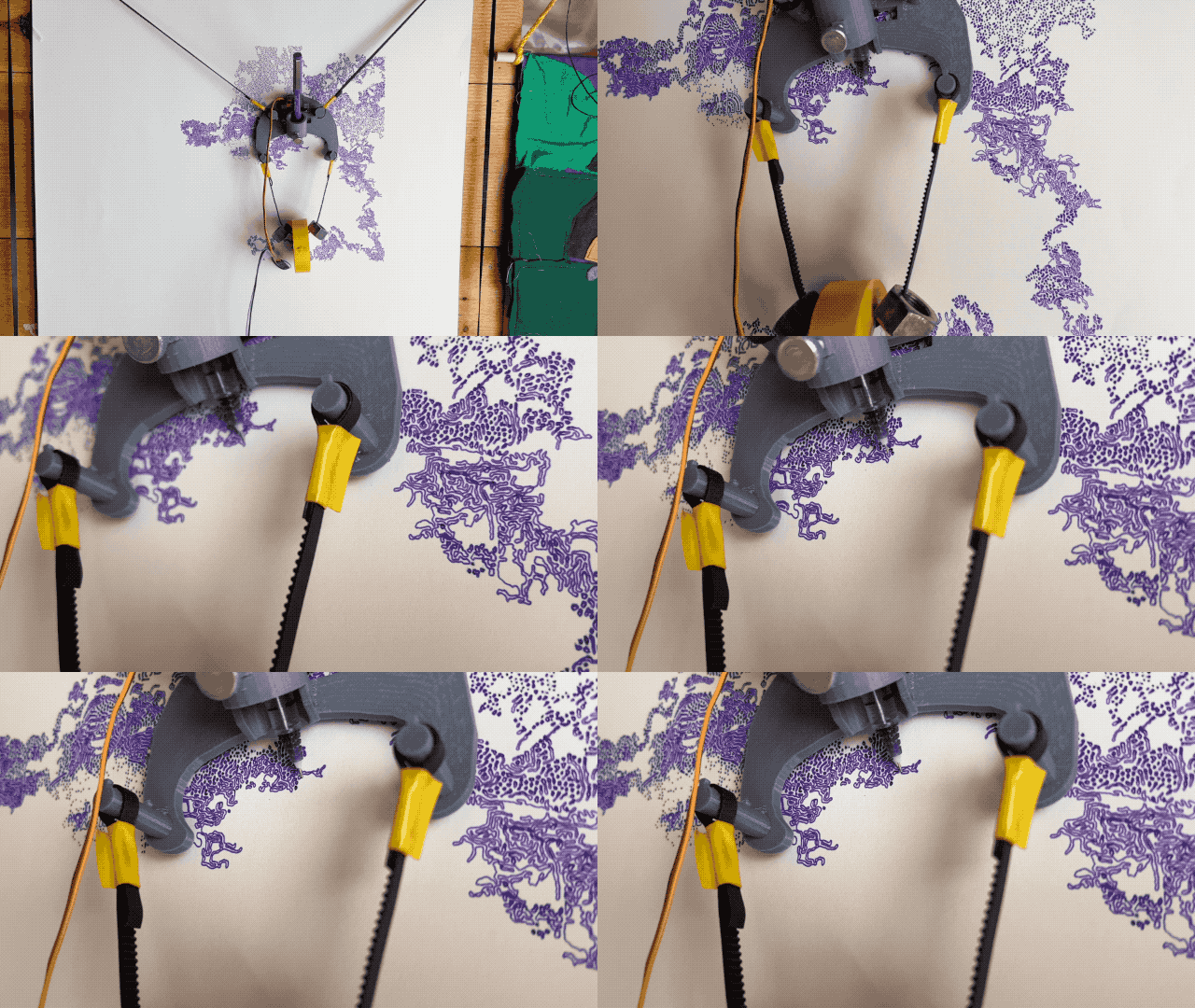
I’ve recently gotten the ok to deploy a large gondola plotter in a public place. Theoretically, there is not limit to how large a gondola plotter can be. Practically, there are considerations to how large they get. I’ve been working on solving the various issues that arise from having a 10′ deployment. Of course with the ~20% margin to avoid extreme positions, it’s not 10’^2 drawable. Still though, there are many challenges due to the scale. Finding paper big enough is a challenge, so is moving it without damaging it. I figured out other quirks, it’s boring, let’s skip to the eye candy:

I have several public facing experiments lined up for it over the next few months or years. I’m not in a hurry. This is just a warm up to figure out what it means to deploy it in a public spot. What’s fairly clear though, is that there isn’t much I can do to make this better, and so this may be the culmination of a 5 years development effort.

That’s 3 days of the machine working non-stop, I’m watching the ink level closely and hope it’ll be done in a couple more days.

Lego / Duplo, plots, plotters ben April 10, 2023

Mindstorms Plotter

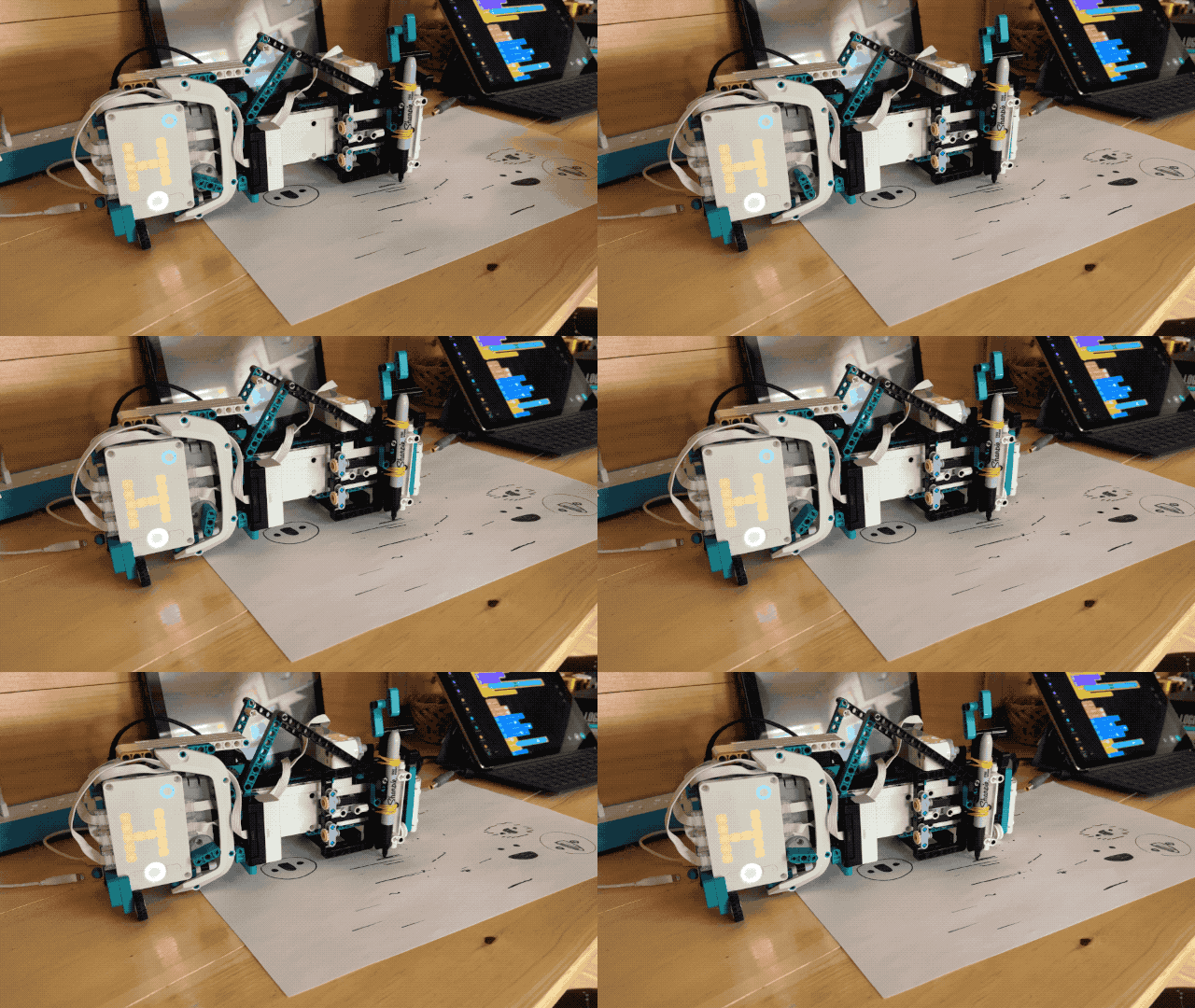
Robin built a very cool Lego Mindstorms based plotter. I’ve seen him run into issues similar to what I ran into, and solve them. I’ll sometimes attach a monetary prize to some of his Mindstorms projects. Once he’s scratched the itch and wants to move on, but I know a lot of challenges occur not just making a robot work, but making it work well.

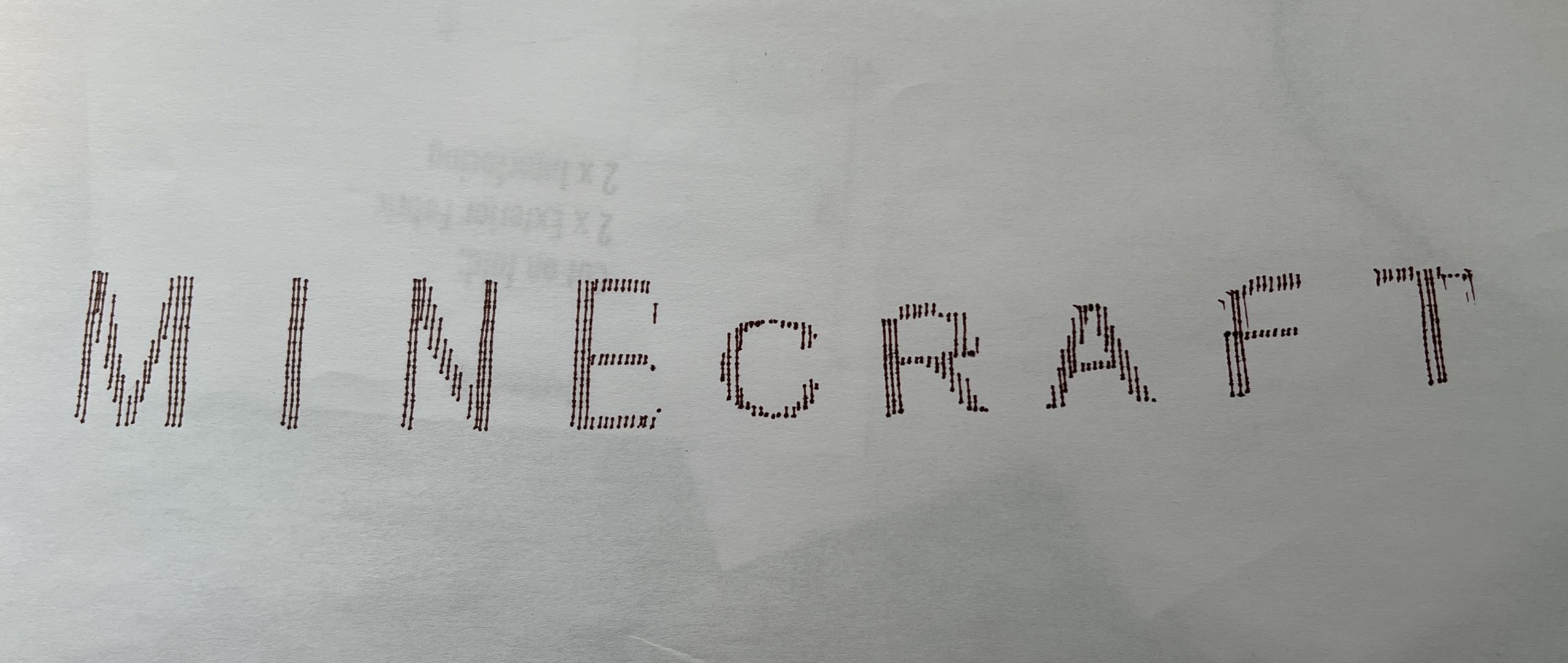
For a while there was $5 on making a drawing machine that drew something beyond a basic shape, it didn’t have to be much, just had to be something that proved the machine’s worth. And he’s earned it with this:

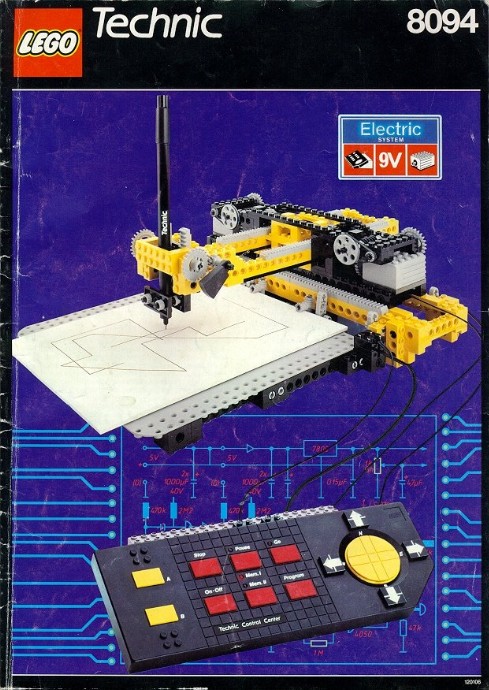
He didn’t write the software that turns text into lines, but there were plenty of mechanical challenges to getting the machine consistent enough to make this. Overall I’m blown away by the quality of today’s Mindstorms. Seeing him build his machine reminded me I had this set growing up:

Might have planted some seeds.

In the meantime I’m testing a 10′ deployment, a drawing machine so big one needs a ladder to get to the top. I haven’t ran it yet, but I know there will be new issues arising from the scale. Even just setting the paper is challenging.

video games ben March 31, 2023

Protected: Practicing her Landing

This content is password-protected. To view it, please enter the password below.

I.T., web games ben March 02, 2023

Capture the Flag

I sometimes get curious about an old game or early internet artifact I ran into as a kid growing up with the early internet. This gem found itself onto my 90s computer and managed to keep a special place in my heart for 30 years. Until 2023 when I was curious to give it a try, thinking it’d be a cool game to play with Robin. To my surprise, it has never found its way into the Abandonware scene in its full form, only the shareware version is available. The shareware version is all I ever got my hands on at the school bus stop floppy exchange program. The easiest way I found to emulate it, and fortunately the best, is using web technologies. And so here it is:

Click to pop out

Playing again today, it definitely still holds up as a solid turn based strategy game. A genre that is criminally underappreciated. I’m always a fan of a game that invites serious consideration to your next step, but chess has never done it for me. PBEM (Play By EMail) games are on a whole other level, having several hours to several days to take 1 turn forces you to think on a whole other level deep into the game mechanics.

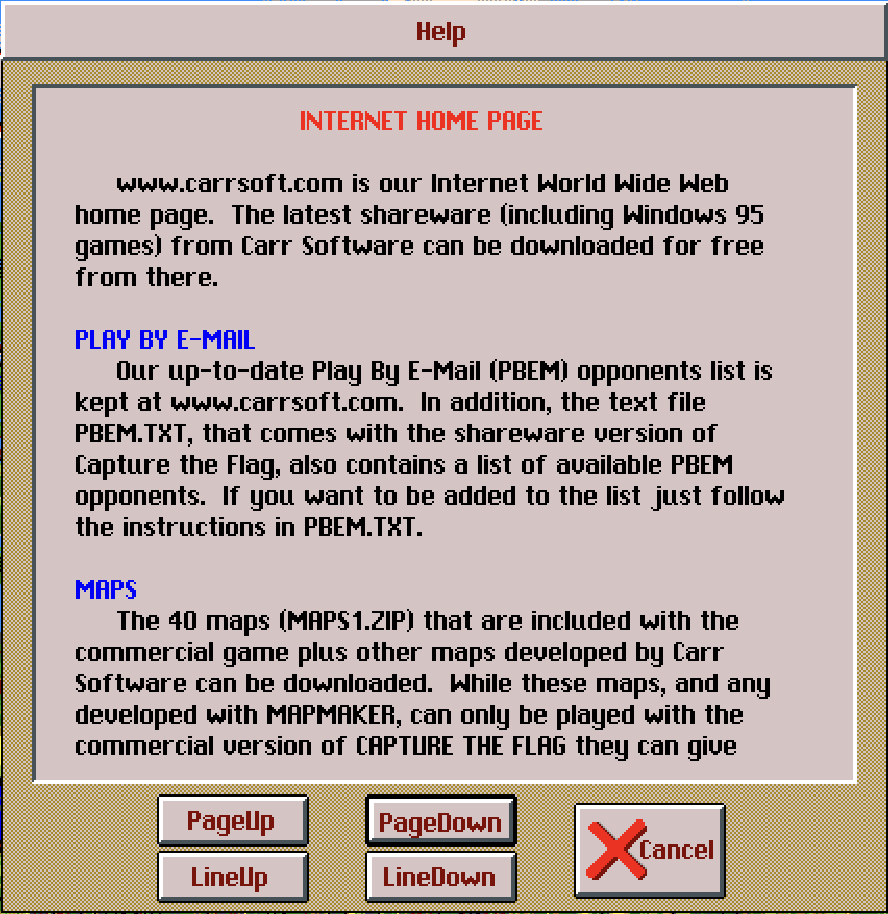
Even if Capture the Flag isn’t appealing to you, it’s cool to poke around in the menus and see what the computer scene was like 30 years ago. The list of players is literally a text file maintained by hand. Oh wow! they’ve got a website!

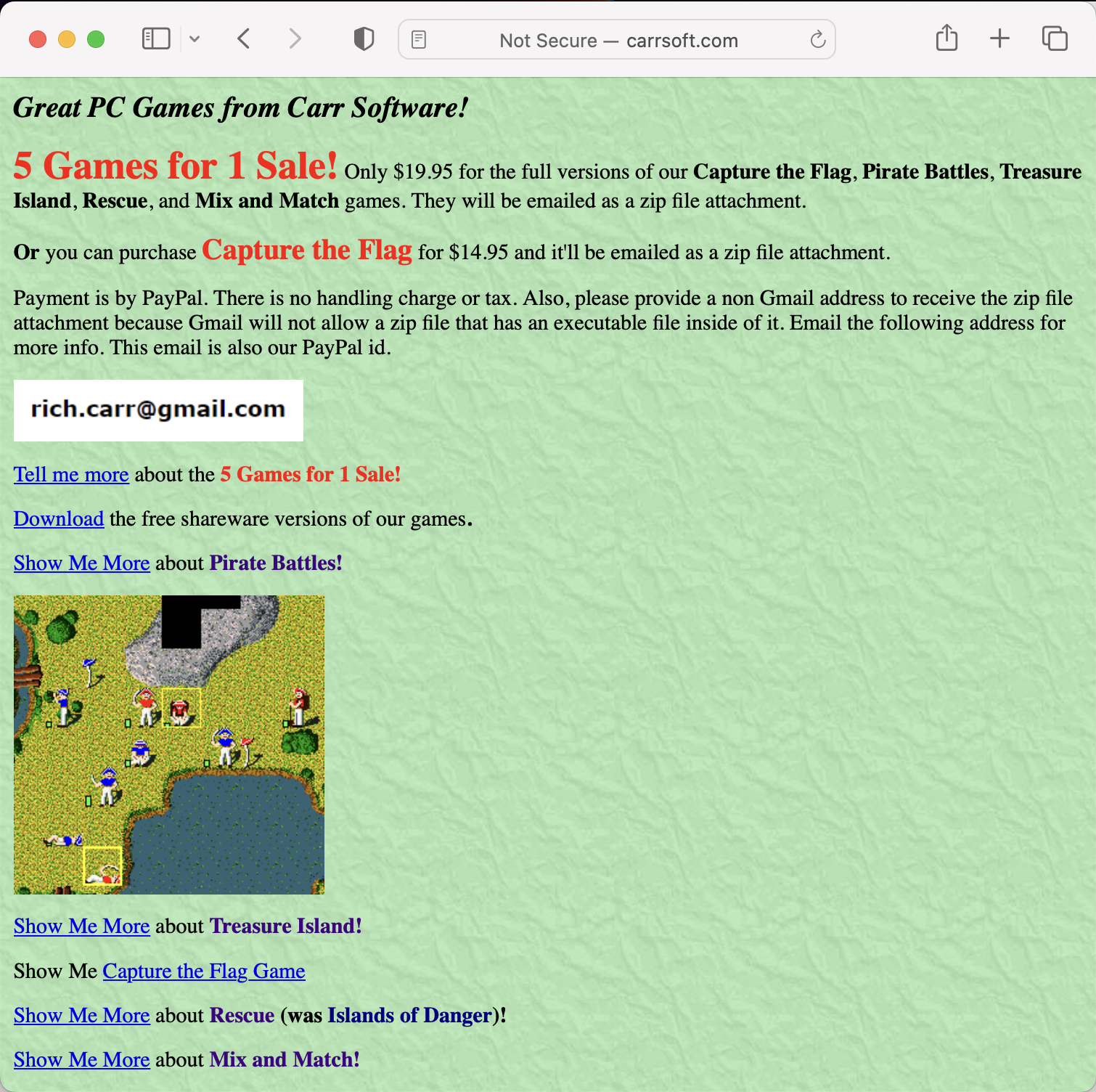
Oh wow! It still works, and I might still be able to buy the full game!

The instructions look reasonably current. Well, I know what I need to do. I have to admit I absolutely love the idea of having such an e-commerce interaction from a website preserved in amber.

And so a couple of days later, I was the proud owner of a fully licensed version of Capture the Flag! Hell Yeah!

This one shall remain a screenshot 🙂

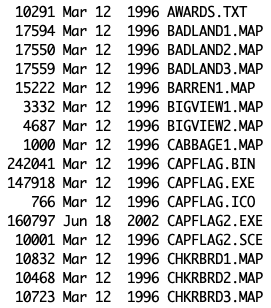
file timestamps from 1996!

I asked the game developer, Richard Carr if he would be so kind as to answer a few questions about the game and his experience making it, and he kindly took some time to do just that. I was interested in hearing his story of how such a treasured memory to so many came to be born.

Richard Carr, solid guy

I was curious to know how Rich learned programming, he has a degree in Computer Science he got from Cal Poly in the 70s. So formal training. He learned on punch cards and had many positive thing to say about how much easier it is to program today (he helps his grand kids on Khan Academy). He did not like all the Math, Physics and Chemistry he had to do, he just wanted to program. That resonated with my own experience :).

He came up with the idea for Capture the Flag from watching his older brother play it in real life as a Scout, and playing several turned based strategy board games.

He developed the game over 2 to 3 years, using C and a little assembly. He got it working and spent a lot of time testing and refining before release. In the 90s you had better ship a finished product. He did make a point to tell me that the A.I. does not cheat. To illustrate both the development effort, and his dedication to the fairness of the game. This point was well received, I’m often fuming playing against AIs which are obviously cheating so they’re easier to program.

I asked for some vague notions of how financially successful the game was, he told me it was enough to live off of the first year and that it slowed down after this. Today he sells 2 to 3 a month, mostly to nostalgics like me who are now adults with a Paypal account. Back then he received several awards for the game which helped make it financially viable. He did say that he might have been too generous with the shareware version, I couldn’t disagree, I felt perfectly happy with the one level :).

He went on to build several other games, but they were not well received by the reviewers, and the market had moved on. I could relate with the seemingly random ways in which projects are received by any audience. Sometimes you pour your heart into something and no one care, other times you mess around scratching an itch and it blows up. That is his only project that made such a splash, he landed a job from the skills he had acquired on his subsquent less successful game projects, so it wasn’t all lost.

He didn’t realize the impact that the game had in the world until years later. He first made a game that he wanted to play, but he was definitely proud of it.

I was wondering if he was still 100% optimistic about technology the way we all were in the 90s, and he was by and large. He is amazed by technology, the and the tools that civilization keeps building upon. But he did think phones and social media are having a negative impact. This only came up when I asked if he had IT wisdom, or even life wisdom he wanted to share, the conversation moved to the topic of parenting and he certainly had some to share on this.

It was super nice of him to indulge the curiosity of a fan of his work. Throughout the conversation I had the feeling I was talking with a good person who is way into computers.

I.T., plotters ben January 31, 2023

Gondola PlottyBot is born

A much easier build than the tabletop version, but still quite a bit of work to document it all. I now have 2 or each kind :).

Instructions here

I.T., plotters ben January 07, 2023

Protected: Serious Deep Plotting

This content is password-protected. To view it, please enter the password below.

plotters ben December 19, 2022

Ink Wells & Ligatures

I’m revisiting and polishing the “ink refill routine” capability, and I rewrote the ligature algorithm for cursive handwriting. This is mostly just a test but it shows promise.

plotters ben October 12, 2022

Protected: Live Drawing

This content is password-protected. To view it, please enter the password below.

I.T., plotters ben September 18, 2022

Gondola PlottyBot

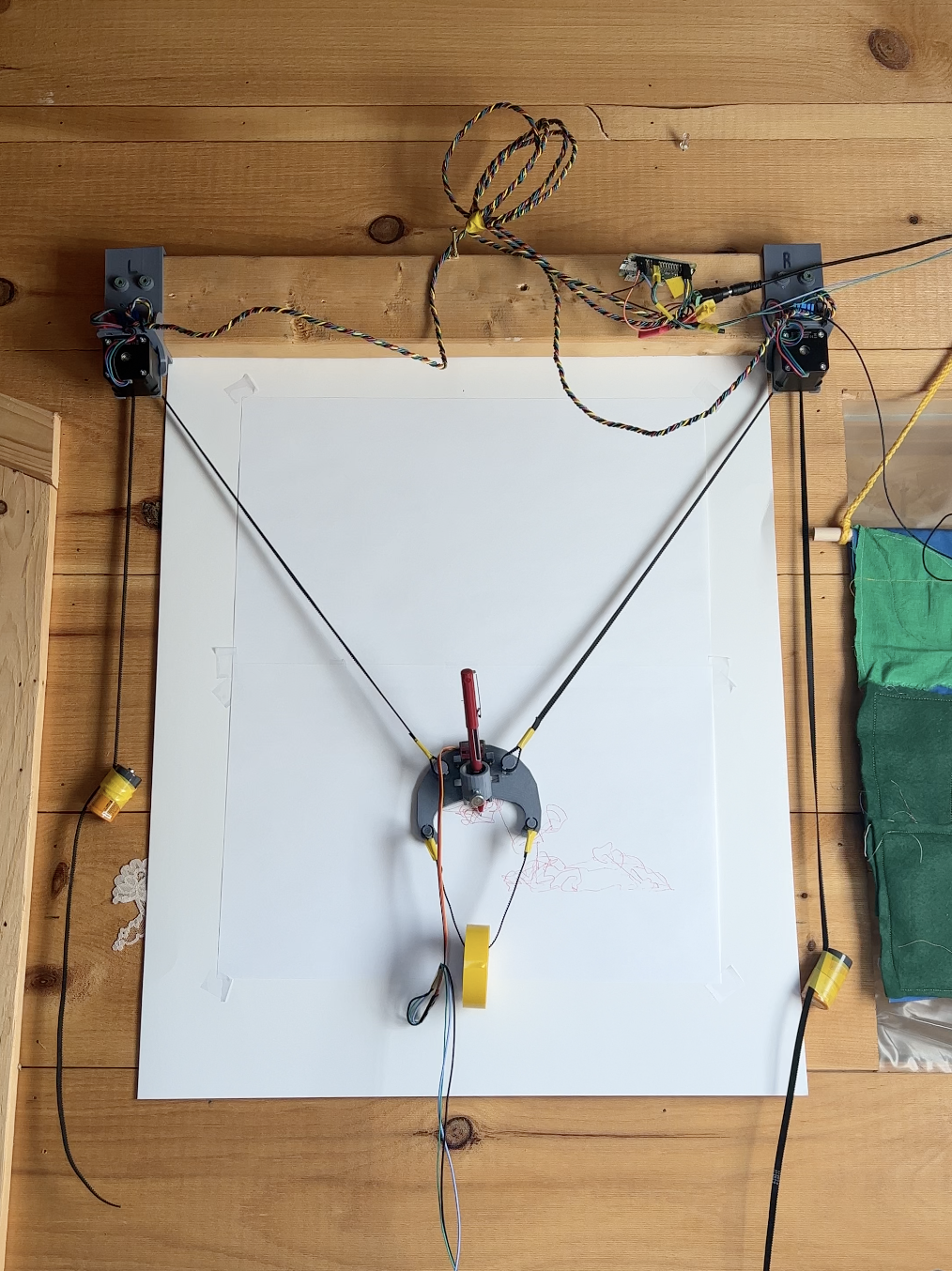
Before there was PlottyBot, I had designed and built a Gondola Plotter.

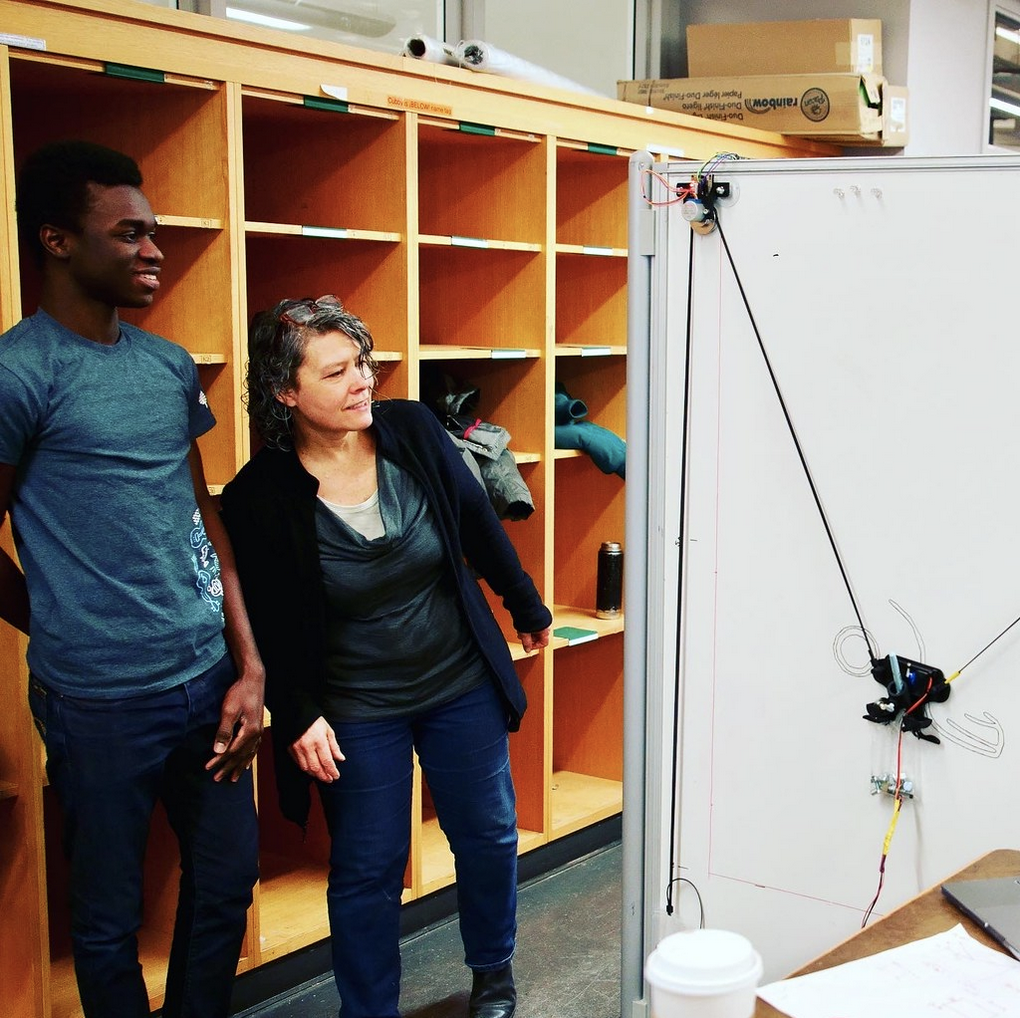
The software stack was meant for teaching, the parts meant to be cheap. It served that purpose and then I got engrossed in the tabletop plotter that became PlottyBot. In the back of my mind, I knew I’d circle back to the gondola plotter and bake in it all the lessons I learned, and port the PlottyBot software stack to it. Well, it’s now done, and I have great plans for it. For now I deployed it on a small wall for stress testing it and making sure it’s ready for prime time. I parameterized the PlottyBot software stack so that it can either run the tabletop or the gondola plotter. Live remote drawing, super complex plots, handwriting, it’s all there.

Through the iterations, I’ve managed to make it very accurate for a gondola plotter. One thing I make a point to do in the design, is open up the pen end so as to be able to watch the sweet drawing action.

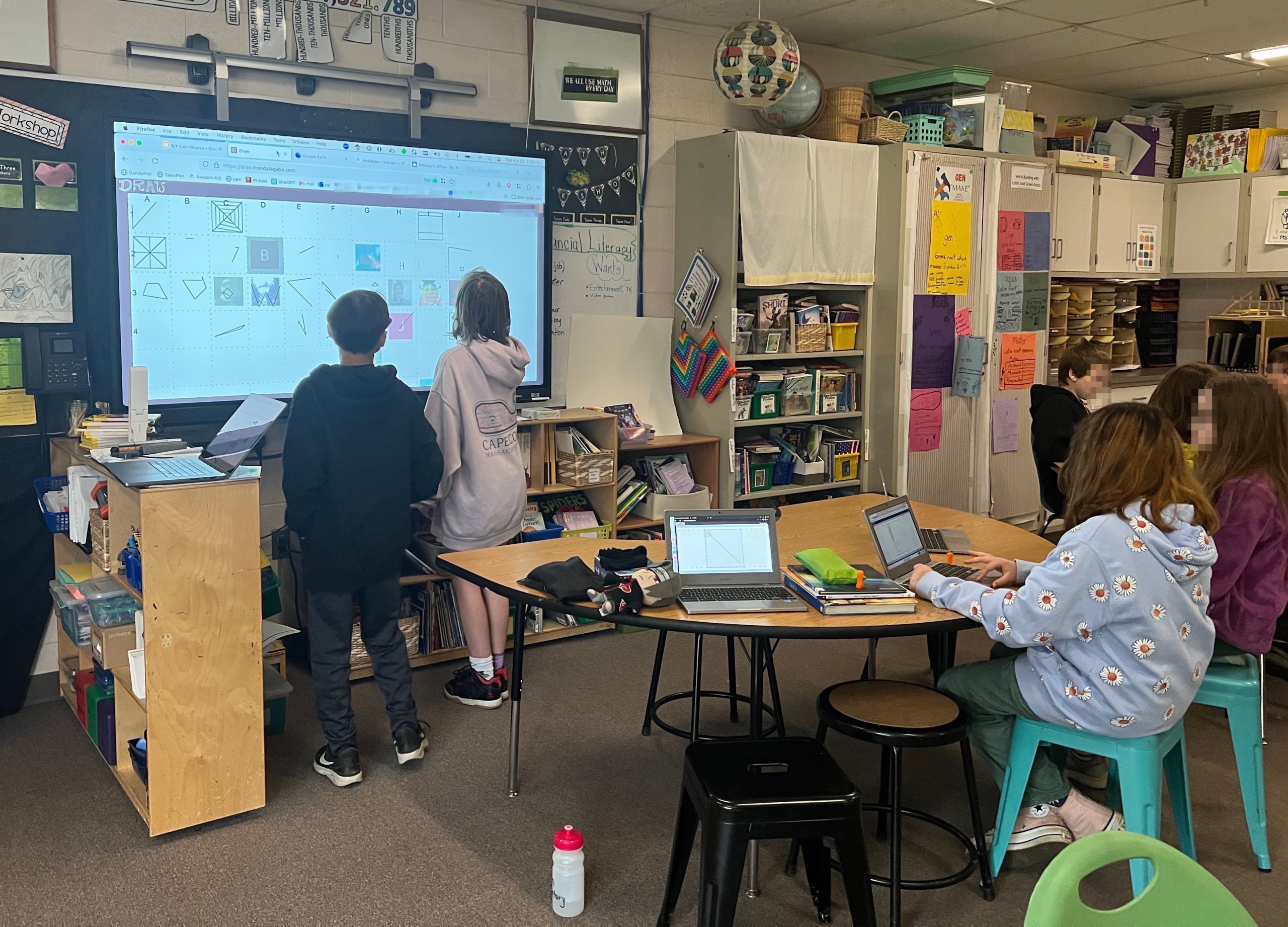
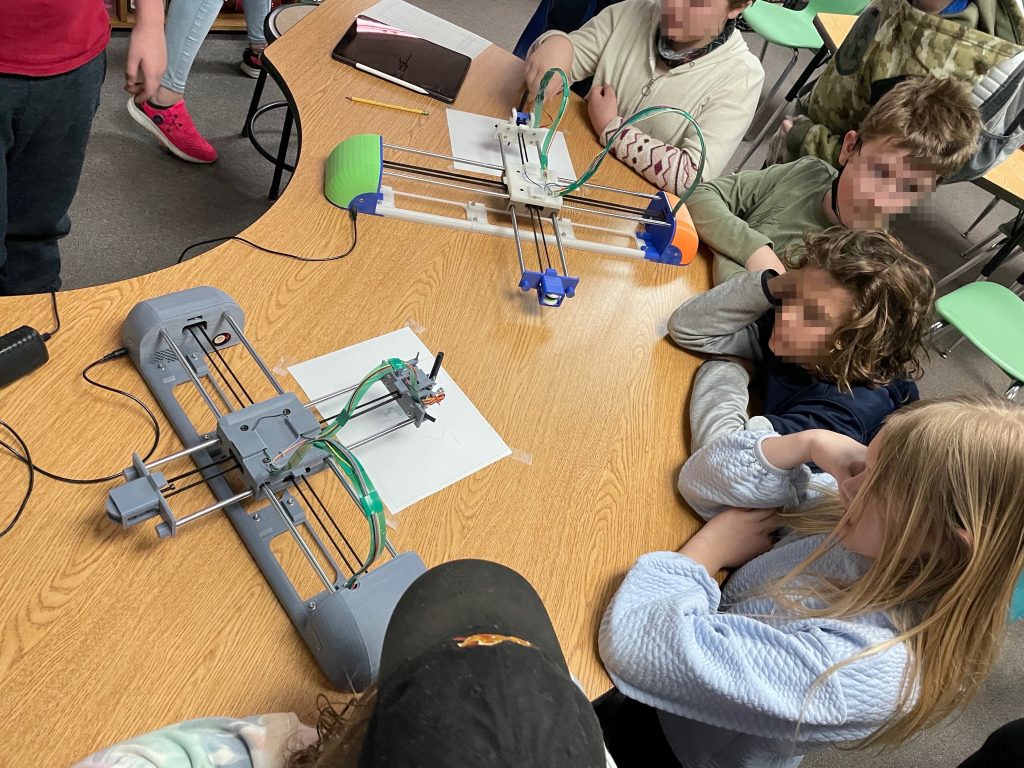
And since I’m catching up on plotter related matters, I guest speaker’d in Robin’s classroom to talk about X,Y coordinates. It was super fun and of course, the end goal was to get kids to drive the plotter. Most kids were curious in seeing the machine draw, few were enthralled. I loved having the chance to trigger some sparks in their brains. We did some other fun things around Cartesian coordinate systems.

I’ve been asked to do it again this year. I’d love to, and I’ll have one more plotter in my arsenal.

I.T., maniacal paranoia ben September 06, 2022

Analyzing Ultrasonic Signals

Disclaimer: I and other people may or may not have had anything to do with figuring this out.

Zoom Rooms emit ultrasounds to let devices within “earshot” connect without the user having to type anything. Ultrasounds have been used for such proximity related convenience before, and sometimes for more nefarious purposes such are mapping out who’s next to each other in the world. All using a wireless network that is available anywhere and completely ad-hoc. It just doesn’t go very far (thankfully).

In this post we’ll see how to analyze such a signal using Zoom Rooms’ Share Screen signal as an example.

Harvesting the Sound

First things first, to decipher the signal contained we need to extract the bits from a fuller audio landscape containing “noise” throughout various frequencies. Ultrasonic frequencies, the ones the human ear can’t hear, are by definition above 20KHz. Now this fluctuates between individuals, and especially age groups 🙂 but that’s the general cut-off: anything above 20KHz is unhearable, thus usable to transmit hidden signals. Although microphone and speaker manufacturers have no incentive to build products in the non-human range, humans are the one giving them money after all. And so hidden signals tend to be right around the 20KHz cutoff, where human-centered manufacturing specs will have a good chance of still working.

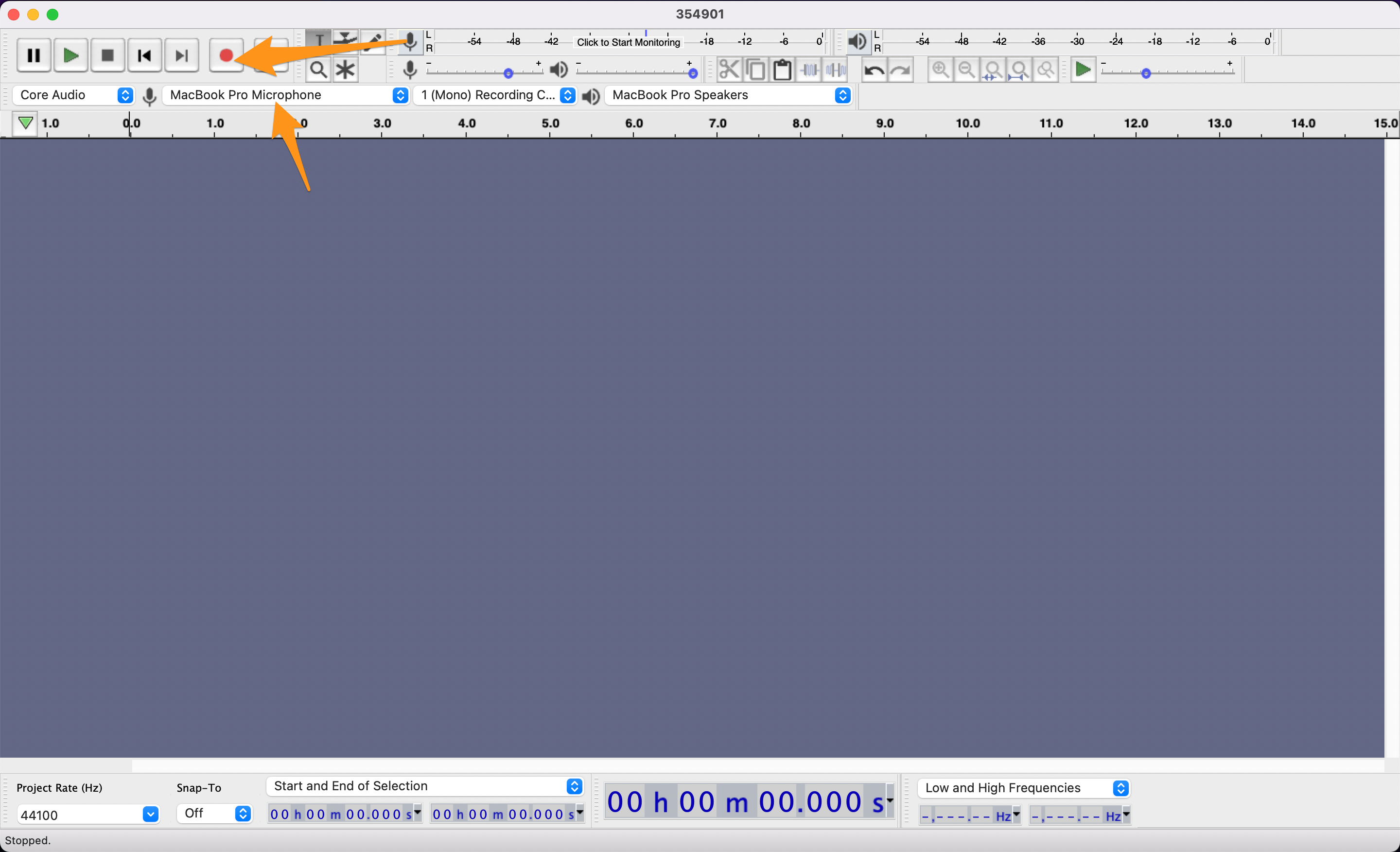
Audacity is great for recording and analysis, this is what we’ll use here. First record your sample, using your laptop, get close to the source of the ultra sounds, try and keep things quiet during recording, and gather a good sample.

Extracting the Signal

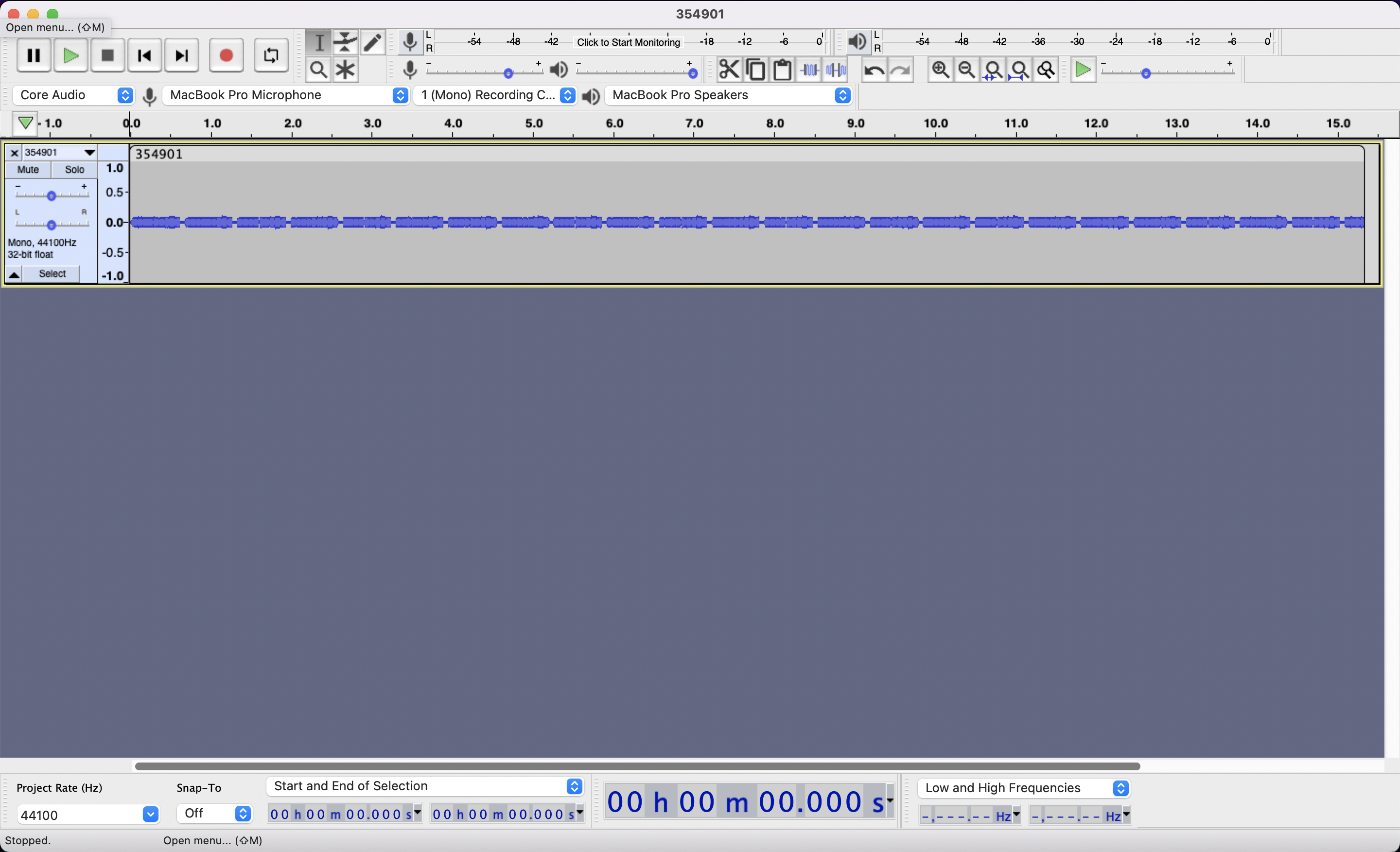
Looking at various time zoom levels, we can home in on a repeating pattern. The room is complete silence but your computer does hear it loud and clear.

The complete silence as it was recorded. Note the time scale just above the recording.

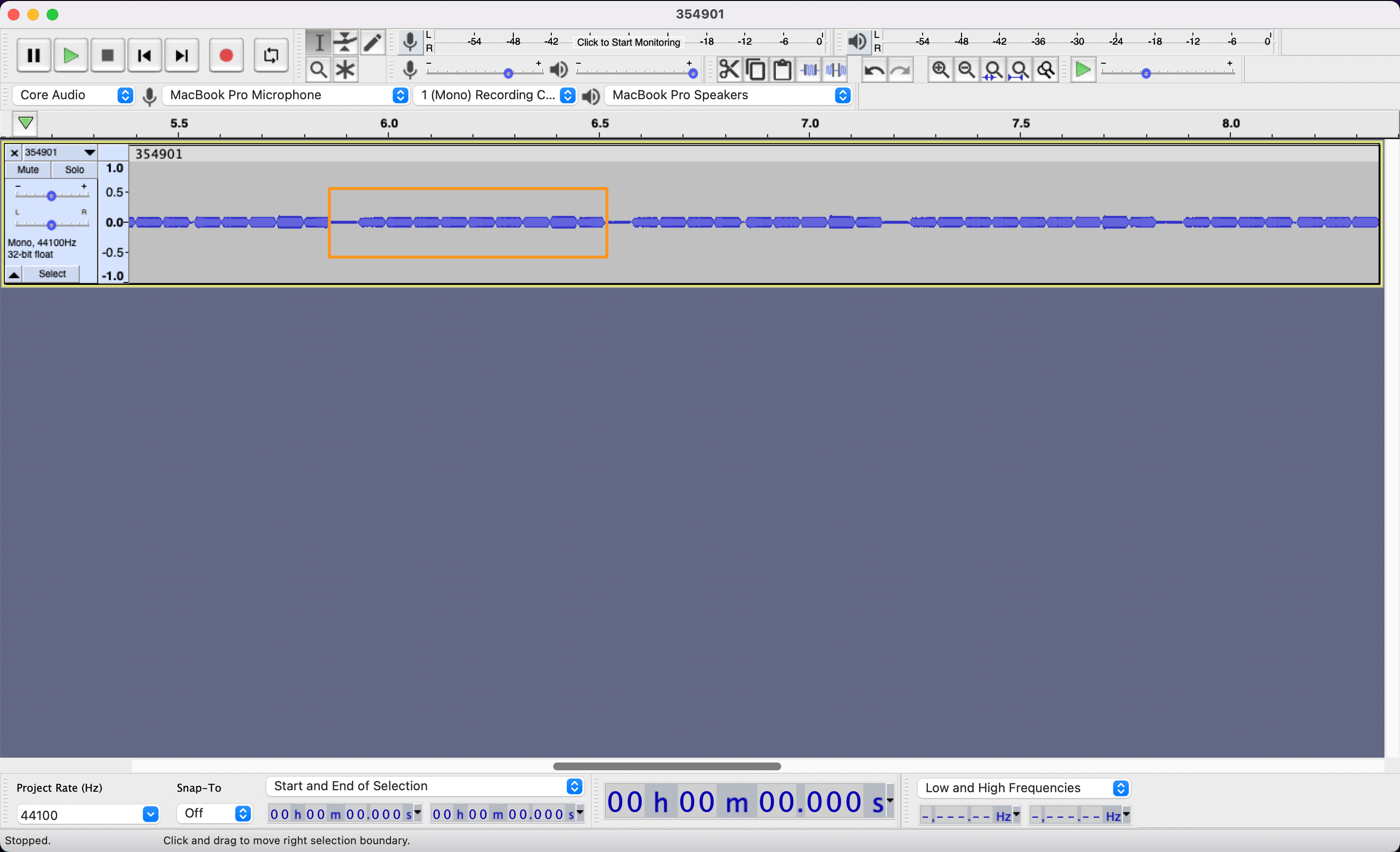
Zooming in on the pattern, each of the pattern’s blob is made of several blobs. At this level we can guess that the signal is made of 10 notes. Zoom Room’s Share Screen codes are 6 digits long so it feels right, either for control characters, or because they planned on room for expansion. Now we don’t know really know when the signal ends and when it stops, I’m drawing the rectangle for 10 notes starting on the quiet one, because I could see a silence being used as a separator much like a space or a line return.

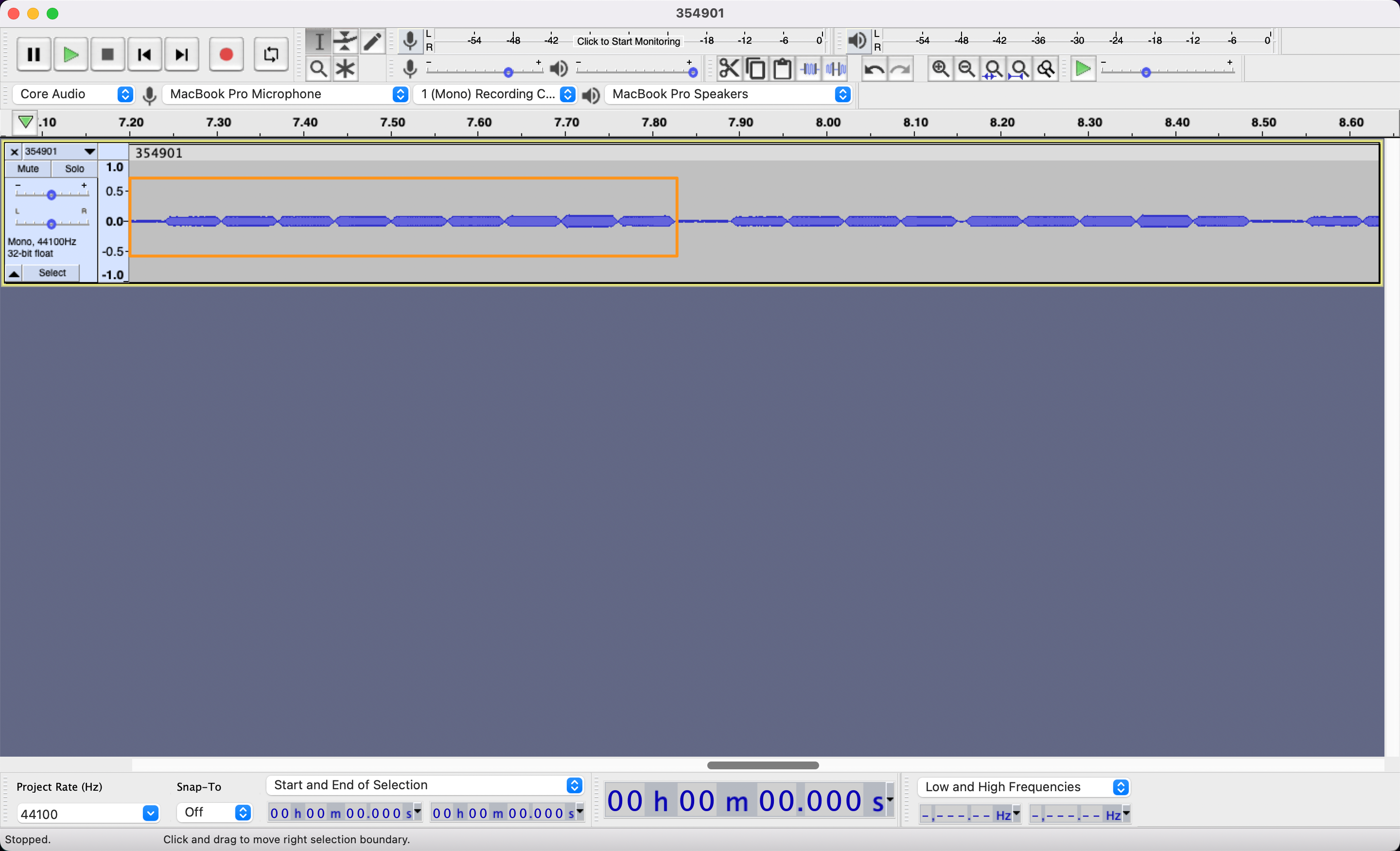
Finally, we zoom in just enough to start poking at each individual note/character.

Pretty easy so far, all we’ve done is record and zoom and we can start seeing our signal. Now begins the tedious task of annotating as many samples of this signal as you can. This is the data that will let you decipher the code.

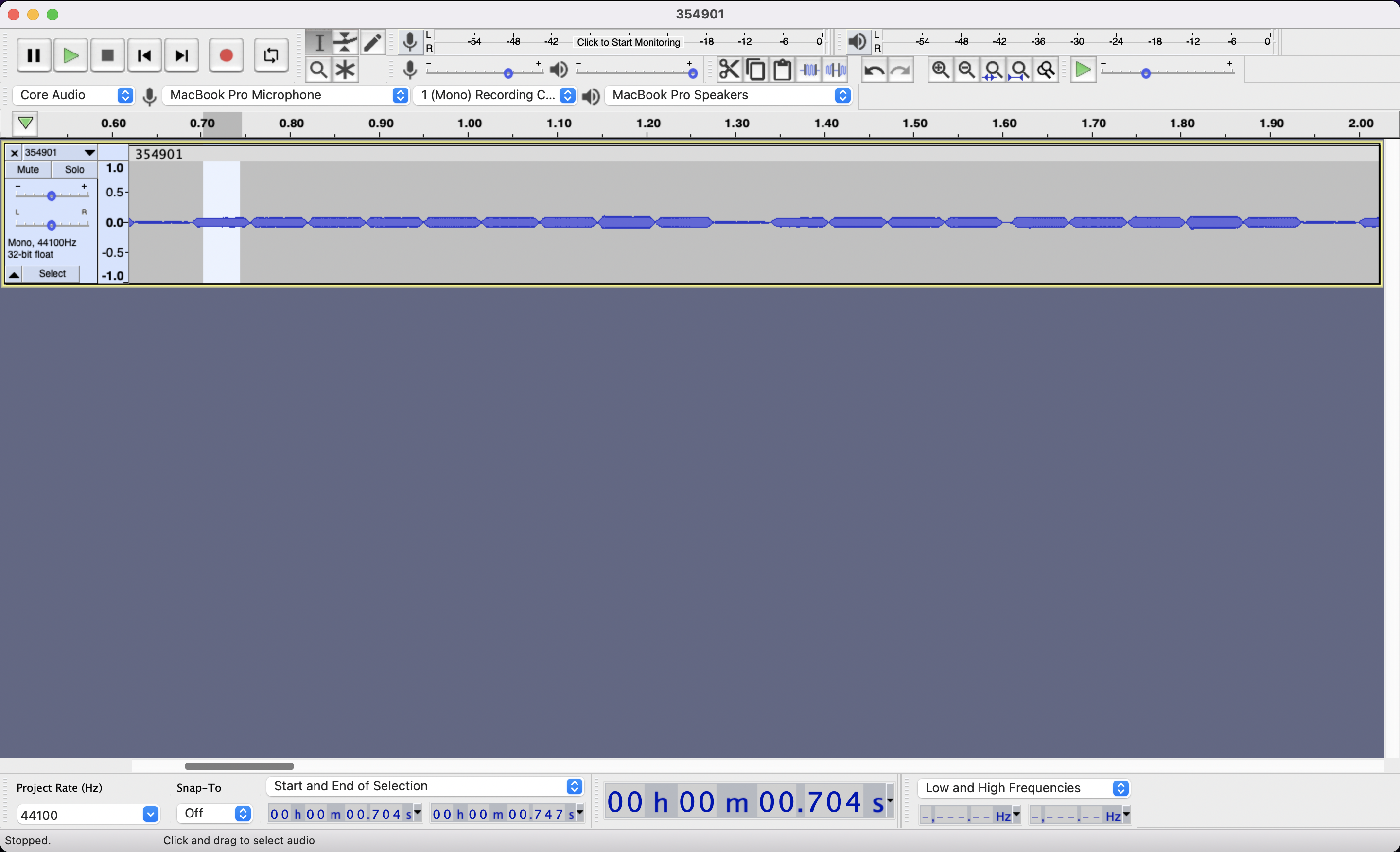
Select a clean section of just one note, don’t grab the edges, just the meat.

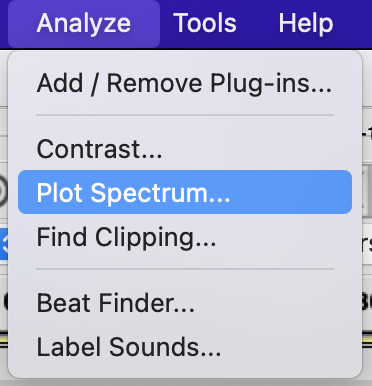
Then Click on Analyze -> Plot Spectrum

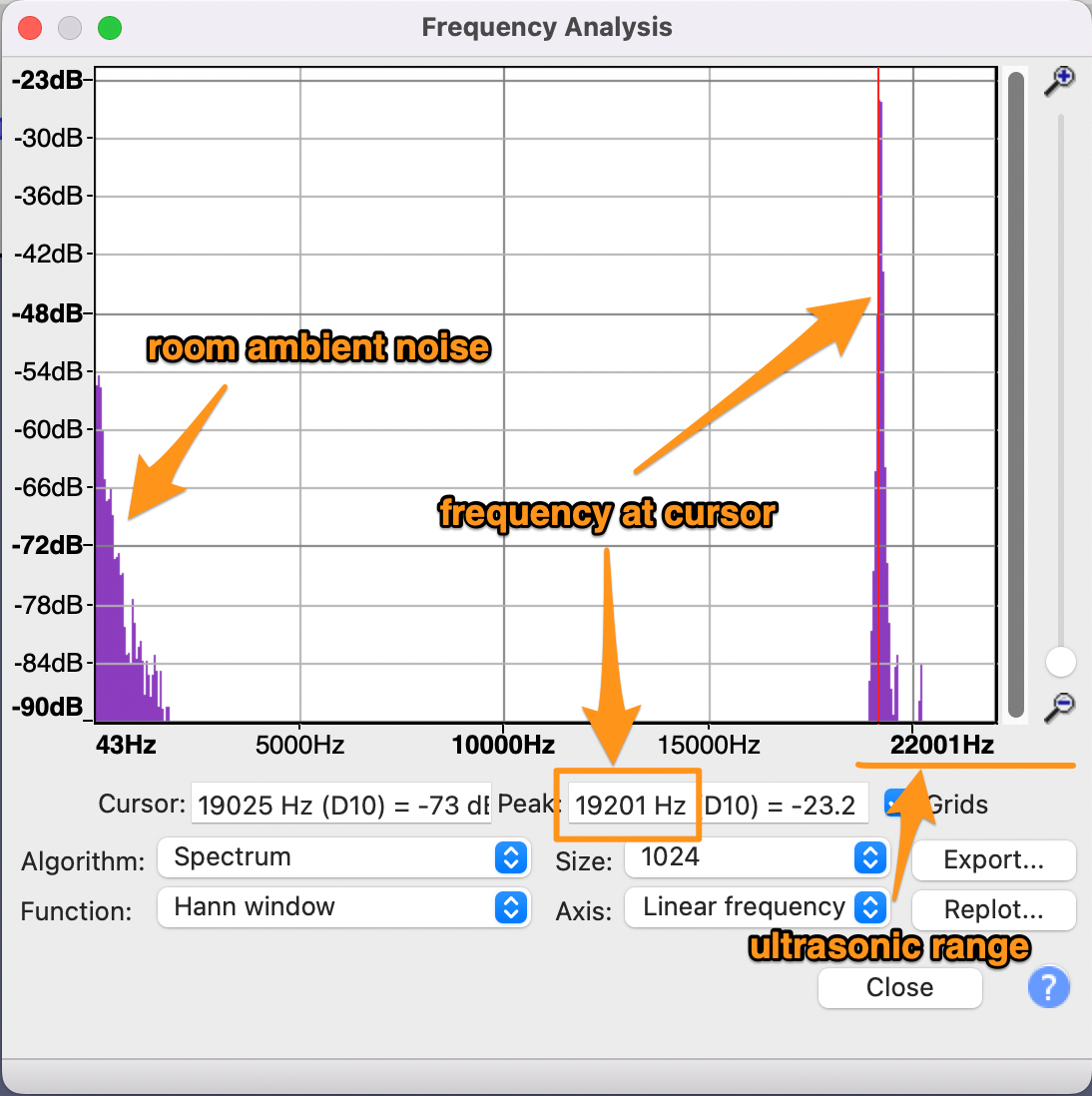
This will do a Fourier Transform of the selected area to decompose the sound into all of it various frequencies

Place the cursor on the highest ultrasonic peak, and read the frequency: 19201Hz or 19.2KHz here.

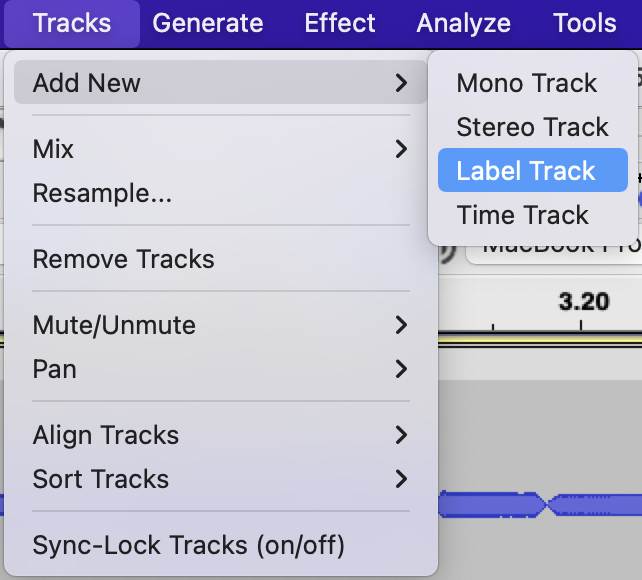
Make note of it by adding a label at the selection. You’ll first need a label track if you don’t already have one.

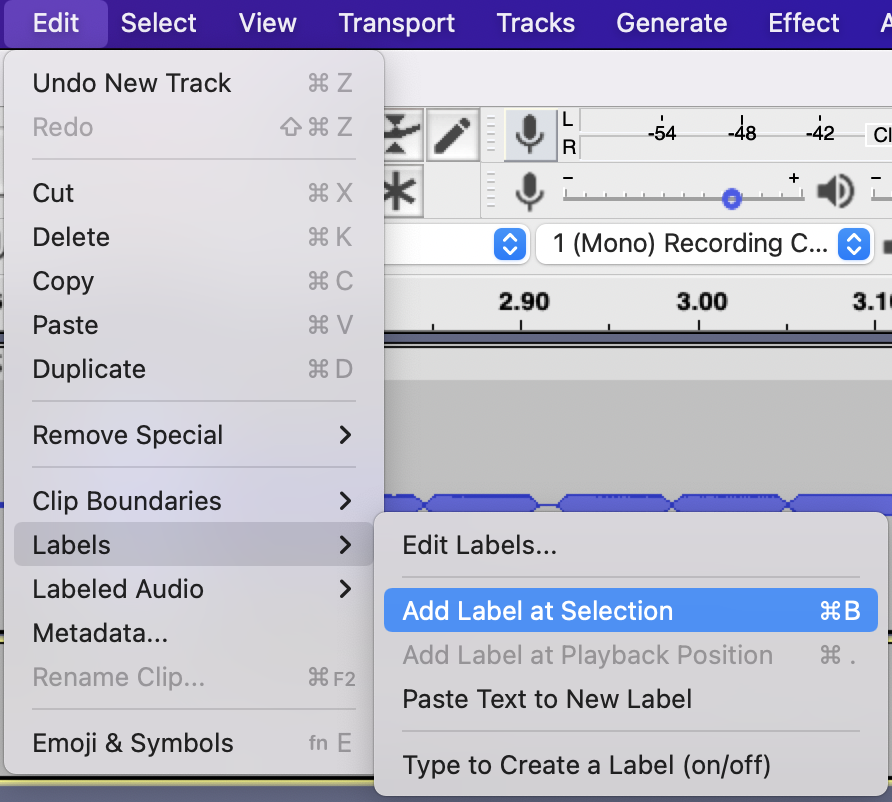
Then you can add the label.

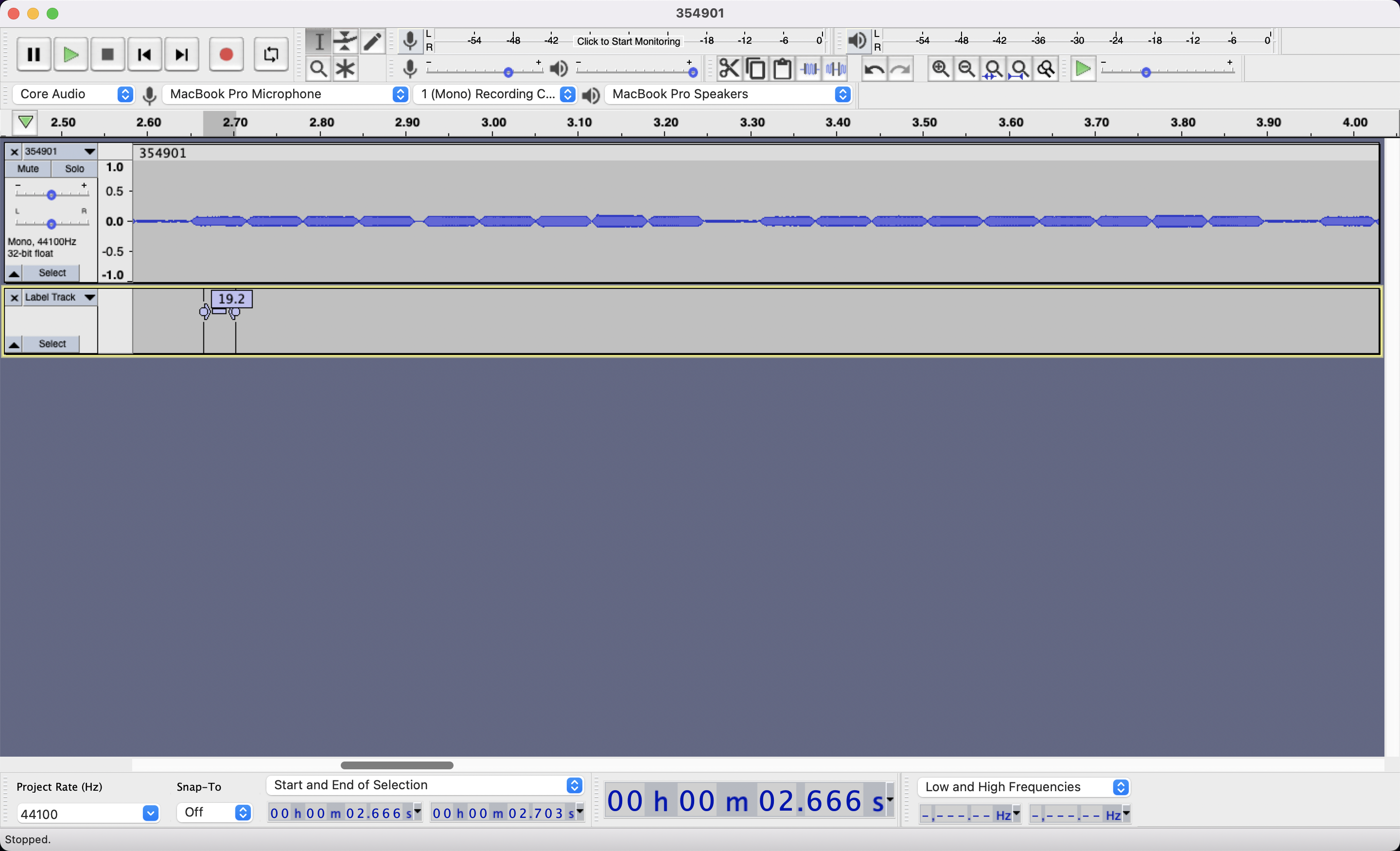
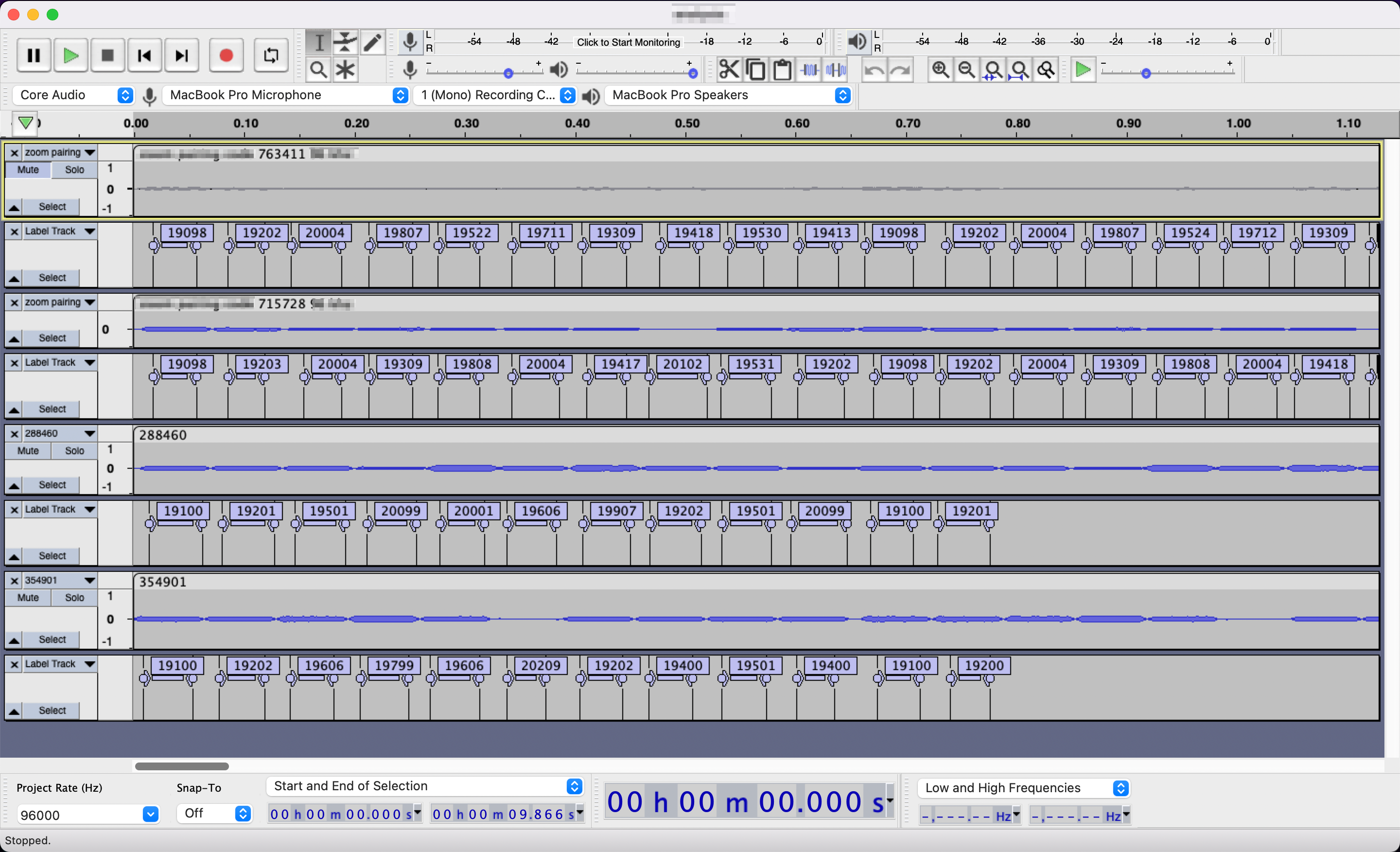
Do this for each note/character in the signal, it’s worth confirming the 10 character repetition we think we’re seeing. Then do this for many more samples… The more data, the easier it’ll be to decipher. Your project, which you should save often, will look something like that:

Deciphering the Signal

Now, obviously depending on what signal you are studying, the encoding will differ. I’m only talking about Zoom Rooms here and so I’ll only give general advice followed by the Zoom algorithm.

The general advice is as follows:

1. Gather a lot of data, this is the non-exciting part so it’s easy to want to move past it.

2. More often than not, there will be control notes/characters indicating the beginning or the end, or both of the signal. In the screenshot above, 19.1Khz followed by 19.2Khz is looking very likely like a control, align your audio sample to it and focus on the remaining notes/characters.

3. Look at the data from different angles, visually write it differently to see if patterns emerge. Spreadsheets can help.

4. Try various scenarios, even if you know they are likely false, they might get you closer to the truth.

5. Occam’s razor (or the lazy programmer) is likely a good guess

Zoom Room Rosetta Stone

Each signal starts with 19.1Khz followed by 19.2KHz. Then the 6 digits of the code displayed on the screen is “played”. Then a 2 digits representing the checksum of the 6 digits which is their sum. That’s 10 characters total.

Each digit maps to 2 possible frequencies:

0 -> 19.2Khz / 19.3Khz
1 -> 19.3Khz / 19.4Khz
2 -> 19.4Khz / 19.5Khz
3 -> 19.5Khz / 19.6Khz
4 -> 19.6Khz / 19.7Khz
5 -> 19.7Khz / 19.8Khz
6 -> 19.8Khz / 19.9Khz
7 -> 19.9Khz / 20.0Khz
8 -> 20.0Khz / 20.1Khz
9 -> 21.1Khz / 20.2Khz

Weird how they can possibly overlap and this is the twist behind this encoding, all other things being rather straightforward, for your next digit you always pick the frequency furthest from the frequency you just played. If you just played your control signal: 19.1Khz, 19.2Khz and your code starts with a 3 you will pick 19.6KHz to play the 3 as it it furthest from 19.2Khz. If your next digit is a 2, you will pick 19.4Khz to play it as it is furthest from 19.6Khz. I don’t know enough about sound engineering to know if Zoom did this to disambiguate frequencies which are close to each other, or if it’s meant as a cipher. I’m guessing the former, it seems to be a smart way to guarantee at least 0.2Khz of difference between 2 proximate characters while only adding 0.2Khz of spectrum. Since we know devices are likely to become distorted at the beginning of the inaudible range, it makes sense to both make an extra effort to distinguish characters, while not expanding too far into that range. Pretty cool eh?

Here’s a real world example, say that the code played is 790155:

first you play the control: 19.1Khz, 19.2Khz

then 7 with 20.0Khz as it is the furthest from 19.2Khz
then 9 with 20.2Khz as it is the furthest from 20.0Khz
then 0 with 19.2Khz as it is the furthest from 20.2Khz
then 1 with 19.4Khz as it is the furthest from 19.2Khz
then 5 with 19.8Khz as it is the furthest from 19.4Khz
then 5 with 19.7Khz as it is the furthest from 19.8Khz

compute your checksum of 7+9+0+1+5+5 = 27

play 2 with 19.4Khz as it is the furthest from 19.7Khz
then 7 with 20.0Khz as it is the furthest from 19.4Khz

Voila!

Some Code to go along with it

If you want to play the Share Screen code from your Zoom Rooms into the world, the following code will do it for your for a few seconds. Just make sure to update the “code” variable near the top. This code works in your standard browser’s web inspector console.

[code lang=”js”](async function main () { var code = "&lt;6_digit_code_goes_here&gt;" ; var context = new AudioContext() ; var o = context.createOscillator() ; o.type = "sine" ; var g = context.createGain() ; o.connect( g ) ; o.frequency.value = 0 ; g.connect( context.destination ) ; o.start( 0 ) ; var sleep_time_ms = 50 ; var control_frequency = 19100 var frequencies = { 0:[19200,19300], 1:[19300,19400], 2:[19400,19500], 3:[19500,19600], 4:[19600,19700], 5:[19700,19800], 6:[19800,19900], 7:[19900,20000], 8:[20000,20100], 9:[20100,20200], } console.log( "starting ultrasound emission" ) ; var i = 50 ; while( i&gt;0 ) { i– ; // control o.frequency.value = 19100 await new Promise( r =&gt; setTimeout(r, sleep_time_ms) ) ; o.frequency.value = 19200 await new Promise( r =&gt; setTimeout(r, sleep_time_ms) ) ; // payload var checksum = 0 ; last_frequency = o.frequency.value ; for( var j=0 ; j&lt;code.length ; j++ ) { checksum += parseInt( code[j] ) ; o.frequency.value = pick_furthest_frequency( last_frequency, frequencies[parseInt(code[j])] ) ; last_frequency = o.frequency.value ; await new Promise( r =&gt; setTimeout(r, sleep_time_ms) ) ; } // checksum checksum = checksum.toString() ; if( checksum.length==1 ) { checksum = "0" + checksum ; } o.frequency.value = pick_furthest_frequency( last_frequency, frequencies[parseInt(checksum[0])] ) ; last_frequency = o.frequency.value ; await new Promise( r =&gt; setTimeout(r, sleep_time_ms) ) ; o.frequency.value = pick_furthest_frequency( last_frequency, frequencies[parseInt(checksum[1])] ) ; last_frequency = o.frequency.value ; await new Promise( r =&gt; setTimeout(r, sleep_time_ms) ) ; } console.log( "stopped ultrasound emission" ) ; g.gain.exponentialRampToValueAtTime( 0.00001, context.currentTime + 0.04 ) ; function pick_furthest_frequency( previous, possible_new_frequencies ) { if( Math.abs(last_frequency-possible_new_frequencies[0]) &gt; Math.abs(last_frequency-possible_new_frequencies[1]) ) { return possible_new_frequencies[0] ; } return possible_new_frequencies[1] ; } })();[/code]

I.T., plots, plotters, web development ben August 18, 2022

Microplots

I built a website for running experiments in collaborative drawing. It’s pretty neat and I’m not going to describe it just yet, but in the process of testing it, I threw at it all kinds of plots I had at the tip of my fingers, and it yielded some pretty cool results.

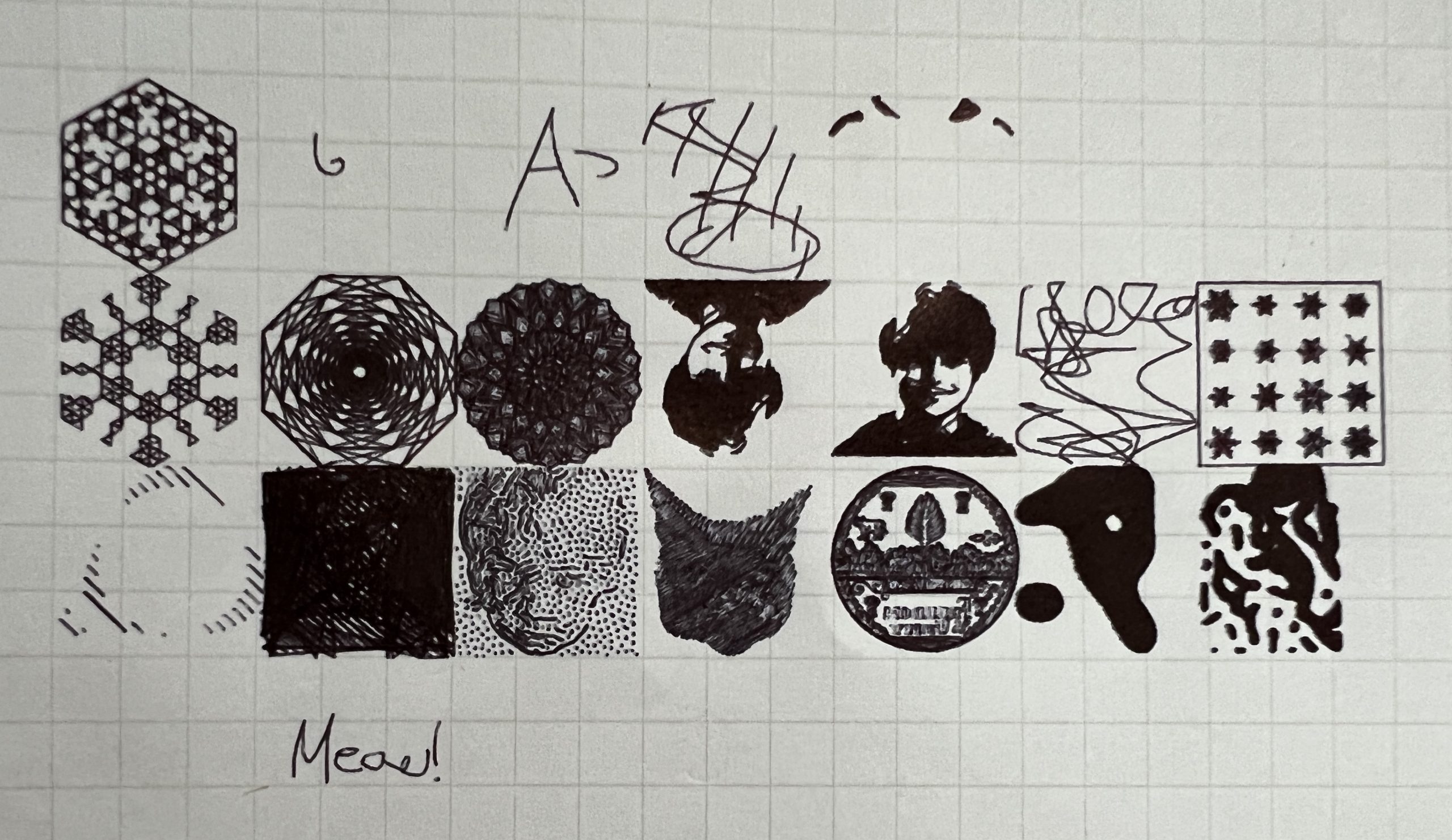
I may have here my next plotting streak: microplots. Some look predictably bad as they were meant as stress tests, but some came out well enough to make me curious.

More to come on all this soon…

3D modeling / printing, building, self sustainability ben July 10, 2022

Procrastinated Planning

Driven by necessity, I finalized the plan for construction 2022. I struggled pretty hard on this one, because I tried to figure out many ways to gain half a floor, and I had to think hard about snow management. Ultimately I ended up keeping it to just 1 floor because I do NOT want to mess with the existing tin roof. In Vermont currently contractors are impossible to get, let alone roofers who are notoriously difficult to begin with (and rightfully so). So it was always the plan that I’ll be doing the tin myself, and because of that, I really cannot mess with the existing roof. So this addition has an independent roof line which does not at all integrate with the existing one.

There were a couple of challenges to solve but in the end, it’s a pretty straightforward build. Nicole is getting a whole 12’x16′ all to herself to accommodate all the projects she’s spearheading on the homestead.

miscellaneous, web development ben March 04, 2022

Sanctions? All I can do is Slight Annoyance

Mandalagaba is no longer available in Russia or Belarus. That’ll slightly annoy about 30 people per day. It feels wrongly targeted at little people going about their lives. But it also feels like I don’t want to pay server time to provide something nice while they have Putin in power. I say all this knowing full well how close we got to having our very own dickhead motherfucker of the same vein seize power.

I.T., plotters ben February 13, 2022

Once More, With Feeling

The Christmas Card video was meant as a bit of a gimmick, something to post about. And it definitely worked to this effect. PlottyBot had some visibility on Reddit and ended up on HackADay :).

It’s always fun to get a bit of spotlight and see people react positively to something you built. Then Robin needed to actually write a bunch of valentines cards to his classmates, and he didn’t want to do it at all. So I proposed the plotter and his captured handwriting to make it fun. He didn’t hesitate and I learned a couple of things. First, he was fully capable of operating it, a sign that he’s growing up and that the software stack does make plotting accessible. Second, it was actually less work to “mass produce” handwritten cards. I thought it’d be the same amount of work as compared to writing them yourself, but really he’d just show up to change the paper when the plotter was done. He was watching TV while the plotter was working for him… Maybe this whole project is a failure.

aesthetics, plots, plotters ben January 02, 2022

111,345 Pen Strokes

This is close to the upper limit for plot complexity. The squiggles are packed so tight the ink and the fine point pen laying it are at the limit of what they can do while keeping the strokes distinct.

for reference this is an elaboration on: 26,237 Pen Strokes

Having lived alongside machines my whole life, I never fully understood until this project what they were capable of. I knew it, but I didn’t understand it fully. I could I never draw this well, I wouldn’t have the dexterity to make these strokes, I wouldn’t have the ability to draw as fast, as relentlessly, or as flawlessly. Lastly, for the 17 hours that the plotter was drawing away, I was free to do other things. I know it’s not much of an epiphany but I found myself starring at this ongoing plot quite a bit pondering about how overwhelmingly better this machine was at drawing than I could ever hope to be. It’s one thing when a machine does something completely foreign that just isn’t possible for us humans, it’s another much more relatable thing when it holds a pen and draws. Learning about stepper motors has been a small revolution in my mind, and I see them everywhere in the world now.

I think I’ve pushed this one machine as far as it can go while still producing something of value. It’s a really good feeling to have pushed it this far given it represents the culmination of a 3 year pursuit. Now I can focus even more on the funner aspects of plotting cool things, knowing the machine and software stack can tackle the maximum level of complexity I would throw at them.

Reference: Ivan Murit’s Texturing

I.T., miscellaneous ben December 21, 2021

Fluid Simulation

https://paveldogreat.github.io/WebGL-Fluid-Simulation/

aesthetics, plots, plotters ben December 16, 2021

26,237 Pen Strokes

Little by little I’m increasing the complexity of what I can send to the plotter. As an image passes through the various programs I choose for a particular render, I push their limits and often run into bugs, memory limits and others. As much as possible, I dockerize each step so they are easier to summon and improve on their own. This also allows for pipelining.

I finally found a fast and reliable SVG->GCode converter. Inkscape’s is reliable but it’s extremely slow. I had to rewrite a part of it to be iterative rather than recursive so it could handle the size of the SVGs I am throwing at it.

Inkscape itself has a command line mode so some of the repetitive stuff I use it for are dockerized, for example to ungroup objects and break apart compound paths. It’s truly amazing.

I kind of want to publish all this but I have no idea if I violated any licenses frankensteining code from various sources. And I have much better things to do with my time than to find out. Things such as this wonderful plot:

Posts pagination

← Previous 1 2 3 4 … 9 Next →

This blog is solar powered

Interactive

Handwriting Capture
Mandalagaba
IPv6 link-local to MAC converter
IPv6 MAC to link-local converter
Markov Text Generation
Markov Word Generation
Markov Music Generation
Duplogrifier
Flood Fill Algorithms
Homestead Metrics
RGB Playground
Web Games

Categories

  • aesthetics111
    • plots54
    • specular holography6
  • Books3
  • I.T.202
    • 3D modeling / printing21
    • AI6
    • all out geekery36
    • electronics27
    • homestead automation6
    • maniacal paranoia25
    • plotters49
    • unix / linux29
    • video games4
    • web development29
    • web games3
  • Lego / Duplo67
  • life in the U.S.42
  • miscellaneous202
  • nature encounters114
  • old vinyls3
  • organs2
  • self sustainability560
    • agriculture105
    • apiculture38
    • apple20
    • building131
    • canning3
    • crochet6
    • foraging6
    • hunting10
    • maple syrup47
    • poultry39
    • preserving2
    • solar power28
    • water23
    • wood84
  • trip to a new life6
Theme by Bloompixel. Proudly Powered by WordPress